

外掛說明
Price by Location plugin for WooCommerce allows you to set different prices for products based on the customer’s location. This plugin uses geolocation to determine the customer’s location and display the appropriate price for each product.
Need custom development?
Visit FuturisticIT for WordPress, WooCommerce and other services.
Features:
- Country based pricing
- State based pricing
- Postcode based pricing
- Automatic geolocation detection
- Easy price management
This plugin helps store owners create localized pricing strategies for different regions.
External Services
This plugin connects to the IPInfo and IPGeolocation APIs to detect visitor geolocation for country-based pricing.
Data sent:
– Visitor IP address
When data is sent:
– During frontend page loads when geolocation detection is enabled.
Services used:
IPInfo
Terms: https://ipinfo.io/terms-of-service
Privacy: https://ipinfo.io/privacy-policy
IP-API
Used to detect visitor geolocation from IP addresses.
Website:
https://ip-api.io/
Privacy Policy:
https://ipapi.org/privacy.php
IPGeolocation
Terms: https://ipgeolocation.io/tos.html
Privacy: https://ipgeolocation.io/privacy-policy
螢幕擷圖
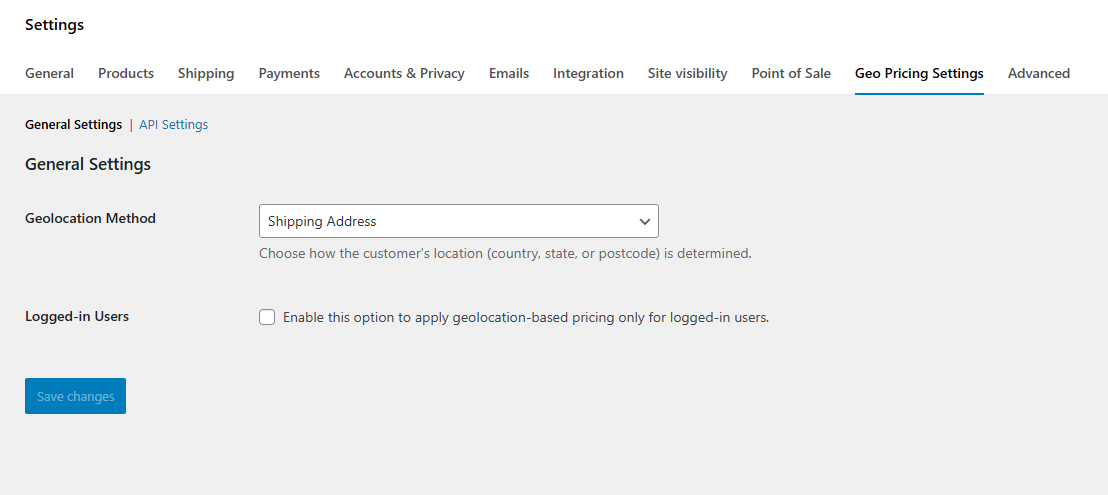
General settings 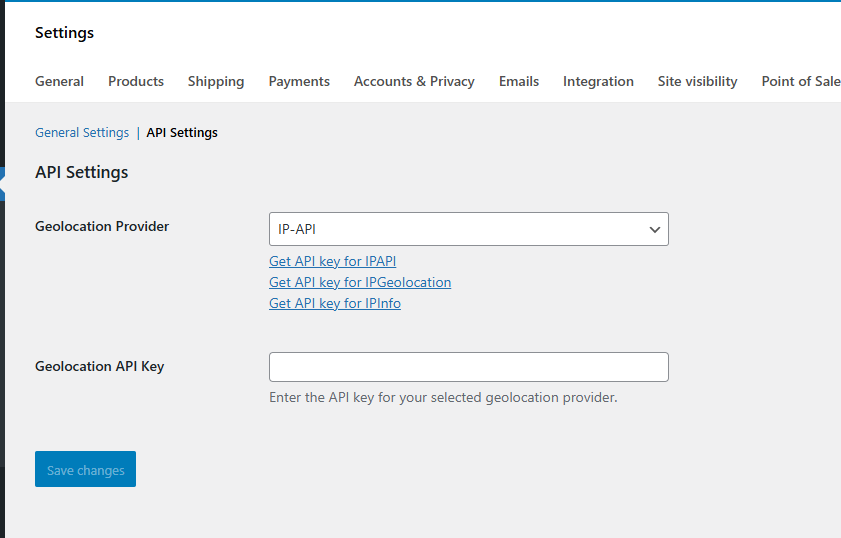
API settings 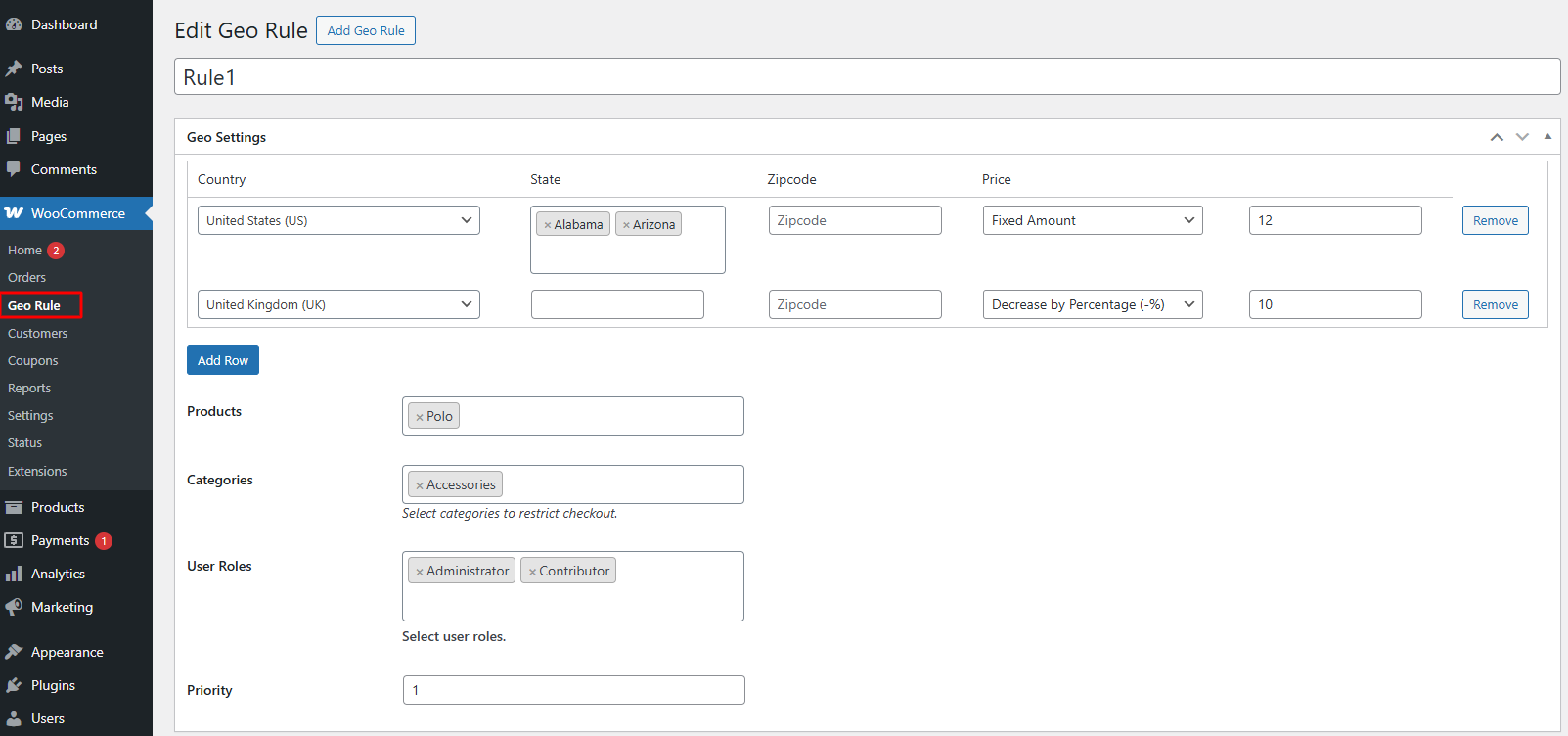
Pricing rules settings 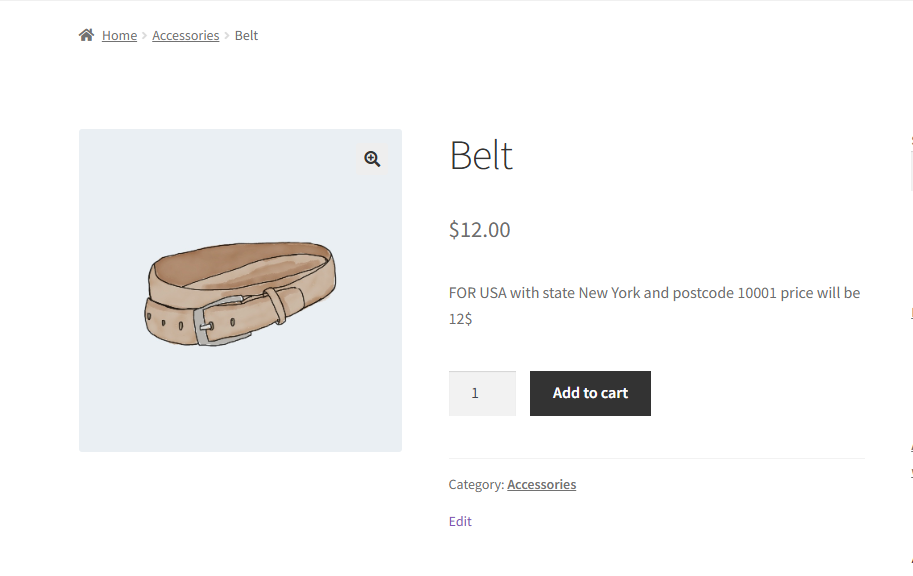
Frontend
安裝方式
- Upload the plugin files to the
/wp-content/plugins/price-by-locationdirectory. - Activate the plugin through the ‘Plugins’ screen in WordPress.
- Go to WooCommerce settings to configure geo pricing rules.
常見問題集
-
Does this plugin require WooCommerce?
-
Yes, WooCommerce must be installed and activated.
-
Can I set prices by postcode?
-
Yes, you can create pricing rules based on postcode ranges.
-
Does it support variable products?
-
Yes, the plugin supports simple and variable products.
使用者評論
這個外掛目前沒有任何使用者評論。
參與者及開發者

變更記錄
1.0.0
- Initial release.