
外掛說明
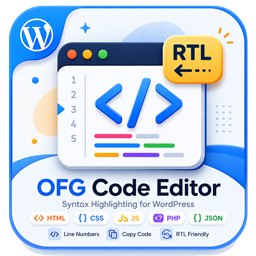
OFG Code Editor provides a consistent way to publish code snippets in WordPress.
Features:
- Gutenberg block for formatted code output.
- Classic editor button for inserting the shortcode template.
- Shortcode support via
[ofgcodeeditor_code]. - Copy button and line numbers on the frontend.
- Responsive code box layout with light and dark friendly styling.
螢幕擷圖


適用於區塊編輯器
這個外掛提供 1 個可供區塊編輯器使用的區塊。
- OFG Code Editor
安裝方式
- Upload the plugin files to the
/wp-content/plugins/ofg-code-editordirectory, or install the plugin through the WordPress plugins screen. - Activate the plugin through the
Pluginsscreen in WordPress. - Insert the
OFG Code Editorblock in Gutenberg or use the classic editor helper button.
常見問題集
-
Which shortcode should I use?
-
Use
[ofgcodeeditor_code language="html"]...[/ofgcodeeditor_code]. -
Can I change the visible label?
-
The plugin uses a fixed header label: OFG Code Editor Plugin.
使用者評論
這個外掛目前沒有任何使用者評論。
參與者及開發者

變更記錄
1.0.3
- Updated plugin tested version metadata.
1.0.2
- Updated plugin metadata for WordPress.org review.
- Removed the legacy generic shortcode alias.
- Removed the unnecessary wrapper around the plugin class.
1.0.1
- Removed manual textdomain loading.
1.0.0
- Initial release.