

外掛說明
The Import Export Menu plugin provides an easy and efficient way to manage your WordPress menus. With this plugin, you can seamlessly import and export your website menus, making it simple to transfer menu structures between different WordPress installations or to back up your menu configurations.
Key Features:
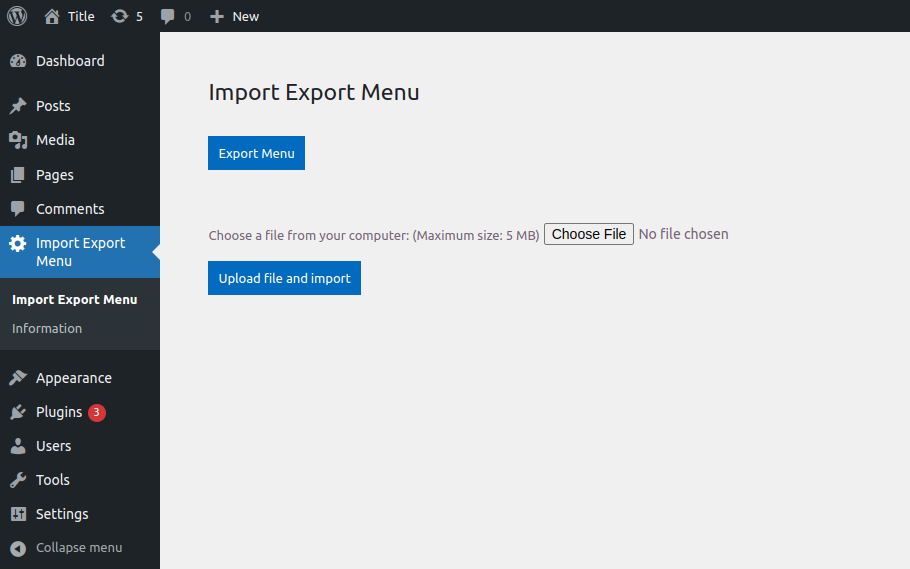
- Simple Export: Quickly export your menu structures with a single click.
- Easy Import: Effortlessly import your menus back into your WordPress site.
- User-Friendly Interface: Straightforward and intuitive interface for effortless menu management.
- Compatibility: Works with all WordPress themes that support the WordPress menu system.
螢幕擷圖
安裝方式
-
Open WordPress Dashboard:
Log in to your WordPress dashboard. -
Access Plugin Menu:
On the left panel, click “Plugins” and select “Add New.” -
Search for “Import Export Menu”:
On the Add Plugin page, locate the search box in the top right corner.
Type “Import Export Menu” in the search box. -
Install the Plugin:
After finding the “Import Export Menu” plugin, click the “Install Now” button below it. -
Activate the Plugin:
Once the installation is complete, click the “Activate” button that appears. -
You’re Ready to Use the Plugin:
After activation, navigate to the “Import Export Menu” section in your WordPress dashboard to start importing and exporting menus.
常見問題集
-
Currently, the plugin supports exporting one menu at a time. You can select the desired menu and export it individually.
-
The plugin exports menus in a JSON file format, which is then used for importing the menu structure back into WordPress.
-
Is the plugin compatible with all WordPress themes?
-
Yes, the Import Export Menu plugin is designed to be compatible with all WordPress themes. It works with any theme that supports the WordPress menu system.
-
Absolutely! The plugin is ideal for transferring menu structures between different WordPress installations. Simply export the menu from one site and import it into another.
使用者評論


