
外掛說明
WordPress 聯絡表單編輯器外掛
WPForms 是一款簡單好用又強大的 AI 拖放式 WordPress 表單編輯器。只需點擊幾下,就能在幾分鐘內為你的網站建立聯絡表單、意見回饋表單、訂閱表單、付款表單 (包含 Stripe、Square 與 PayPal) 及各種類型的表單!
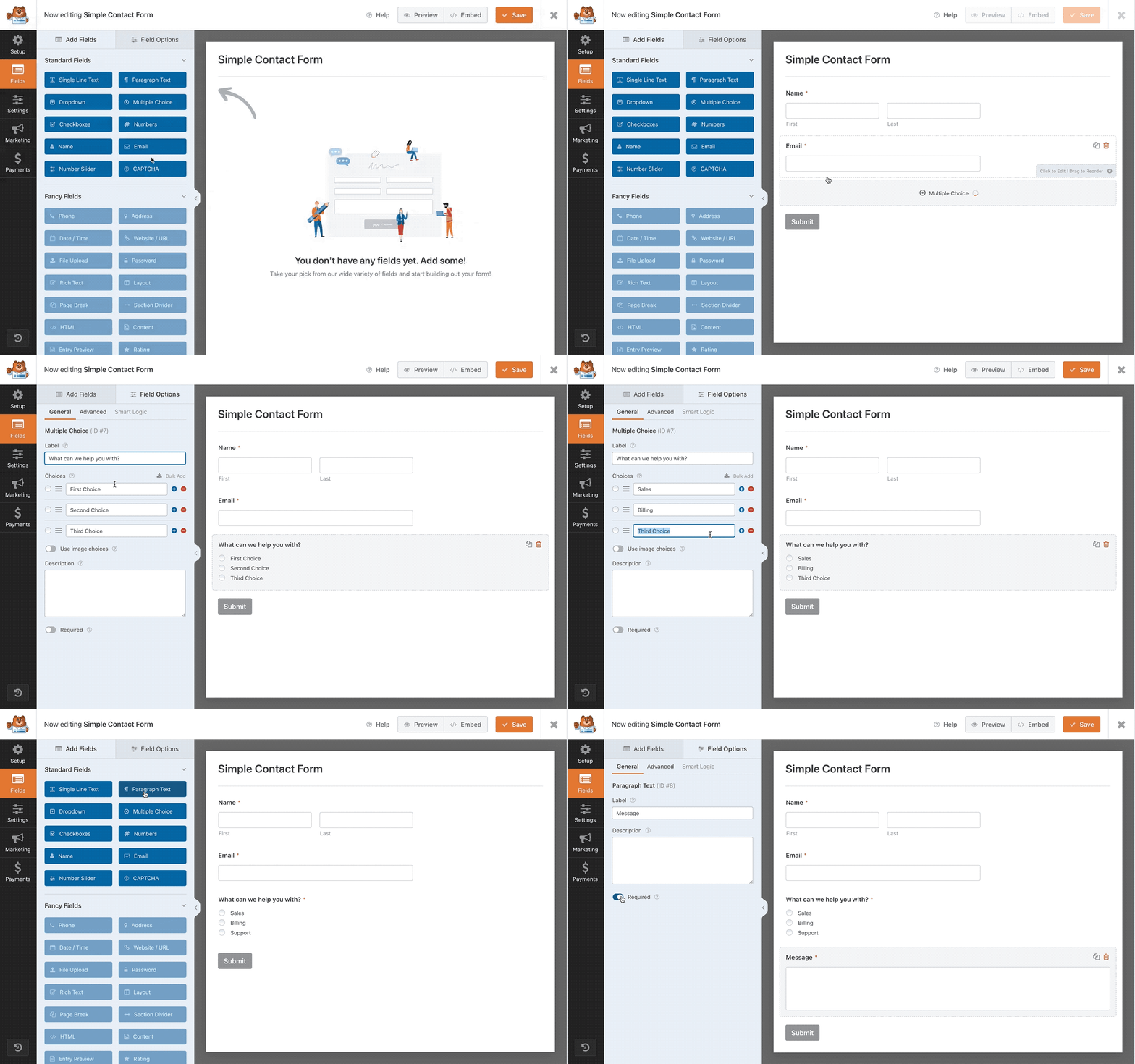
在 WPForms,使用者體驗是我們的第一要務。我們預先建構的表單範本與工作流程,讓 WPForms 成為市面上對初學者最友善的聯絡表單外掛。你不需要聘請開發人員,只要使用我們的拖放式表單編輯器、套用範本或直接向 AI 提問起步,就能在 5 分鐘內建好一份表單。
WPForms Pro
此外掛是 WPForms Pro 的 Lite 版本,Pro 版提供電子郵件訂閱表單、多頁式聯絡表單、檔案上傳、條件邏輯與更多付款整合服務。點擊此處立即購買這款最佳頂級 WordPress 聯絡表單外掛!
AI 驅動的拖放式聯絡表單編輯器
使用我們易於操作的線上拖放式表單編輯器,或直接讓 AI 為你建立,數分鐘內即可完成自訂聯絡表單。別只聽我們一面之詞,來看看 WordPress 專家怎麼說:
WPForms 絕對是目前最容易使用的表單外掛。我的客戶都很喜歡 WPForms,這是少數幾款他們完全不需要受訓就能直接上手的外掛。身為開發者,我非常讚賞它既快速、現代、乾淨又極具擴充性。
Bill Erickson – WordPress 資深顧問
預先建構的表單範本
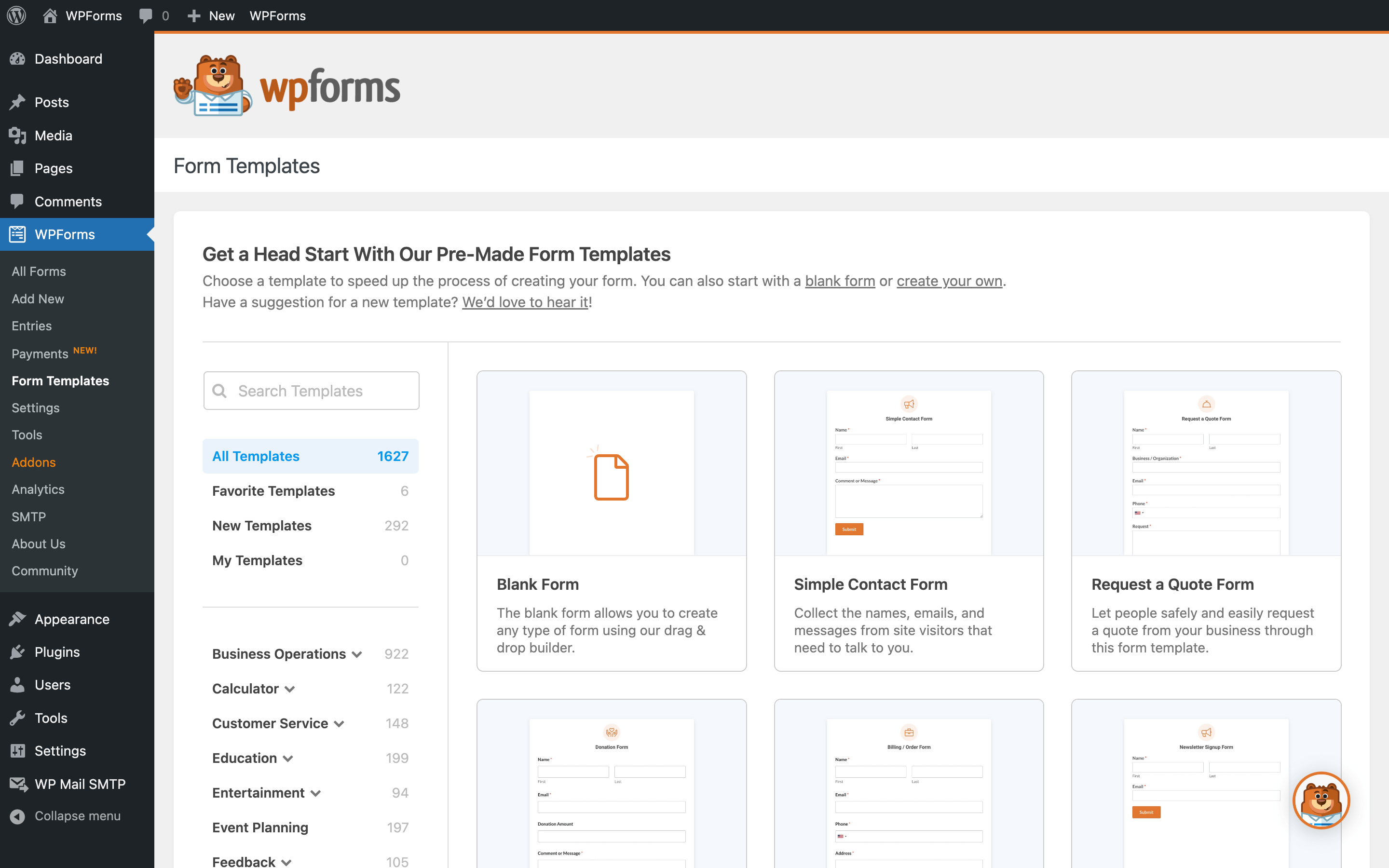
WPForms 隨附 2,100 多種預先建構的表單範本。
無論你是想建立簡單的聯絡表單、行銷表單、報價請求表單、捐款表單、付款訂單表單、註冊表單、問卷調查表單、測驗表單、Stripe 付款表單還是訂閱表單,我們都已經為你準備好了隨時可用的表單範本。
適配行動裝置、對 SEO 友善,並針對載入速度最佳化
WPForms 聯絡表單具備 100% 回應式設計且適配行動裝置。我們對前端與後端的每一筆查詢都進行了最佳化,確保它是速度最快的 WordPress 聯絡表單外掛之一。
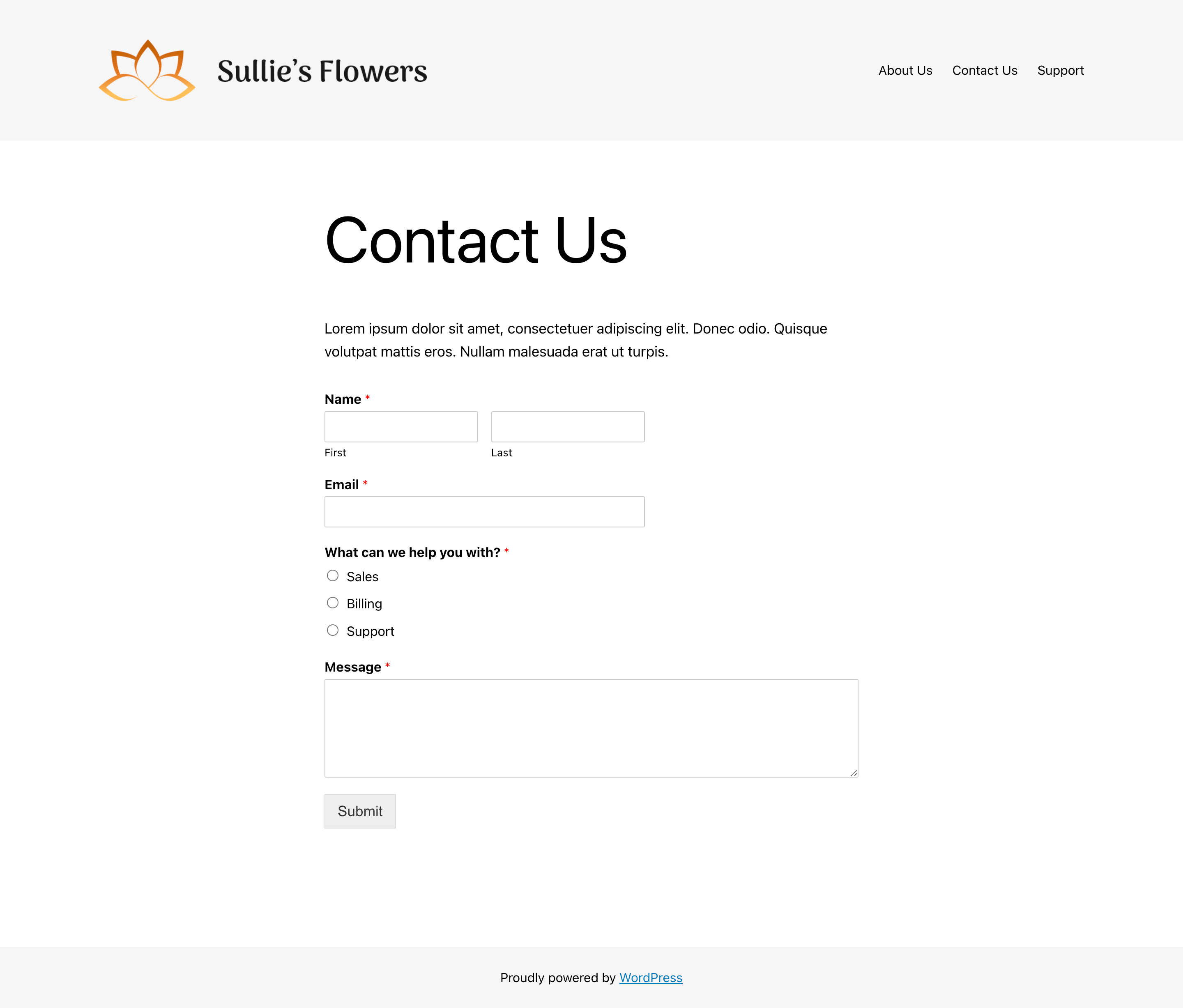
你可以在任何頁面上嵌入附帶最佳化標題與描述的聯絡表單,因此 WPForms 也是對 SEO 最友善的聯絡表單外掛之一。
助你邁向成功的必備欄位與功能
有了星級評分、檔案上傳、重複項欄位、問卷欄位與多頁式聯絡表單,你可以輕鬆建構符合網站需求的自訂表單。此外,只需幾個步驟就能將聯絡表單與電子郵件行銷服務整合,並透過 Stripe、PayPal 及 Square 收取預訂和訂單款項,完全不需要額外的專用電子商務外掛。
看看企業負責人對他們的 WPForms 聯絡表單有何評價:
身為企業負責人,時間是我最寶貴的資產。WPForms 讓我只需點擊幾下即可建立智慧聯絡表單。透過預先建構的表單範本與拖放式編輯器,我無需撰寫任何一行程式碼,不到 2 分鐘就能建好正常運作的新表單。非常值得投資。
David Henzel – MaxCDN 共同創辦人
問卷調查與投票
建立類似 Survey Monkey 的自訂問卷表單。我們的 WordPress 問卷外掛附加元件具備李克特量表、星級評分與 NPS 等智慧問卷欄位。你可以在 WordPress 任何位置嵌入問卷調查與投票。
使用我們的問卷報告工具自訂圖表、匯出以利簡報展示,並顯示匯總統計結果。收集投票時也能即時分享投票結果。
WordPress 預設表單
除了建構簡單的聯絡表單外,WPForms 還能協助你建立更優質的 WordPress 預設表單,例如自訂 WordPress 登入表單與自訂 WordPress 使用者註冊表單。亦可建立受密碼保護的聯絡表單,甚至是會員專用聯絡表單。
部落客與內容發布者可以使用我們的 WordPress 文章投稿表單來接收訪客投稿、推薦見證等內容。
付款表單、捐款表單、預訂表單等
雖然 WPForms 最初是一款聯絡表單外掛,但現在已發展成為適用於各類付款或預訂表單的強大自訂表單解決方案。
WPForms 與 PayPal、Stripe、Square Payments、Authorize.Net 及 Mercado Pago 整合,讓你能輕鬆接受信用卡付款或透過 PayPal 收款。額外好處:你還可以收集數位簽名。
我們很榮幸成為 Stripe 官方認證的合作夥伴。這項合作讓我們能夠提早使用各項新功能,並打造出最佳的 Stripe 整合體驗。你可以使用我們的 Stripe 整合來接受單筆付款及定期定額付款,同時將所有表單資料同步至你的 Stripe 帳號。
自訂計算機表單
使用 WPForms Calculations 附加元件,你可以建構自訂公式並於前端顯示計算結果。
建立簡單的算術運算,或是建構包含四捨五入、平均值、時間範圍等複雜的條件式計算!這是 WordPress 上最佳的計算機外掛。
專為提高轉換率最佳化的表單
透過我們的 Form Pages 附加元件,你可以建立無干擾的自訂表單到達頁面以提高轉換率。
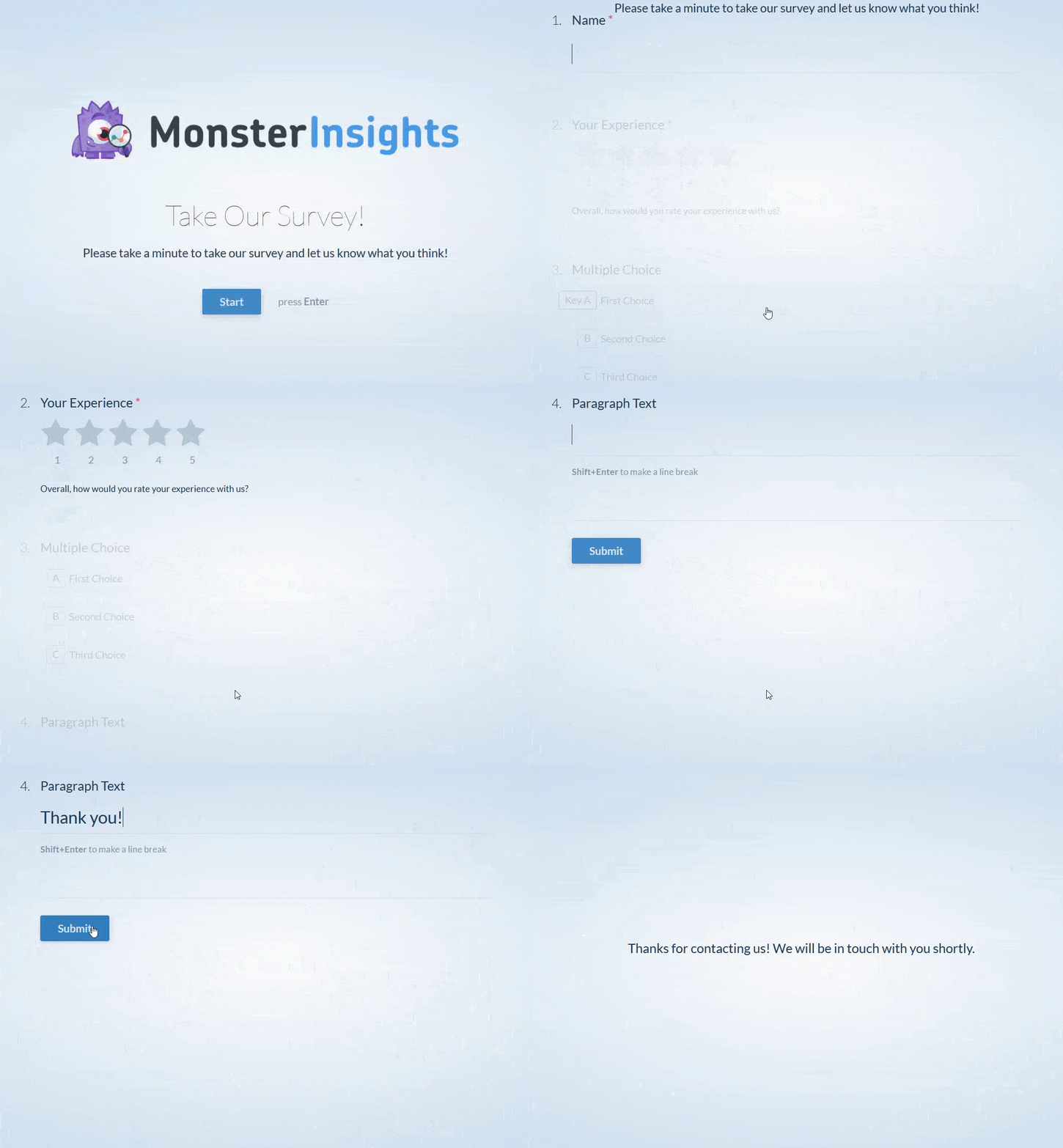
為了提高表單填寫完成率,我們打造了對話式表單 (Conversational Forms),透過互動式版面配置讓你的意見回饋表單更具人性化。(請參閱對話式表單示範)。
易於自訂與擴充
你可以使用我們的區段分隔線、HTML 區塊與 CSS 輕鬆自訂聯絡表單。得益於原生整合功能,在 Elementor 與 Divi 中嵌入表單變得前所未有地輕鬆。
我們也深知開發者朋友可能需要更多主控權,因此我們加入了大量的勾點 (hook) 與篩選器 (filter)。
完整的 WPForms 功能清單
- 線上表單編輯器 – 強大的拖放式聯絡表單編輯器。無需撰寫任何程式碼即可建立 WordPress 聯絡表單、付款表單與其他線上表單。
- 100% 行動裝置回應式設計。
- 符合 GDPR 規範。
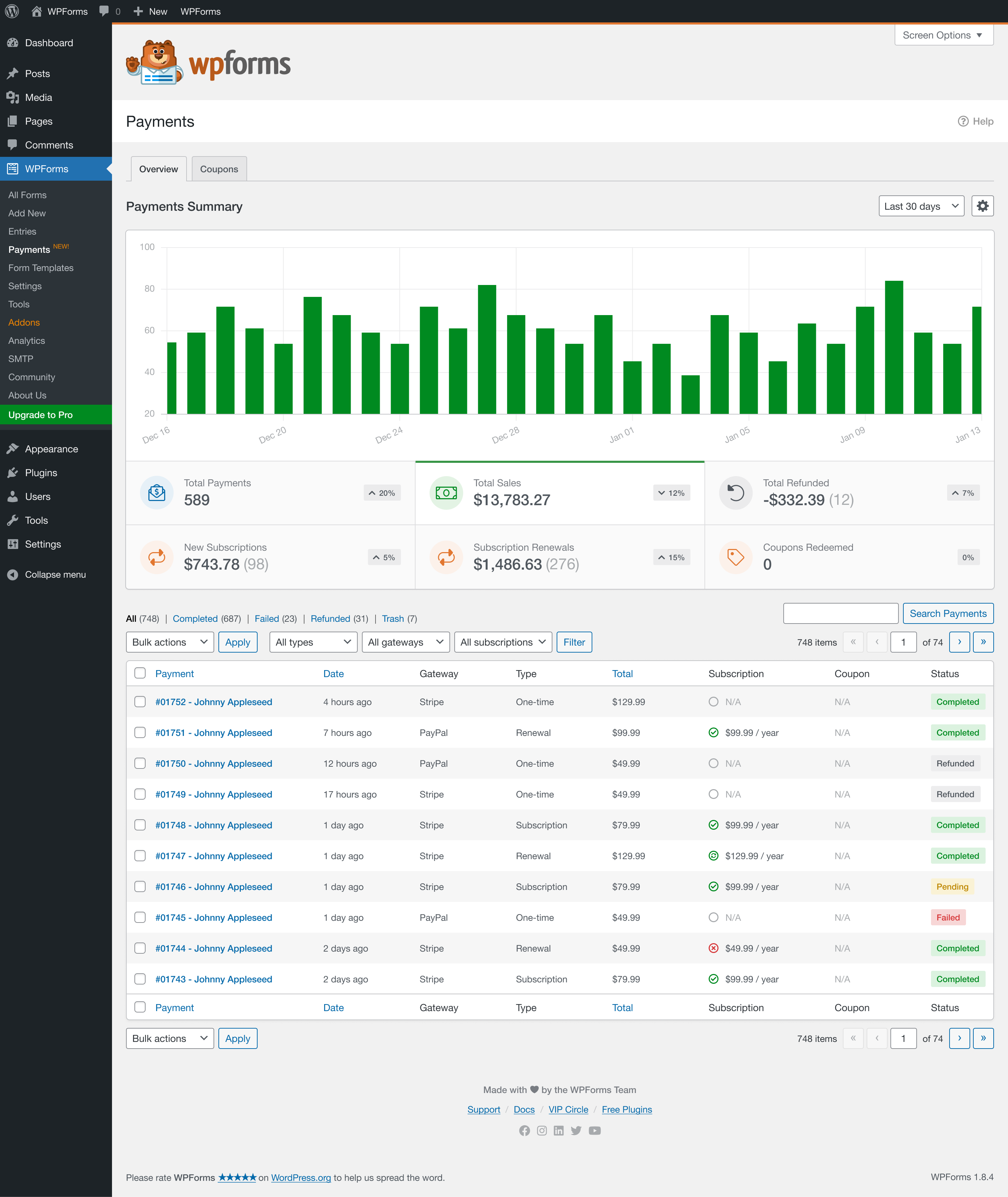
- 付款表單 – 透過我們的 Stripe (免費) 整合收取款項、捐款、訂金、週期性定額付款與服務費用。
- 預先建構且可隨時匯入的表單範本。
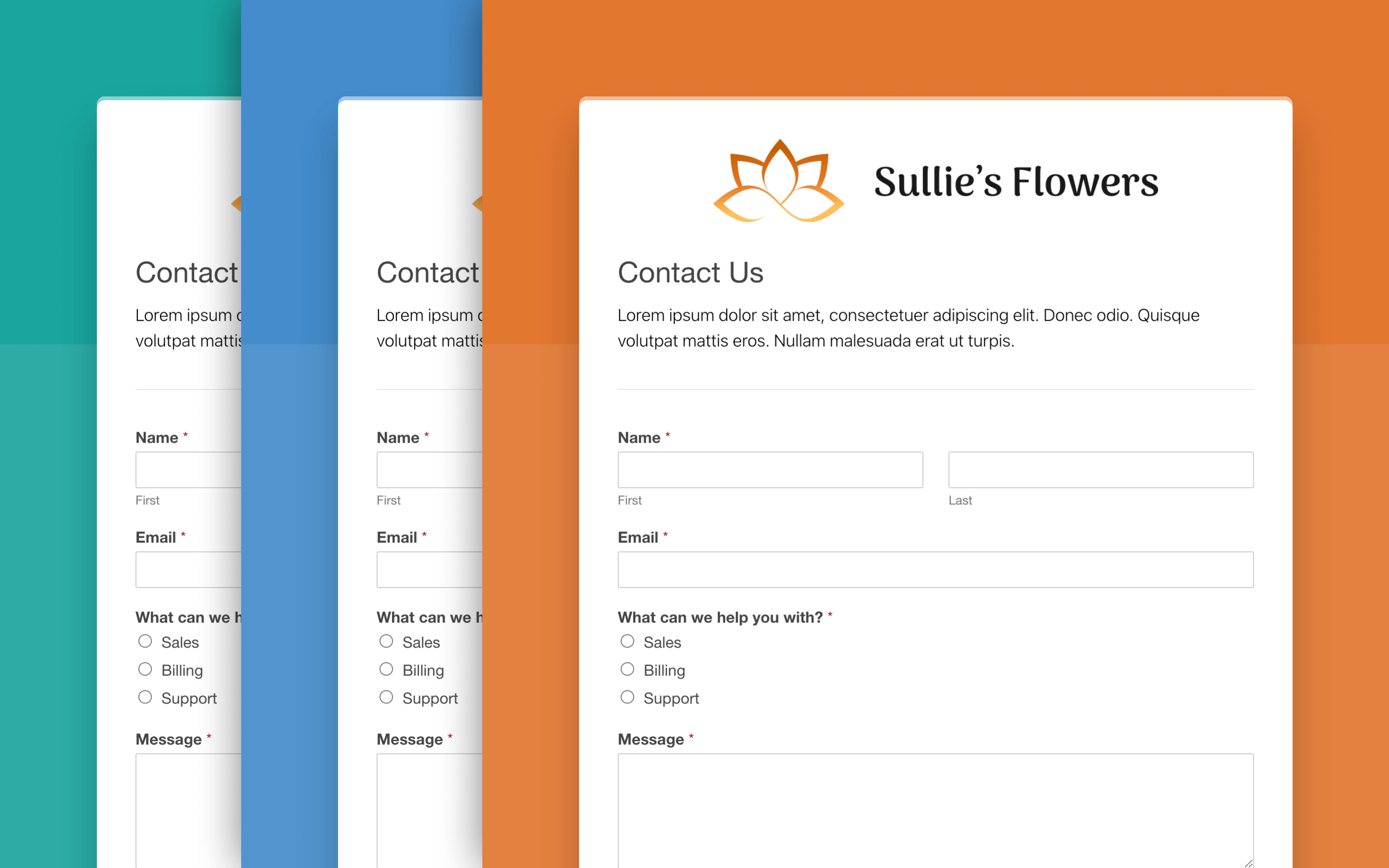
- 針對欄位、標籤與按鈕的表單樣式設定。
- 內建垃圾內容防護,並整合 hCaptcha、Google reCAPTCHA 與 Cloudflare Turnstile。
- AI Forms:透過自然對話自動建立並調整表單。
- 透過電子郵件接收即時表單通知。
- 包含成功訊息或感謝頁面的自訂表單確認訊息。
- 自動配合訪客所在國家地區的智慧電話欄位。
- AI Choices:自動填入單選核選按鈕、核取方塊與下拉式選單欄位選項。
- 適用於免運與促銷折扣的優惠券。
- 適用於付款、運費、帳單等情境的計算機表單。
- 供使用者提交資料的檔案上傳欄位。
- 具備進度列的多頁式表單。
- 顯示或隱藏欄位的智慧條件邏輯。
- 重複項欄位 (Repeater field) 讓填寫表單的使用者能夠輕鬆新增另一組欄位來填寫。非常適合團體報名表單、自訂訂單等情境。
- 用於協議或付款表單的數位簽名。
- 使用者註冊表單與自訂登入表單。
- 收集使用者原創內容的文章投稿表單。
- 隨表單填單記錄一併收集位置資料的地理位置功能。
- 附帶互動式報告的問卷調查與投票。
- 提供評分測驗、性格測驗及計分評估的測驗,加上 AI 產生的問題。
- 收集未填完表單內容的表單放棄挽救偵測。
- 使用密碼、日期等控制存取權限的表單鎖定器。
- 在無網路連線下收集填單記錄的離線表單。
- 提高轉換率的表單到達頁面。
- 提高整體填寫完成率的對話式表單。
- 透過多步驟版面配置獲取更多填單記錄的潛在客戶名單收集表單。
- 無需第三方連接器即可傳送資料的 Webhooks。
- 讓你知道哪些內容正推動表單轉換的使用者歷程報告。
- 允許訪客儲存進度並稍後返回繼續填寫的儲存並繼續。
- Entry Automation:每日、每週或每月定期匯出並刪除表單填單記錄。
整合服務
- Google 試算表
- Zapier
- PayPal Commerce
- Stripe – 我們是 Stripe 官方認證的金流合作夥伴。
- Square
- Authorize.Net
- Mercado Pago
- Mailchimp
- AWeber
- Campaign Monitor
- GetResponse
- Constant Contact
- Airtable
- Notion
- Drip
- ActiveCampaign
- HubSpot
- Brevo
- MailerLite
- MailPoet
- ConvertKit
- Klaviyo
- SendGrid
- Salesforce
- Slack
- Dropbox
- Google 日曆
- Google 雲端硬碟
- Twilio
- Pipedrive
- Make
- Zoho CRM
現在你知道為什麼 WPForms 是市面上最佳的 WordPress 聯絡表單外掛了吧!想要解鎖這些功能?立即升級至 Pro 版本。
鳴謝
此外掛由 Syed Balkhi 製作。
品牌規範
WPForms® 為 WPForms LLC 之註冊商標。在撰文介紹 WPForms 的聯絡表單外掛時,請確保前三個字母皆為大寫。
- WPForms (正確)
- WP Forms (不正確)
- wpforms (不正確)
- wpform (不正確)
備註
WPForms 絕對是市面上最對初學者友善的 WordPress 聯絡表單外掛。它既簡單又強大。
我們消除了建立線上表單的繁瑣痛苦,使其變得輕而易舉。歡迎查看所有 WPForms 功能特色。
此外,我也是最大 WordPress 初學者資源網站 WPBeginner 的創辦人。打造一款無需任何教育訓練、初學者就能直接上手的 WordPress 聯絡表單外掛,對我來說是極為重要的目標。
我認為我們已經在此達成了這項目標。希望你能享受使用 WPForms 的過程。
謝謝,
Syed Balkhi
螢幕擷圖


適用於區塊編輯器
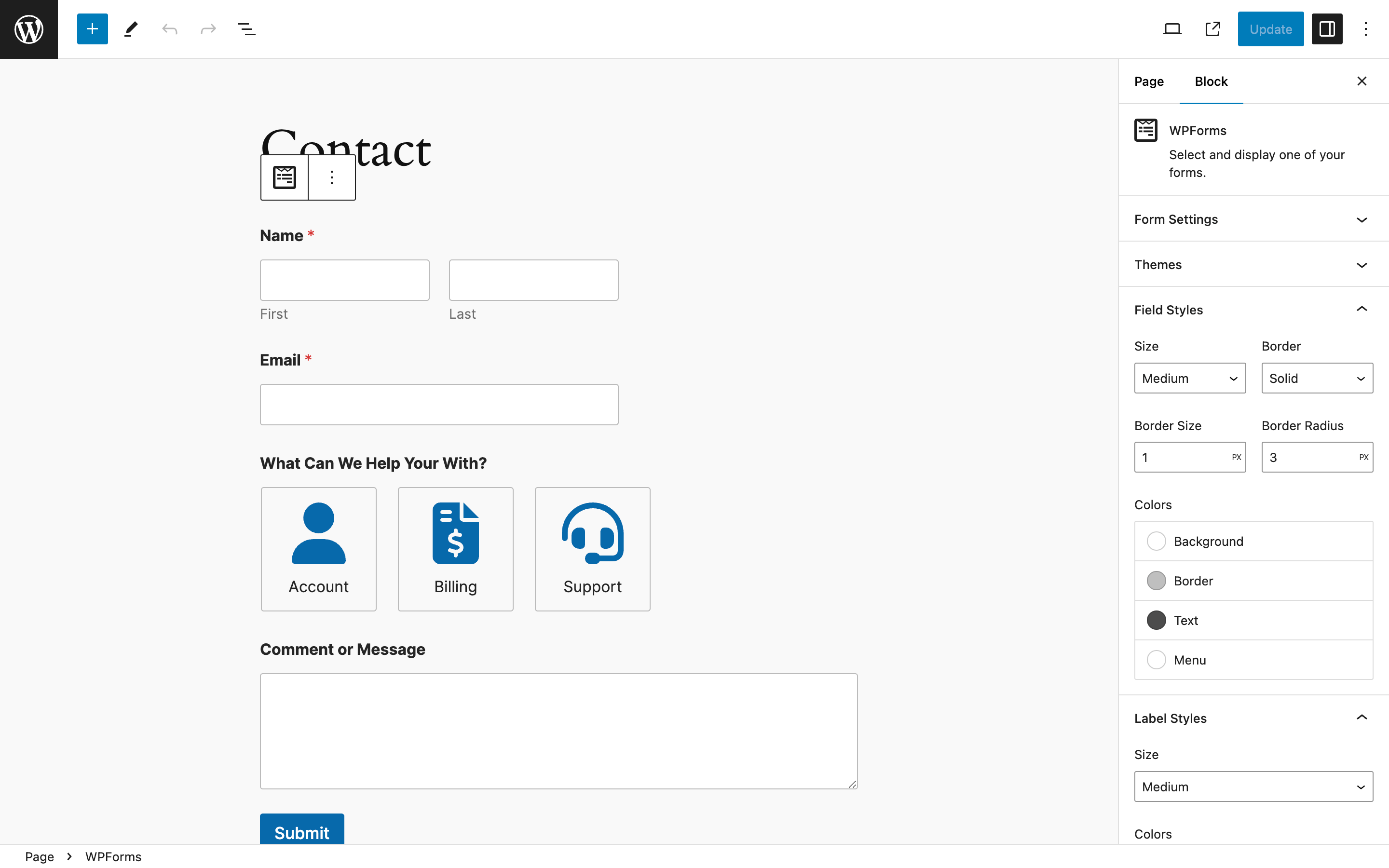
這個外掛提供 1 個可供區塊編輯器使用的區塊。
- Wpforms Form Selector
安裝方式
- 透過 WordPress.org 外掛目錄安裝 WPForms Lite,或是上傳檔案至主機伺服器。(請參閱如何安裝 WordPress 外掛的操作指南)
- 啟用 WPForms Lite。
- 前往管理選單底部的 [WPForms] 分頁,然後點擊 [新增] 按鈕,即可開始建立新的 WordPress 聯絡表單。
- 想要更多功能嗎?購買 WPForms 完整版!
常見問題集
-
誰應該使用 WPForms?
-
WPForms 非常適合企業主、部落客、設計師、開發者、攝影師以及各行各業的使用者。如果你想建立自訂 WordPress 表單,就一定要使用 WPForms 拖放式表單編輯器。
-
使用 WPForms 需要具備寫程式的技能嗎?
-
完全不需要。無需任何程式撰寫知識即可建立與管理表單 (100% 拖放式表單編輯器)。WPForms 是市面上對初學者最友善的聯絡表單外掛。
-
我可以用 WPForms 建立哪些類型的 WordPress 表單?
-
WPForms 拖放式表單編輯器結合我們的附加元件,是市面上功能最強大的 WordPress 聯絡表單外掛。以下是你可以建立的幾種 WordPress 表單類型:
- 簡易聯絡表單
- 求職應徵聯絡表單
- 意見回饋問卷聯絡表單
- 提出建議聯絡表單
- 變更請求表單
- 線上預訂表單
- 活動預訂表單
- 影音授權同意書表單
- 特休請假聯絡表單
- 維修通報聯絡表單
- 獎學金申請表單
- 檔案下載表單
- 在職證明申請表單
- 推薦介紹聯絡表單
- 志工報名聯絡表單
- 離線聯絡表單
若要檢視完整清單,請造訪我們的表單範本庫,內含超過 2,100 多種預先製作好的聯絡表單範本。
-
WPForms 提供哪些表單欄位?
-
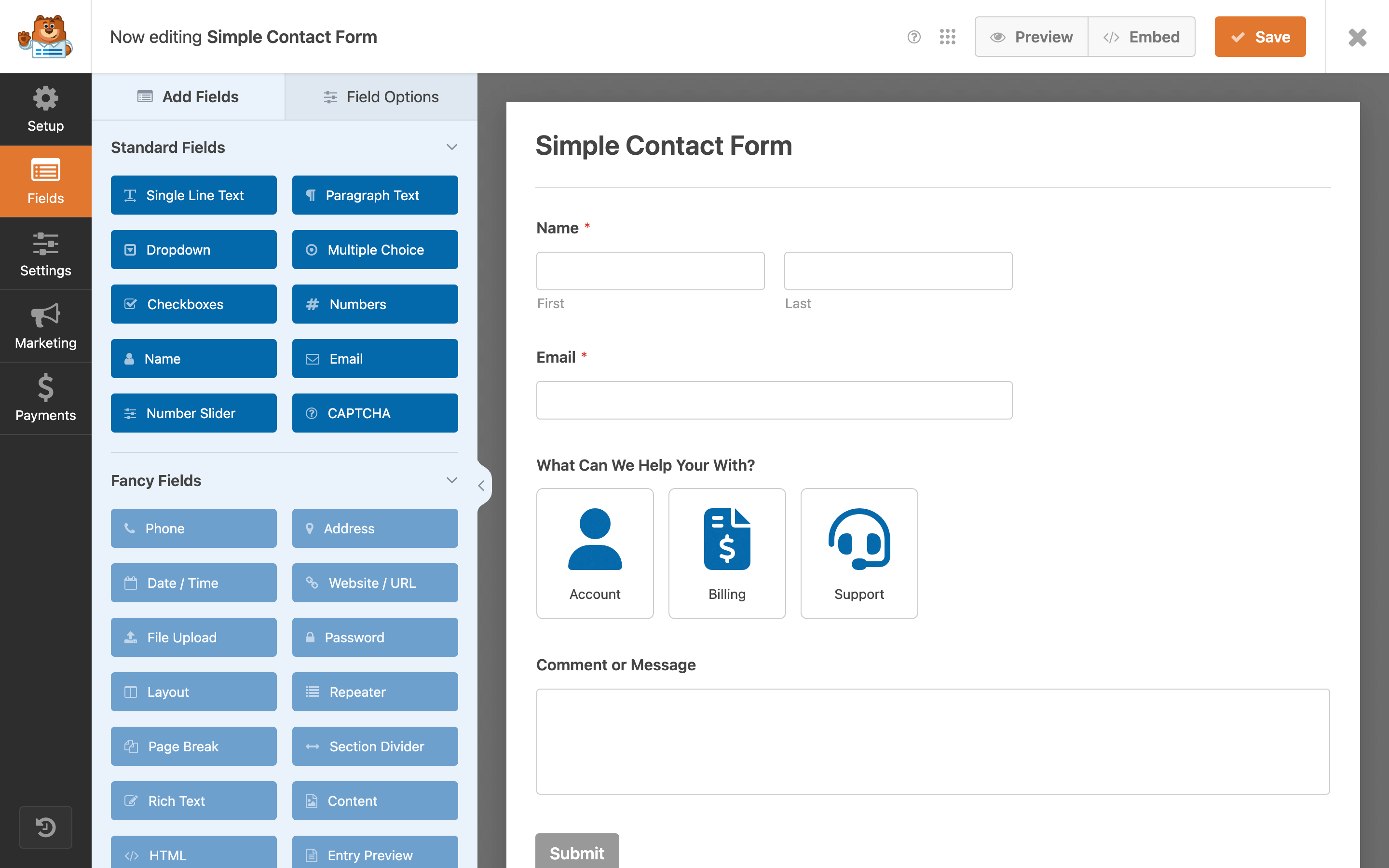
我們打造的 WPForms 表單編輯器兼具簡單好用與強大功能。
以下是 WPForms 表單編輯器隨附的聯絡表單欄位 (亦稱為標準欄位):
- 文字欄位
- 段落文字 (文字區域)
- 下拉式選單欄位
- 單選按鈕 (核選按鈕)
- 核取方塊
- 數字欄位
- 姓名欄位
- 電子郵件地址欄位
- 數字滑桿欄位
以下是我們的進階聯絡表單編輯器欄位清單 (自訂進階欄位):
- 具備國際格式驗證的智慧電話欄位
- 地址欄位
- 日期/時間欄位
- 網站/網址欄位
- 檔案上傳 – 檔案上傳表單的絕佳選擇
- 密碼欄位
- RTF 格式 – 新增所見即所得 (WYSIWYG) 欄位,非常適合訪客投稿表單
- 版面配置欄位 – 使用自訂或預製版面配置將表單欄位排列於欄位欄中
- 重複項欄位 – 允許使用者在表單中複製欄位或欄位群組
- 分頁欄位 – 附帶進度列之多頁式聯絡表單的絕佳選擇
- 區段分隔線 – 長版聯絡表單的絕佳選擇
- HTML 欄位 – 在表單中加入自訂 HTML
- 內容欄位 – 無需撰寫任何程式碼即可將標題、清單與多媒體加入表單
- 填單記錄預覽 – 允許表單使用者在送出前預覽填寫的填單記錄
- 星級評分 – 問卷表單與投票的絕佳選擇
- 隱藏欄位
- 問答 CAPTCHA – 防止聯絡表單垃圾內容的絕佳選擇
- 數學運算 CAPTCHA – 防止聯絡表單垃圾內容的絕佳選擇
- 李克特量表 – 問卷表單的絕佳選擇
- hCAPTCHA – 防止聯絡表單垃圾內容的絕佳選擇
- Cloudflare Turnstile – 防止聯絡表單垃圾內容的絕佳選擇
- 簽名欄位 – 合約與預訂表單的絕佳選擇
- 淨推薦值 (NPS 欄位) – 問卷表單的絕佳選擇
- Google ReCAPTCHA – 防止聯絡表單垃圾內容的絕佳選擇
以下是我們的付款欄位清單,可協助你建立訂單表單、捐款表單、預訂表單與其他付款表單:
- 單一項目
- 多個項目
- 核取方塊項目
- 下拉式選單項目
- 總計 (計算欄位)
- 信用卡 (Stripe、Square、Authorize.Net 與 Mercado Pago)
- PayPal
-
我能將 WPForms 與 CRM 或電子郵件行銷服務整合嗎?
-
是的,WPForms 提供與 1,000 多種熱門電子郵件行銷服務與 CRM 軟體的無縫整合。
你可以輕鬆將聯絡表單及其他 WordPress 表單的資料傳送至偏好的 CRM、電子郵件電子報與其他行銷平台。
以下是我們熱門的行銷整合服務清單:
- Mailchimp
- Constant Contact
- AWeber
- Drip
- Campaign Monitor
- GetResponse
- ActiveCampaign
- Zapier
- Salesforce CRM
- Brevo (前身為 Sendinblue)
- MailerLite
- MailPoet
- Pipedrive
- Google 試算表
- Slack
- Dropbox
透過我們的 Zapier 整合,你可以輕鬆將 WPForms 與超過 9,000 種以上的行銷應用程式連結,包含:
- Zoho CRM
- Zoho Mail
- Zoho Invoice
- Agile CRM
- Trello
- Infusionsoft by Keap
- Microsoft Excel
- HelpScout
- Zendesk
- Freshbooks
- Freshsales
- Intercom
- Click Funnels
- Microsoft Dynamics 365 CRM
- Capsule CRM
- Insightly CRM
- Printfection
- Acuity Scheduling
- Quickbooks Online
檢視所有 WPForms Zapier 整合。
附註:WPForms 獲選為 Zapier 全球成長速度第 6 快之應用程式。
-
我能用 WPForms 建立付款表單嗎?
-
是的,WPForms 絕非一般的普通聯絡表單外掛。你可以用它建立包含付款表單在內的各種類型表單。
我們讓你能輕鬆使用 Stripe、Square、Authorize.Net、Mercado Pago 與 PayPal Commerce 收取款項。
我們的 Stripe、Authorize.Net 與 Mercado Pago 整合可協助你在線上輕鬆接受信用卡付款。
我們的 PayPal 整合讓你在線上輕鬆收取 PayPal 款項。
-
我能用 WPForms 匯入/匯出表單嗎?
-
是的,WPForms 讓你能夠輕鬆匯入/匯出使用 WPForms 表單編輯器建立的聯絡表單與其他 WordPress 表單。這對於為客戶建置網站的開發者與接案工作室來說非常實用。
你還可以建立自訂表單範本以運用在客戶網站上。更多詳細資訊請參閱我們的說明文件。
除此之外,WPForms 還允許你從 Contact Form 7、Ninja Forms 與 Pirate Forms 等其他 WordPress 聯絡表單外掛匯入表單。
如果你對目前使用的 WordPress 聯絡表單外掛不甚滿意,請務必試試 WPForms!
-
我想使用所有功能,該如何取得?
-
你可以透過升級至 Pro 版本來獲得更多功能、附加元件與技術支援。購買 Pro 授權即可取得 WPForms 完整版本、自動更新、優先技術支援與所有 WPForms 附加元件!
-
WPForms 是否支援多國語言翻譯?
-
是的,WPForms 透過 wpforms 文字網域提供完整的翻譯與在地化支援。系統會依據你的網站語言,下載所需的 .mo 與 .po 翻譯檔案並存放於 WordPress 預設語言目錄中。每個 WPForms 附加元件也完全相同。
-
WPForms 是否包含垃圾內容防護?
-
是的,WPForms 包含垃圾內容防護功能,所有表單預設都會在表單設定中啟用該防護。
此外,亦支援 Google reCAPTCHA、hCaptcha 與 Cloudflare Turnstile,可至 [WPForms] [設定] [CAPTCHA] 進行設定。
WPForms 完全相容於所有版本的 Google reCAPTCHA:
- 核取方塊 reCAPTCHA v2
- 隱藏式 reCAPTCHA v2
- reCAPTCHA v3
最後,我們還提供自訂驗證碼,讓你可以為聯絡表單建立數學運算或問答題形式的 CAPTCHA。
使用者評論


參與者及開發者
以下人員參與了開源軟體〈WPForms – 適用於 WordPress 的 AI 表單編輯器 – 聯絡表單、付款表單、問卷調查、測驗等〉的開發相關工作。
參與者


變更記錄
2.0.2.1
- Changed: The Keyboard Shortcuts modal in the Form Builder was reorganized into a single two-column list that pairs related shortcuts side by side, and widened so no shortcut wraps onto a second line.
- Fixed: Values submitted to a form embedded with the WPForms block were echoed back into the re-rendered form with shortcode delimiters intact.
- Fixed: A Smart Tag placed inside an HTML attribute in a Confirmation message, a form description, a field description or a User Registration message could alter the markup around it, or turn a link into a script, once its value contained a quote or an unsafe URL.
2.0.2
- Added: New Dashboard that displays form views and recommended next steps across all forms at a glance is now the first page you see when opening WPForms.
- Added: Links in AI Chat responses are now clickable and open in a new tab.
- Added: The AI form editing chat can now restore the form to its previous state when asked — reverting the most recent change, the same way as pressing Undo.
- Added: The
{all_fields}smart tag now accepts anexcludeparameter to omit specific fields by ID from notification emails, e.g.{all_fields exclude="4,5"}. - Added: Suggested privacy policy text for the AI features now appears on the WordPress Privacy Policy Guide screen (Settings > Privacy > Policy Guide), so site owners can adopt it into their own policy.
- Changed: The “Minimum time to submit” spam protection is now measured on the server, so it can no longer be bypassed by bots.
- Changed: The Form Builder no longer saves the form and creates a revision when a WPForms AI editing prompt makes no changes to the form.
- Fixed: Installing an addon or plugin from WPForms was reported as failed when it printed a message during activation, even though it was successfully installed and active.
- Fixed: A Cloudflare Turnstile warning appeared in the browser console after a form was successfully submitted.
- Fixed: On right-to-left sites, the back arrow and card arrows in the Form Embed Wizard’s Add to a New Page popup pointed the wrong way, and the QR Code icon was separated from its accompanying text.
- Fixed: Form submissions were silently marked as spam when the CAPTCHA provider rejected the site’s secret key. An admin notice now reports the problem so it can be corrected, and the notice disappears once the CAPTCHA is reconfigured or disabled.
- Fixed: The Form Builder opened from the Get Started button in the WPForms block stayed stuck on a loading spinner on some sites and could not be saved or closed.
- Fixed: Saving a form showed a popup warning that AJAX form submissions are required for the PayPal Commerce field even after that field had been deleted.
- Fixed: The submit button did not switch to the processing text and stayed unchanged while a PayPal Commerce card payment was being processed.
- Fixed: The Email Summary email contained no form entries or trends data on sites running MySQL 5.7.
- Fixed: The Email Summary showed a blank trend percentage for a form that received exactly one entry in the previous week.
- Fixed: Security hardening for the Stripe payment refund process.
- Fixed: The AI chat displayed raw technical error messages (such as browser exceptions and connection timeouts) instead of user-friendly error notices.
- Fixed: On right-to-left sites, the AI chat window opened anchored to the wrong side of the screen instead of mirroring to the left, and the stop button lost its padding and stuck to the corner of the message field during response generation.
- Fixed: Undo and Redo controls in the Form Builder could disappear after two quick changes to the same setting.
- Fixed: The standard Submit button appeared next to the PayPal Commerce payment buttons in the Form Builder preview after editing a form with the AI Smart Form Editor.
- Fixed: Adding or removing a row in the Stripe Custom Meta table in the Form Builder was not tracked by Undo and Redo.
- Fixed: Email Summaries in some cases sent the same info block every week instead of rotating through the available blocks.
- Fixed: Extra small padding was displayed on the right side of the AI chat when using a Mac browser.
2.0.1.1
- Added: New QR Code setting generates a downloadable code for a chosen page or URL.
- Added: New Add Media button in the Confirmation Message editor allows inserting images from the Media Library.
- Added: Buttons in the Form Builder and on WPForms admin pages now show a visible focus indicator during keyboard navigation, and it no longer appears on mouse click.
- Changed: Stripe Radar-blocked payments now appear in the payment log with a distinct label instead of the generic decline message.
- Changed: Updated DOMPurify library to 3.4.13.
- Fixed: The Smart Tags widget in the Form Builder did not highlight required fields with a red border when validation failed.
- Fixed: A PHP notice was logged on the front-end when a payment field (Multiple Items, Checkbox Items, or Dropdown Items) contained a choice saved without a label.
- Fixed: Form templates in the Form Builder Setup panel were not filtered by the form’s selected category, showing all templates instead.
- Fixed: Some button icons were misaligned on WordPress 7.0.
- Fixed: Incorrect spacing between the icon and text in the Form Builder top bar buttons.
- Fixed: Choice checkboxes and radio buttons in the Form Builder had no visible border and appeared stretched into ovals in Safari.
- Fixed: Collapsible settings sections in the Form Builder, such as AI MCP, did not stay closed after the page was reloaded.
- Fixed: Reordering choices in a Checkbox field in the Form Builder caused a browser console error and stopped the field preview from updating.
- Fixed: Square payments failed on every retry after a submission with an invalid credit card expiration date, even once the card details were corrected.
- Fixed: The Payments page showed too much space between elements when no payments had been collected yet.
- Fixed: PayPal Commerce subscription checkout failed with a fatal error when the account was disconnected while the form was loaded.
- Fixed: Visitors were not taken to the destination set in the form’s Confirmations settings after submitting a form when a plugin or custom code supplied an invalid redirect address.
- Fixed: No warning appeared for empty or invalid notification email addresses in the Form Builder.
- Fixed: Various buttons across plugin admin pages showed the default blue focus outline instead of their custom focus styles after being clicked.
- Fixed: Pages rendered in response to a form submission are no longer cacheable, and submitted values are no longer written back into the form when a submission is rejected.
2.0.0.5
- Fixed: The WPForms admin menu left a large empty gap below it on mobile screens when viewing non-WPForms admin pages.
2.0.0.4
- Fixed: Lite Connect site registration failed permanently when the admin user profile had an empty first or last name, blocking entry backups.
- Fixed: The Onboarding Wizard would time out in some cases.
2.0.0.3
- Added: New supported currencies.
- Fixed: Permission handling in the Export Forms tool was improved.
- Fixed: Form data handling in the Block Editor was improved.
2.0.0.2
- Fixed: Form submissions could still be blocked by stricter web application firewall configurations that flagged the JSON structure of the Form Analytics data; the data attached to each submission is now base64-encoded.
- Fixed: A cross-site scripting vulnerability when a page combined a WPForms captcha with a specially crafted OptinMonster campaign.
2.0.0.1
- Fixed: Form submissions could be blocked by a web application firewall, such as Cloudflare’s OWASP ruleset, because of the format of the Form Analytics data attached to each submission.
2.0.0
- Added: New Onboarding Wizard and Setup Checklist page in the WPForms admin menu to guide users through essential configuration steps.
- Added: New Reconnect button for invalid payment connections in the Form Builder Payments Settings panel.
- Changed: The Form Builder Setup panel now opens significantly faster.
- Changed: Updated DOMPurify library to 3.4.11.
- Changed: The AI Chat button in the Form Builder is now shown in grey and displays a tooltip explaining that WPForms AI is not available on local sites.
- Changed: Updated woocommerce/action-scheduler library to 4.0.0.
- Changed: Stripe payment security is enhanced with automatic detection and blocking of card testing attacks and other fraudulent activity.
- Fixed: Randomize the position of the correct answer in AI-generated graded quizzes.
- Fixed: Admin notices about incompatible WPForms versions are now shown only to users who can update plugins.
- Fixed: A choice deleted in the Form Builder could still appear as an empty option on the front-end and triggered PHP warnings on the form view.
- Fixed: The settings gear icon on the Payments, and Dashboard pages was displayed in the wrong color and oversized when Elementor plugin was active.
- Fixed: Form elements could appear disabled after a Stripe 3D Secure authentication failure, even though they remained editable.
- Fixed: The connection icon was displayed in the Builder settings for payment methods even when no account was connected.
- Fixed: Stripe subscription renewals could remain in the Pending status and display an outdated renewal date on the Payment Single page.
- Fixed: Connected payment methods checkmark could still appear in the Form Builder Payments panel after switching to a template without a payment field.
- Fixed: The Weekly Email Summary email content was displayed right-aligned instead of centered in the web version of Gmail.
- Fixed: The Themes panel in the Form Builder Settings did not re-open when its menu item was clicked again after navigating away and back.
- Fixed: A PHP warning was logged when restoring a trashed form on PHP 8.3 and higher.
1.10.2.1
- Added: AI MCP settings section in the Form Builder with the MCP write-access toggle.
- Fixed: Forms scrolled back to the first text input when adjusting a Number Slider in Chrome on Android.
- Fixed: Email notification header sanitization was improved for better security.
1.10.2
- Added: The Abilities API now supports creating new forms, editing existing form fields, and editing form settings.
- Changed: Stripe subscriptions that finish all configured billing cycles are now marked as Completed.
- Fixed: Delete icon overlapped form name in the Bulk Edit Tags field during bulk edits.
- Fixed: Custom CSS configured in the Form Builder was not applied when the form was embedded via the Gutenberg block.
- Fixed: An AbortError: Transition was skipped console error appeared in the Form Builder on WordPress 7.0.
- Fixed: PayPal Credit payment status was not being synchronized in WPForms > Payments.
- Fixed: The Query String Variable smart tag key was unexpectedly reset when the Email field default value was cleared and re-configured in the Form Builder.
- Fixed: Stripe block-editor CSS and JS assets no longer load unconditionally on every Block Editor screen. They now load only when the
wpforms/form-selectorblock is present. - Fixed: The
wpforms_emails_send_email_datafilter silently discarded any changes to the headers key before sending the email. - Fixed: PHP fatal error when submitting a form with the {page_url} smart tag if the page_url POST field was sent as an array.
- Fixed: An invalid notice about Fastlane and alternative payment methods appeared in Stripe and Square subscription payment settings in the Form Builder.
1.10.1.1
- Added: Inline Connect buttons in the Form Builder Payments panel, allowing users to connect their payment accounts without leaving the form editor.
- Changed: The Payments page has a refreshed design when no payments have been received yet.
- Fixed: Fatal error on form submission when the PayPal Commerce account was disconnected while the form still had the PayPal Commerce payment enabled.
1.10.1
- Added: Secret key fields in the admin settings are now masked for improved privacy.
- Added: Smart Form Editing allows modifying existing forms using natural language through an AI chat interface directly inside the form builder.
- Changed: Updated
symfony/polyfill-mbstringlibrary to v1.37.0. - Changed: Updated
symfony/polyfill-iconvlibrary to v1.37.0. - Changed: Updated DOMPurify library to v3.4.1.
- Fixed: The wrong PayPal Commerce connection status was displayed in certain cases.
- Fixed: Form Builder was stuck loading when third-party plugins prevented WordPress footer scripts from rendering.
- Fixed: Settings input values were saved with a trailing space, which could cause unexpected behavior.
- Fixed: Smart tag parsing returned an invalid value when no smart tags were present in the content.
- Fixed: Form Builder was not loading on sites with inconsistent URL configurations (e.g., www vs non-www mismatch or root-relative URL plugins).
- Fixed: PHP fatal errors could occur in some cases on PHP 8.0+.
- Fixed: The Allow/Deny list settings were being cleared when a form had more than one Email field.
- Fixed: Outdated image asset paths were causing 404 errors on sites using the Divi theme.
- Fixed: An incorrect error message was shown when the daily AI request limit was reached, referring to form generation instead of AI usage.