

外掛說明
WP Mail Logging 是最受歡迎的 WordPress 電子郵件記錄外掛。只要啟用,就會立即開始運作,無需額外設定。
您的 WordPress 電子郵件是否無法寄出或順利送達?
使用此外掛記錄 WordPress 網站寄出的所有電子郵件。若網站寄信時發生錯誤,電子郵件記錄就會將錯誤記錄下來並顯示給您。
如此一來,您就能針對電子郵件傳送問題進行除錯並加以修正。
客戶是否沒有收到您的電子郵件?
有了電子郵件記錄,您就能重新傳送網站寄出的任何郵件。再也不會遺失郵件!
您是否只想保留從網站寄出的所有電子郵件記錄?
在預設情況下,WordPress 與您的虛擬主機不會記錄、儲存或追蹤從您網站寄出的電子郵件。
此外掛正好能幫您做到這一點。電子郵件記錄會儲存 WordPress 網站寄出的每一封電子郵件。
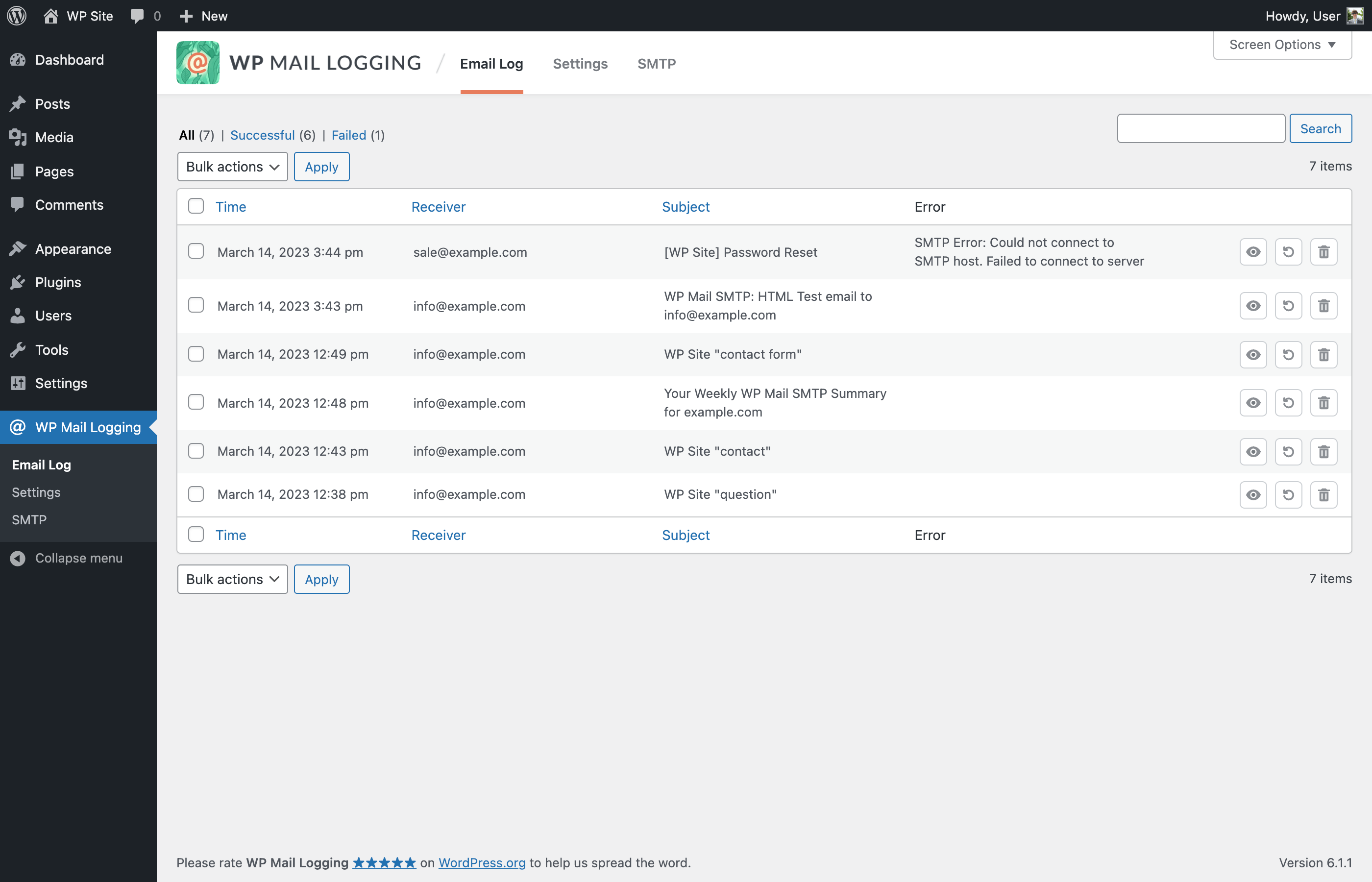
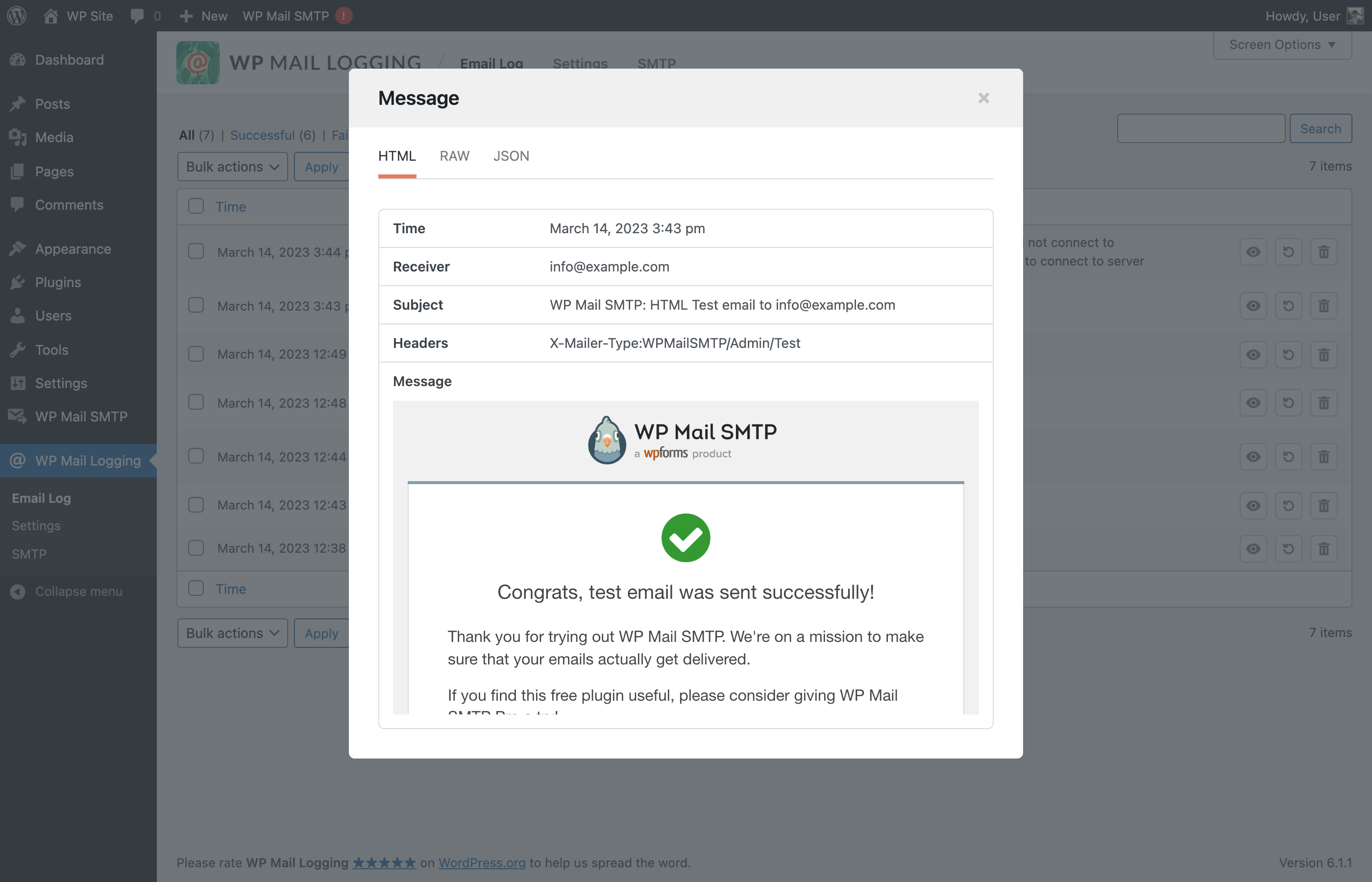
您可以搜尋並檢視特定的電子郵件記錄、查看郵件內容和附件,甚至重新傳送郵件。
記錄了哪些電子郵件資訊?
WordPress 網站寄出的所有電子郵件都會留下記錄。記錄中包含以下資訊:
- 電子郵件主旨
- 電子郵件內容(HTML 或純文字)
- 電子郵件附件
- 電子郵件標頭(to、from、reply-to、cc、bcc…)
- 錯誤訊息(嘗試傳送電子郵件時發生錯誤)
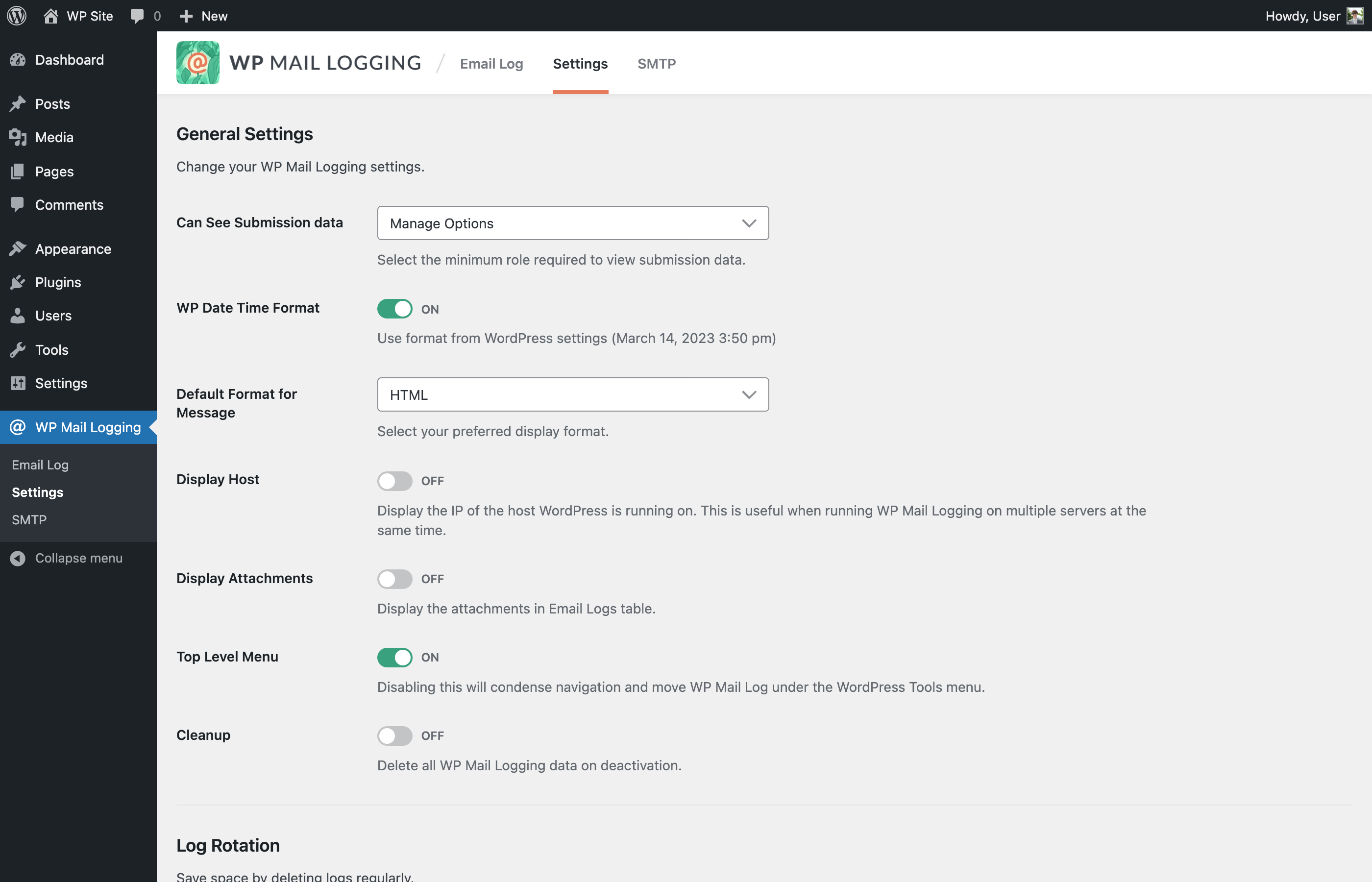
- 寄件伺服器的 IP 位址(可在設定中啟用)
- 電子郵件的日期與時間
- 收件者(TO 電子郵件地址)
為什麼已記錄的電子郵件仍未送達收件匣?
電子郵件要送達收件者的收件匣,必須經過好幾個步驟。
當您的 WordPress 網站傳送電子郵件時,無法保證一定能送達。
以下是電子郵件的傳送流程:
- WordPress 建立電子郵件
- WordPress 會將電子郵件交給您的網站主機,此外掛也會記錄這封郵件
- 主機伺服器會透過 SMTP 或郵件傳輸代理寄出電子郵件
- 收件伺服器會接收或封鎖電子郵件
- 收件伺服器接受郵件後,垃圾郵件篩選器會判斷要將它送進收件匣還是垃圾郵件資料夾
- 收件者會看到這封電子郵件,也可能會開啟閱讀。
此外掛不會追蹤步驟 2 之後的傳送狀況。
如果您遇到電子郵件送達問題,建議安裝 WP Mail SMTP 外掛。
WP Mail SMTP 可解決 WordPress 電子郵件送達問題,您也可以從 12 個電子郵件服務供應商中選擇(例如 Gmail、Outlook、SendLayer、Mailgun……),輕鬆排除寄信問題,設定也很簡單。 WP Mail SMTP 已獲超過 300 萬個網站信賴。
特別感謝
此外掛由 Christian Zöller 於 2014 年建立並推出。
螢幕擷圖
安裝方式
- 您可以從 WordPress.org 外掛目錄安裝 WP Mail Logging,也可以將檔案上傳至伺服器。安裝方式請參閱 如何安裝 WordPress 外掛
- 啟用 WP Mail Logging。
常見問題集
使用者評論


參與者及開發者


變更記錄
1.17.0 – 2026-09-14
Fixed: Security updates.
Added: Remote images blocked by default; use “Load images” per entry or enable “Always Load Remote Images”.
Added: wp_mail_logging_csp_email_html_preview filter for the preview’s Content Security Policy.
Changed: Disabled audio and video playback in email previews.
Fixed: Quoted-printable encoded subjects no longer show a trailing “?”.
1.16.0 – 2026-02-19
Fixed: Security improvement.
1.15.0 – 2025-09-09
Added: Support “Name email@domain.test” format on Receiver.
Added: New filters wp_mail_logging_allowed_html_email_html_preview and wp_mail_logging_allowed_protocols_email_html_preview.
Changed: Description for the option “Can See Submission data”.
Fixed: PHP Warning when JetPack plugin is also activated.
Fixed: Incorrect Headers format in modal row.
Fixed: Long non-breaking message not displaying properly when viewed as Raw.
Fixed: Some attachments are not displayed in the Email Logs table.
Fixed: PHP Warning “Notice: Function _load_textdomain_just_in_time was called incorrectly”.
1.14.0 – 2024-12-26
Fixed: PHP warning notice when another plugin or code snippet passed an associative array to WPML_Plugin::get_mail_headers().
Fixed: PHP warning notice on non-english locale WP configuration.
Fixed: PHP warning notice when another plugin passed a non-array variable to the filter plugin_action_links and wp_kses_allowed_html.
1.13.1 – 2024-10-10
Added: Action hook when saving email logs.
Fixed: Issue with email content type.
1.13.0 – 2024-10-08
Improved: Allow admins to always have access to WP Mail Logging logs.
Improved: Use the wp_mail_content_type filter to determine the email content type when saving the logs.
Fixed: Issue when emails with subjects that are more than 200 characters long are not logged.
Fixed: Make “Delete” and “Rename” in Bulk Actions selection translatable strings.
Fixed: Update Sendinblue string instances to Brevo.
1.12.0 – 2023-06-21
Added: Support UTF-8 encoded subjects.
Added: Search by filter.
Added: New filter hook for mail data before it’s saved.
Improved: Hide unrelated notices in admin plugin pages.
Improved: Use transient to cache certain DB calls.
Improved: Search logs by message optimization.
Fixed: Missing security checks in AJAX dismiss notices feature.
Fixed: MySQL 8 syntax error when sql-mode = ANSI_QUOTES.
Fixed: PHP Deprecated: Constant FILTER_SANITIZE_STRING.
Fixed: Logger breaks if no array passed from wp_mail.
Fixed: Line breaks on plain text email on “HTML” preview.
Fixed: Non-admin users can see and access “Settings” and “SMTP” pages.
Fixed: Escape the subject in logs table and single view.
1.11.2 – 2023-06-14
- Fixed: Email Log JSON preview security.
1.11.1 – 2023-06-08
- Fixed: Email Log HTML preview security.
1.11.0 – 2023-03-15
- Added: the ability to move the menu position in the top-level for easier access.
- Added: the ability to filter email logs.
- Improved: overall UI/UX.
- Removed: Redux Framework.
- Fixed: resend with HTML type email not working all the time due to headers parsing error.
1.10.5 – 2022-12-21
- Fixed: automatic email log deletion via Log Rotation settings.
- Fixed: PHP 8.1 issues.
1.10.4 – 2022-01-31
- Improved: reduced zip archive size.
1.10.3 – 2022-01-31
- Removed: Redux Framework template lib and banner loading. Thanks @kprovance!
1.10.2 – 2021-11-24
- Updated: Redux framework version to 4.3.4.
- Fixed: “disable_demo” PHP error. Thanks @Mike00mike!
- Fixed: changelog date typos. Thanks @Spreeuw!
- Removed: the Redux framework Gutenberg Library blocks. Thanks @Helenel!
1.10.1 – 2021-11-24
- Removed: Redux Framework connection notice. Thanks Jesse!
- Fixed: is_theme PHP error. Thanks @max3322!
1.10.0 – 2021-11-23
- Updated: Redux framework to 4.3.3.
1.9.9 – 2021-09-12
- Updated: support for WordPress 5.8.
1.9.8 – 2021-06-18
- Changed ownership!
1.9.7 – 2020-09-02
- Added: wpml_banner_display filter to hide MailPoet banner;
- Updated: support for WordPress 5.5.
1.9.6 – 2020-05-05
- Removed: contextual help tab.
1.9.5 – 2019-11-07
- Updated: plugin author.
1.9.4 – 2019-11-07
- Fixed: assets files.
1.9.3 – 2019-11-07
- Fixed: typo in readme.
1.9.2 – 2019-11-07
- Added: MailPoet banner;
- Updated: assets;
- Improved: menu position is now under wp-admin > tools.
1.9.1 – 2019-08-20
- MailPoet has claimed ownership. We’re grateful to Christian for all the work committed to this project over the years.
1.9.1, 2019-04-18
- Fix: log-view resources loaded on each page (performance issue)
- Fix: attachment icon is not displayed (e.g. if mime-type is unsupported)
1.0, 2014
- Hello matrix