

外掛說明
這個外掛能為 WordPress 核心程式加入編輯/變更使用者名稱的功能。
外掛功能
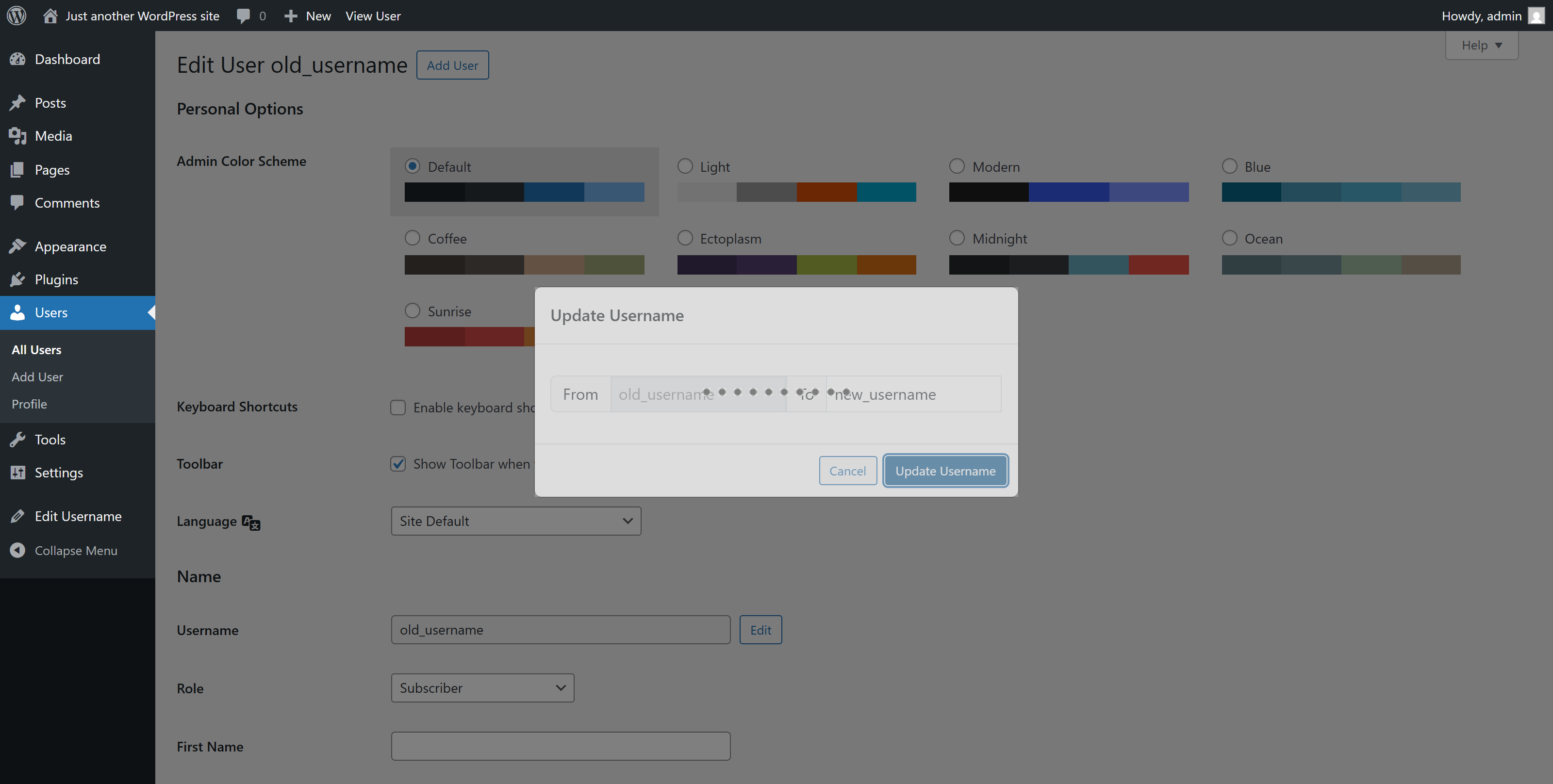
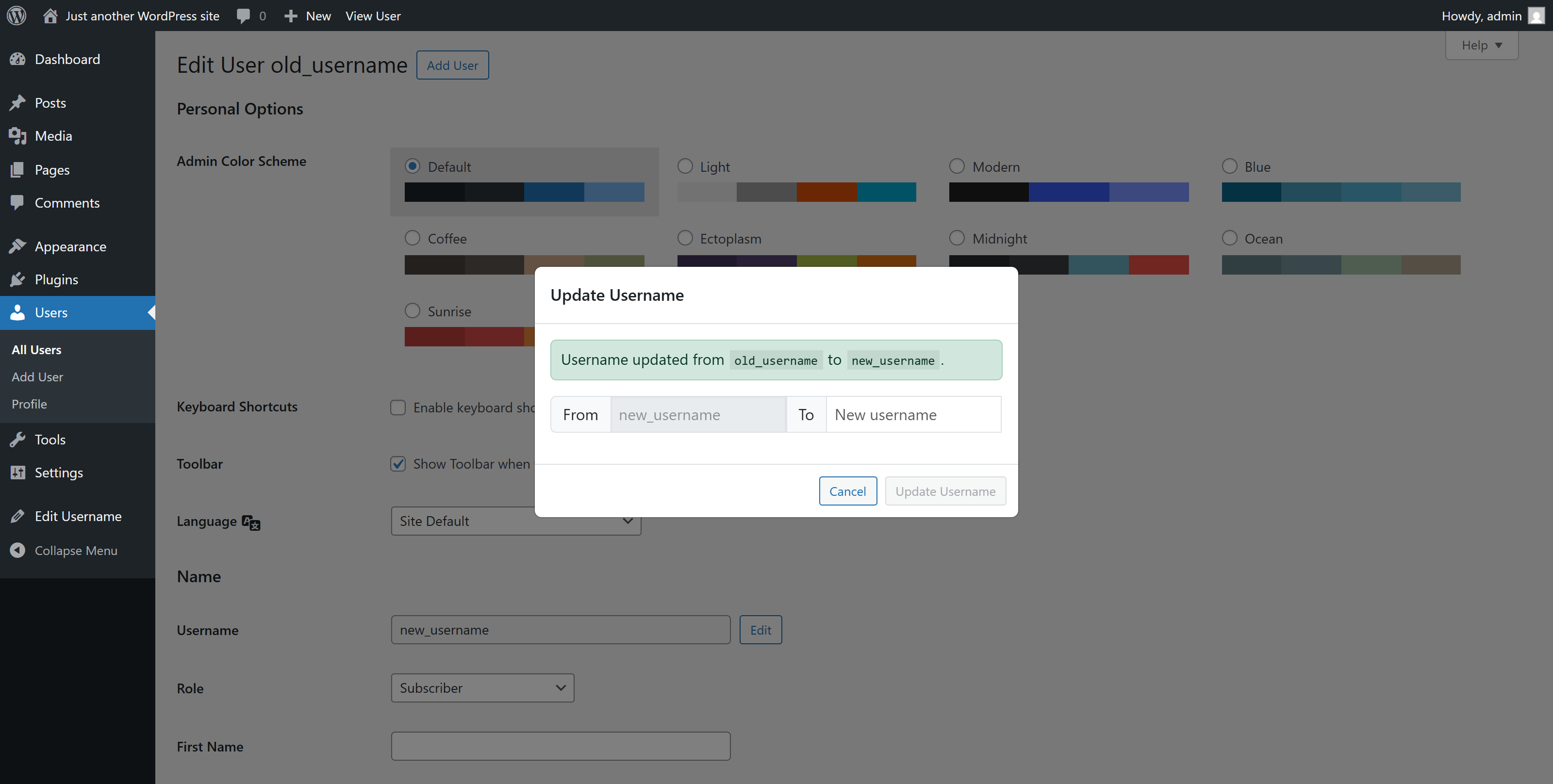
- 編輯使用者名稱:開放編輯使用者名稱。
- 僅有具備
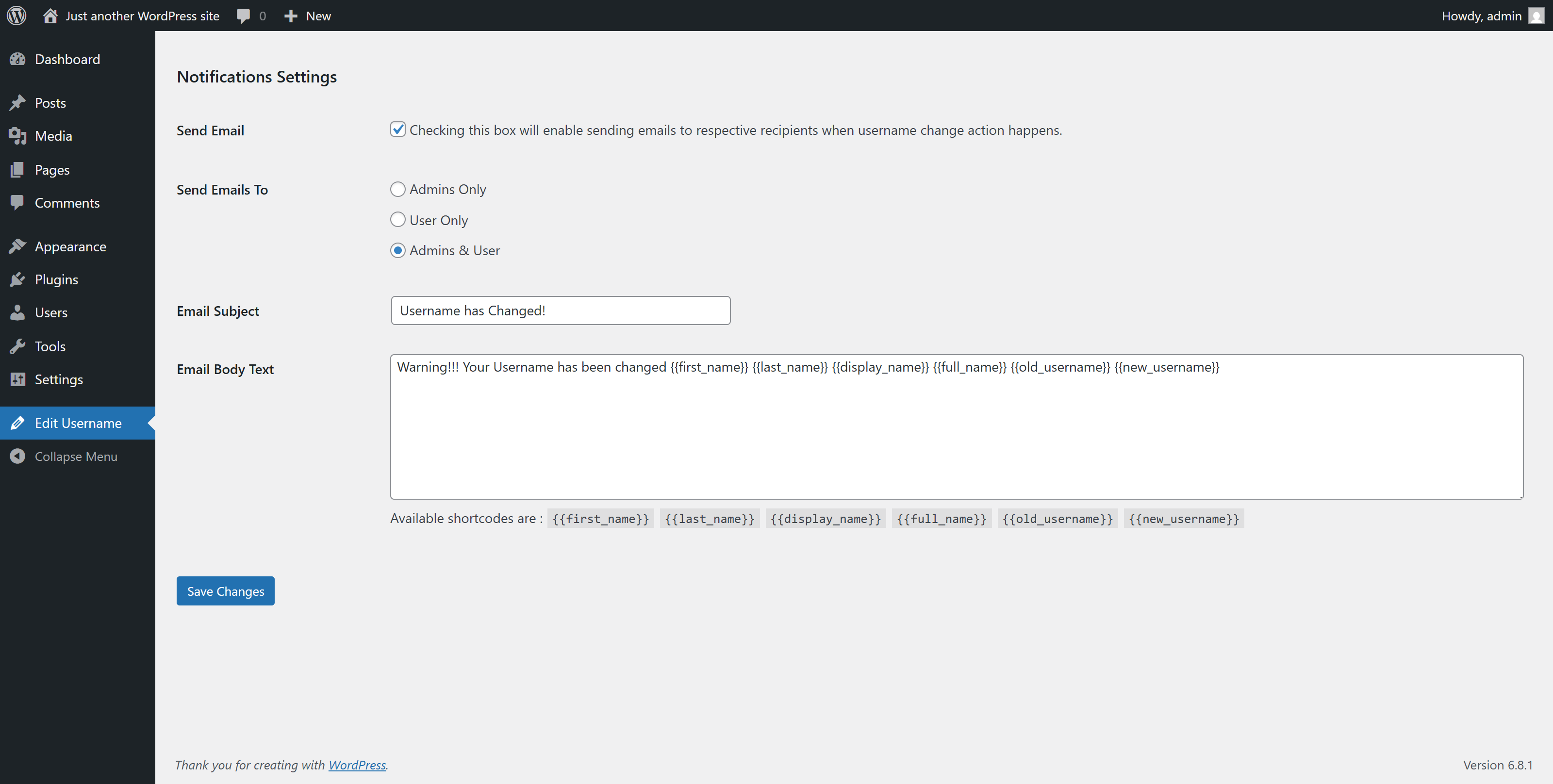
edit_other_users()權限的使用者可以變更使用者名稱。 - 啟用 [傳送電子郵件] 功能後,使用者名稱一旦變更,對應的使用者便會收到通知電子郵件。
- 網站管理員可以在管理後台或使用篩選器勾點自訂電子郵件標題及內容。
- 使用
wpeu_email_subject篩選器修改電子郵件標題。 - 使用
wpeu_email_headers篩選器修改電子郵件標頭。 - 使用
wpeu_email_body篩選器調整電子郵件內容。請注意,$new_username及$old_username會自動附加至電子郵件內容中。
勾點使用方式
<?php

add_filter( 'wp_username_changed_email_subject', 'change_email_subject' );

function change_email_subject( $subject )
{
    $subject = 'Your customized subject';

    return $subject;
}

add_filter( 'wp_username_changed_email_body', 'change_email_body' );

function change_email_body( $old_username, $new_username )
{
    $email_body = "Your custom email text body.";

    return $email_body;
}

?>
螢幕擷圖
![使用者名稱欄位的 [編輯] 按鈕](https://ps.w.org/wp-edit-username/assets/screenshot-2.png?rev=3290610)
安裝方式
使用 WordPress 內建的外掛安裝程式安裝外掛:
前往 [外掛]→[安裝外掛]。
- 在搜尋框中輸入「WP Edit Username」。
- 找到 WP Edit Username 外掛之後便進行安裝。
- 點擊 [立即安裝] 以安裝外掛。
- 結果畫面會顯示安裝成功,或顯示安裝時發生的任何問題。 如果外掛安裝成功,請點擊 [啟用] 以啟用外掛,或是返回外掛安裝畫面以執行其他操作。
使用 GitHub 存放庫/外掛安裝套件 ZIP 壓縮檔安裝 WordPress 外掛: 1. 前往 WordPress [外掛] 頁面。 2. 點擊 [安裝外掛]→[上傳外掛]。 3. 拖放/點擊以上傳外掛安裝套件 ZIP 壓縮檔。 4 . 結果畫面會顯示安裝成功,或顯示安裝時發生的任何問題。 如果外掛安裝成功,請點擊 [啟用] 以啟用外掛,或是返回外掛安裝畫面以執行其他操作。
常見問題集
-
如何使用這個外掛?
-
安裝並啟用 WP Edit Username 後,前往使用者 [個人資料],點擊 [編輯] 按鈕便能編輯使用者名稱。
依據需求變更使用者名稱欄位即可。
使用者評論

2024 年 9 月 5 日
gets the job done

2023 年 8 月 29 日
does its job 😉

2022 年 12 月 14 日
THANK YOU!!!
Using this plugin with ProfileGrid and could not change user names — even from phpMyAdmin.
This plugin does the job AND offers to send an email to the user and admin about the change.
Awesome!
Please update this plugin for security with the latest version of Wordpress.
Thank you again!

2018 年 4 月 30 日
Nice effort…Well done! We want more.

2018 年 4 月 29 日
good working .. Awesome plugin. #LOVE it
參與者及開發者

變更記錄
2.0.6
- Compatibility checkup for latest wp version 7.0
2.0.5
- Checked for latest wp version 6.9
2.0.4
- Fixed issue: typo giving fatal error
2.0.3
- Applied security patch and added more html tags to the allowed html list
2.0.2
- Checked for latest wp version 6.8
2.0.1
- Minor changes in codebase only.
2.0.0
- Major changes in codebase. Compatibility checkup for latest wp version 6.7, updated bootstrap to latest, removed unused css and added confirmation before submitting username change form.
1.0.8
- Updated button type from default ‘submit’ to ‘button’
1.0.7
- Checked for latest wp version 6.6
1.0.6
- Fixed Plugin settings XSS vulnerability.
1.0.5
- Added additional email sender : User Only. Added bunch of shortcodes to use in the subject and email body.
1.0.4
- Checked for latest wp version 6.3
1.0.3
- Checked for latest wp version & updated coding styles… major changes nothing
1.0.2
- Checked for latest wp version & updated coding styles… major changes nothing
1.0.1
- Checked for latest wp version & updated coding styles… major changes nothing
1.0.0
- Initial release.