

外掛說明
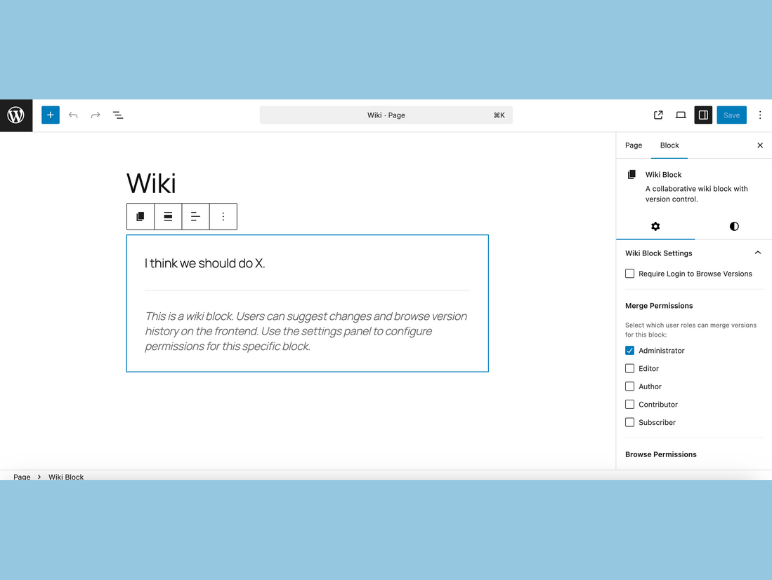
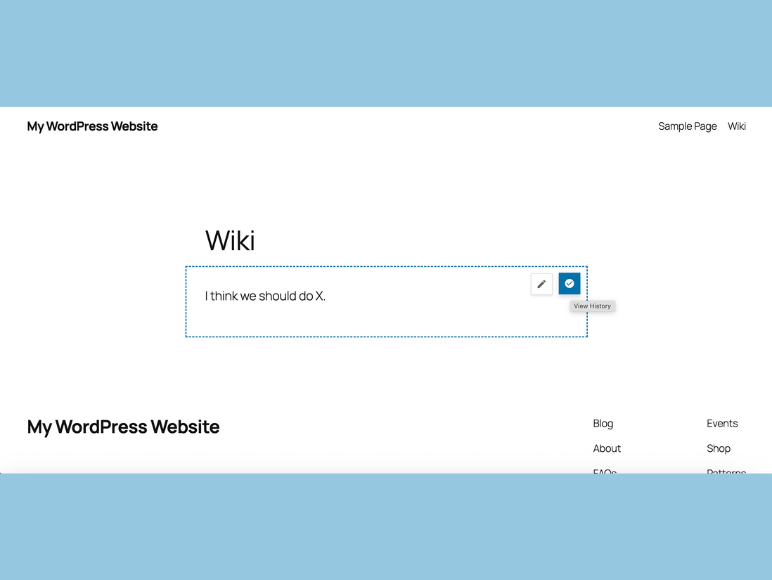
Wiki Blocks lets you add collaborative wiki content with full version control. Users can suggest changes, review version history, and merge updates with proper permission controls.
Key Features
- Gutenberg Block Integration: Seamlessly adds the wiki block type
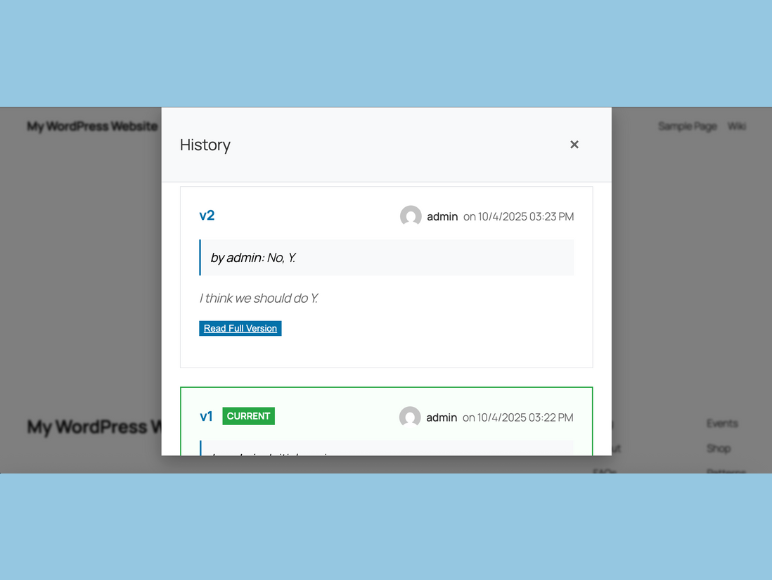
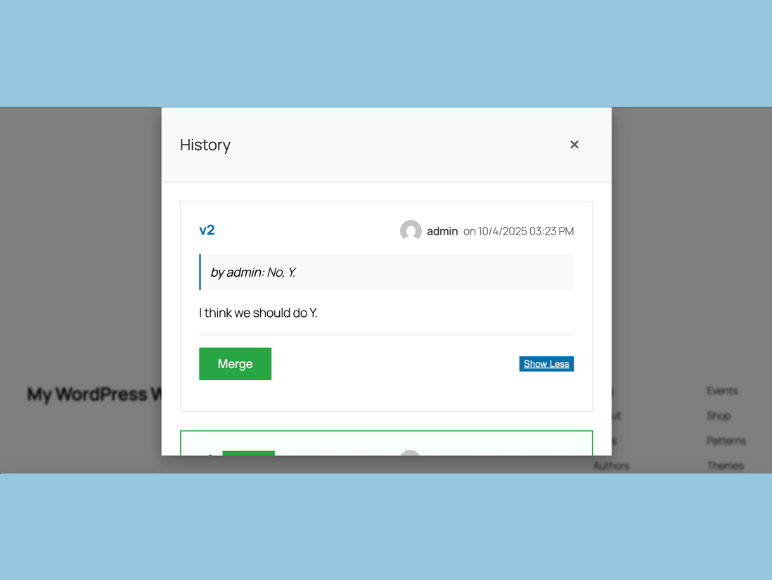
- Version Control: Complete history of all changes with user attribution
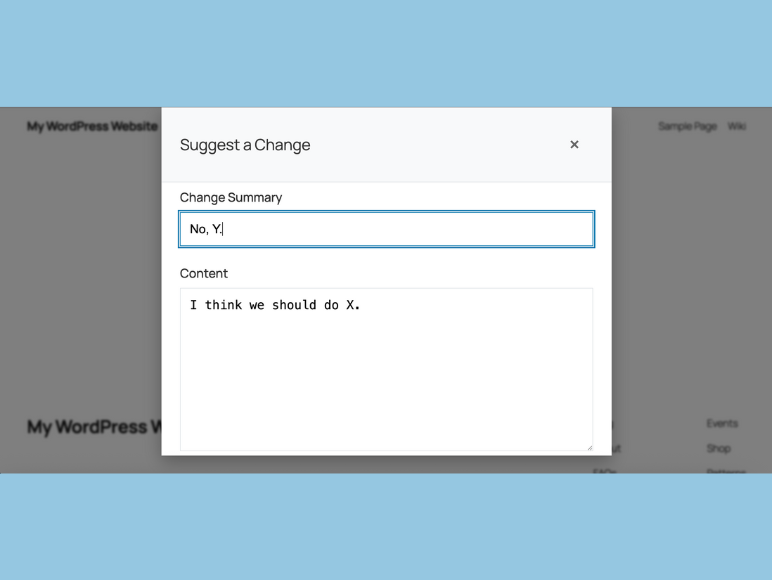
- Collaborative Editing: Users can suggest changes that are reviewed before acceptance
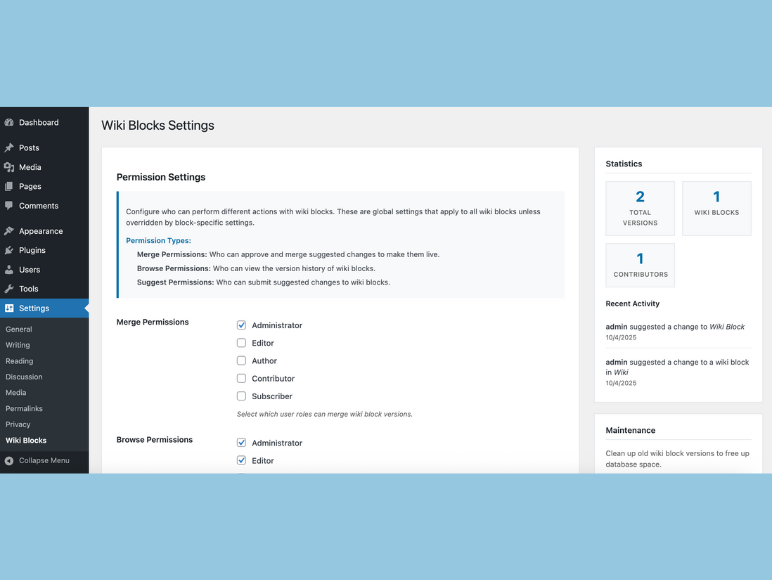
- Permission System: Granular control over who can suggest, browse, and merge changes
- Modern UI: Clean, responsive interface with modal dialogs
- Accessibility: Full accessibility support with keyboard navigation and screen reader compatibility
How It Works
- Add a Wiki Block: Insert the Wiki Block into any post or page
- Initial Content: Set the initial content that becomes the first version
- User Suggestions: Logged-in users can suggest changes with summaries
- Version History: Browse all versions with excerpts and full content views
- Review & Merge: Administrators or authorized users can merge suggestions into the live version
Permission Levels
- Suggest Changes: Control which user roles can submit suggestions
- Browse History: Manage who can view version history
- Merge Versions: Restrict who can accept changes as the new live version
- Login Requirements: Optionally require login to browse versions
Use Cases
- Documentation Sites: Collaborative documentation with version tracking
- Knowledge Bases: Community-driven content with review process
- Policy Pages: Controlled content updates with approval workflow
- Educational Content: Student contributions with teacher oversight
- Team Wikis: Internal knowledge sharing with permission controls
Translation
This plugin is translation-ready and includes a POT file for internationalization. To contribute translations:
- Download the POT file from
/languages/wiki-blocks.pot - Translate using a tool like Poedit
- Save as
wiki-blocks-{locale}.poandwiki-blocks-{locale}.mo - Submit translations to the plugin repository
Support
For support, feature requests, or bug reports, please visit the plugin support page.
Credits
Developed by Billy Wilcosky
Built with WordPress best practices and modern web standards.
License
This plugin is licensed under the GPL v2 or later.
Privacy
Wiki Blocks stores version history and user contributions in your WordPress database. This data includes:
- Content versions and change summaries
- User attribution for changes
- Block-specific settings and permissions
No data is sent to external servers. All information remains within your WordPress installation.
Security
Wiki Blocks follows WordPress security best practices:
- All user inputs are sanitized and validated
- Nonces are used for all AJAX requests
- SQL queries use prepared statements
- Output is properly escaped
- Permission checks are performed on all actions
Performance
- Optimized database queries with proper indexing
- Efficient asset loading with cache busting
- Minimal impact on page load times
- Responsive design for all devices
Accessibility
- Full keyboard navigation support
- Screen reader compatible
- High contrast mode support
- Reduced motion preferences respected
- Semantic HTML structure
- ARIA labels and descriptions
Development
Wiki Blocks is built with:
- PHP 8.0+ compatibility
- WordPress coding standards
- Modern JavaScript (ES6+)
- Responsive CSS with Flexbox/Grid
- Accessibility-first design principles
Roadmap
Future versions may include:
- What you suggest
Contributing
Contributions are welcome! Please:
- Follow WordPress coding standards
- Include proper documentation
- Test thoroughly before submitting
- Use meaningful commit messages
- Respect accessibility guidelines
Donate
If you find this plugin useful, consider supporting its development:
Thank you for using Wiki Blocks!
螢幕擷圖
適用於區塊編輯器
這個外掛提供 1 個可供區塊編輯器使用的區塊。
- Wiki Block A collaborative wiki block with version control.
安裝方式
- Upload the
wiki-blocksfolder to the/wp-content/plugins/directory - Activate the plugin through the ‘Plugins’ menu in WordPress
- Configure global permissions in ‘Settings > Wiki Blocks’
- Add Wiki Blocks to your posts and pages using the Gutenberg editor
常見問題集
-
Can I turn any block into a wiki and use any type of content?
-
Version 1 is focused on using the actual wiki block only (search for /wiki). So no, you cannot turn any block into a wiki. Also, for now only basic formatting and image uploading is available. This is enough for most blog articles or text-heavy website sections.
-
What happens if I disable the plugin?
-
Your content remains intact. There are clean up options in the settings. There is also the ability to clean up everything on uninstall if you would like.
-
Can I control who can make changes?
-
Absolutely! You can set permissions globally and per-block for suggesting changes, browsing history, and merging versions.
-
Is this compatible with my theme?
-
Yes, Wiki Blocks is designed to work with any WordPress theme and follows WordPress coding standards.
-
Can I export version history?
-
Version history is stored in the database and can be exported using standard WordPress database export tools.
-
What if I want to remove all wiki data?
-
The plugin includes an uninstall option that can completely remove all wiki data when the plugin is deleted.
使用者評論
這個外掛目前沒有任何使用者評論。
參與者及開發者

變更記錄
1.1.8
- Fix Wiki Block not appearing in the block inserter: register blocks directly from plugin bootstrap instead of nesting a same-priority
initcallback.
1.1.7
- Register the block with Block API v3 (
block.json) for WordPress 7.0 compatibility - Replace deprecated
wp-editorscript dependency withwp-block-editor - Replace deprecated
IconButtonwithToolbarButton; usewp.elementhooks instead of a globalReactreference
1.1.6
- Compatible with WordPress 6.9
1.1.5
- Fixed iOS Brave browser bugs
- Added custom confirmation dialog modals
- Other minor adjustments
1.1.4
- Editor and styling updates
1.1.1
- Improved frontend JavaScript event handling for better plugin compatibility
- Changed edit and history buttons to use mousedown/touchstart events with click fallback
- Enhanced cross-device compatibility and future-proofing against plugin conflicts
1.1.0
- Added formatting and image handling
- Added more clean up options
- Fixed bugs
1.0.1
- Readme edits
1.0.0
- Initial release
- Gutenberg block integration
- Version control system
- Permission management
- Responsive UI design
- Accessibility features
- Cache busting for assets
- Comprehensive error handling