
外掛說明
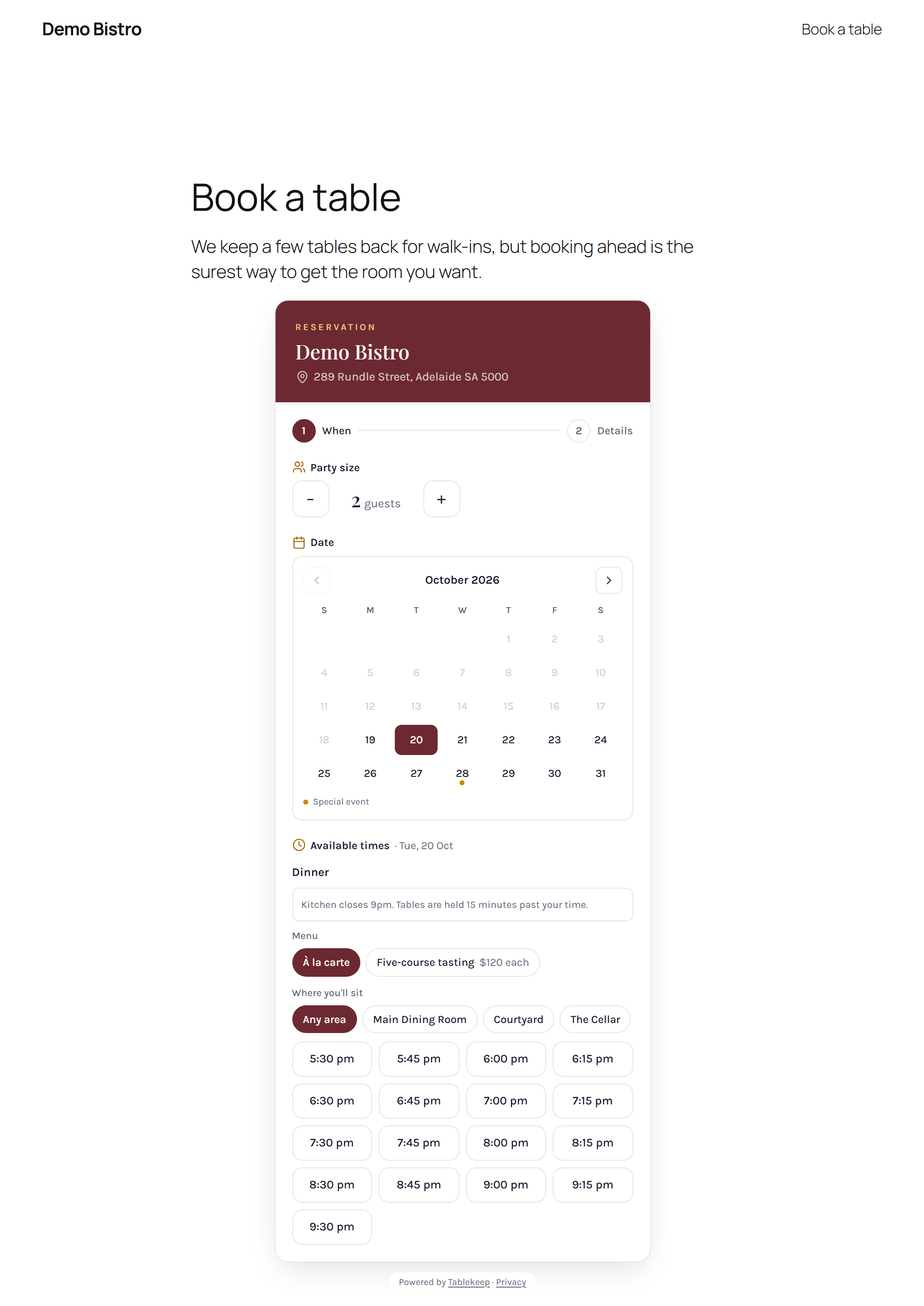
Add a “Book a table” form to any page on your WordPress site. This plugin embeds
your booking widget from Tablekeep as a secure,
sandboxed iframe, so diners pick a date, party size and time and book in seconds,
and the booking lands in your dashboard straight away.
Tablekeep is a booking system for independent restaurants, cafés, pubs and bars
in Australia and New Zealand, with flat monthly pricing and no fees per booking.
This plugin is a thin wrapper. It contains no booking logic and stores no
diner data. It loads the widget from Tablekeep (or your own domain), so your
reservations, capacity rules and notifications all live in your Tablekeep
dashboard.
Features
- A “Tablekeep Booking” block for the WordPress editor.
- A
[tablekeep_booking]shortcode for the classic editor and page builders. - A settings page to set your venue once, then drop the block anywhere.
- Mobile-friendly and auto-resizing.
- Multiple widgets per page resize independently.
External service
This plugin is a client for Tablekeep, a hosted restaurant booking service, and
does not work on its own. You need a Tablekeep account, and the booking form
itself is served by Tablekeep rather than by your site.
What is sent, and when: nothing at all until a visitor loads a page containing
the widget. At that point their browser requests the booking form directly from
the configured widget origin (default https://book.tablekeep.com.au), which
receives their IP address and user agent as part of that ordinary request.
Whatever the visitor then enters in the form (name, phone, optional email and
booking details) is submitted to Tablekeep, not to your WordPress site. The
plugin itself makes no server-side external requests and stores no diner data;
it saves only your venue slug and widget URL as WordPress options.
The embedded form carries a small “Powered by Tablekeep” credit inside the
iframe, as part of the hosted service. The plugin adds no links of its own to
your site.
Service provider: Tablekeep, operated by The Growth Protocol Pty Ltd
(ABN 59 680 355 060), Australia.
Terms of service: https://tablekeep.com.au/terms
Privacy policy: https://tablekeep.com.au/privacy
螢幕擷圖
適用於區塊編輯器
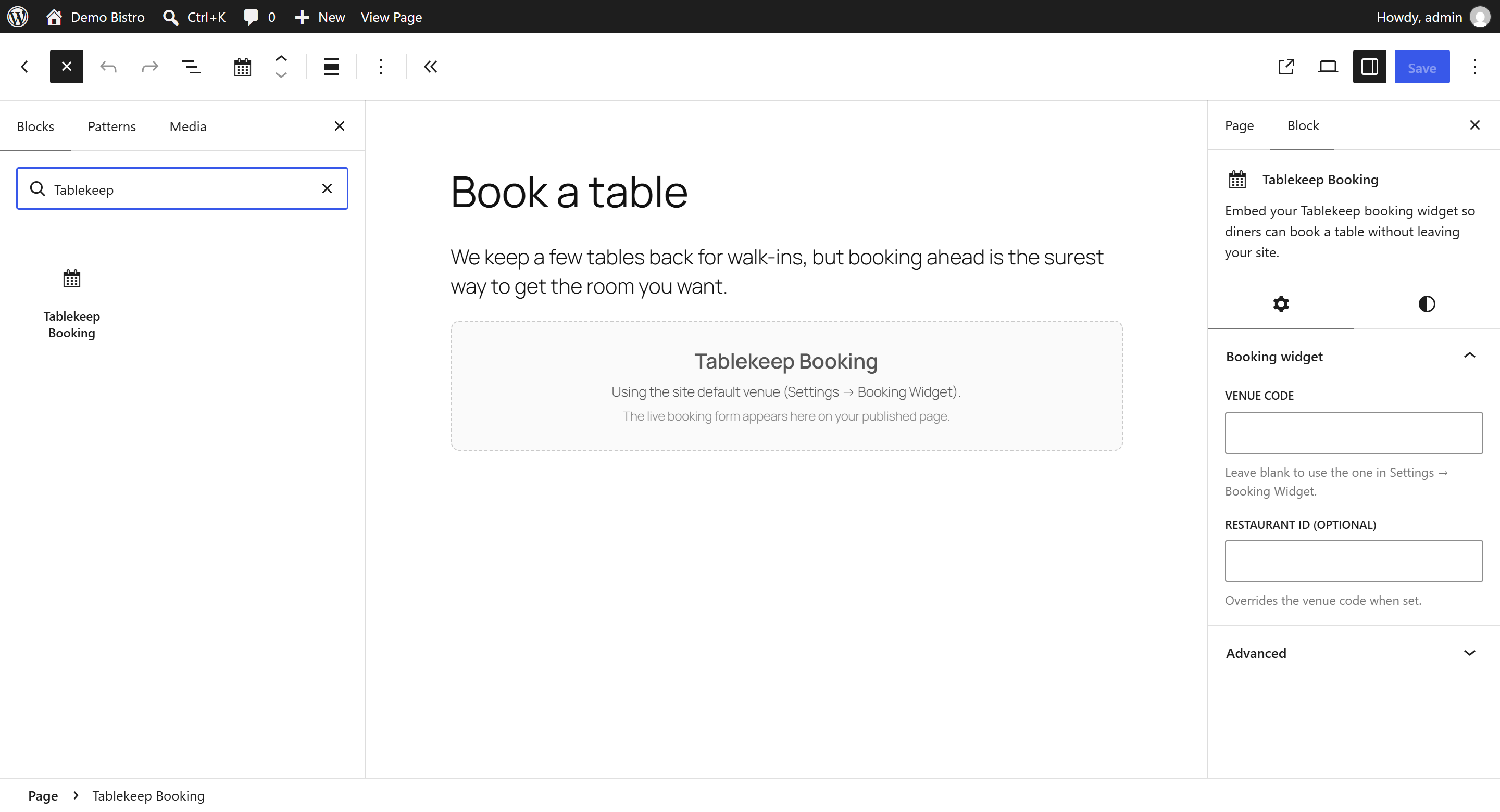
這個外掛提供 1 個可供區塊編輯器使用的區塊。
- Tablekeep Booking Embed your Tablekeep booking widget so diners can book a table without leaving your site.
安裝方式
- Install and activate the plugin.
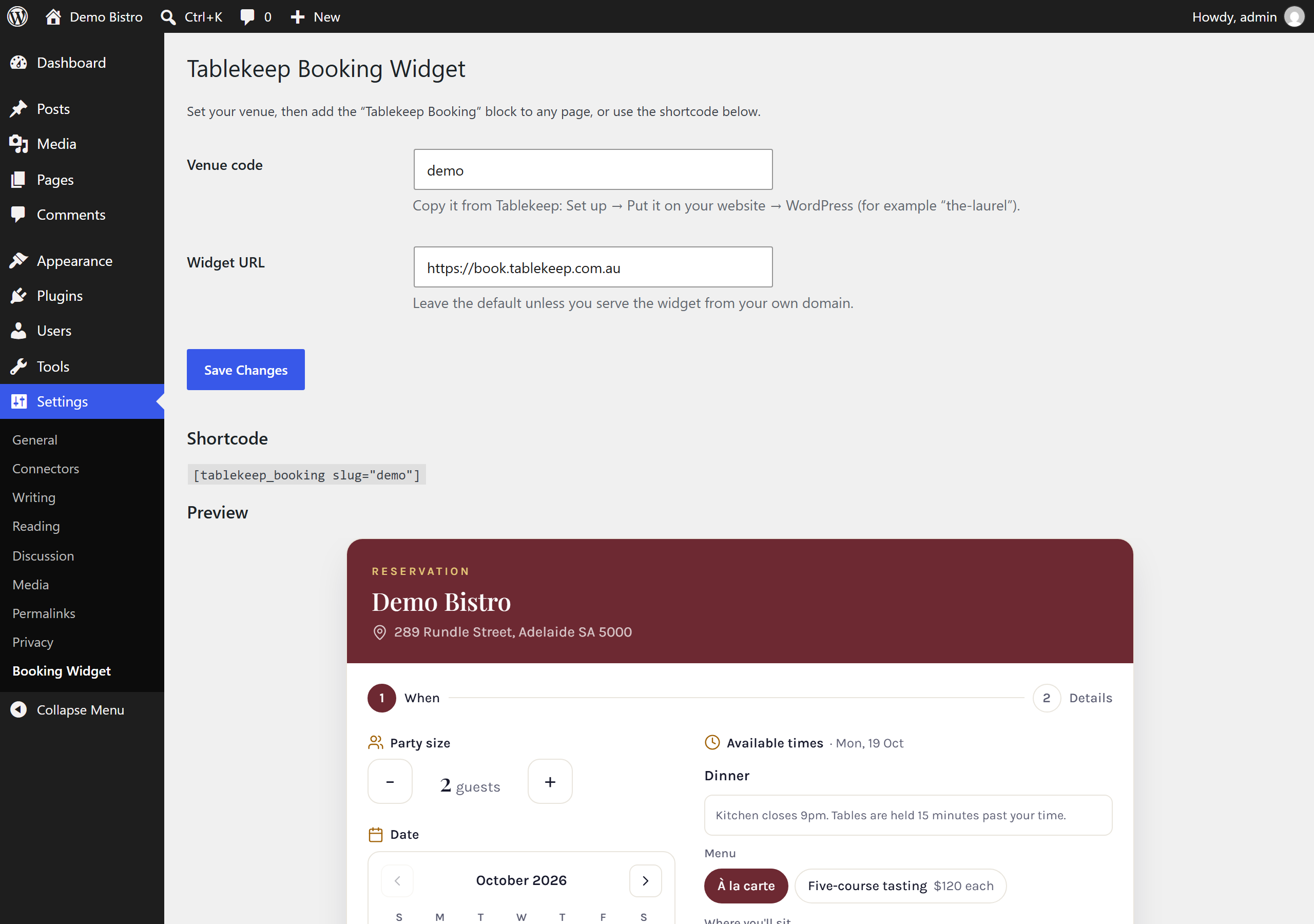
- Go to Settings Booking Widget, enter your venue code and save.
- Add the Tablekeep Booking block to a page, or use
[tablekeep_booking].
常見問題集
-
Where do I find my venue code?
-
In Tablekeep, open Set up, choose Put it on your website, then WordPress.
It is shown there, ready to copy (for example, “the-laurel”). -
Can I use my own domain for the widget?
-
Yes. Set the Widget URL on the settings page to your own-domain widget address.
-
Does this store any personal data?
-
No. The plugin only outputs an iframe; all booking data is handled by Tablekeep,
not by WordPress. -
Do I need a paid account?
-
You need a Tablekeep subscription to take live bookings. Tablekeep is flat
monthly pricing with no fees per booking; see https://tablekeep.com.au.
使用者評論
這個外掛目前沒有任何使用者評論。
參與者及開發者

變更記錄
1.0.1
- Settings and the block call it “Venue code”, the same name Tablekeep uses, and say where to copy it from.
- The Settings link on the Plugins screen now comes first.
1.0.0
- Initial release: block, shortcode and settings page.