
外掛說明
SunnyGDPR provides a simple, ultra-fast, and compliant cookie banner for your WordPress website.
Unlike heavy, resource-intensive GDPR “all-in-one” plugins that try to catch, block, and analyze every single request on the fly, SunnyGDPR follows a smart, developer-friendly logic:
As a site owner or developer, you already know exactly which scripts require consent before firing (such as Google Analytics, Yandex Metrika, Facebook Pixel, or ad tracking codes). In version 1.1, SunnyGDPR introduces a dedicated field in the admin settings where you can paste these conditional scripts.
How it works:
- Before consent: Tracking codes and analytical scripts remain completely omitted from the HTML output.
- Upon consent: The user accepts the GDPR terms, a consent cookie is written for 1 year, and the page automatically reloads to inject and execute the approved scripts.
- If declined: The user is redirected to an isolated static HTML page (
cookie-declined.html), preventing unnecessary server and database queries.
No overhead, no bloat, and zero impact on your site speed.
Key Features
- Lightweight & Blazing Fast: Built with pure Vanilla JS and clean CSS without external dependencies.
- Conditional Script Output: Inject tracking, analytics, or marketing scripts only after explicit user consent.
- One-Year Consent Cookie: Remembers user choice for 365 days (
sunnygdpr_consent). - Autonomous Decline Handler: Static HTML page for declined users to save server resources.
- Fully Customizable: Easily edit consent texts, button labels, and code snippets from WP Admin.
- Clean Uninstall: Automatically removes all stored settings upon uninstallation.
螢幕擷圖

安裝方式
- Upload the
sunnygdprfolder to your/wp-content/plugins/directory (or upload the.zipfile via WP Admin). - Activate the plugin through the ‘Plugins’ menu in WordPress.
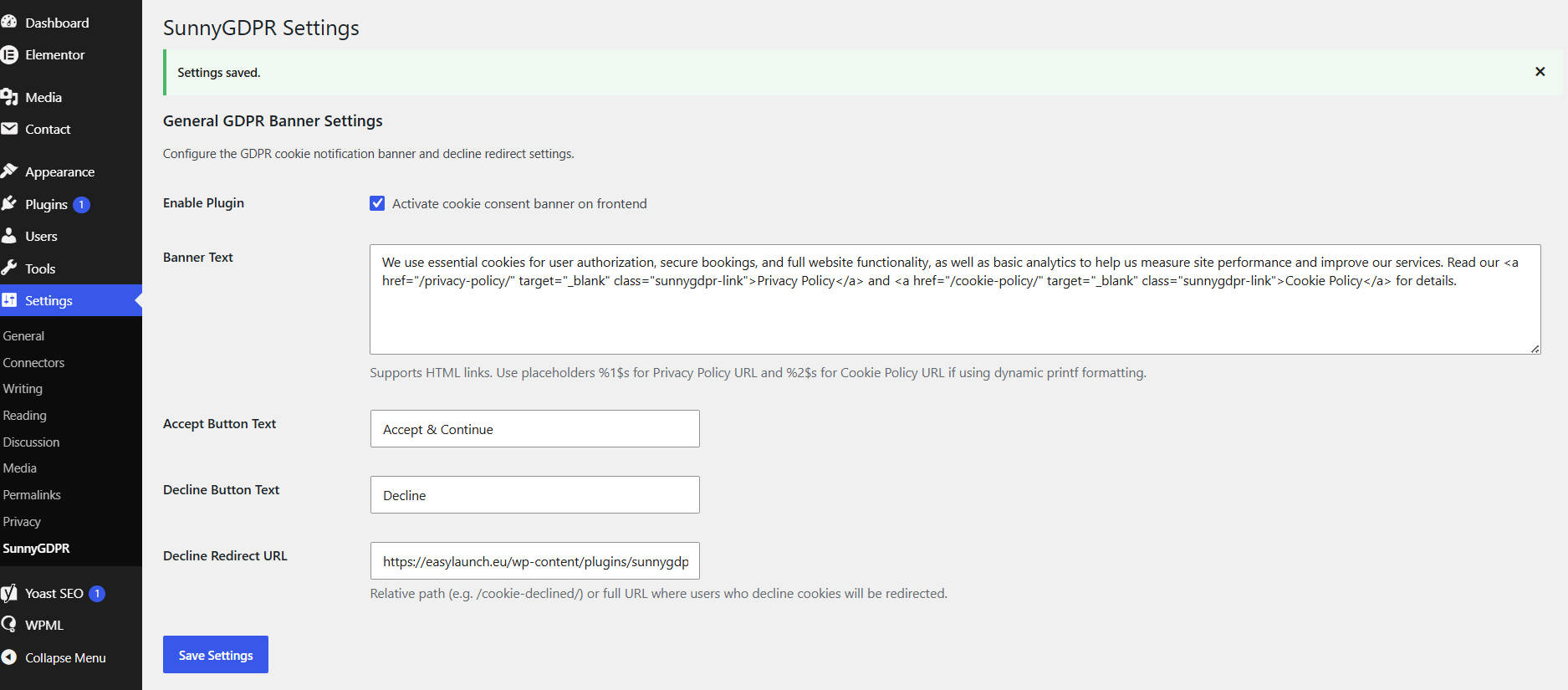
- Go to Settings -> SunnyGDPR to configure your banner text, redirect settings, and conditional tracking scripts.
常見問題集
-
Does this plugin affect site speed?
-
No. Unlike complex GDPR plugins that parse and block requests dynamically, SunnyGDPR only injects scripts after consent. It relies on pure JavaScript and lightweight PHP, causing virtually zero performance overhead.
-
How do I add my Google Analytics or tracking pixels?
-
Go to Settings -> SunnyGDPR and paste your script tags into the designated post-consent code field. The plugin will automatically hold back these scripts until the visitor clicks “Accept”.
-
Where are the plugin settings stored?
-
All options are saved under a single array key
sunnygdpr_optionsin your WordPress options table. -
The user is redirected to a static HTML page (
cookie-declined.html) located inside the plugin directory. They will not be able to browse the site until they accept the cookie policy.
使用者評論
這個外掛目前沒有任何使用者評論。
參與者及開發者

變更記錄
1.1.0
- New Feature: Added a dedicated field in Admin Settings to inject scripts (analytics, ads, tracking pixels) strictly after user consent.
- Performance: Optimized consent logic — automatic page reload upon consent to deliver accepted scripts with 1-year cookie storage.
- Refinement: Minor UI improvements in the admin panel and updated plugin description.
1.0.0
- Initial official release.