
外掛說明
Sudwire Newsroom watches the official sources for your area day and night, picks the stories your readers care about and drafts them for your site. This plugin brings the drafts into WordPress, where your editor checks them and publishes.
How it works
- Tell Scout, our sources assistant, the area you cover. It finds the police, council, school, weather and transport websites near you and checks each one works.
- Sudwire checks them every few minutes. Each new item gets a score for how much it matters locally, and routine notices are left out.
- The stories worth running arrive here as posts waiting for review, with a headline, a photo you’re free to use, the category, tags and a link to the source.
- Your editor reads, edits if needed and publishes.
What you get
- Articles written for your site, in its language and at the length you choose, never the source’s own text.
- Official sources only. Other news outlets can be followed as leads, or credited when you choose to write from them.
- Photos that are free to reuse, credited under the article.
- Stories about crime, courts, deaths, minors, health emergencies or elections always wait for an editor.
- New articles arrive as Pending review or as Drafts, as you prefer, and the summary fills the meta description in Yoast SEO, Rank Math or SEOPress.
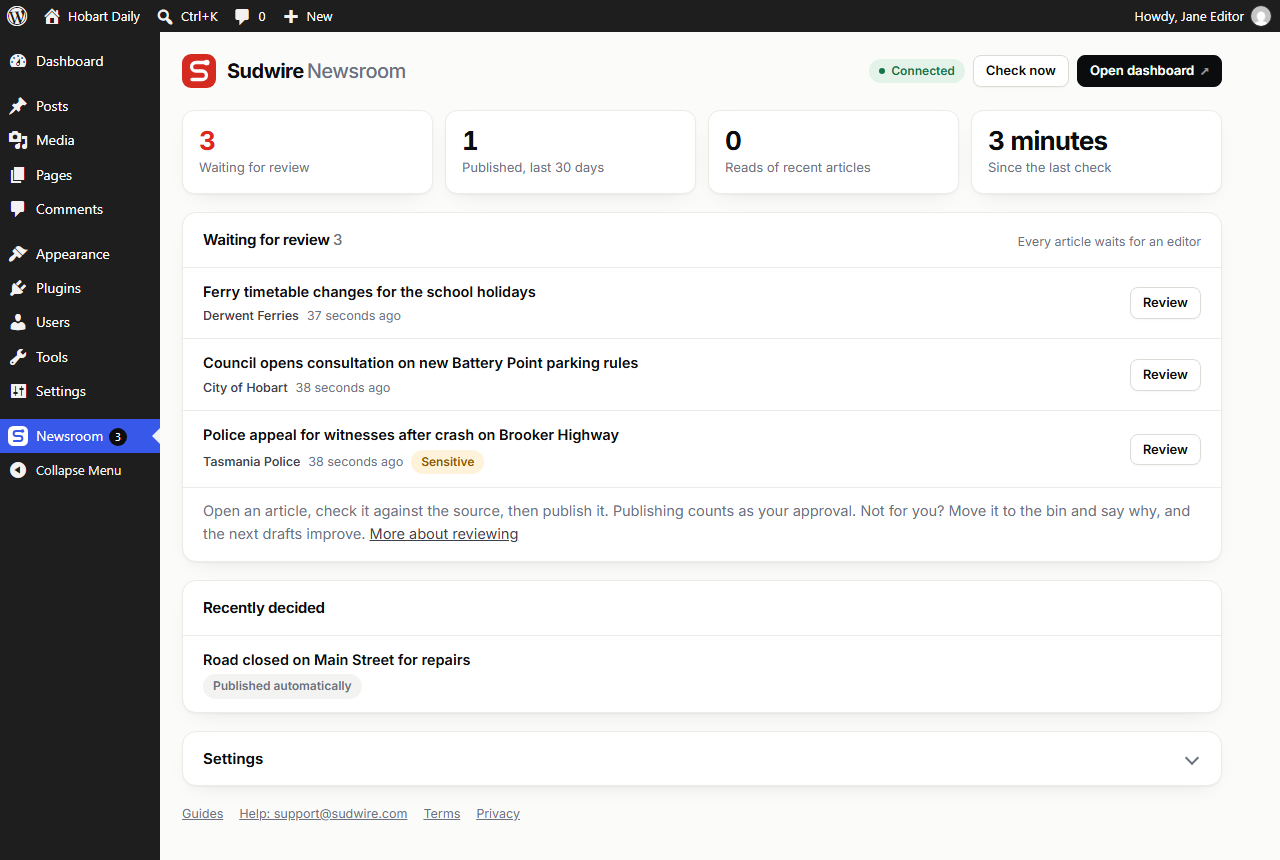
- A Newsroom screen showing what’s waiting, what your team decided and how many readers each article had.
- Bin a draft and say why, and the next drafts improve. Sudwire also skips stories your site already ran.
- More than 40 languages, from English and Spanish to Polish and Japanese.
A Sudwire Newsroom account is required. Plans are priced by articles a day, and start with a free trial: https://sudwire.com/pricing
External services
This plugin connects to the Sudwire Newsroom service (https://app.sudwire.com, or the address set on the plugin’s screen). It is needed to receive the articles drafted for your site.
The connection only starts when an administrator connects the site. With “Connect with Sudwire”, the browser opens the service’s connect page with this site’s address, its name and a return address in your WordPress admin. After the administrator confirms there, the plugin exchanges a one-time code with the service for the connection key. An administrator can also paste a key instead.
Once connected, every five minutes and when you press “Check now”:
- the plugin asks the service for new articles, sending your connection key;
- it confirms each article it received, sending the WordPress post ID and status;
- when an editor publishes or bins one of these articles, it sends the decision, the editor’s display name, whether the text was edited and, once it’s published, the article’s address on this site;
- when an editor says why they binned one of these articles, it sends the reason they picked and the note they wrote;
- it sends the headlines of the posts this site published in the last 48 hours that didn’t come from Sudwire, with their dates, so the service doesn’t draft a story the site already ran;
- it sends the plugin and WordPress version numbers, the site’s time zone, and how many times each of these articles was read (one number per article);
- when they change, it sends the file names of the photos the site used in the last 30 days (featured images of recent posts and images added to the Media Library), and the addresses they were downloaded from when WordPress kept them, so the service doesn’t pick the same photos again. Only names and addresses are sent, never the files;
- the service may call this site’s /wp-json/sudwire-newsroom/v1/verify address to confirm the plugin runs on it. The answer is a one-time code derived from the connection key; the key itself is never sent.
Reads are counted when a visitor opens one of these articles: the page sends the post ID to this site’s own /wp-json/sudwire-newsroom/v1/read address, which adds one to the article’s total. No cookies are set. So that a reader who reloads isn’t counted twice, a salted one-way hash of their IP address is kept on this site for 30 minutes, then deleted; it is never sent anywhere. Logged-in users, previews and known robots are not counted.
No other site content, visitor data or user data is sent. A draft binned in the Sudwire dashboard is moved to the bin here too, if it’s still waiting for review. Featured photos are downloaded from the addresses the service provides (the official source’s website, Wikimedia Commons, Openverse, Pixabay or Pexels).
Terms of service: https://sudwire.com/terms
Privacy policy: https://sudwire.com/privacy
螢幕擷圖
安裝方式
- Install and activate the plugin. The Newsroom screen opens.
- Press “Connect with Sudwire”, sign in or create your account, and press Connect.
- Choose the official sources for your area with Scout, our sources assistant.
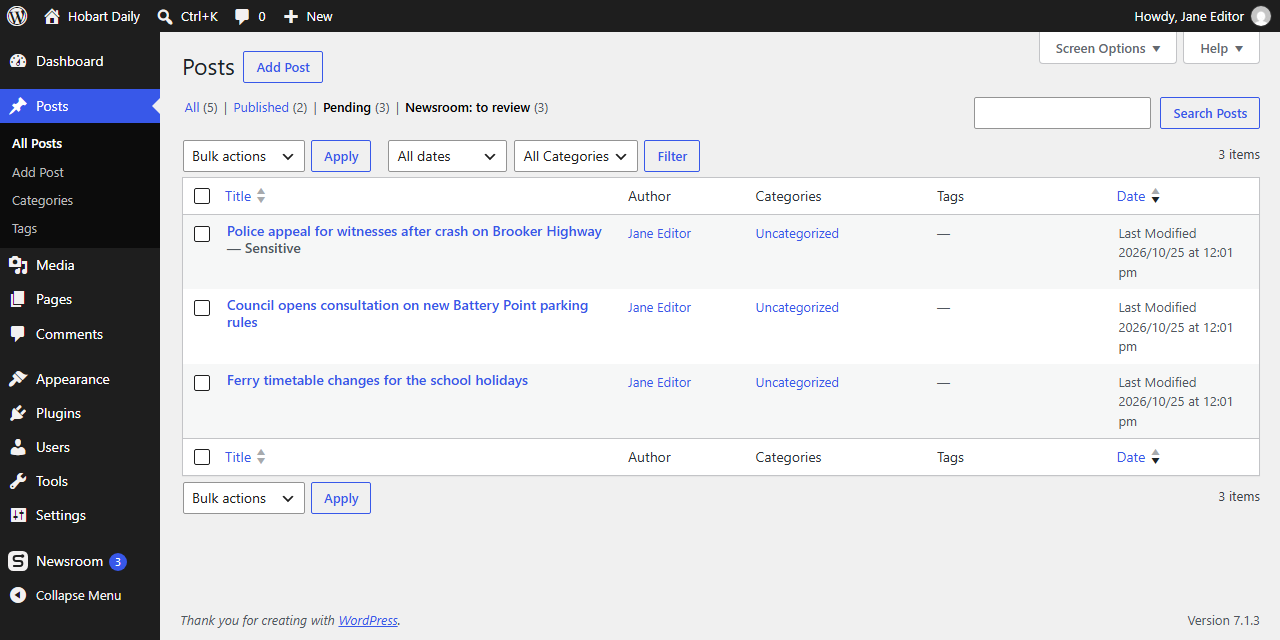
- New articles appear under Newsroom and in Posts Pending.
You can also create a connection key in your Sudwire Newsroom dashboard and paste it on the Newsroom screen.
Step-by-step guide: https://docs.sudwire.com/connect-wordpress
To keep the key out of the database, add define( 'SUDWIRE_NEWSROOM_KEY', 'swn_…' ); to wp-config.php instead.
常見問題集
-
Is the plugin free?
-
Yes. It needs a Sudwire Newsroom account, which starts with a free trial. Plans are priced by how many articles a day you want.
-
Will it copy other news sites?
-
No. Articles are written from official sources such as police, councils and agencies, in Sudwire’s own words, with the source linked. Other outlets only appear as leads unless you choose to write from one, and then it’s credited and its photos are never used.
-
Is it safe for search engines?
-
Each article is new text written from a primary source, the number per day is capped, and your editor reviews what goes out. Posts are ordinary WordPress posts, so your SEO plugin and sitemap handle them as usual.
-
Can articles be published without anyone checking them?
-
Only if you choose automatic publishing in the dashboard. Sensitive stories still wait for an editor.
-
Does it work with my theme?
-
Yes. Articles are standard posts with a featured image, a category and tags, so any theme shows them.
-
Can several people review articles?
-
Yes. Anyone who can edit others’ posts can review and publish them, and the Newsroom screen shows who decided what.
-
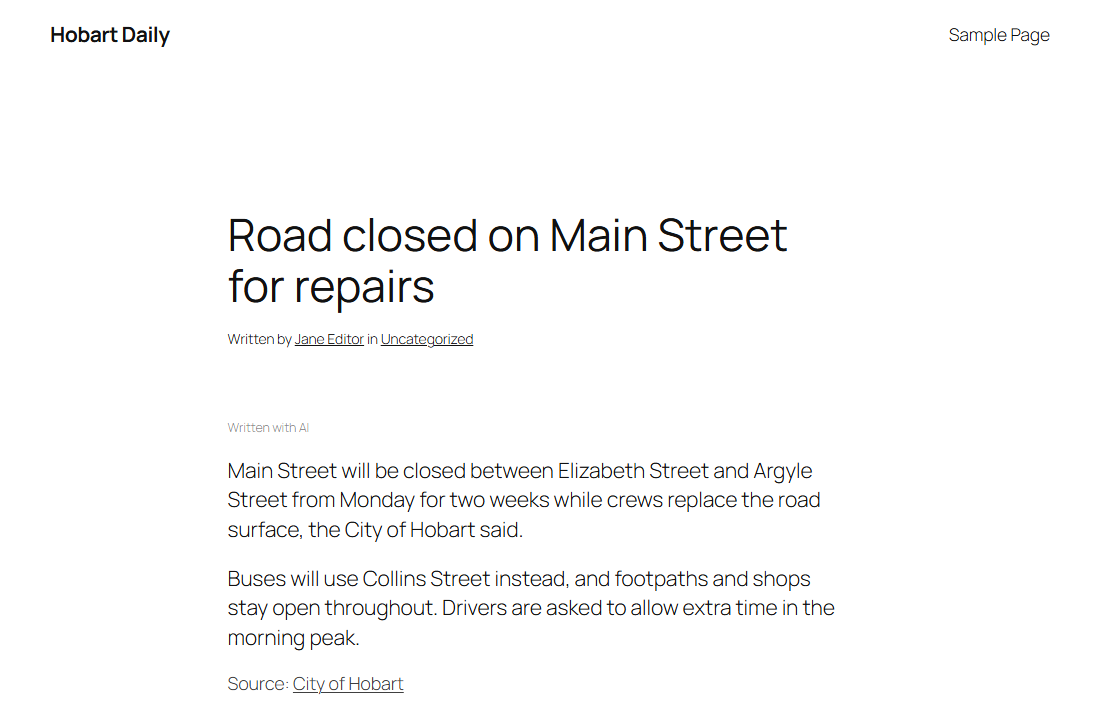
Does it say articles were written with AI?
-
That’s set in your Sudwire Newsroom dashboard. Articles an editor publishes count as reviewed. You can change the wording with the
sudwire_label_textfilter. -
Is the plugin in my language?
-
Its screens follow your WordPress language. They come in Romanian, Spanish, French, German, Italian, Brazilian Portuguese, Polish and Dutch, and you can help translate them into yours at translate.wordpress.org.
使用者評論
這個外掛目前沒有任何使用者評論。
參與者及開發者

變更記錄
0.6.2
- The plugin’s screens in Romanian, Spanish, French, German, Italian, Brazilian Portuguese, Polish and Dutch. WordPress.org language packs replace them as volunteers translate the plugin.
0.6.1
- The AI note on automatically published articles can go in the credit line at the end instead of a line at the top, when the site chooses that in Sudwire.
0.6.0
- Bin a draft and say why: not your area, not news for you, already covered, wrong facts or badly written. Sudwire learns from it for your next drafts.
- Stories your site already published itself aren’t drafted again.
- A draft binned in the Sudwire dashboard moves to the bin here too.
- The edit screen shows a hint when a similar post went out in the last three days, and the reminder now shows in the block editor too.
- Posts list: a Source link under each Sudwire draft, and Sensitive next to the ones that need a careful check.
- A staging copy of the site no longer collects the real site’s articles.
- An article that can’t be filed no longer holds up the ones after it, and a check cut short is finished on the next one.
- Publishing no longer waits for Sudwire to answer.
- Text for your privacy policy, under Settings, Privacy.
0.5.1
- The credit line under each article (“Source”, “Photo”) is in your site’s language, on older articles too.
0.5.0
- Publishing an article counts as its review: there’s no box to tick any more.
- New setting: articles can arrive as drafts instead of pending posts.
- New setting: the article’s summary fills the meta description in Yoast SEO, Rank Math or SEOPress.
- The note on articles is smaller, and follows your dashboard’s settings for every post.
- The Newsroom menu item sits after WordPress’s own items.
0.4.5
- Photo names with accents or brackets are recognised too.
0.4.4
- New articles skip photos your site already used in the last 30 days, including ones added by editors or other plugins.
0.4.3
- A clearer message when a site can’t be connected from its address.
0.4.2
- Photo credits link the licence when the licence asks for it.
- Your WordPress time zone is shared with Sudwire, so its emails and analytics follow your day.
0.4.1
- Choose the default photo from the Media Library.
- The first screen is shorter, and the service address is under Advanced.
0.4.0
- Connect with one click: sign in to Sudwire from the Newsroom screen and you’re connected, no key to copy.
- After connecting, the screen shows the next step: choosing your sources, then starting the trial.
- A smaller, quieter note on articles drafted with AI: “Written with AI from official sources”.
0.3.0
- A new look for the Newsroom screen, matching the Sudwire dashboard, and the Sudwire logo in the admin menu.
- A first screen with the steps to connect, and links to step-by-step guides.
- Articles waiting, published and read, at a glance.
- Faster on big sites: cached counts, a lighter read report, and readers remembered in the object cache when there is one.
- Publishing never waits on a slow connection: if the decision can’t be sent within 5 seconds, it’s sent in the background.
0.2.0
- Renamed internal names to the sudwire_ prefix. The AI label filter is now sudwire_label_text.
- Styles and the read counter load through WordPress’s script and style queue.
- Tested with WordPress 7.1.
0.1.2
- Counts reads of Sudwire articles for the dashboard’s Analytics, once per reader every half hour. No cookies.
- The AI note also appears in the site’s RSS feed.
- The service address must use https.
0.1.1
- Site ownership check for free trials.
0.1.0
- First release.