

外掛說明
When you’re showing grouped content in rows (e.g. blog posts, products, feature sets), it’s almost inevitable that variations in content lengths will throw off your layout.
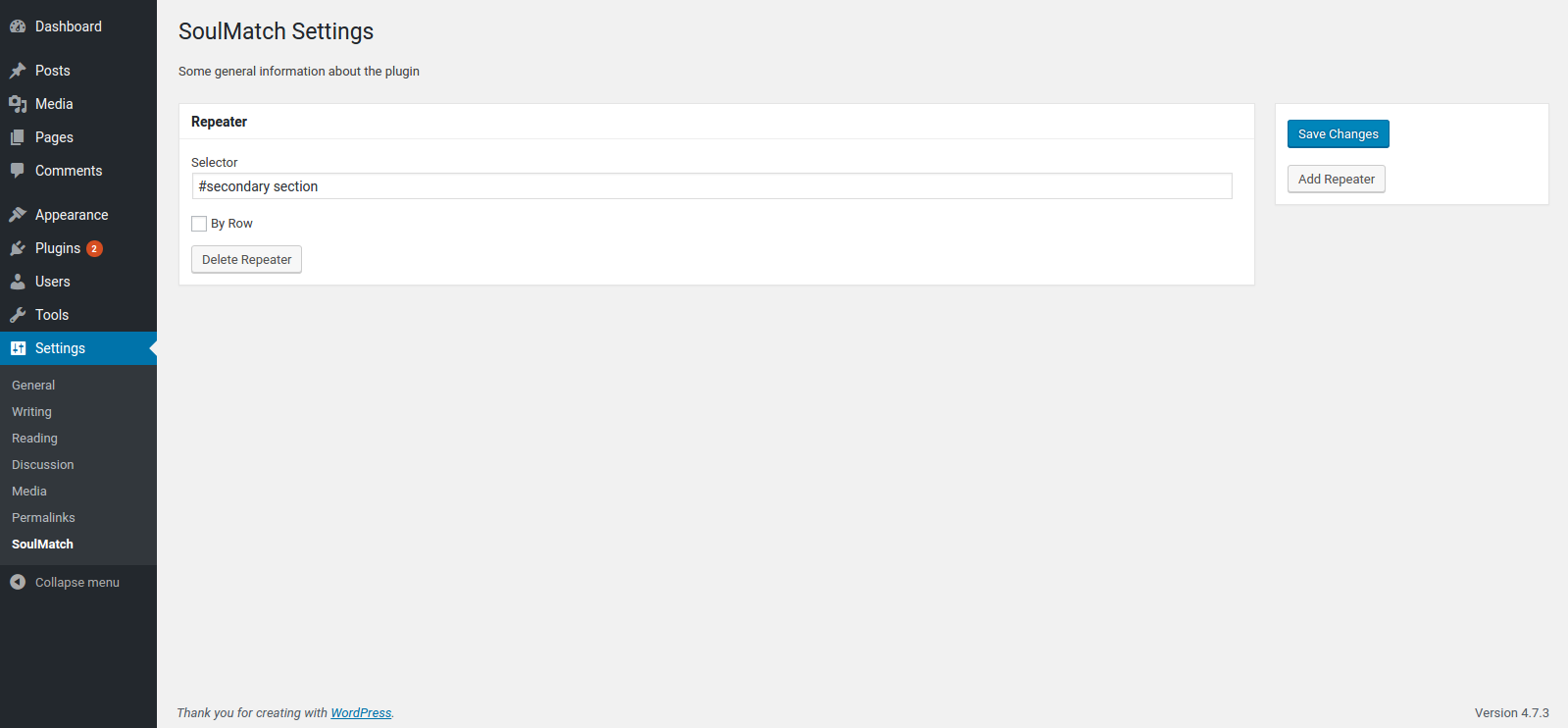
SoulMatch helps you equalize the heights of your elements so that everything hangs together nicely, even when the page is resized. Simply provide a CSS selector (class, id, etc.) and the plugin will do the rest.
螢幕擷圖
安裝方式
- Upload the plugin files to the
/wp-content/plugins/soulmatchdirectory, or install the plugin through the WordPress plugins screen directly. - Activate the plugin through the ‘Plugins’ screen in WordPress
- Use the
Settings -> SoulMatchscreen to configure the plugin
常見問題集
- Installation Instructions
-
- Upload the plugin files to the
/wp-content/plugins/soulmatchdirectory, or install the plugin through the WordPress plugins screen directly. - Activate the plugin through the ‘Plugins’ screen in WordPress
- Use the
Settings -> SoulMatchscreen to configure the plugin
- Upload the plugin files to the
- How do I make this plugin work?
-
Go to
WP Admin > Settings > SoulMatchand define CSS selectors for the elements you want to equalize.
使用者評論
這個外掛目前沒有任何使用者評論。
參與者及開發者


變更記錄
0.1.1
- add .filter(‘:visible’) for better matching
- add a hook to re-match on window resize event
0.1.0
- first version to be submitted to wordpress.org