
外掛說明
Senex Admin Reminders adds a simple reminder system to the WordPress administration dashboard.
Administrators can create, edit, complete and delete reminders directly from the WordPress admin area.
Reminders are stored in a dedicated database table created when the plugin is activated.
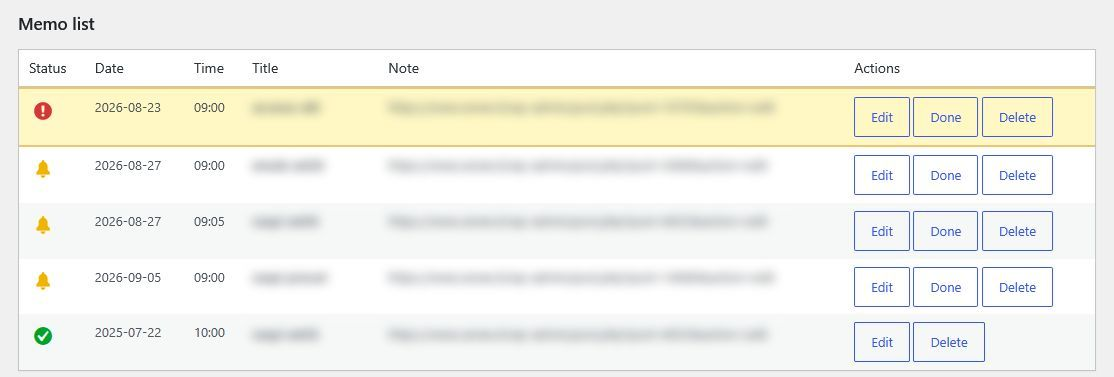
Overdue reminders are highlighted automatically. A dashboard notification and a browser alert inform administrators when reminders need attention.
Features
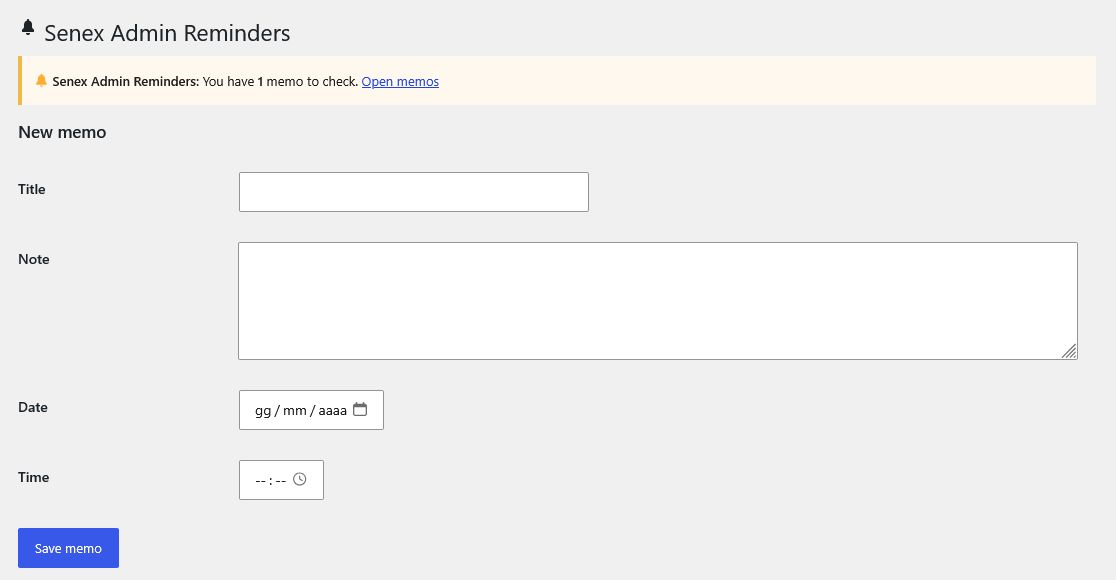
- Create reminders with a title, note, date and time.
- Edit existing reminders.
- Mark reminders as completed.
- Delete reminders.
- Automatically highlight overdue reminders.
- Display a dashboard notification for overdue reminders.
- Display a browser alert for overdue reminders.
- Store reminders in a dedicated WordPress database table.
- Restrict reminder management to users with the manage_options capability.
螢幕擷圖
安裝方式
- Upload the
senex-admin-remindersfolder to the plugins directory. - Activate Senex Admin Reminders through the Plugins menu in WordPress.
- Open Senex Admin Reminders from the WordPress administration menu.
- Create your first reminder.
常見問題集
-
Where are my reminders stored?
-
Reminders are stored in a dedicated database table created by the plugin when it is activated.
-
Who can manage the reminders?
-
Only users with the
manage_optionscapability can access and manage Senex Admin Reminders. -
Can I edit a reminder?
-
Yes. Click the Edit button next to the reminder, make your changes and save it.
-
What happens when a reminder becomes due?
-
An incomplete reminder whose date and time have been reached is highlighted in the reminder list. Administrators also receive an administration notice and a browser alert.
-
Can I mark a reminder as completed?
-
Yes. Click Done next to an incomplete reminder.
-
Can I delete a reminder?
-
Yes. Click Delete next to the reminder and confirm the action.
使用者評論
這個外掛目前沒有任何使用者評論。
參與者及開發者

變更記錄
0.7
- Renamed the plugin to Senex Admin Reminders.
- Moved admin CSS and JavaScript to enqueued asset files.
- Removed inline JavaScript event handlers from the admin interface.
- Kept the existing database table name for data compatibility.
0.5.1
- Improved input validation and sanitization.
- Added nonce verification to administrative actions.
- Improved database query handling.
- Improved output escaping.
- Added a valid readme file structure.
- Improved compatibility with WordPress coding standards.
0.5
- Initial public release.