
外掛說明
This plugin replaces the default way WordPress sends email. Every message your site sends — WooCommerce orders, password resets, contact form notifications — is handed to Sendfeather, which delivers it and shows you what happened to it afterwards.
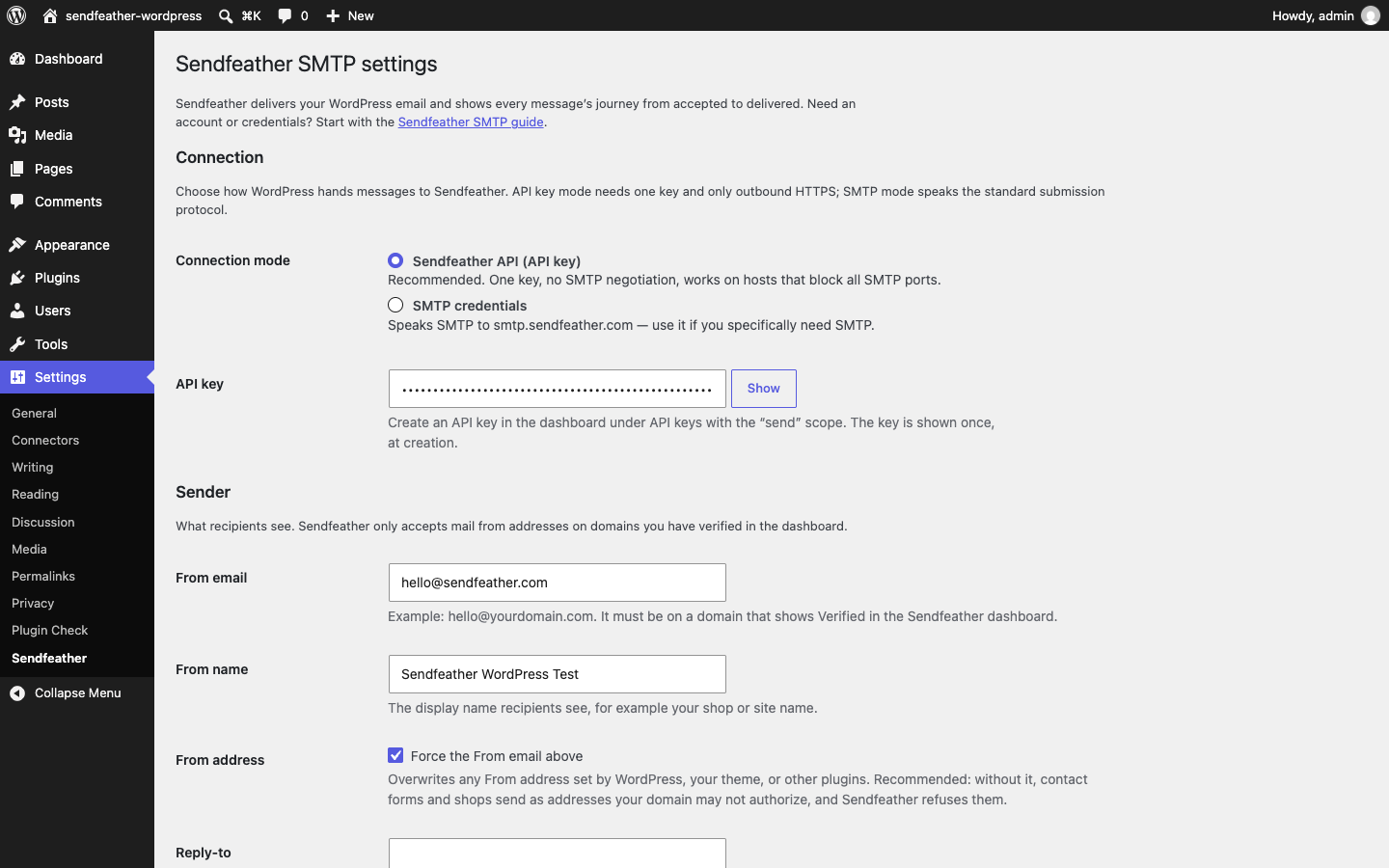
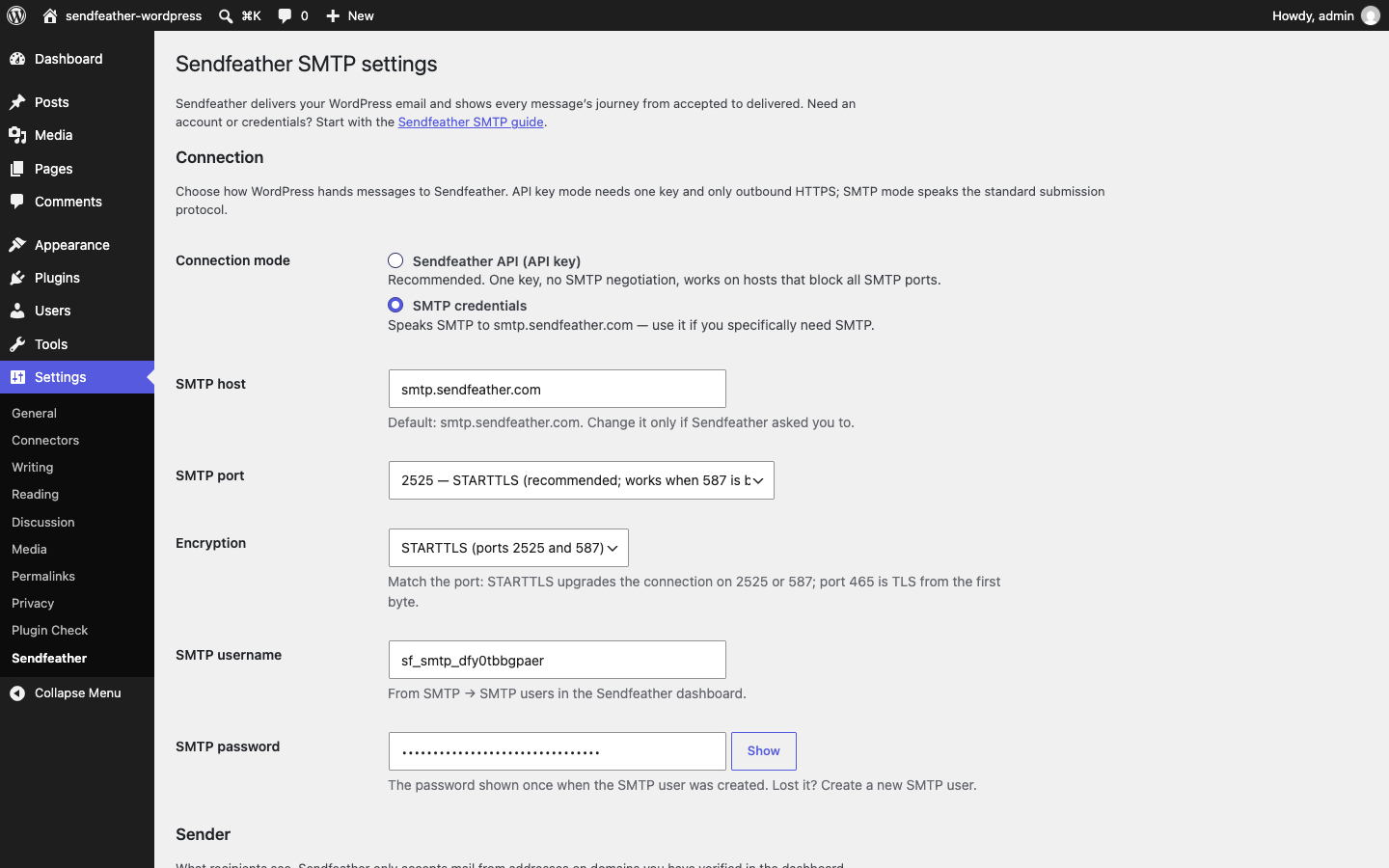
Two ways to connect. API key mode posts messages to Sendfeather’s HTTP API using one API key; it only needs outbound HTTPS (port 443), so it works on hosts that block SMTP ports. SMTP mode speaks the standard submission protocol to smtp.sendfeather.com and works with the credentials you create in the dashboard. Switch modes at any time on the same settings screen.
A From address you control. Set the From email and name, and turn on “force From” so nothing else on your site can overwrite them. Sendfeather only accepts mail from addresses on domains you have verified in the dashboard, and forcing the address is what keeps shop and contact-form mail inside that boundary.
A test email that tells you the truth. The settings screen sends one real email through your saved settings and reports the result inline. After that, open Activity in the Sendfeather dashboard: every message appears there with its delivery timeline — accepted, delivered, and any bounce or complaint.
No tracking, no upsells. The plugin has no analytics, no telemetry, and no admin-nags. It makes network requests for one reason only: sending the mail you asked it to send, to Sendfeather.
External services
This plugin sends your site’s email through Sendfeather, a hosted email delivery service at sendfeather.com. It is the only external service the plugin uses.
Every time WordPress sends a message — a WooCommerce order email, a password reset, a contact-form notification — or when an administrator sends the built-in test email, the plugin transmits that message to Sendfeather for delivery: the recipient addresses, subject, body, and any attachments, together with the From name and email address you configure on the settings screen. In API key mode the request goes to https://sendfeather.com/api over HTTPS; in SMTP mode it goes to smtp.sendfeather.com over TLS. Your API key or SMTP username and password are sent only to authenticate those requests. Plugin settings are stored in your WordPress database and nowhere else.
The service is provided by Sendfeather. Terms of Service: https://sendfeather.com/terms — Privacy Policy: https://sendfeather.com/privacy
螢幕擷圖

安裝方式
- Upload the plugin files to the
/wp-content/plugins/sendfeatherdirectory, or install the plugin through the WordPress plugins screen directly. - Activate the plugin.
- Go to Settings Sendfeather and choose your connection mode.
- Create credentials in your Sendfeather dashboard: an API key (with the “send” scope) for API mode, or an SMTP user for SMTP mode.
- Fill in the settings, save, and use the built-in test email to confirm everything works.
常見問題集
-
Do I need a Sendfeather account?
-
Yes. Sendfeather is a hosted email delivery service; the plugin is its WordPress client. You can create an account at sendfeather.com. The free plan includes 1,000 emails a month, and paid plans start at $7/month (prices current as of October 2026; see the pricing page for today’s numbers).
-
Which connection mode should I choose?
-
API key mode is the default: one key, no SMTP negotiation, and it works on hosts that block outbound SMTP ports. Choose SMTP mode when you specifically want the submission protocol — for example when your host allows SMTP but restricts outbound HTTPS, or when other tooling on your server should share the same SMTP user.
-
Will this plugin alone make my email land in inboxes?
-
The plugin routes your mail through Sendfeather; deliverability comes from the domain setup. Add your domain in the Sendfeather dashboard and publish the DNS records it shows (SPF, DKIM, DMARC). Once the domain shows Verified, messages are signed with your domain’s DKIM key and you can watch delivery in Activity.
-
Does it work with WooCommerce?
-
Yes. WooCommerce sends its order emails through
wp_mail(), and so does this plugin — no separate WooCommerce integration is needed. The same applies to contact forms, membership plugins, and anything else that uses WordPress’s mail function. -
I already use another SMTP plugin. What do I do?
-
Deactivate it. Two plugins both trying to route WordPress mail fight over the same hook, and which one wins is not predictable. This plugin’s settings screen shows all connection settings in one place, and the test email confirms the result.
-
Does the plugin collect any data?
-
No. There is no analytics, no telemetry, and no external request except the messages you send, which go to the Sendfeather endpoint you configured. Settings are stored in your WordPress database only.
-
What if I lose my SMTP password or API key?
-
Both are shown once, at creation, and stored hashed on Sendfeather’s side — they cannot be displayed again. Create a new SMTP user or API key in the dashboard and paste the new value here; disable or delete the old one.
使用者評論
這個外掛目前沒有任何使用者評論。
參與者及開發者

變更記錄
1.0.0
- First release.
- API key and SMTP connection modes for routing all
wp_mail()mail through Sendfeather. - From email, From name, force-From, and reply-to controls.
- Built-in test email with inline result.