
外掛說明
WP FIREWALL
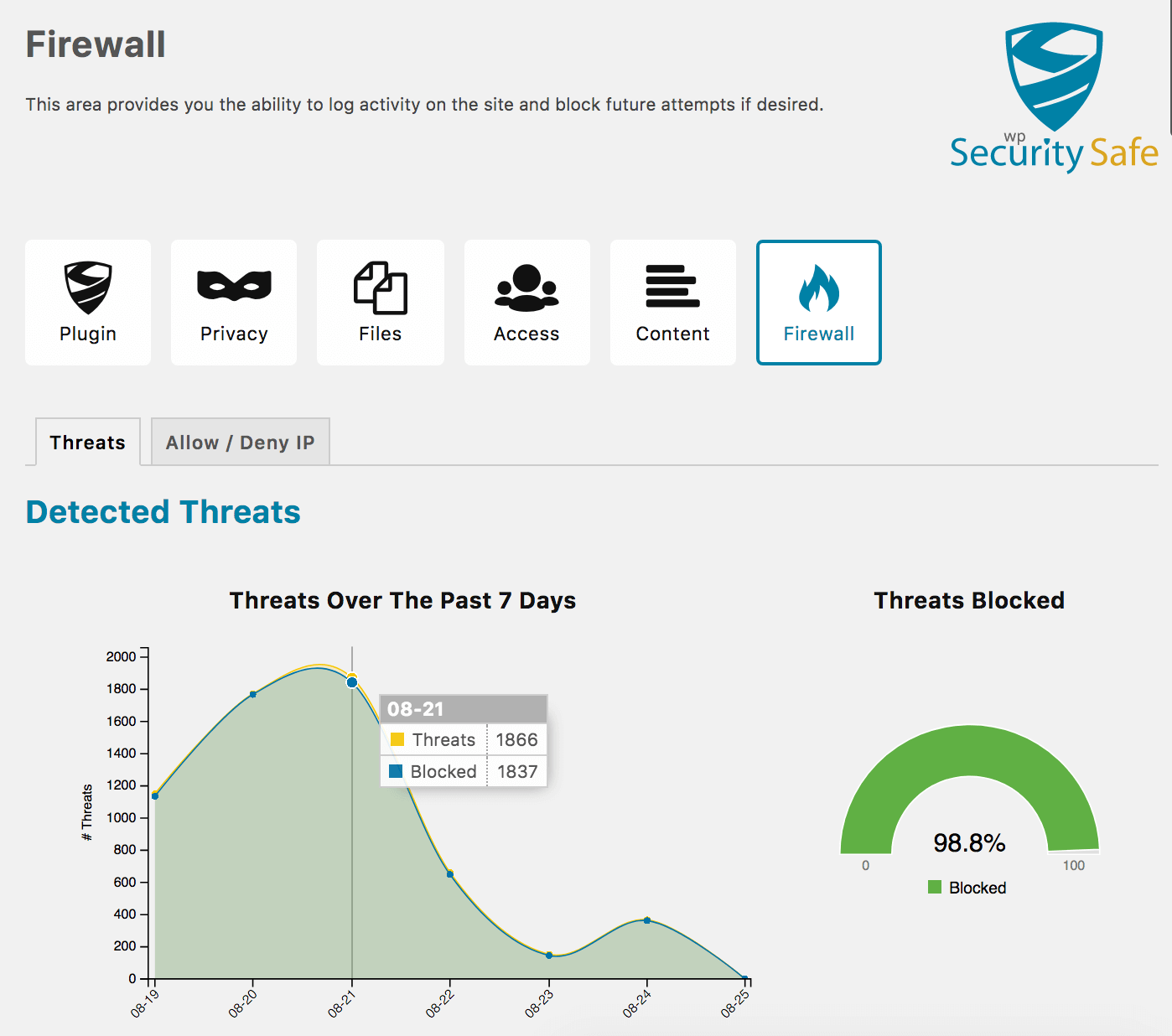
- Detects and Logs Threats
- Add Firewall Rules to Allow and Deny IP Addresses With Internal Notes
- Historical Log of Firewall Blocks With Visual Chart
WP LOGIN SECURITY
- Disable XML-RPC.php
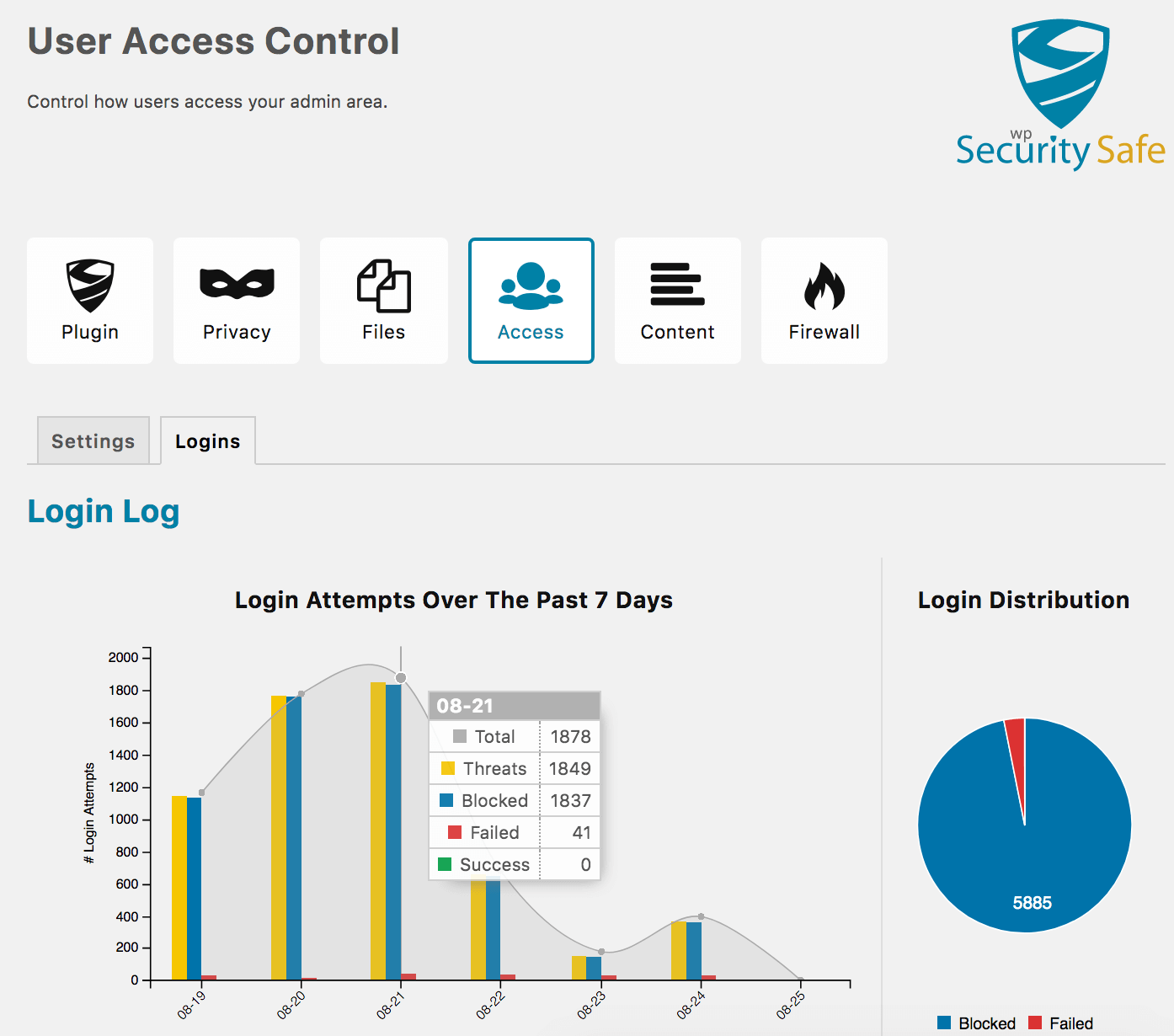
- Brute Force Protection
- [Pro] Automatically Block IPs Based on Threat Score
- [Pro] Priority Support
WP PRIVACY
- Hide WordPress CMS Version
- Hide Script Versions
- Make Website Anonymous During Updates
- [Pro] Make Theme Versions Private
- [Pro] Make Plugin Versions Private
WP CORE, THEME, AND PLUGIN FILE SECURITY
- Disable Editing Theme Files
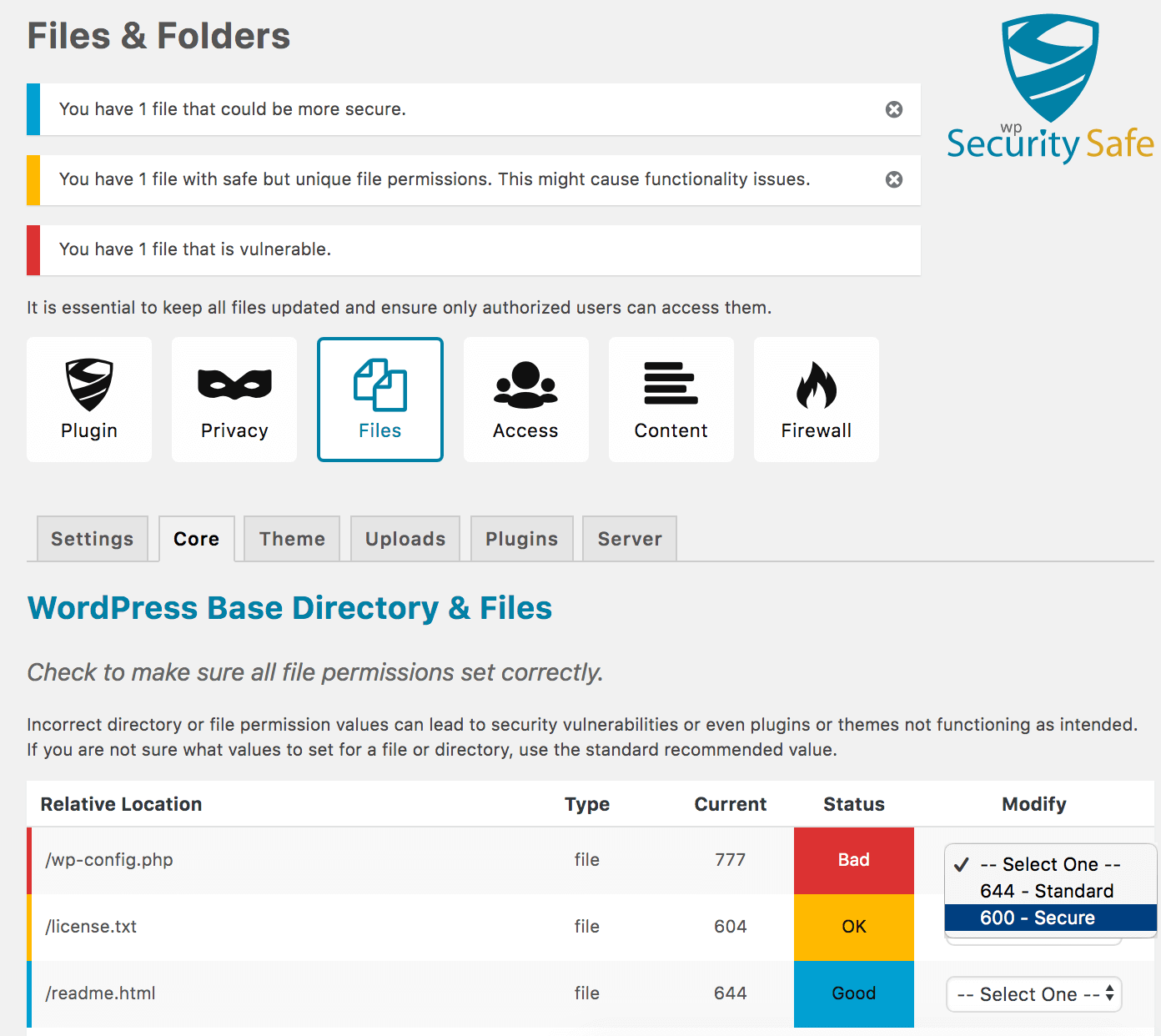
- Audit & Fix File Permission
- [Pro] Bulk Fix File Permissions
- [Pro] Automatically Fix Theme/Plugin File Permissions
OTHER FEATURES
- 404 Error Logging
- Content Copyright Protection
- Audit Hosting Software Versions
- Various Logs and Charts
- Turn On/Off All Security Policies Easily
- Import/Export Settings
Every WordPress security plugin becomes more complicated and bloated as more features are added. As a plugin’s code grows, it consumes more time to load, thus slowing down your website. Security Safe’s purpose is to protect your website from the majority of threats with minimal impact on website load time. We constantly test our load performance to ensure our features to ensure it continues to run fast and lean.
Note: Upgrade to Security Safe Pro to unlock advanced Pro features.
Twitter: Follow Security Safe
Website: Security Safe
LANGUAGE SUPPORT
- English (default)
- Spanish
- Translate this plugin in your language.
Videos
More Plugins By The Same Author
- Fix Alt Text – Fix Alt Text will help you manage your image alt text easier for better website SEO and accessibility.
- WhereUsed – Helps you find where pages and other things are referenced throughout your site.
螢幕擷圖
安裝方式
- Install Security Safe automatically or by uploading the ZIP file to your plugins folder.
- Activate the Security Safe on the ‘Plugins’ admin page. When activated the plugin settings are initially set minimum security values.
- Navigate to the Plugin Settings by clicking on the Security Safe menu located on the left side admin panel.
- On Plugin Settings page, you will notice an icon menu at the top of the page. Navigate through all of them and review and change settings as they pertain to your site’s needs.
- Test your site thoroughly. If you notice that your site is not functioning as expected, you can turn off each type of security policy (Privacy, Files, User Access, etc.) by navigating to each page and disabling the policy type. If necessary, you can disable all policy types at once on Plugin Settings page.
- If you are having issues, reach out for help in the forum before leaving a review.
使用者評論


參與者及開發者


變更記錄
Versions Key (Major.Minor.Patch)
- Major – 1.x.x increase involves major changes to the visual or functional aspects of the plugin, or removing functionality that has been previously deprecated. (higher risk of breaking changes)
- Minor – x.1.x increase introduces new features, improvements to existing features, or introduces deprecations. (low risk of breaking changes)
- Patch – x.x.1 increase is a bug fix, security fix, or minor improvement and does not introduce new features. (non-breaking changes)
Version 3.0.1
*Release Date – 09 Mar 2026
- Security: updated queries to be escaped using standard wpdb::prepare
- Security: escape translation reference
Version 3.0.0
*Release Date – 08 Mar 2026
- Renamed plugin from WP Security Safe to Security Safe
- Security: HTML Escaping of translation on output
- Removed Feature: Automatic WordPress updates were removed as it is now a WordPress core feature.
- Improvement: Made cache busting for js and css reliant of file modified time
- Improvement: Updated C3 Charts to latest version v0.7.20
- Improvement: Updated D3 to version v5.16.0
- Improvement: Manage PHP dependencies using composer
- Improvement: Compatible with PHP 8.4, 8.3, 8.2, 8.1
- Improvement: Requires minimum PHP version 8.1
- Improvement: Requires minimum WP version 6.1
- Minor Improvement: Updated PHP EOL Checks
- Minor Improvement: International Translation WP Compliance
- Minor Improvement: Updated PHP version checks
- Note: Tested up to: 6.9
Version 2.6.6
*Release Date – 23 Sep 2025
- Bug Fix: Translation was being called too early
- Bug Fix: IP addresses were not being logged properly
- Minor Improvement: Added tighter code syntax to catch errors easier
- Minor Improvement: Replaced some deprecated WordPress core function usage
- Minor Improvement: Updated SDK dependency to version 2.12.2
- Note: Tested up to: 6.8.2
Version 2.6.5
*Release Date – 28 Oct 2024
- Bug Fix: illegal_user_logins() not defined as static method causing fatal error
Version 2.6.4
*Release Date – 25 Oct 2024
- Bug Fix: Calling non-static method statically
Version 2.6.3
*Release Date – 25 Oct 2024
- Notice: Version 3.0 will have minimum requirements of WP v6.1.0 and PHP 8.1.0
- Bug Fix: The login error messages were not being displayed
- Bug Fix: An IP was getting blacklisted even though they were whitelisted when attempting to login with a restricted username.
- Minor Improvement: Added some type hinting for load performance and code stability
- Minor Improvement: Implemented static method referencing for policies to save memory
- Minor Improvement: Updated SDK dependency to version 2.9.0
- Minor Improvement: Updated some PHPDoc
- Minor Improvement: Updated PHP version checks
- Minor Improvement: Updated PHP EOL Checks
- Note: Tested up to: 6.6.2
Version 2.6.2
*Release Date – 31 May 2024
- Bug Fix: Fatal Error: constant WP_FS__DIR was conflicting with other plugins using freemius.
- Minor Improvement: Updated SDK dependency to version 2.7.2
- Minor Improvement: Updated PHP version checks
- Note: Tested up to 6.5.3
Version 2.6.1
*Release Date – 3 Nov 2023
- Bug Fix: In a local development environment using symlinks for the plugin’s directory, SDK was unable to reach local assets (css, js) thus causing display and functionality issue issues within the admin area.
- Minor Improvement: Minor code improvements and typo fixes
- Minor Improvement: Updated SDK dependency to version 2.6.0
- Minor Improvement: Updated minimum PHP recommendation to be based on current date
- Minor Improvement: Updated PHP version checks
- Note: Tested up to 6.3.2
Version 2.6.0
*Release Date – 4 Oct 2023
- Bug Fix: PHP fatal error encountered when adding a new site to a multisite environment.
- Bug Fix: Plugin namespace was causing scope issues when referring to core WP classes
- Security: Using updated sanitization methods on $_POST variables
- Improvement: Removed deprecated FILTER_SANITIZE_STRING and replaced with latest security sanitization
- Improvement: Forced blocked username list to be compatible with space delimiter and convert to new line
- Minor Improvement: Updated SDK dependency to version 2.5.12
- Minor Improvement: Enable plugin method needed to be statically defined and called
- Minor Improvement: Updated PHP version checks
- Tested with PHP versions 8.0, 8.1, 8.2
- Note: Tested up to 6.3.1
Version 2.5.2
*Release Date – 18 Jul 2023
- Security Fix: Updated SDK dependency to version 2.5.10
Version 2.5.1
Release Date – 4 May 2023
- Bug Fix: The blacklist check and username blocking were firing in the wrong orders
Version 2.5.0
Release Date – 3 May 2023
- New Feature: Automatically block common generic usernames and custom defined usernames
- New Feature: Prevent the registration of a username that is on the block list
- Bug Fix: Database tables were not automatically created on all active sites when the plugin was network activated or a new site was added to the network in a multisite environment
- Bug Fix: Custom db tables were not the correct charset and collate
- Bug Fix: Network admin plugins page displayed a link to the main site’s settings.
- Bug Fix: Site admin plugins page displayed a link to a dashboard page that did not exist.
- Bug Fix: If plugin settings were manually deleted via the database, the plugin would not recreate them automatically
- Improvement: Better load performance with PHP 7.4 type hinting
- Improvement: Updated username threat detection to use the default block list values
- Improvement: There were inconsistencies with how settings were referenced throughout the code.
- Improvement: Prevent plugin from loading if the minimum versions of WordPress and PHP are not installed
- Improvement: Updated SDK dependency to version 2.5.7
- Improvement: Updated PHP version checks
- Minor Improvement: Increased Minimum PHP Version to 7.4
- Minor Improvement: Increased Minimum WordPress Version to 5.3
- Minor Improvement: Added Versions Key to changelog
- Minor Improvement: formatting improvements to the readme.txt
- Note: Tested up to 6.2.0
Version 2.4.4
Release Date – 05 Apr 2022
- Security: Updated SDK to version 2.4.3 due to security vulnerability
- Security: Implemented escaping to prevent XSS
- Warning: Upcoming Version 2.5 will require a minimum PHP 7.4 and WordPress 5.3
- Improvement: Implemented centralized sanitization library for retrieval of all request variables for better reliability and consistency of sanitization
- Minor Improvement: Updated PHP version checks
- Note: Tested up to 5.9.2
Version 2.4.2
Release Date – 06 Feb 2022
- NOTICE: Upcoming Version 2.5 will require a minimum PHP 7.4 and WordPress 5.3
- Security: Improved XSS escaping throughout the admin pages.
- Bug Fix: The filter hooks into ‘authenticate’ were using add_action instead of add_filter
- Bug Fix: Some styling on the permissions table was not getting applied correctly due to missing class
- Improvement: Fix some PHP notices
- Minor Improvement: Updated PHP version checks
- Note: Tested up to: 5.9
Version 2.4.1
Release Date – 04 March 2021
- Bug Fix: Pantheon Hosting: files in the uploads directory now accept 770 permissions as secure
- Improvement: Removed the batch permissions dropdown and the update permissions button when no files/dirs are available to modify.
Version 2.4.0
Release Date – 28 February 2021
Release Notes: https://wpsecuritysafe.com/changelog/version-2-4/
- Added Feature: Automatically blocks IP addresses temporarily after numerous failed logins
- Added Feature: Import and Export settings are now included with the free version.
- Added Pro Feature: Advanced Automatic IP Blocking after numerous threats are detected.
- Improvement: Fixed some PHP warnings displayed when XML-RPC requests use poorly formatted XML. Thank you Charles Suggs for reporting this.
- Improvement: Adjusted cleanup script to leave allow/deny table for 3 days past expiration for more advanced threat detection.
- Improvement: Allowed IPs now get exempt from nonce checks.
- Improvement: Adjusted upgrade script to be more efficient with load.
- Improvement: Updated file permission statuses to be error, warning, and notice versus bad, ok, good
- Improvement: Adjusted Login Error handling so that the user is sent back to the login screen when the login attempt is blocked and the error is displayed.
- Improvement: Fixed various PHP Warnings: Thanks John Dorner for reporting them.
- Improvement: Automatically group and sort bad file permissions to the top of the file permissions table.
- Improvement: Changed the 404, login, and block charts from 7 days to 30 days of data to display.
- Improvement: Minor code improvements.
- Minor Improvement: Updated SDK to version 2.4.2
- Minor Improvement: Updated PHPDoc notes
- Minor Improvement: Updated PHP version checks
- Bug Fix: Pantheon Hosting: directories in the uploads directory now accept 770 permissions as secure
- Pro Bug Fix: Plugins files were not getting file permissions fixed after a plugin update.
- Note: Tested up to: 5.6.2