外掛說明
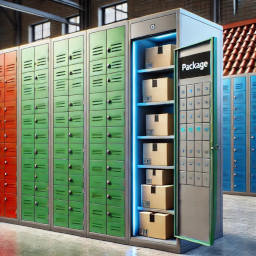
Prods2Boxes for WooCommerce suggests the nearest available locker based on the order’s total volume. Ideal for businesses offering pickup lockers!
External services
This plugin connects to the Prods2Boxes Backoffice API to process locker assignments and shipping data for WooCommerce orders.
What data is sent and when:
– Order details (products, dimensions, quantities) are sent when an order is processed.
– The username, serial and domain for this plugin authentication.
– Website URL and platform identifier for service routing.
– Locker’s table for suggesting you the ideal locker. (if applicable).
Purpose:
– To calculate the total volume of order.
– To assign lockers for order fulfillment.
Service Provider:
ComputerServ (https://computerserv.gr)
– Terms of Service
– Privacy Policy
No sensitive customer data (emails, names, addresses) is transmitted unless required for locker delivery.
Key features:
– Automatically calculates order volume (L × W × H).
– Suggests the best-fitting locker from your predefined list.
– Admin panel to manage locker dimensions and availability.
Perfect for:
– Click-and-collect stores.
– Self-service pickup points.
螢幕擷圖

My logo image 
Admin panel for managing lockers. 
Orders page with locker suggestions order fits. 
Orders page with locker suggestions order does not fits, please change to another shipping method.
安裝方式
- Go to Plugins Add Plugin and Upload or
Upload the plugin folder to/wp-content/plugins/. - Activate Prods2Boxes for WooCommerce in WordPress admin.
- Go to WooCommerce Prods2Boxes to configure your lockers.
常見問題集
-
How does the plugin calculate volume?
-
It multiplies the dimensions (L × W × H) of each product in the cart, then sums the total.
-
Can I add custom lockers?
-
Yes! Use the admin panel to add/edit lockers with their max dimensions.
使用者評論
這個外掛目前沒有任何使用者評論。
參與者及開發者

變更記錄
0.12
- Initial stable release.
- Tested with WordPress 6.7 & WooCommerce 9.7.