

外掛說明
This plugin allows you to securely accept payments and process payments between WooCommerce and ProCharge.
The ProCharge plugin is PCI and SAQ A-level compliant.
To learn more about ProCharge click here.
Accept payments anywhere, anytime
- The ProCharge Payment Gateway plugin extends WooCommerce to allow you to accept payments via ProCharge.
螢幕擷圖
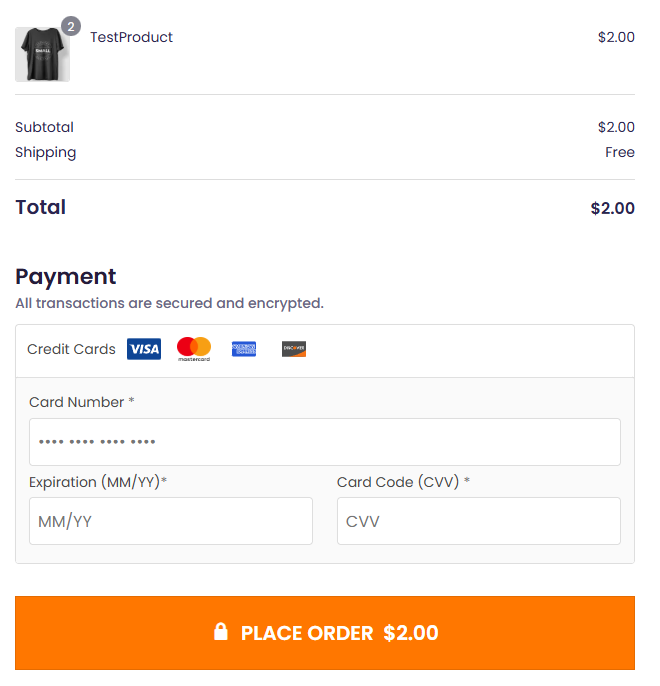


安裝方式
Automatic installation
Automatic installation is the easiest option as WordPress handles the file transfers itself and you don’t need to leave your web browser. To
automatically install ProCharge Payment Gateway, log in to your WordPress dashboard, navigate to the Plugins menu, and click Add New.
In the search field type “ProCharge Payment Gateway” and click Search Plugins. Once you’ve found our plugin you can install it by clicking Install Now, as well as view details about it such as the point release, rating, and description.
Manual installation
The manual installation method involves downloading our plugin and uploading it to your web server via your favorite FTP application. The WordPress codex contains instructions on how to do this here.
Updating
Before every update we recommend you backup your site just in case.
使用者評論
這個外掛目前沒有任何使用者評論。
參與者及開發者

變更記錄
1.0.14
- Lowered required PHP version from 8.4 to 8.3.
1.0.13
- Enable Card On File in payment settings.
- Display saved tokens on check out page for returning customer.
1.0.12
- Security fixes
- Removed $Session
- Modified plugin url for loading payment images
1.0.11
- Session_Start display fix
- Save customer fee amount
1.0.10
- Display Admin Fee in cart and checkout
1.0.9
- Admin Fee
1.0.8
- User Pin wasn’t being passed.
- Tested on WordPress 6.9 and PHP 8.4
1.0.6
- User Pin in settings updated to Reg Key.
1.0.5
- Plugin released.