

外掛說明
The “WordPress Email Logging – PostBox” plugin saves wp mail sent data from your WordPress.
By simply installing the plugin. It will automatically begin to capture the email data (email message, headers, errors) during email sending time.
Why need to log emails send from your Website?
Easily track emails sent from your website. This will helps you find email headers like Bcc,Cc,reply-to data.
Features of PostBox Mail Logging Plugin
- No configuration is needed
- View mail body HTML (source) code
- Preview email body from wp-admin
- Analyze wp mail errors
- Storing email header data
- Easily debug wp mail issues from the wp mail logs error message
- WooCommerce email logs
- It is working as SMTP logs. We can easily check email data.
螢幕擷圖
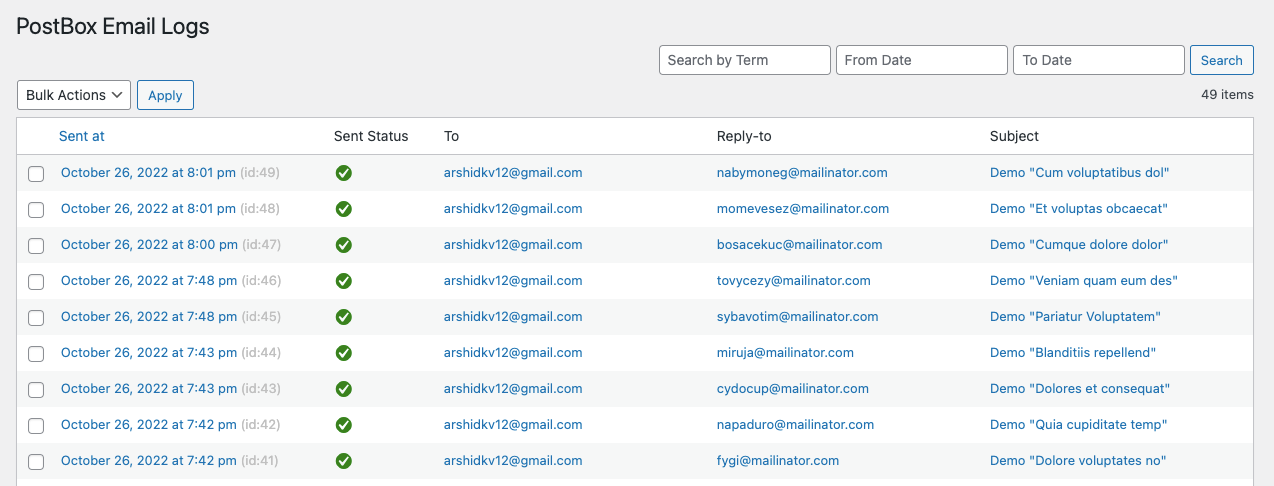
screenshot-1.png 
screenshot-2.png 
screenshot-3.png
安裝方式
- Download and extract plugin files to a wp-content/plugin directory.
- Activate the plugin through the WordPress admin interface.
- Done!
使用者評論

2025 年 1 月 9 日
He was very friendly and gave detailed technical supportThe plugin helped me a lotThank you very much

2023 年 3 月 27 日
This simplified the ability to receive emails for me.. very good

2023 年 1 月 10 日
An excellent plugin that performs its job in an elegant way. It boasts advanced features like message search, header preview, and many other features that are not present in other similar plugins.
