

外掛說明
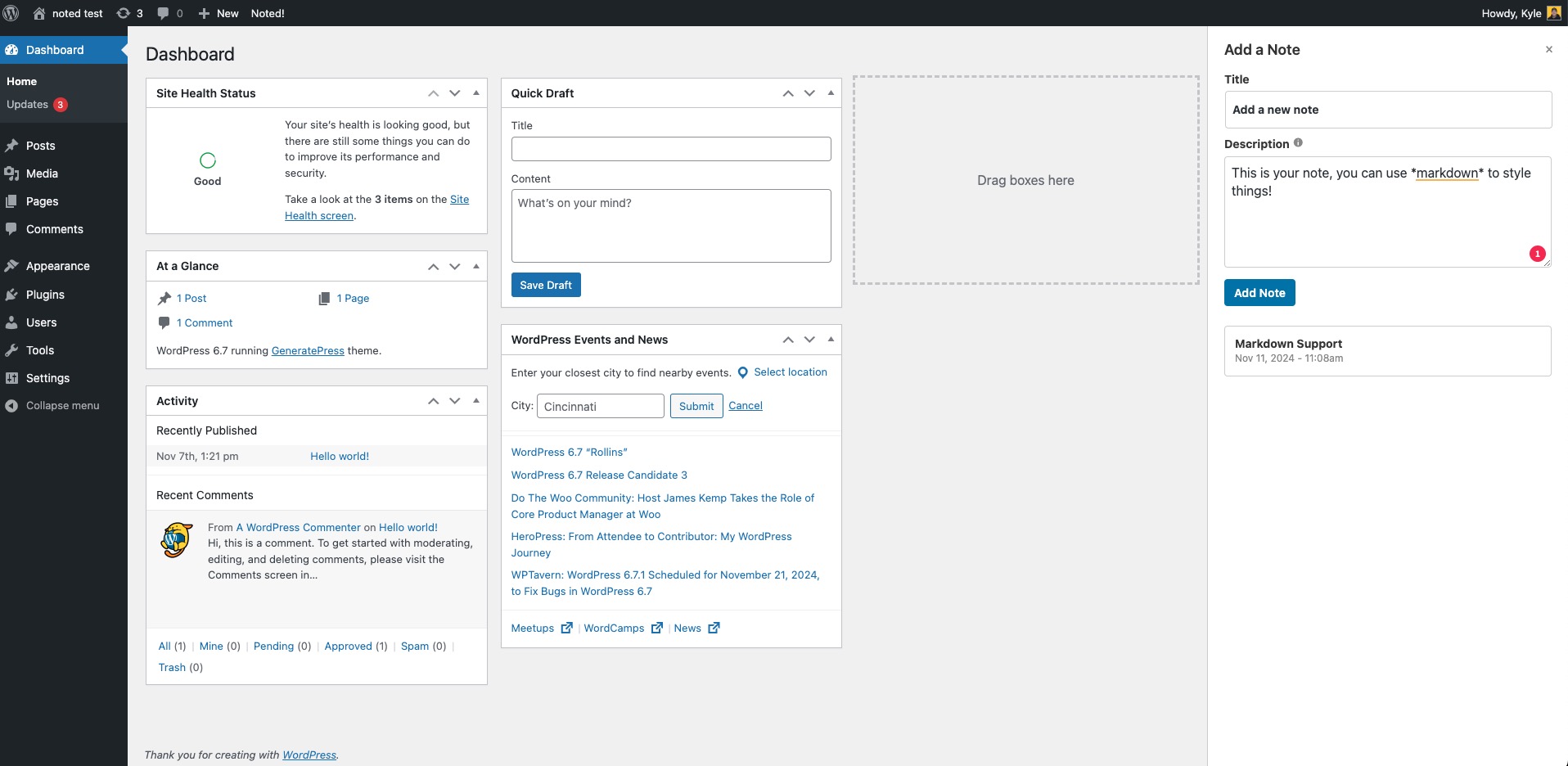
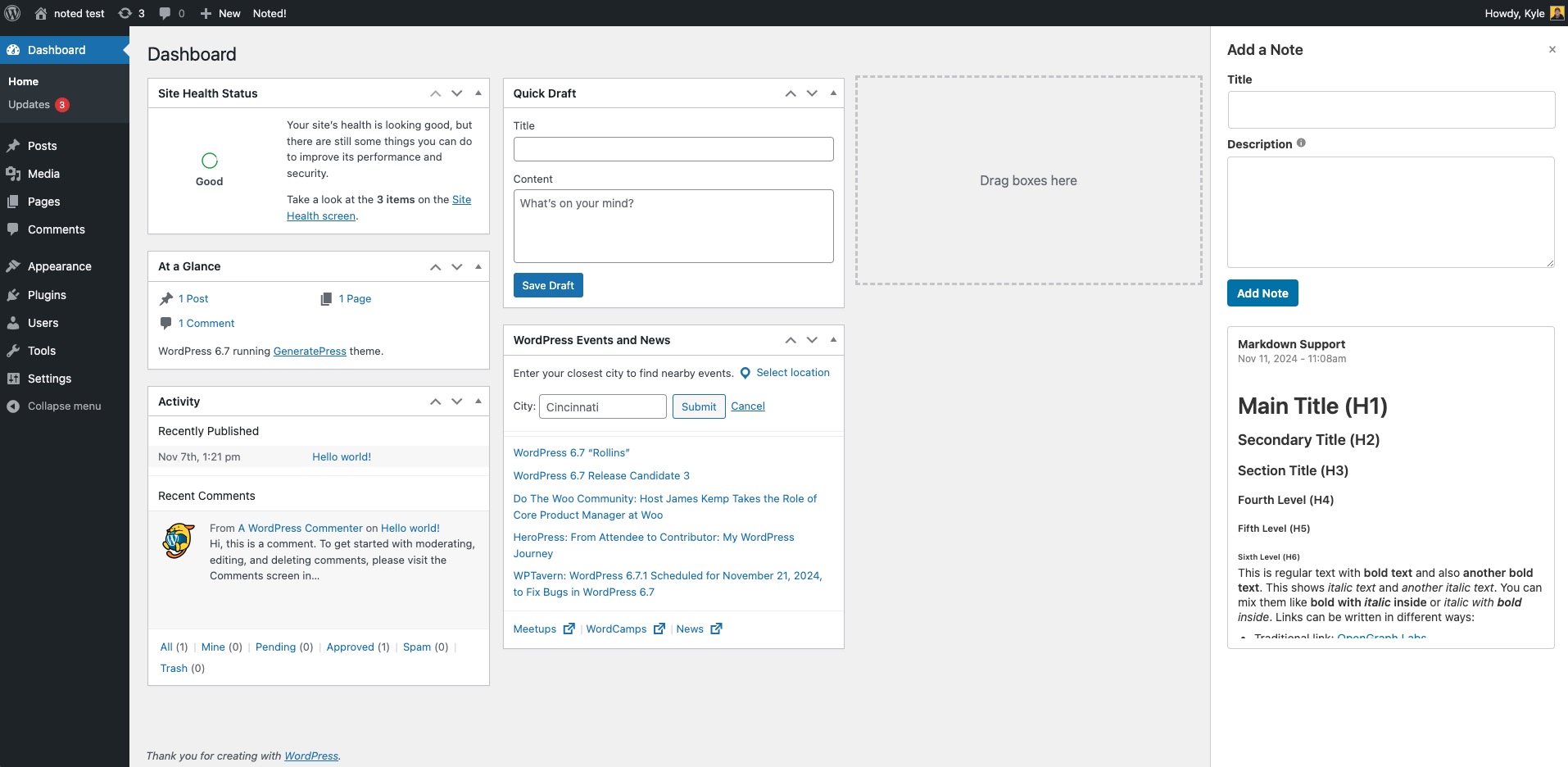
Noted! is a lightweight note-taking plugin for WordPress. Capture project notes, attach reminders to specific posts and pages, and leave notes on individual blocks in the editor — all without leaving the admin.
Your Project Memory Bank
Store project-specific notes, instructions, and reminders in one place — no more digging through old emails or docs.
Always One-Click Away
Open Noted! from the admin bar on any screen, front-end or back-end.
Lightweight and Clutter-Free
No bloat. Noted! is there when you need it and out of the way when you don’t.
Features
- Quick general notes from the admin bar.
- Page-level notes attached to any post or page.
- Block-level notes that travel with the block when copied or pasted.
- Pin important notes and see them on your dashboard.
螢幕擷圖
安裝方式
- Upload the
noteddirectory to your/wp-content/plugins/directory. - Activate the plugin through the ‘Plugins’ menu in WordPress.
- Access your notes via the Noted! button in the admin bar.
常見問題集
-
How do I add a note?
-
Click the Noted! button in the admin bar, fill in the title and description, and click “Add Note”.
-
Can I edit or delete a note?
-
Yes. Use the edit and delete action links on any note.
-
How do I attach a note to a specific page?
-
Open the post or page in the editor. In the block editor, use the Noted! panel in the sidebar. In the classic editor, use the Noted! meta box.
-
How do I leave a note on a single block?
-
Select a block in the block editor and use the Noted! option in the block toolbar or sidebar. The note travels with the block when copied or pasted.
-
Who can see notes?
-
By default, only administrators. You can change this under Tools Noted! to allow editors, authors, or contributors to view or manage notes.
-
How do I report a bug or request a feature?
-
Please open an issue on GitHub – https://github.com/tdrayson/noted/issues
使用者評論


參與者及開發者


變更記錄
2.0.2
- Fixed: Note fields no longer appear inside other plugins’ preview iframes in the editor, such as the MetaSlider block.
- Improved: Updated the settings framework — dropdowns on the settings page position correctly, and other plugins’ admin notices no longer clutter the Noted! settings screen.
2.0.1
- Fixed: Block notes on server-rendered (dynamic) blocks no longer fail attribute validation.
- Fixed: Noted panel uses full width on narrow viewports (still capped at 400px).
- Fixed: Settings page wireframe assets load correctly on Windows when the package path contains backslashes.
2.0
- New: Page-level notes — attach notes to any post or page from the block editor sidebar or the classic editor.
- New: Block-level notes — leave a note on any individual block in the editor. Notes travel with the block when copied or pasted.
- New: Pin your most important notes to keep them at the top of the list.
- New: Pinned Notes dashboard widget so the things you need to remember are waiting for you when you log in.
- New: Settings page under Tools Noted! to turn features on or off, control who sees what, and back up your settings.
- New: Role-based access — by default only administrators can see and manage notes, but you can now lower the bar to let editors, authors, or contributors view or manage them.
- New: Markdown reference tab so you can see exactly which formatting is supported.
- New: Import and export your settings as a JSON file.
- New: Optional “delete all data on uninstall” toggle — off by default so upgrades stay safe.
- New: Translation-ready — the plugin can now be translated into other languages.
- New: Now respects your WordPress admin color scheme.
- Improved: Compatibility support for plugins that dequeue all scripts on their admin pages.
- Improved: Cleaner, faster note panel with a tidier date format.
- Improved: Empty notes (no title and no body) are hidden from the list automatically.
- Improved: Better safeguards so notes can only be attached to posts you have permission to edit.
1.0
- Initial release of the Noted! plugin.