

外掛說明
The Myposeo plugin is an extension that allows you to track your SEO monitoring projects directly in your WordPress back-office. To do this you must connect the extension to your Myposeo user account via the API key. To install the plugin, please follow the 6 steps in the installation tab.
This extension is only available to Myposeo users.
Note that updates of the extension are planned over time.
If you encounter any problems during installation, please contact our technical support.
螢幕擷圖




安裝方式
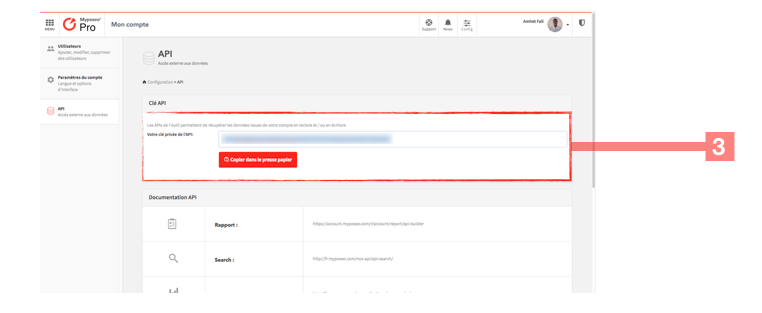
Once the plugin is downloaded, follow the 6 steps below: 1-Login to your Myposeo account. 2-Click the “Configuration” button at the top right of the screen, then click on the “API” tab. 3-Copy your API key by pressing the “Copy to clipboard” button. 4-Go to the “admin” of your WordPress and click on “the Myposeo” tab then “Settings” on the menu on the left of the screen. 5-Copy the API key in the “API Key” field 6-Then select “a campaign” being tracked in your Myposeo user account then press the “validate” button (You can also refer to the project ID to select your campaign).
使用者評論
這個外掛目前沒有任何使用者評論。
