

外掛說明
Maintely Mode lets you quickly put your WordPress site into a clean and customizable maintenance mode using native WordPress functionality.
Core
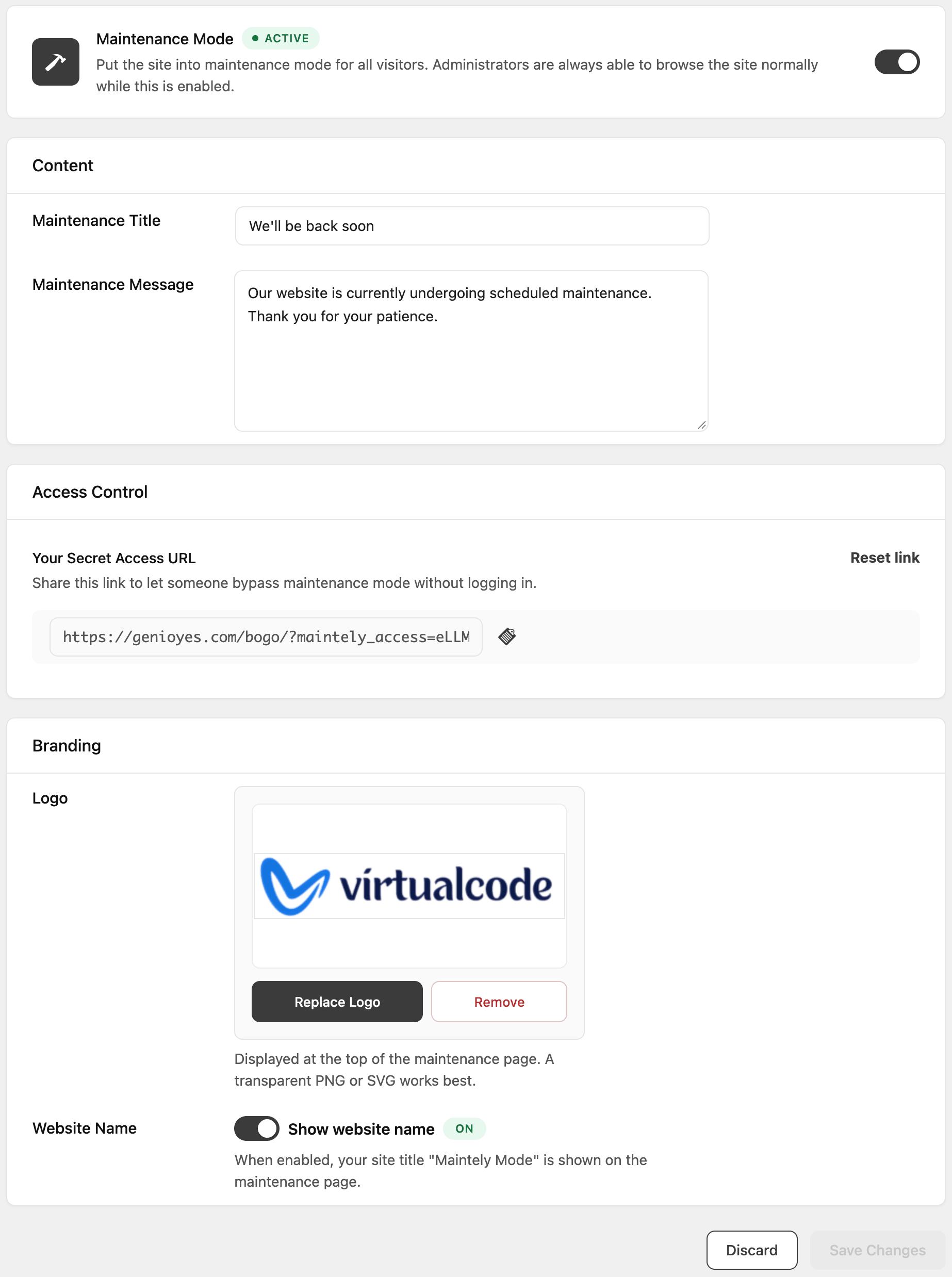
- One-click maintenance mode enable/disable.
- Administrators can continue browsing the site normally while maintenance mode is active.
- Custom maintenance title and message.
- Logo upload through the native WordPress Media Library.
- Automatic website name display.
- Built-in maintenance page favicon with no additional configuration.
Contact & Social
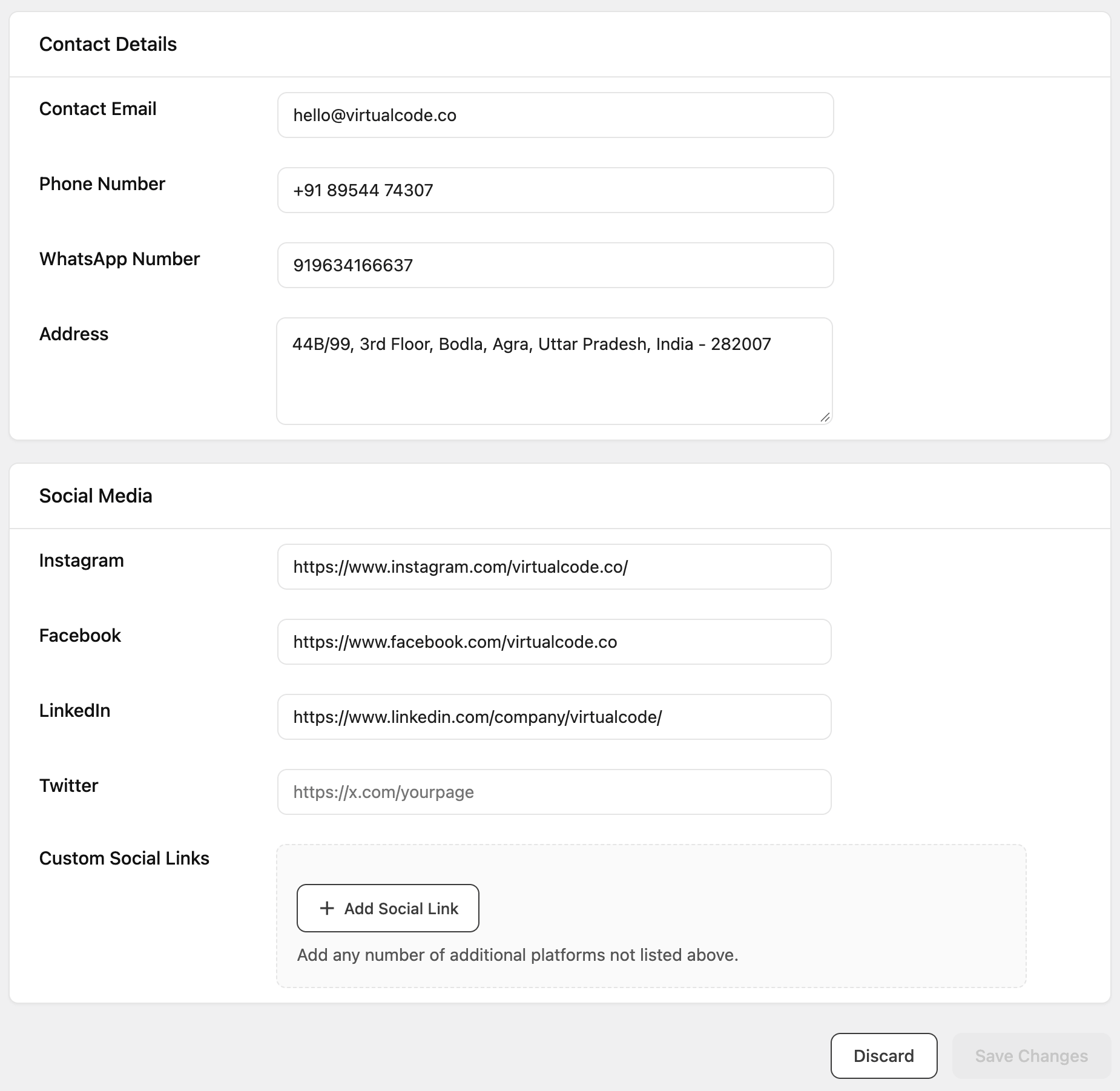
- Contact email and phone number.
- WhatsApp click-to-chat support.
- Instagram, Facebook, LinkedIn, Twitter, and custom social links.
Access Control
- Secret access URL for bypassing maintenance mode while logged out.
- Regenerate the secret URL at any time to invalidate previously shared links.
Appearance
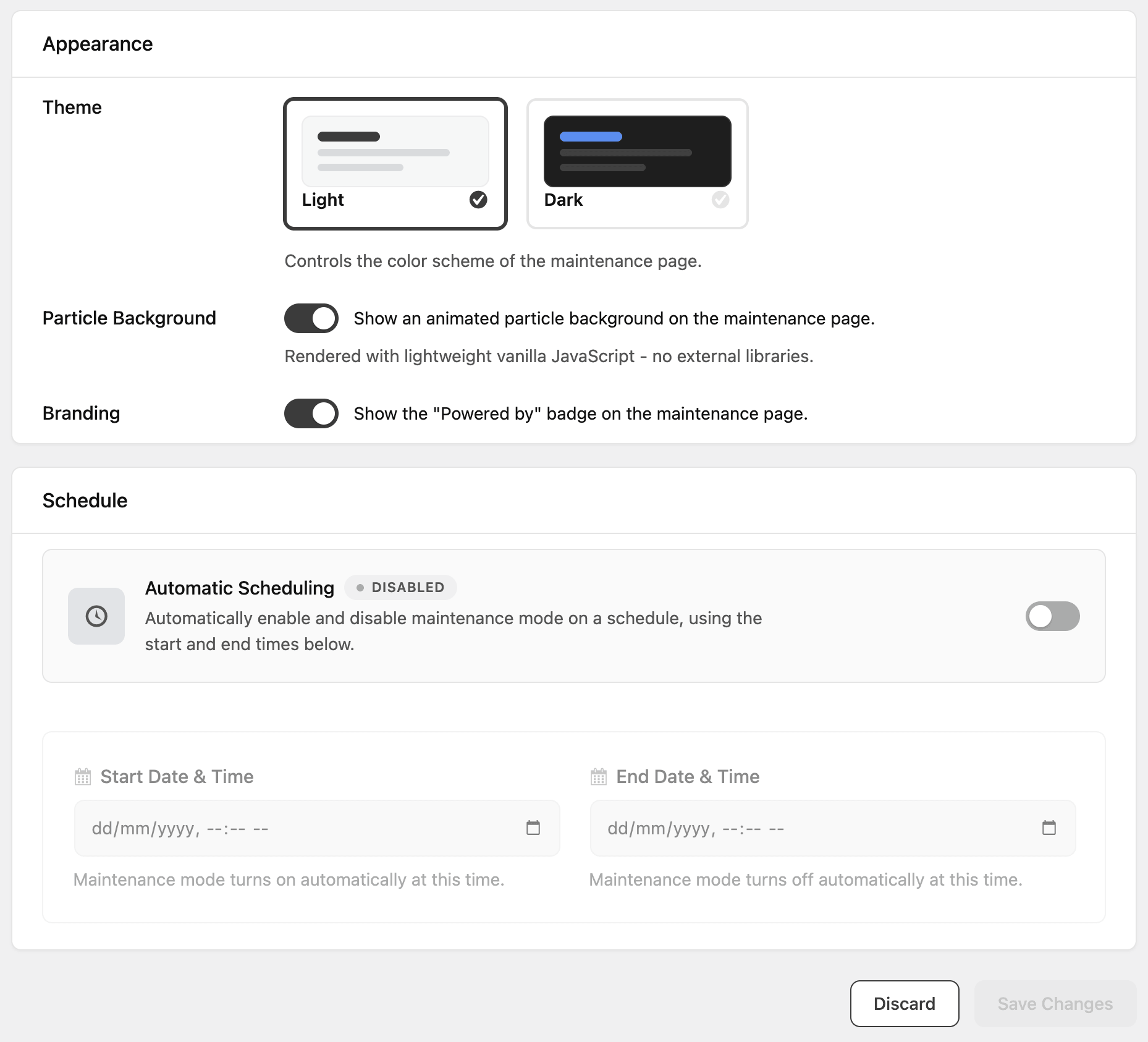
- Light and dark themes.
- Optional particle background.
- Responsive and mobile-friendly maintenance page.
Scheduling
- Schedule maintenance mode using a start and end date/time.
- Automatic activation and deactivation powered by native WP-Cron.
Admin Toolbar
- Maintenance mode status displayed in the WordPress admin toolbar.
- Quick access to the Maintely Mode settings page.
Security
- Admin forms are protected with WordPress nonces and capability checks.
- Input is sanitized before being saved.
- Output is properly escaped.
- Secret access tokens are securely handled and can be regenerated to invalidate previous access links.
External services
If you configure a WhatsApp number in the Contact settings, the plugin creates a click-to-chat link on the maintenance page to WhatsApp’s wa.me service (https://wa.me/), operated by WhatsApp Inc. / Meta Platforms, Inc. This link is only added when a WhatsApp number is set, and no data is sent by the plugin itself; a request to wa.me only occurs if a visitor clicks the link.
WhatsApp Terms of Service: https://www.whatsapp.com/legal/terms-of-service
WhatsApp Privacy Policy: https://www.whatsapp.com/legal/privacy-policy
螢幕擷圖

安裝方式
- Upload the
maintely-modefolder to/wp-content/plugins/, or install the plugin ZIP through Plugins > Add New > Upload Plugin. - Activate the plugin through the Plugins screen in WordPress.
- Open Maintely Mode from the WordPress admin menu.
- Configure your maintenance page and enable Maintenance Mode.
常見問題集
-
Can I still access my site while maintenance mode is enabled?
-
Yes. Administrators can browse the site normally while Maintenance Mode is active. You can also use the Secret Access URL to allow other users to access the site.
-
Does Maintely Mode use external libraries?
-
No. The plugin is built using native WordPress APIs and vanilla JavaScript without external frontend frameworks or libraries.
-
What happens to my settings if I uninstall the plugin?
-
The plugin removes its saved settings when it is deleted. Uploaded media remains in your WordPress Media Library.
使用者評論
這個外掛目前沒有任何使用者評論。
參與者及開發者

變更記錄
1.1.0
UI/UX
* New, easy-to-navigate admin settings layout: a cleaner top navigation bar in place of the old sidebar, tidier section headers, and more consistent spacing throughout every tab.
Bug Fixes
* Added a touch more vertical breathing room between the Design tab’s settings rows (Theme, Particle Background, Branding) so they no longer feel stuck together.
* Added a new About Us tab: plugin info, contributors, “How it works”, “Getting help” links, and the other free Virtualcode plugins you can install and activate without leaving the page.
* Fixed a notification/error display issue.
* No changes to settings, stored data, or front-end maintenance page behavior.
1.0.0
- Initial production release.
- Maintenance mode with custom title and message.
- Custom logo and branding options.
- Optional “Powered by” branding badge toggle.
- Contact and social media settings (Instagram, Facebook, LinkedIn, Twitter/X, and custom links).
- Secret access URL and regeneration.
- Automatic maintenance scheduling.
- Light and dark design options.
- Optional particle background.
- Responsive maintenance page.
- WordPress admin toolbar integration.
- Built-in maintenance page favicon.