
外掛說明
作為 WordPress 功能最強大且最易於使用的 Instagram 外掛,Smash Balloon Social Photo Feed 能協助你在幾次點擊之內,於網站上建立、自訂並嵌入 Instagram 動態消息!完全不需要任何程式碼。
Social Photo Feed 專為 WordPress 初學者與進階使用者設計,可讓你緊密整合 Instagram 小工具,輕鬆讓網站內容保持最新狀態。
全球超過 100 萬名使用者信任 Social Photo Feed,輕鬆在自己的網站上展示 Instagram 內容。
只需 3 個步驟即可嵌入你的 Instagram 動態消息
Smash Balloon Instagram Feed 讓你能夠輕而易舉地在網站上設定動態消息:
- 建立你的動態消息並選擇 Instagram 小工具來源
- 只需點擊幾下即可自訂你的動態消息
- 將你的 Instagram 動態消息新增至網站
免費功能
- 全新!支援本機 WebP 圖片格式以縮短載入時間
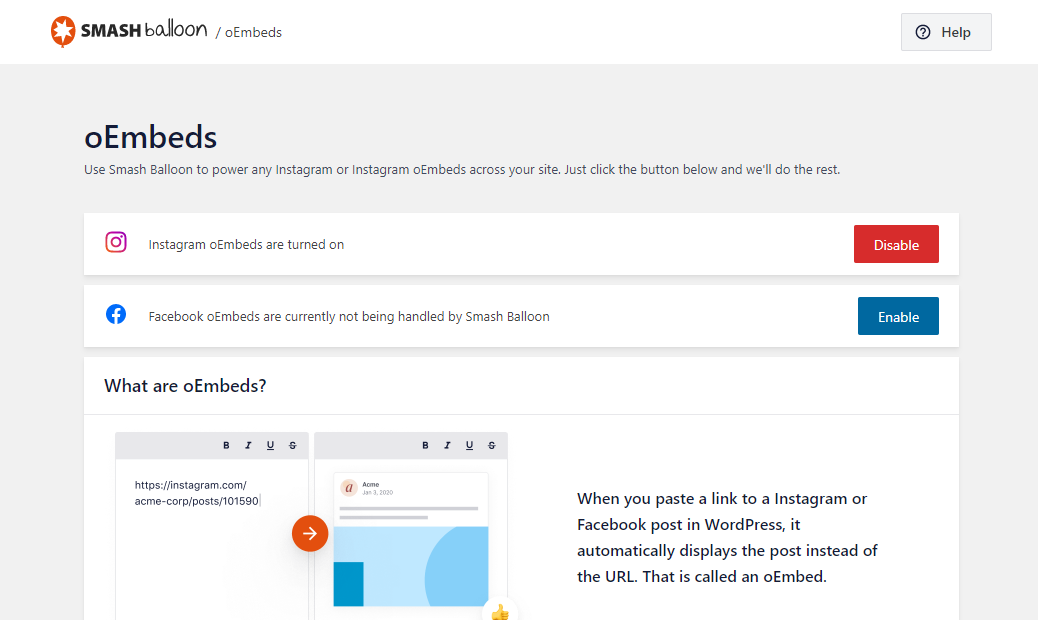
- oEmbed 支援 自動驅動你的 Instagram oEmbed
- 設定簡單:數秒內即可開始使用,輕鬆不繁瑣
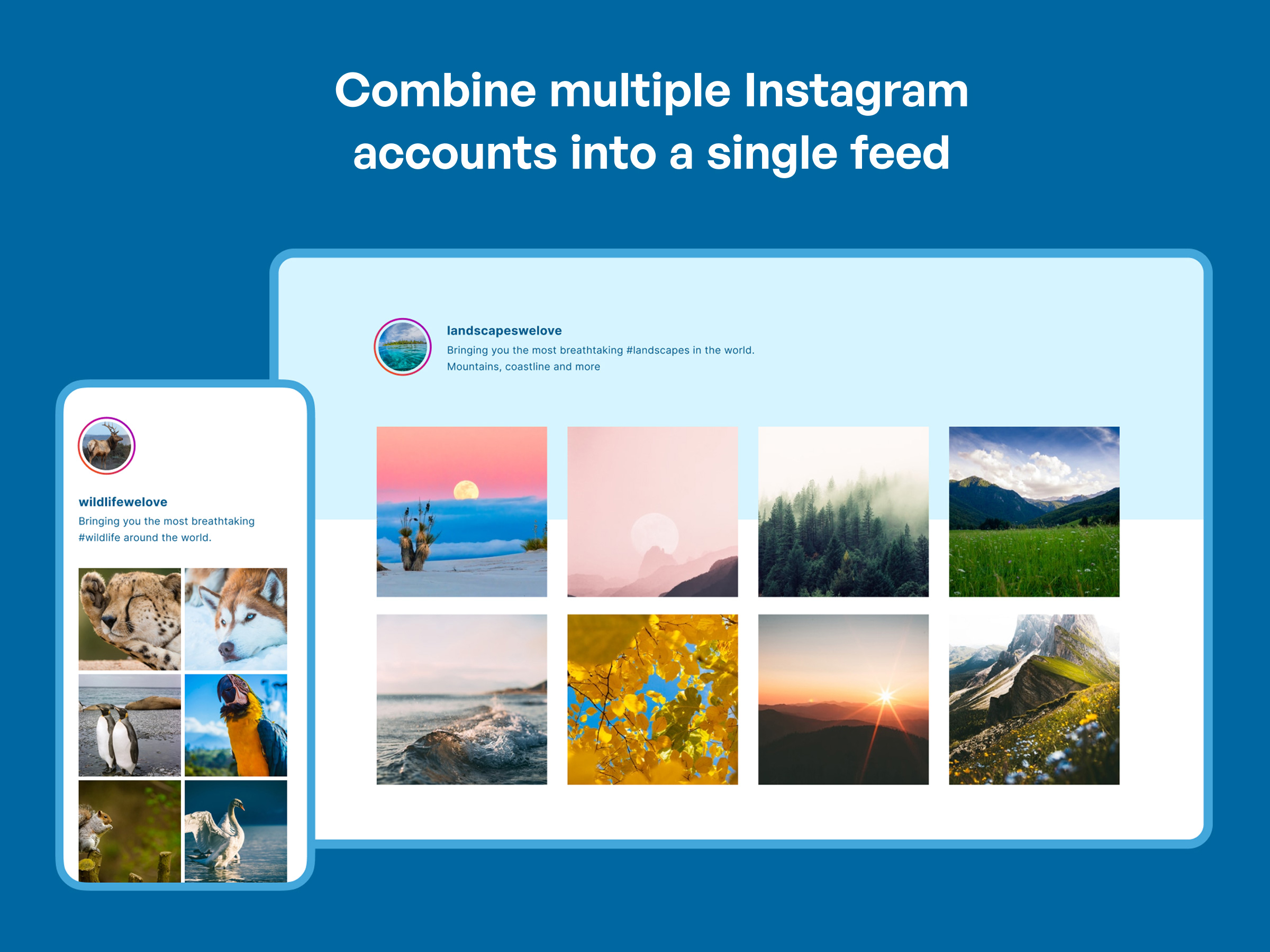
- 展示多個帳號:在單一整合的動態消息中顯示來自不同 Instagram 帳號的相片,或將它們分開為個別的動態消息
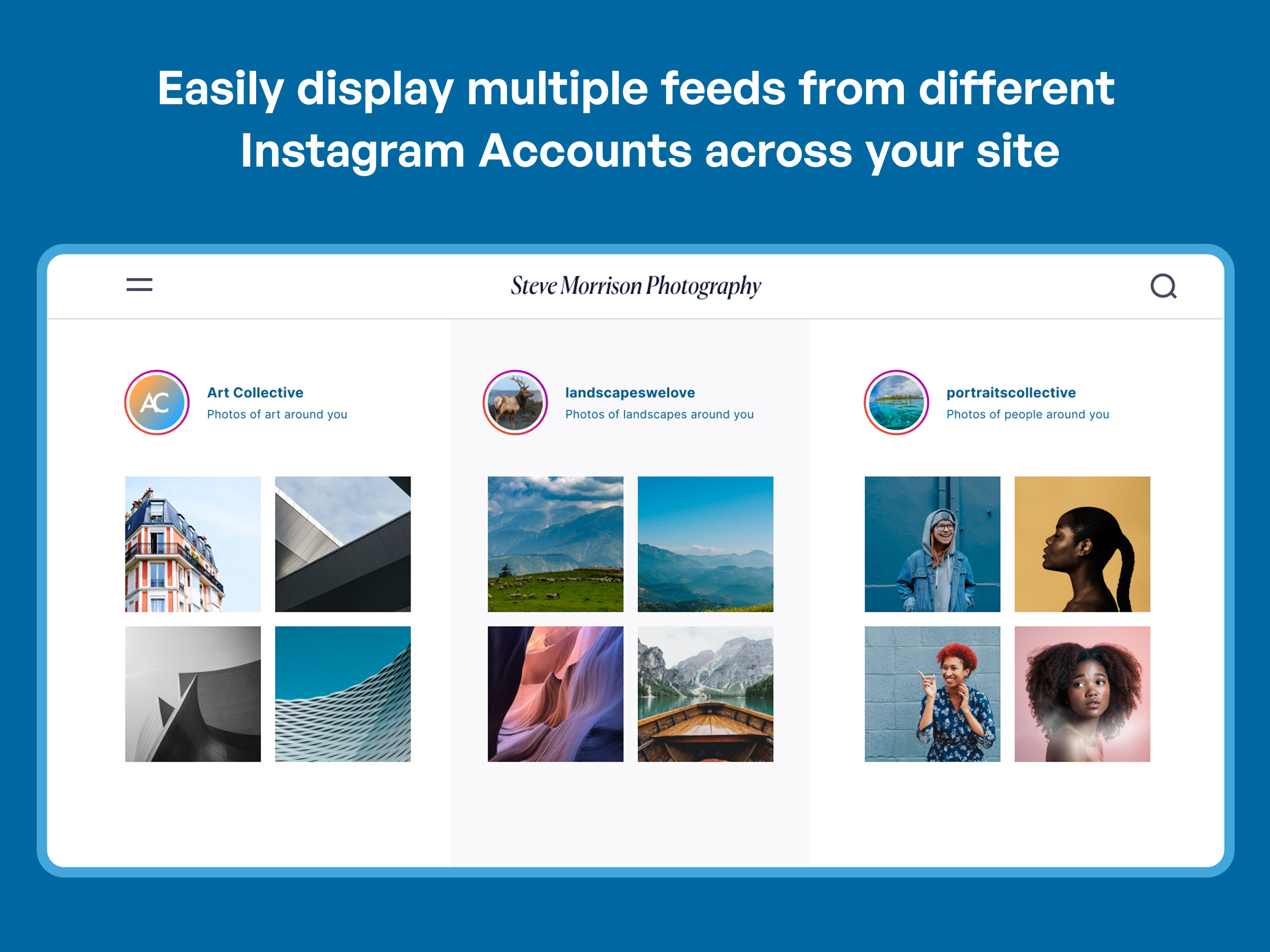
- 隨處放置多個動態消息:在同一頁面上新增任意數量的動態消息,或將它們分散在網站的不同頁面中
- 自適應且支援行動裝置:你的動態消息在任何螢幕大小、任何裝置與任何容器寬度上都能完美呈現
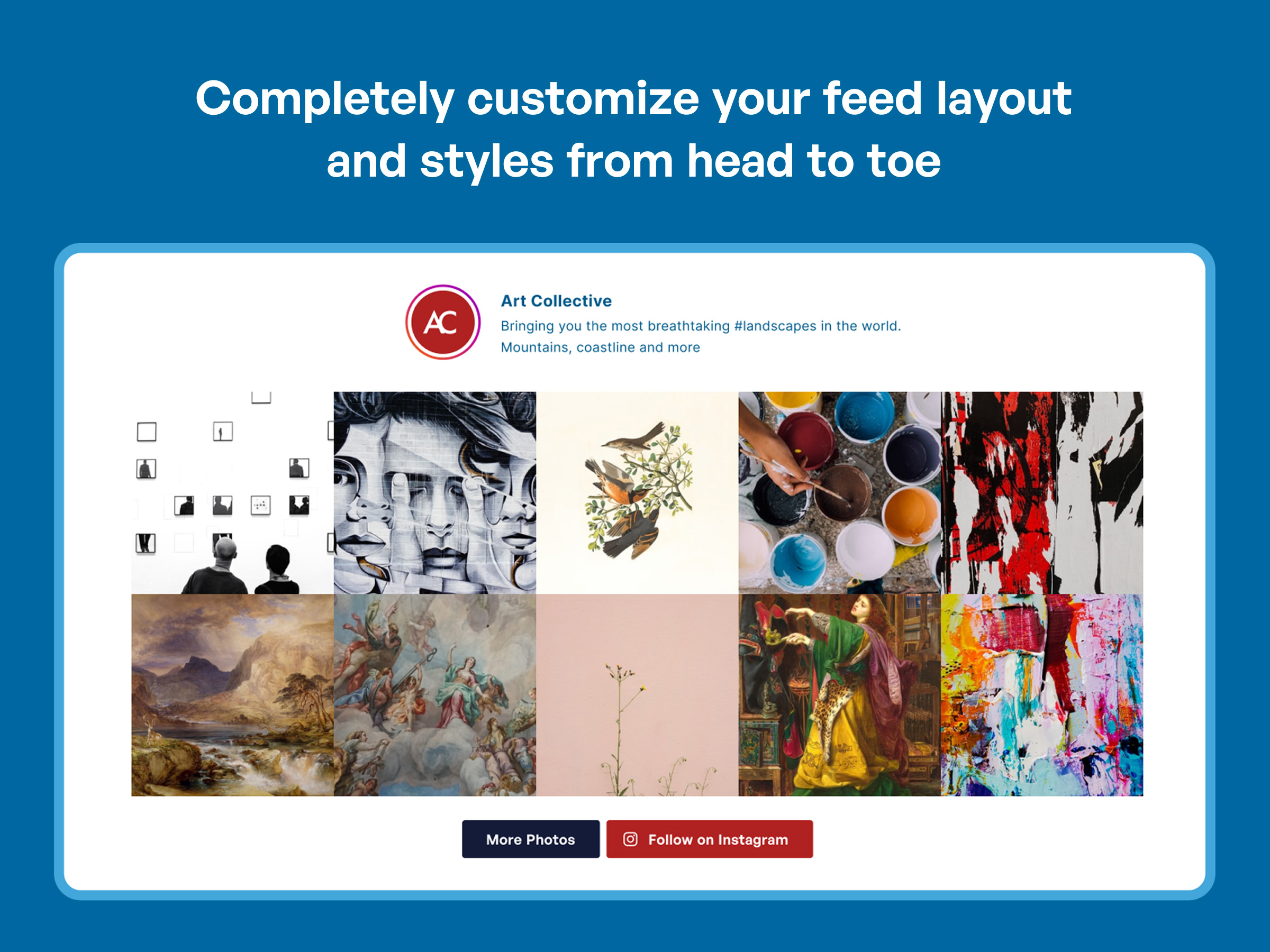
- 完全可自訂的動態消息:調整寬度、高度、相片數量、欄數、圖片大小、背景色彩、圖片間距等更多設定
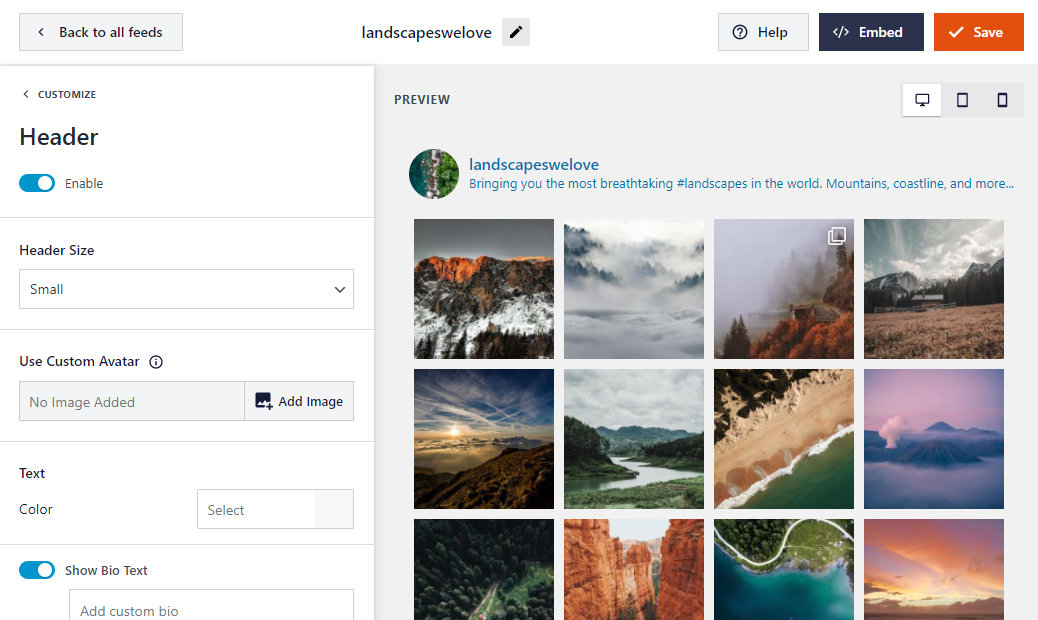
- 視覺化自訂工具:只需點擊幾下即可自訂你的動態消息版面配置、色彩配置、標頭樣式、貼文設定、燈箱等豐富內容
- 相片顯示選項:直接從你的動態消息中選擇顯示縮圖、中型或完整尺寸的相片
- 精美動態消息標頭:新增引人注目的標頭,為你的動態消息增添亮點
- 「在 Instagram 上追蹤」按鈕:在動態消息底部新增「在 Instagram 上追蹤」按鈕以增加追蹤者
- 靈活的相片順序:依時間順序顯示你的 Instagram 相片,或以隨機排列呈現
- 無限捲動:透過便利的「載入更多」按鈕載入更多 Instagram 相片,吸引訪客持續瀏覽
- 內建區塊:使用我們專為區塊編輯器設計的便利區塊,輕鬆將動態消息新增至貼文與頁面
- Instagram 小工具:數秒內即可嵌入網站的小工具就緒區域,例如側邊欄與頁尾
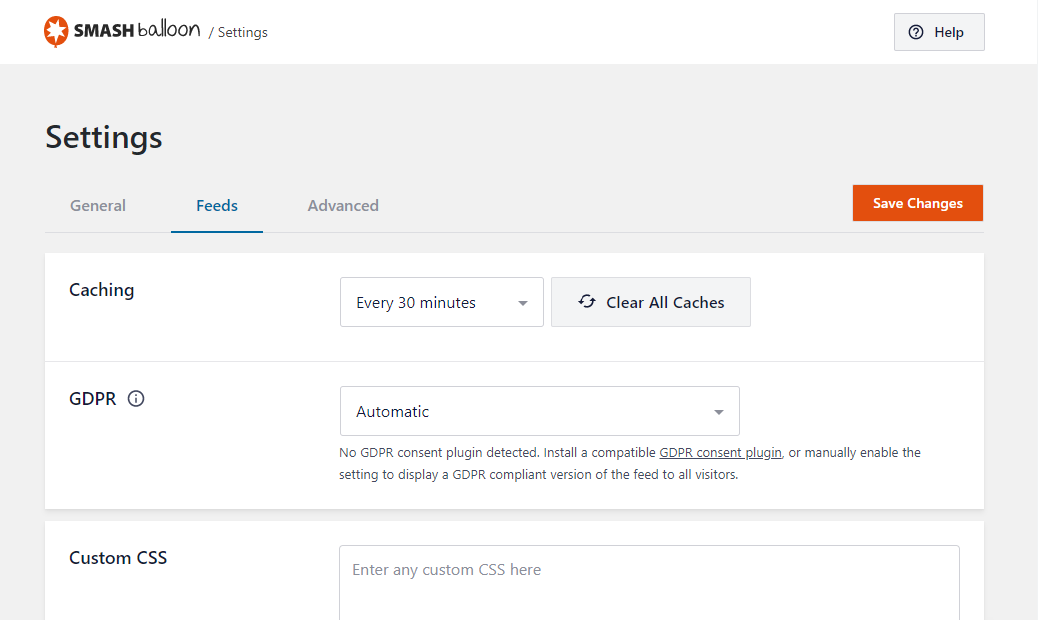
- 符合 GDPR 規範:自動與許多熱門的 GDPR Cookie 同意授權外掛整合,並包含一鍵式簡易 GDPR 設定
- 專為所有使用者設計:初學者與進階使用者皆能輕鬆上手
- 進階自訂:新增你自己的自訂 CSS 與 JavaScript 以進行進階自訂
- 與頁面編輯器相容:完全相容於 Elementor、Divi、Beaver Builder 及其他熱門頁面編輯器
透過 Instagram Feed Pro 獲得更多功能
想要真正發揮 Instagram 內容的最大效益,為你的品牌帶來更多價值嗎?
雖然 Smash Balloon 的 Social Photo Feed 提供免費的入門方式,但我們的 Pro 版本提供進階功能,協助你全面掌控向網站訪客展示 Instagram 相片與影片的方式。
名為 Instagram Feed Pro 的 Pro 版本可讓你:
-
顯示主題標籤動態消息 – 圍繞特定 Instagram 主題標籤策劃動態內容
查看 Instagram 主題標籤動態消息展示 -
展示令人驚艷的燈箱 – 直接在網站上的彈出式燈箱中檢視相片、Instagram 連續短片 (Reels) 與影片
-
新增互動元素 – 顯示說明文字,並顯示每則貼文的按讚數與留言數
-
嵌入 Instagram 輪播 – 展示來自貼文的吸睛輪播
查看 Instagram 輪播動態消息展示 -
從多種版面配置選項中選擇 – 使用「瀑布流 (Masonry)」或「突顯 (Highlight)」版面配置
檢視「突顯」版面配置實際效果 -
使用進階動態消息審核 – 只需點擊幾下即可隱藏或顯示特定貼文
-
篩選 Instagram 貼文 – 根據主題標籤、關鍵字或特定使用者的貼文來顯示 Instagram 內容
-
建立可購物的動態消息 – 為每則貼文新增自訂連結 (例如個人簡介中的連結),以便引導網站訪客前往你想要的頁面
-
使用專業設計的主題 – 無需從頭開始!透過預先製作的動態消息主題,在幾分鐘內設計出精美的動態消息,立即打造美觀且獨特的動態消息
此外,享有這些 Pro 版優勢:
- 優先支援:獲得我們支援團隊迅速且專屬的協助
- 定期更新:享受持續的外掛改進與新功能
為什麼超過 100 萬名使用者喜愛 Smash Balloon
獲得超過 100 萬個網站的信賴,Smash Balloon 是將 Instagram 動態消息無縫整合至網站的領先解決方案。
我們從超過 4,000 則好評中獲得 4.9/5 顆星平均評分,就是最佳的實力證明。
我們的使用者怎麼說
「出色的外掛與支援 – 真正開箱即用的出色外掛!這週聯絡了支援團隊,他們迅速針對我提出的特定疑問提供了自訂解決方案!非常滿意的客戶!」
– @tomteaweb「最佳 Instagram 動態消息外掛 – 每當我需要在 WordPress 網站中顯示 Instagram 動態消息時,我都會選擇這款外掛。它不僅容易設定,而且即使在免費版本中,也擁有足夠的功能來呈現精美的動態消息。不要再花時間尋找其他 Instagram 動態消息外掛了:這款就是最好的!」
– @yordansoares「簡潔扼要 – 優秀的外掛。簡單且不臃腫。剛開始使用這款外掛時遇到了一兩個小問題,但在支援論壇快速留言後,隔天就推出了包含修正的新版本。極棒的技術支援!」
– @joshjones「絕佳外掛,更棒的技術支援! – 自從將這款外掛加入側邊欄後,我明顯發現 Instagram 追蹤者增加了。感謝協助進行一些調整…外觀和效果都很棒!」
– @bnotp
快速、專業且樂於助人的支援
在 Smash Balloon,我們致力於提供現有最高自訂性、最穩健且支援最完善的 Instagram 外掛。
有疑問、需要功能方面的協助,或是想要提出新功能建議?
我們的專屬支援團隊隨時待命,只需傳送一則簡短訊息,隨時準備為免費版與進階版提供一流的協助:
現在升級至 Instagram Feed Pro,即可立即解鎖優先技術支援。
需要 Smash Balloon Social Photo Feed 的 7 個理由
- 提升社群互動 – 增加你與 Instagram 追蹤者之間的互動
- 節省時間 – 自動在你的網站上顯示 Instagram 相片
- 依你的方式展示內容 – 自訂動態消息以完美融入你的網站
- 保持網站內容常新 – 自動將全新的 Instagram 內容推送至你的網站
- 超級簡單的設定 – 30 秒內即可開始使用,不需要開發者帳號
- 驅動 Instagram oEmbed – 在整個網站上保持 Instagram 嵌入功能正常運作
- 專業動態消息佈景主題 – 使用現成的主題快速呈現精美展示
它能做什麼?
- 顯示來自你擁有的任何帳號的 Instagram 相片
- 完全自適應且支援行動裝置
- 在同一個頁面上顯示多個動態消息
- 顯示來自多個 Instagram 使用者 ID 的貼文
- 內建自訂選項
- 具備「載入更多」按鈕的無限捲動
- 並定期新增更多功能!
完全可自訂的動態消息
- 設定要顯示的相片數量
- 選擇欄數與相片大小
- 顯示/隱藏動態消息元素 (標頭、按鈕)
- 控制寬度、高度與背景色彩
- 設定相片之間的間距
- 依時間順序或隨機順序顯示相片
- 自訂按鈕文字與色彩
- 新增自訂 CSS 或 JavaScript
- 為多個動態消息設定不同的樣式
- 並定期新增更多選項!
接下來要做什麼
如果你喜歡我們的 WordPress Instagram 外掛,歡迎參考我們的其他專案:
OptinMonster – 透過最受歡迎的 WordPress 轉換最佳化外掛獲取更多電子郵件訂閱者。
WPForms – 排名第一的 WordPress 拖放式線上表單建置工具 (深受 500 萬個網站信賴)。
AIOSEO – 始祖級 WordPress SEO 外掛,協助你在搜尋結果中取得更高排名 (深受超過 300 萬個網站信賴)。
MonsterInsights – 查看關鍵統計資料並充滿信心地拓展業務。最優質的 WordPress Google Analytics 外掛。
SeedProd – 透過強大的拖放式到達頁面建置工具建立精美到達頁面。
WP Mail SMTP – 透過最受歡迎的 WordPress SMTP 外掛提升聯絡表單的電子郵件遞送率。
WPCode – 必備的 WordPress 程式碼片段管理外掛,協助你打造與時俱進的網站自訂設定 (深受 150 萬個網站信賴)。
Duplicator – 超過 100 萬個網站使用的熱門 WordPress 備份與移轉外掛。
WP Simple Pay – 排名第一的 WordPress Stripe 付款外掛。無需購物車即可開始接受單次或定期付款。
PushEngage – 透過領先業界的網頁推播通知外掛,在訪客離開網站後與其保持聯繫。
RafflePress – 最優秀的 WordPress 抽獎與競賽外掛,有效增加流量與社群追蹤者。
TrustPulse – 加入即時社群認同通知,將商店轉換率提升高達 15%。
SearchWP – 最先進的自訂 WordPress 搜尋外掛,全面改善 WordPress 搜尋品質。
AffiliateWP – 排名第一的推薦行銷管理外掛。為你的線上商店新增推薦計畫。
Easy Digital Downloads – 銷售數位產品 (電子書、軟體、音樂等) 的最佳 WordPress 電子商務外掛。
WPCharitable – 評價最高的 WordPress 捐款與募款外掛。
造訪 WPBeginner,參考我們的 WordPress 教學 並了解最優質的 WordPress 外掛。
隱私權政策
=資料收集=
Instagram Feed 不會從你的 Meta 帳號 (Instagram、Facebook) 收集任何個人資料。從 Meta API 擷取的所有資料僅用於在 WordPress 網站上顯示動態消息。
=外部連線=
此外掛會連線至三個外部網站:
-
Smashballoon.com:用於連線並驗證你的來源。網站偶爾會向使用者傳送動態通知,這些通知可能包含有關重大 API 變更、重大更新及行銷訊息等資訊。
-
Instagram.com and Facebook.com:用於擷取貼文,讓訪客無需離開網站即可直接在你的網站上查看。
=Optional Data Sharing and In-Plugin Notifications=
Sharing anonymous usage data with Smash Balloon and receiving in-plugin notifications are both off until you opt in, either in the setup wizard, in the one-time data sharing prompt, or under Instagram Feed > Settings > Data Sharing. You can turn them off again at any time on that tab. When off, no usage data is sent, and in-plugin notifications and About Us page content are not loaded from Smash Balloon. See what is shared: https://smashballoon.com/data-sharing-permissions/
=資料使用=
從 Meta API 擷取的所有資料僅用於在 WordPress 網站上顯示 Instagram 動態消息。除此目的之外,不會收集、儲存或分享任何個人資料。
螢幕擷圖

常見問題集
我可以在網站或同一個頁面上顯示多個 Instagram 動態消息嗎?
可以。你可以使用我們內建的動態消息建立工具來顯示多個 Instagram 動態消息 (feeds),例如:
[instagram-feed feed=2]。我可以在單一動態消息中顯示來自多個 Instagram 帳號的相片嗎?
可以。你可以連結多個帳號,並在建立動態消息時將它們包含為來源。
此外掛是否支援 Instagram oEmbed?
是的。自 2.5 版起新增了支援功能,允許外掛支援你的 Instagram oEmbed,因為 WordPress 核心已不再提供對這些功能的官方支援。只要在外掛內的 oEmbed 設定頁面中連結你的帳號,剩下的交給我們即可。不需要開發人員應用程式或帳號。
我可以在小工具或區塊中顯示動態消息嗎?
可以。使用 Instagram 小工具或 Instagram 區塊即可在側邊欄或其他小工具區域中顯示動態消息。
如何連結我的 Instagram 帳號?
我們讓這個過程變得非常簡單。只要依照新手導覽中列出的步驟操作,輕鬆點擊幾下即可連結帳號。
我的動態消息沒有顯示。為什麼!?
造成這種情況的常見原因有以下幾點:
- 你的存取權杖可能無效。請嘗試再次點擊外掛 [設定] 頁面上的藍色 Instagram 登入按鈕,並將其提供的 Instagram 權杖複製並貼至外掛的 [存取權杖] 欄位中。
- 外掛的 JavaScript 檔案未包含在頁面中。這通常是因為佈景主題缺少 WordPress wp_footer 函式,外掛需要此函式才能將其 JavaScript 檔案新增至頁面。若要修正此問題,可以開啟佈景主題的 footer.php 檔案,並在結束標籤前、兩個 PHP 標籤之間直接加入以下內容:
wp_footer(); - 網站可能包含阻止 JavaScript 執行的 JavaScript 錯誤。此外掛使用 JavaScript 將 Instagram 相片載入至頁面中,因此需要執行 JavaScript 才能正常運作。必須清除網站上任何現有的 JavaScript 錯誤,外掛才能載入動態消息。
如果顯示動態消息時仍然遇到問題,請在 支援論壇 中建立工單,並附上嘗試顯示 Instagram 動態消息的頁面連結,如果可以的話,也請附上你的 Instagram 帳號連結。
在我的網站上使用存取權杖會有安全性問題嗎?
不會。外掛中使用的存取權杖為「唯讀」權杖,這代表它絕對無法被惡意用來操縱你的帳號。
我可以檢視完整尺寸的相片或直接在網站上播放 Instagram 影片嗎?
這是外掛 Pro 版 的功能,可讓你在彈出式燈箱中檢視相片、支援影片、顯示說明文字、依主題標籤顯示相片等等!
如何將動態消息直接嵌入至 WordPress 頁面範本中?
可以使用 WordPress do_shortcode 函式將動態消息直接嵌入至範本檔案中:
<?php echo do_shortcode('[instagram-feed]'); ?>。我的動態消息停止運作 – 只看到載入符號
如果 Instagram 相片無法載入且只看到載入符號,常見的原因有以下幾點:
1) 正在使用的 Instagram 存取權杖發生問題
你可以在 Instagram Feed [設定] 頁面上使用「連結」按鈕重新連結帳號,以取得新的存取權杖。
外掛內的連線按鈕有時可能無法順利更新存取權杖。你也可以嘗試此連結。
2) 外掛的 JavaScript 檔案未包含在頁面中
這通常是因為 WordPress 佈景主題缺少 WordPress wp_footer 函式,外掛需要此函式才能將其 JavaScript 檔案新增至頁面。若要修正此問題,可以開啟佈景主題的 footer.php 檔案,並在結束標籤前直接加入以下內容:
3) 網站上有 JavaScript 錯誤,導致外掛的 JavaScript 檔案無法執行
若要確認是否為此情況,可以在頁面上按一下滑鼠右鍵,選取 [檢查元素],然後點擊 [主控台] 分頁,或是從瀏覽器的開發人員工具中選取 [JavaScript 主控台] 選項。
如果網站發生 JavaScript 錯誤,將會看到以紅色列出的錯誤以及造成該錯誤的 JavaScript 檔案。
4) 嘗試顯示的動態消息沒有任何 Instagram 貼文
如果嘗試顯示尚未發布任何貼文的 Instagram 動態消息,該 Instagram 動態消息可能只會顯示載入符號或完全不顯示任何內容。新增 Instagram 貼文後,Instagram 動態消息應該就能正常顯示
5) 使用的短代碼不正確
正在使用的 Instagram Feed 短代碼可能含有錯誤,或者缺少了必要的引數。
有哪些可用選項可以用來自訂我的動態消息?
自訂動態消息有許多豐富的選項!請參閱下方清單: * 一般選項 * width of feed – 動態消息的寬度。 * height of feed – 動態消息的高度。 * background color – 動態消息的背景色彩。任何十六進位色碼。 * * 相片選項 * sorting – 依「最新到最舊」(none) 或「隨機」(random) 排序 Instagram 貼文 * number of posts – 初次顯示的貼文數量。 * * desktop columns – 動態消息顯示在桌上型電腦裝置時的欄數 * tablet columns – 動態消息顯示在平板裝置時的欄數 * mobile columns – 動態消息顯示在行動或手機裝置時的欄數 * * image spacing – 相片周圍的間距 * * 標頭選項 * show header – 是否顯示動態消息標頭。 * show bio – 是否在動態消息標頭中顯示帳號的個人簡介。 * custom avatar – 標頭自訂個人頭像圖片網址 (可為你的帳號使用任何想要的圖片)。 * * header color – 動態消息標頭文字的色彩。 * * 「載入更多」按鈕選項 * show load more button – 是否顯示「載入更多」按鈕。 * button color – 按鈕的背景色彩。任何十六進位色碼 * button text color – 按鈕的文字色彩。 * button text – 按鈕所使用的文字 – 範例:「載入更多相片」 * * 「在 Instagram 上追蹤」按鈕選項 * show the follow button ** – 是否顯示「在 Instagram 上追蹤」按鈕。 * **follow color – 「在 Instagram 上追蹤」按鈕的背景色彩。 * follow text color – 「在 Instagram 上追蹤」按鈕的文字色彩。 * follow text – 「在 Instagram 上追蹤」按鈕所使用的文字 – 範例:「追蹤我」
若要了解更多選項,請查看 Pro 版。
如需更多與 Instagram Feed 外掛相關的常見問題,請造訪我們網站上的常見問題專區。
使用者評論


參與者及開發者
以下人員參與了開源軟體〈Smash Balloon Social Photo Feed – 簡易社群動態消息外掛〉的開發相關工作。
參與者


變更記錄
6.14.0
- New – You can now choose whether to share anonymous usage data. The setup wizard asks for your consent, and a new Data Sharing tab under Settings lets you review or change your data-sharing and in-plugin notification preferences at any time.
- Tweak – The About Us page has been refreshed.
- Fix – Feeds on pages served from a long-lived page cache no longer show up empty, and Load More works again.
- Fix – Dismissed in-plugin notifications no longer come back after a page reload.
- Fix – Deactivation feedback is no longer lost when another Smash Balloon plugin is active.
6.13.1
- Fix – The Instagram feed block preview in the WordPress editor is styled again on WordPress 7.0 and newer, instead of showing unstyled content with oversized icons.
6.13.0
- 新增 – 當動態消息因無法連線至 Instagram 而默默顯示較舊的貼文已儲存複本時,系統現在會發出通知提醒,讓你能在訪客發現之前先掌握情況。如果連線持續中斷,該通知將會變得更加緊急。
- 微調 – 確認與 WordPress 7.1 的相容性。
- 微調 – 每週動態消息問題電子郵件報告現在也會在動態消息連續數天默默顯示較舊的貼文已儲存複本時通知你,而不僅僅是在發生徹底的連線錯誤時才回報。
- 修正 – 來自 Instagram 的速率限制與暫時節流不再讓運作正常的連線顯示為中斷,也不會要求重新連線。動態消息將持續顯示已儲存的貼文,並在限制解除後自動重試。
- 修正 – 重新整理已連結帳號的存取權杖如果重複失敗,現在會正確記錄,因此持續失敗的連線不再顯示為最新狀態。
- 修正 – 動態消息自訂器中的鍵盤導覽不再卡住:開啟檢色器時,按下 Tab 鍵可正常瀏覽頁面,切換設定區段不再將焦點拉入開啟的檢色器中,且按 Tab 鍵也不再繞進動態消息預覽中。
- 修正 – 連線錯誤通知在問題已變更或解決後,不再持續顯示過時訊息 (包含 Instagram 資料將在 7 天內被刪除的警告)。它現在會反映連線的目前狀態,並在一切正常時清除通知。
- 修正 – 外掛安全性強化。
6.12.0
- 新增 – 動態消息建置器與動態消息現在使用鍵盤和螢幕報讀軟體操作變得更加輕鬆。控制項已加上適當標籤並可透過 Tab 鍵瀏覽,彈出視窗可使用 Escape 鍵關閉,動態消息會播報新載入的貼文,且焦點外框全程清晰可見。
- 修正 – 更正整個設定與管理畫面文字中的多處錯字與語法錯誤,包括將 Instagram 貼文誤稱為「tweets」的三處文字。
- 修正 – 外掛安全性強化。
6.11.4
- 新增 – Instagram Feed 免費版現已提供相片、影片及連續短片的篩選切換開關。
- 修正 – Instagram 圖片現在會採用預期的圖片品質,且縮圖動態消息大小 (feed size) 現在會使用快取的縮圖檔案。
- 修正 – 解決低於 7.0 的 WordPress 版本中因舊版區塊 iframe 樣式所導致的編輯器文字排版問題。
- 修正 – 進一步強化外掛安全性。
6.11.3
- 修正 – 通知在關閉後將保持關閉狀態,包含在具有多位管理員的網站上。
6.11.2
- 修正 – 進一步強化外掛安全性。
6.11.1
- 新增 – 在動態消息建置器中新增說明小工具,以便直接在應用程式中查閱說明文件與取得支援。
- 修正 – 舊版 Instagram Feed 區塊現在可以在 WP 7.0+ iframe 區塊編輯器中正確轉譯即時預覽,舊版 Elementor 小工具現在也可以在 Elementor 預覽中正確轉譯。
- 修正 – Elementor 小工具標題現在可供翻譯。
6.11.0
- 新增 – 為 Instagram 動態消息加入現代化的 Gutenberg 區塊與 Elementor 小工具。使用舊版區塊的現有動態消息無需重新設定即可繼續正常顯示。
- 微調 – 與 WP 7 相容。
- 修正 – 外掛不再移除外掛管理頁面上的 WordPress 頁尾。
- 修正 – 包含多個段落的說明文字不再於螢幕報讀軟體文字中轉譯出重複的錨點標籤。
- 修正 – 動態消息中不再包含 Instagram 測試版連續短片 (僅向非追蹤者顯示的測試貼文)。
6.10.1
- 微調 – 加入選用的停用意見反應問卷,協助我們改進外掛。
- 微調 – 多項 PHP 8.4 相容性增強。
6.10.0
- 新增 – 加入對 Instagram Media API 的支援。這將確保外掛能因應未來變更,並避免因 Instagram 廢棄 oEmbed API 中的「thumbnail_url」而引發問題。
- 修正 – 新增與 Complianz GDPR 外掛的相容性。
- 修正 – 修正與螢幕報讀軟體文字相關的無障礙功能問題。
- 修正 – 進一步強化程式碼安全性。
6.9.1
- 修正 – 進一步強化程式碼安全性。
6.9.0
- 重要 – 加入與前端動態消息顯示相關的無障礙功能改進。這可能會影響套用至動態消息的自訂程式碼。請檢查並在需要協助時與支援團隊聯繫。
- 重要 – 為了符合 Meta 的安全性標準,我們已將最低支援的 PHP 版本提升至 7.4。
- 修正 – Instagram Feed 外掛不再觸發 _load_textdomain_just_in_time 警告
- 修正 – 進一步強化程式碼安全性。
6.8.0
- 新增 – 加入新設定以支援 Instagram 全新的 3:4 長寬比。編輯動態消息,選取「版面配置」分頁,即可在 1:1 正方形、4:5 肖像直向或 3:4 Instagram 官方長寬比之間進行選擇。
- 新增 – 新增對全新 GDPR 同意聲明外掛 WPConsent 的支援。
6.7.1
- 修正 – 避免發生 PHP 錯誤 “Fatal error: Uncaught TypeError: unserialize()”
- 修正 – 移除區塊編輯器中顯示的 ClickSocial 廣告。
6.7.0
- 新增 – 加入我們最新產品 ClickSocial 的相關資訊!透過 WordPress 控制台排程社群媒體貼文。
- 修正 – 資料庫更新失敗時加入通知與更多詳細資訊。最常見的原因是 MySQL 使用者沒有修改資料表的權限。
- 修正 – 改善與最新版 Divi 及 Elementor 的相容性。
- 修正 – 解決與 _load_textdomain_just_in_time 相關的 PHP 警告。
- 修正 – 進一步強化外掛安全性。
6.6.1
- 調整:新增對全新 Feed Analytics 產品的支援。深入分析網站訪客如何使用你的動態消息。
6.6.0
- 重要:對於使用個人帳號連線的使用者,在更新至 6.6 或更高版本後,需要在 2024 年 12 月之前重新連線你的帳號。了解詳情
- 新增:新增對 Moove Agency 的 GDPR Cookie Compliance 以及 Real Cookie Banner GDPR 外掛的支援。
- 修正:若同時安裝了 Pro 版本,在移除免費版本後不再刪除現有資料。
- 修正:修正在編輯動態消息時導致 404 錯誤的罕見問題。
- 修正:改進與 Thrive Architect 外掛的相容性。
6.5.1
- 修正:外掛安全性強化。
6.5.0
- 新增:為本機圖片最佳化功能新增 webp 圖片支援。這將在可能的情況下以 webp 格式提供圖片,進而提升動態消息的效能。
- 新增:新增區塊以輕鬆使用我們的其他社群媒體動態消息。
- 修正:修正在使用 Instagram Feed 區塊時,貼文編輯器中圖片無法載入的問題。
6.4.3
- 新增:新增對新版 CookieYes GDPR 外掛的支援。
- 新增:更新 oEmbed 驗證流程的網址。
- 修正:解決與 TikTok Feeds 的衝突,並在未顯示提示時移除資產。
- 修正:修復管理員通知無法正常關閉的問題。
6.4.2
- 修正:修正因相依性未加上正確命名空間前綴所導致的 PHP 嚴重錯誤。
6.4.1
- 修正:修正在某些情況下使用外掛時可能發生的 PHP 嚴重錯誤。
- 修正:修正在前端發生的 JS 錯誤。
6.4
- 新增:新增檢查清單與標示說明功能,協助使用者快速上手已安裝的所有 Smash Balloon 產品
- 微調:針對新手引導精靈進行改進,讓特定步驟的功能更加明確。
- 微調:改進 oEmbed 連線流程。
- 修正:修正在某些情況下,AJAX 佈景主題未載入 jQuery 相依性而導致動態消息損壞的問題。
- 翻譯:更新翻譯 .pot 檔案。
6.3.1
- 修正:修正了部分管理員通知未如預期關閉的問題。
- 修正:修正了嘗試刪除外掛時會導致嚴重錯誤的問題。
6.3
- 新增:將 CSS float 更新為 flexbox 與 grid,以提供更佳的版面配置支援並改善與佈景主題的相容性。如果你曾透過 CSS、JS 或自訂動態消息範本進行自訂,請在更新後確認動態消息外觀是否符合預期。如果需要時間更新自訂內容,可以使用 [進階] 分頁上的「傳統 CSS」設定將 CSS 檔案還原至 6.2 版。
- 新增:改善圖片顯示方式以支援延遲載入。
- 修正:新增對 Borlabs Cookie v3.0 的支援。
6.2.10
- 新增:新增了選單項目,以便輕鬆安裝我們全新的 TikTok Feeds 外掛!
6.2.9
- 新增:為 Instagram Feed 新增了 Elementor 小工具與 Divi 模組。
- 調整:增強了安全的自訂登入工具,以便支援團隊為網站上的特定 API 問題進行疑難排解。
- 調整:改良並強化程式碼庫以提升可靠性。
- 修正:更新了設定資訊,使其顯示在偵錯報告中。
6.2.8
- 修正:點擊我們其他外掛的選單項目時無法正常運作的問題。
6.2.7
- 調整:改良並強化程式碼庫以提升可靠性。
6.2.6
- 修正:重設最佳化圖片時也會重設 Instagram Feed 設定。
6.2.5
- Fix: Fixed a problem with our code that would remove admin footer text from other sources.
- Fix: Fixed an issue causing the minified CSS file to not actually be minified.
6.2.4
- Fix: Disabled translation for a string that would cause an error in some languages.
6.2.3
- Fix: Fixed translation bugs that would cause PHP errors on certain settings pages.
- Fix: Fixed a PHP error that would occur when the database record for translations was corrupted.
6.2.2
- Translations: Fixed many translation issues and added translation files for German, French, Japanese, and many more.
- Fix: Fixed an issue that would cause extra slashes to be added to text settings that contained single and double quotes.
- Fix: Fixed an issue that would cause the customizer to not work the first time it was accessed.
6.2.1
- Fix: Fixed a deprecation warning that would occur in PHP 8.2+.
- Fix: Fixed a PHP error that would occur when using PHP 8.0+, legacy feeds, and a shortcode with no arguments.
6.2
- New: Added an onboarding wizard for new users to easily get started with Instagram Feeds.
6.1.6
- Fix: Changed code related to account connection for increased reliability.
- Fix: Only 20 feeds were available for export when using the tool on the settings page.
- Fix: Fixed an issue causing a PHP error “creation of a dynamic property” when using PHP 8.2.
6.1.5
- Fix: Fixed personal accounts unable to retrieve new tweets and showing an error with the code 100.
- Fix: Updated API calls for business accounts to work with upcoming changes from Instagram.
6.1.4
- Fix: Removed the option to add a feed to a widget if the current theme does not support widgets.
- New: Added a menu item to easily install our new Reviews Feed plugin!
6.1.3
- Fix: Fixed a PHP Warning: strtotime(): Epoch doesn’t fit in a PHP integer.
- Fix: Header bio was not updating when the bio for the connected Instagram account was updated.
- Fix: Fixed a few text items not being translatable.
6.1.2
- Fix: When enabling Facebook oEmbeds from the oEmbed page, an Instagram icon would appear when the Custom Facebook Feed plugin was being activated.
- Fix: Fixed a CSS parsing error.
6.1.1
- Fix: When using the customizer to enable the setting for the header “show outside scrollable area” and adding a background color, the preview would not show the same result as the actual feed.
- Fix: Disabling the JavaScript image loading on the “Advanced” settings tab would cause the customizer preview to look distorted.
- Fix: When customizing a feed, the load more button would become active when switching the device preview.
- Fix: Fixed a PHP warning that would occur when bulk deleting feeds.
6.1
- New: Added the ability to filter “Reels” posts in feeds. When customizing a feed and using the moderation settings you can now choose to show or hide Instagram “Reels” posts.
- New: Add a header image and bio text for personal sources. Go to the settings page and click on the gear icon to add this to an existing source.
- New: Added support for Instagram “Reels” oEmbeds. Use WordPress’ embed block to create rich oEmbed links in blog posts and pages.
- Tweak: Vue.js code is now loaded from a local file shipped with the plugin rather than an external CDN for use with the customizer in the admin area.
6.0.8
- Tweak: Added a workaround to retrieve missing images if none were returned by Instagram for a post.
- Fix: Custom colors assigned to the Follow button would not apply when using a custom color palette.
- Fix: Added additional plugin hardening.
- Fix: A fatal error would occur with older versions of PHP and WordPress in some circumstances.
6.0.7
- Fix: Removed legacy “disable mobile” setting support as it was causing confusion for users updating from 2.x where changes to feed columns would not have an effect.
- Fix: Removed the reference in the feed CSS file to an image file that didn’t exist.in the feed CSS file.
- Fix: All sources would be removed when the grace period to address app permission issues ended. Now only the single source will be removed.
- Fix: The number of posts would be inaccurate in the feed preview when using the customizer for mobile devices.
6.0.6
- Tweak: Added a warning notice to allow a grace period before Instagram data is permanently deleted from your site after deauthorizing the Smash Balloon Instagram app. Due to Instagram requirements, any Instagram data on your site must be deleted within a reasonable time after the app has been deauthorized. The new warning notice provides a 7 day grace period to allow you time to reauthorize the app if you don’t want the data to be deleted.
- Tweak: Reconnecting an account now results in deleting the original connection in the database and adding a new one. This will prevent issues with some caching systems like Redis.
- Fix: Only the first 20 sources were available when creating feeds and changing sources for a feed.
- Fix: The link in some error messages were incorrect resulting in “access denied” error messages when clicking on them.
6.0.5
- Tweak: If WordPress cron is broken or behind schedule and causing background caching to not work, the plugin will update the feed when the page loads.
- Fix: Jetpack’s “Master Bar” feature was causing the sidebar in the customizer to be partially hidden.
- Fix: Added back support for the “class” shortcode setting for all feeds.
- Fix: Removed all Font Awesome icons and no longer include the CSS file from the Font Awesome CDN.
6.0.4
- Fix: Added back the ability to use up to 10 columns in feeds.
- Fix: The reconnect link that would display when an account had an error would not redirect to connect.smashballoon.com.
6.0.3
- Tweak: Updated our logo throughout the plugin to match our new website.
- Tweak: Changed how the hover color for follow and load more buttons is applied to prevent theme conflicts.
- Fix: Fixed JavaScript file not being added to the page when using the plugin GDPR Cookie Consent by WebToffee.
- Fix: Dismissing dashboard notifications would cause the “Add new feed” button to stop working until the page was refreshed.
6.0.2
- Fix: Fixed Instagram Feed JavaScript file missing from the page when using the “AJAX theme loading fix” setting causing blank images to display.
- Fix: Added the ability to create the custom database tables if there was an error when first trying to create them.
- Fix: Fixed the error message not displaying if there was an error when trying to connect a personal or basic account.
6.0.1
- Fix: Custom HTML templates were not applying to new feeds.
- Fix: Some custom tables were not being created for specific versions of MySQL.
- Fix: The shortcode setting “showfollow=false” was not working for legacy feeds.
- Fix: The shortcode settings “showheader” and “showbio” were applying for non-legacy feeds causing confusion when trying to change these settings in the customizer.
- Fix: The customizer would not resize images causing blank images to show when GDPR features were enabled.
- Fix: Fixed PHP warning “Undefined array key tagged”.
6.0
- Important: Minimum supported WordPress version has been raised from 3.5 to 4.1.
- New: Our biggest update ever! We’ve completely redesigned the plugin settings from head to toe to make it easier to create, manage, and customize your Instagram feeds.
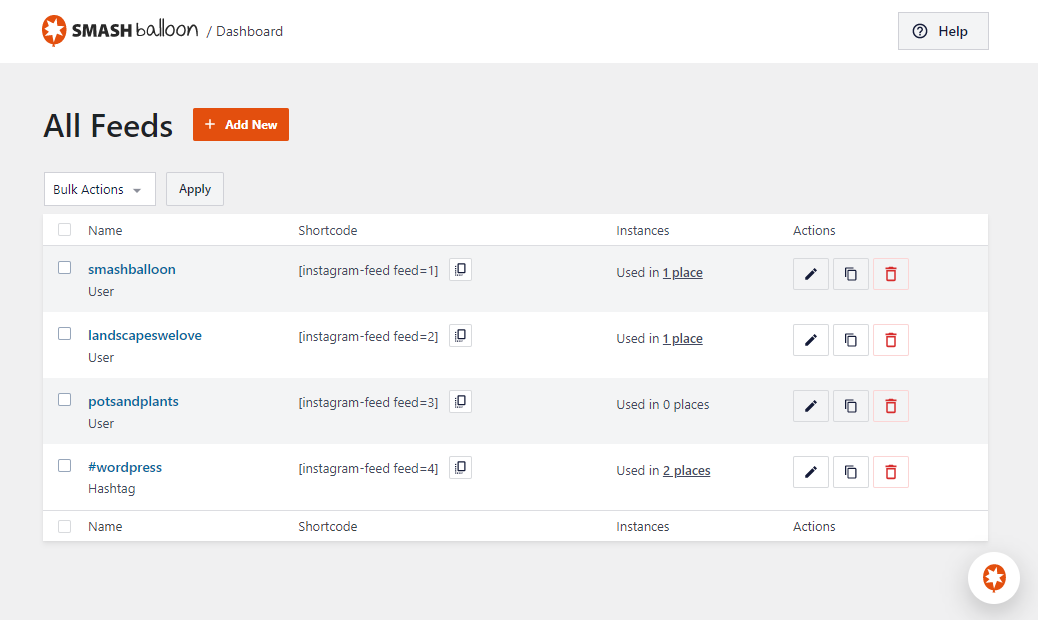
- New: All your feeds are now displayed in one place on the “All Feeds” page. This shows a list of any existing (legacy) feeds and any new ones that you create. Note: If you updated from a version prior to v2.8 then you may need to view your feeds on your webpage so that the plugin can locate them and list them here.
- New: Easily edit individual feed settings for new feeds instead of cumbersome shortcode options.
- New: It’s now much easier to create feeds. Just click “Add New”, select your feed type, connect your account, and you’re done!
- New: Brand new feed customizer. We’ve completely redesigned feed customization from the ground up, reorganizing the settings to make them easier to find.
- New: Live Feed Preview. You can now see changes you make to your feeds in real time, right in the settings page. Easily preview them on desktop, tablet, and mobile sizes.
- New: Color Scheme option. It’s now easier than ever to change colors across your feed without needing to adjust individual color settings. Just set a color scheme to effortlessly change colors across your entire feed.
- New: You can now change the number of columns in your feed across desktop, tablet, and mobile.
- New: Easily import and export feed settings to make it simple to move feeds across sites.