

外掛說明
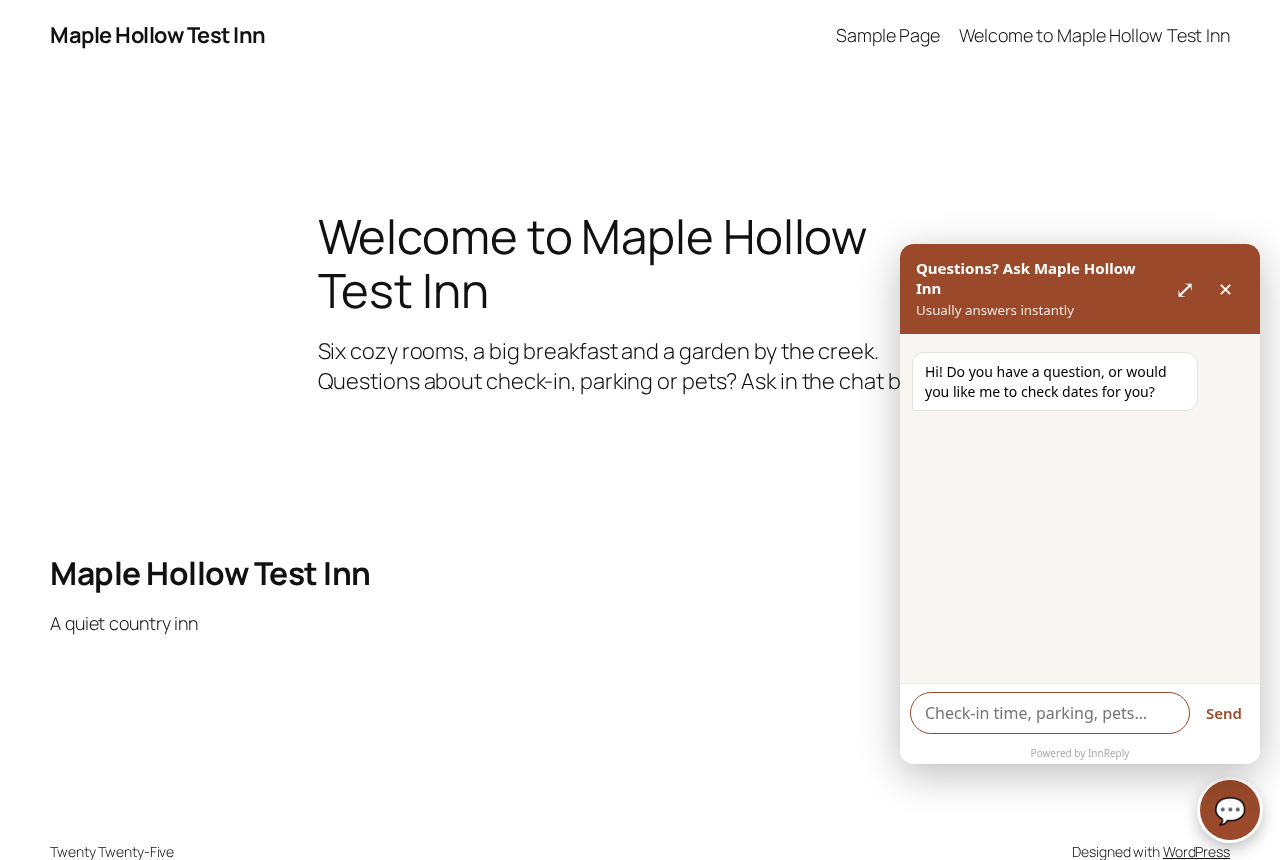
InnReply is a guest chat box for small inns and bed and breakfasts. It answers guests’ questions (check-in, parking, pets, breakfast and more) from what your website already says, and passes anything it can’t answer to your email.
This plugin is the easy way to put your InnReply chat box on a WordPress site:
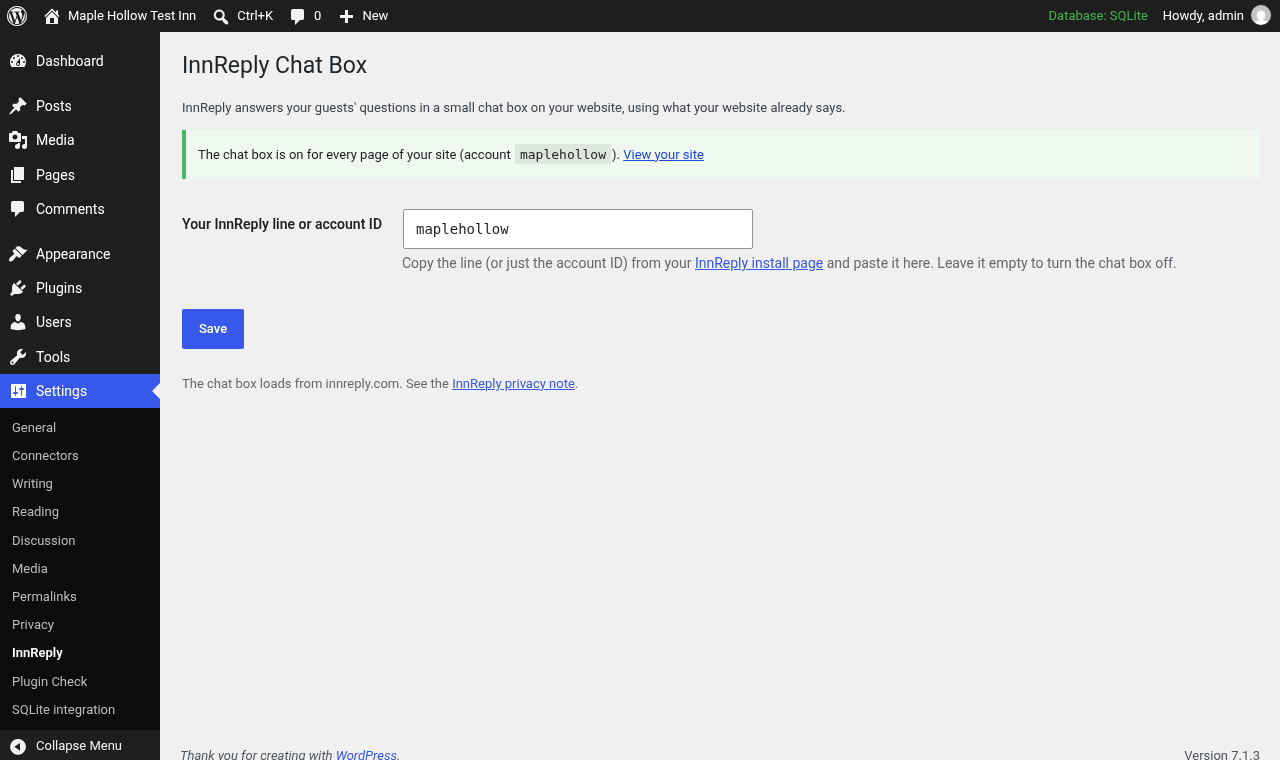
- Go to Settings, InnReply.
- Paste the line from your InnReply install page, or just your account ID.
- Click Save. The chat box shows on every page of your site.
Leave the field empty to turn the chat box off. The plugin has no other settings and stores only your account ID.
The plugin itself is free and has no locked features. It needs an InnReply account, which you can create at innreply.com. InnReply has a Free plan (up to 40 guest chats a month) and a $4/month plan (up to 2 locations, up to 1,000 chats a month). Plans are chosen and managed on innreply.com, not in this plugin.
External services
This plugin connects your website to the InnReply service, run by InnReply (https://innreply.com), so your guests can chat with your inn. It is needed for the plugin to work.
- What loads: when someone views a page on your site, their browser loads the chat box script from https://innreply.com/widget.js and asks innreply.com for your chat box’s settings (name, colors, greeting). This sends your account ID and, as with any web request, the visitor’s IP address, browser details and the address of the page they are on.
- When a guest chats: the questions they type are sent to innreply.com so InnReply can answer them. If a guest asks to be contacted, the email address they enter and their question are sent to innreply.com and forwarded to your inn.
- The chat box keeps its open or closed state in the visitor’s browser session storage. It sets no cookies.
- Nothing is sent from your WordPress admin, and no data is sent until you save an account ID.
InnReply privacy note: https://innreply.com/privacy
InnReply terms of service: https://innreply.com/terms
螢幕擷圖
安裝方式
- Install and activate the plugin from Plugins, Add New (search for “InnReply”), or upload the zip.
- Go to Settings, InnReply.
- Paste your InnReply line or account ID from https://innreply.com/install and click Save.
No InnReply account yet? Create one at https://innreply.com/signup.
常見問題集
-
Where do I find my InnReply line or account ID?
-
Log in at innreply.com. Your install page shows your line. You can paste the whole line, or just the account ID inside it (the part after data-hotel=).
-
Do I need to edit my theme?
-
No. The plugin adds the chat box to every page for you.
-
How do I turn the chat box off?
-
Empty the field on Settings, InnReply and click Save, or deactivate the plugin.
-
Does the plugin slow down my site?
-
The chat box script loads asynchronously in the footer, so it doesn’t hold up your page.
使用者評論
這個外掛目前沒有任何使用者評論。
參與者及開發者

變更記錄
1.0.1
- Updated pricing info.
1.0.0
- First release.