
外掛說明
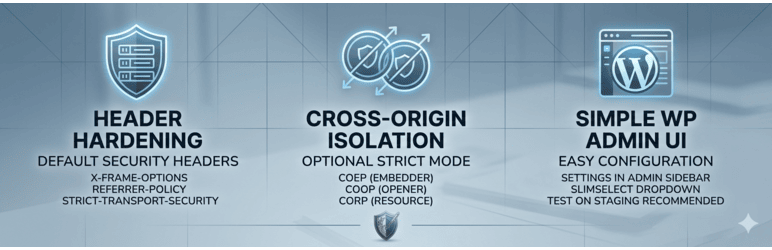
HeaderShield adds a conservative set of security headers that improve browser protection without breaking most sites. It also provides optional strict cross-origin protections for sites that are ready for them.
Default headers include:
- X-Frame-Options
- X-Content-Type-Options
- X-XSS-Protection (legacy)
- Referrer-Policy
- Permissions-Policy
- Content-Security-Policy (upgrade-insecure-requests)
- Strict-Transport-Security (HTTPS only)
Strict Mode can additionally enable COEP, COOP, and CORP for stronger isolation, but may break third‑party scripts or embeds. Use with care and test on staging first.
Source code for third-party assets
The admin UI uses SlimSelect for the multi-select dropdown. Human-readable source is included in the plugin:
- JavaScript:
assets/js/slimselect.js(minified build:assets/js/slimselect.min.js) - CSS:
assets/css/slimselect.css(minified build:assets/css/slimselect.min.css)
Upstream project: https://github.com/brianvoe/slim-select (MIT). This plugin does not use a custom build process; the included files are from the published release.
安裝方式
- Upload the
headershieldplugin folder to/wp-content/plugins/, or install via Plugins Add New and search for HeaderShield. - Activate the plugin through the Plugins menu in WordPress.
- Go to Security Headers in the admin sidebar to configure settings.
Optional: use as must-use plugin
You can also copy the main plugin file into /wp-content/mu-plugins/ so it is always active and cannot be disabled from the Plugins screen.
常見問題集
-
Will this break my site?
-
The default headers are conservative and should be safe for most sites. Strict Mode may break embeds, analytics, fonts, or CDNs, so test on staging first.
-
Does this affect SEO?
-
No. These headers improve browser security and do not affect SEO.
使用者評論
這個外掛目前沒有任何使用者評論。
參與者及開發者


變更記錄
1.0.14
- Initial public release.