
外掛說明
FullClass is class and workshop booking software for small studios such as cooking schools, pottery studios and paint-and-sip venues. This plugin puts your FullClass booking widget on any page of your WordPress site.
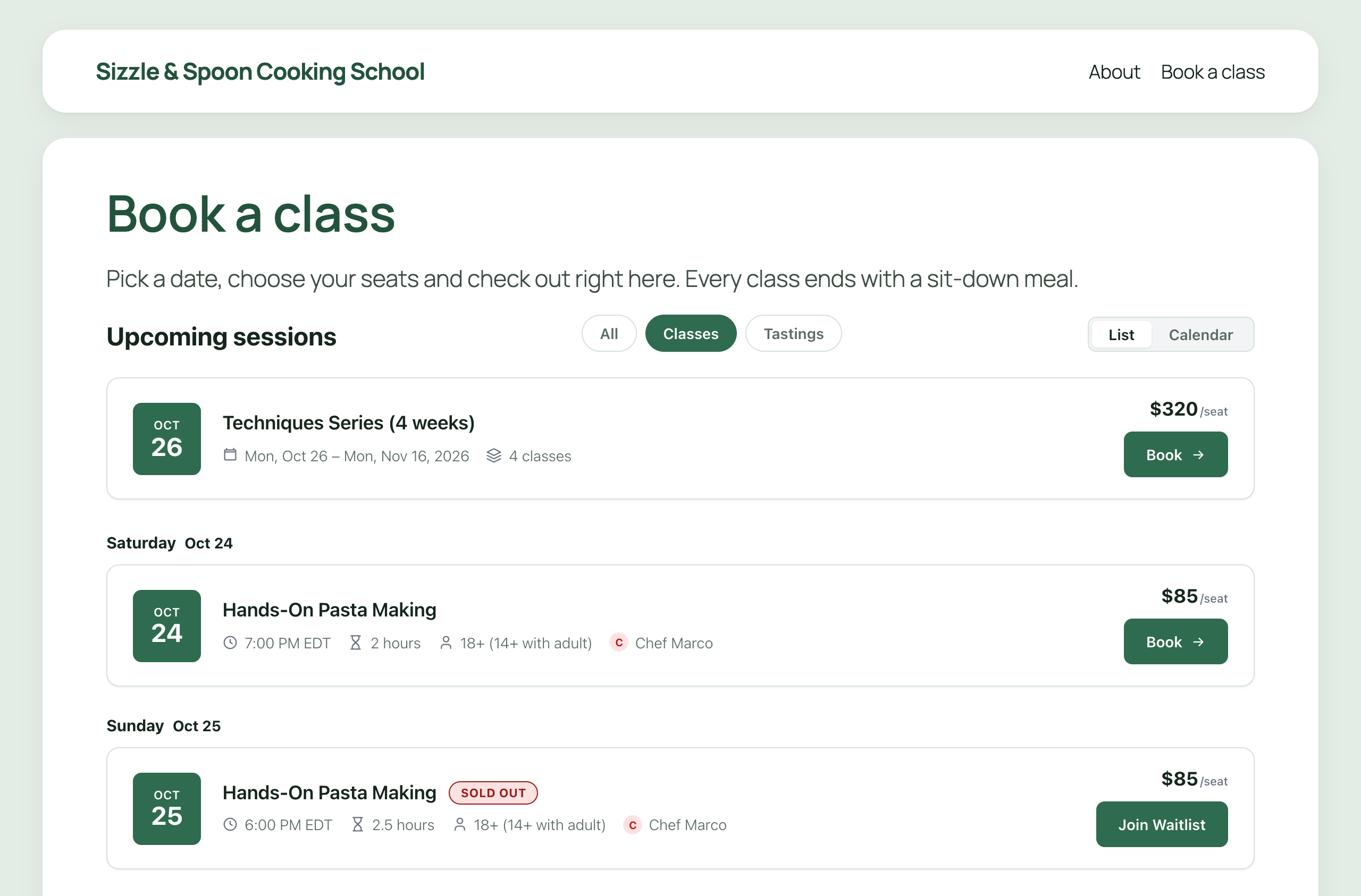
Customers see your upcoming classes, pick a date, choose how many seats they want and pay, all on your own page. Bookings, payments, waitlists, gift cards and reminders are handled by your FullClass account.
What the plugin adds
- A FullClass Booking block for the block editor.
- A
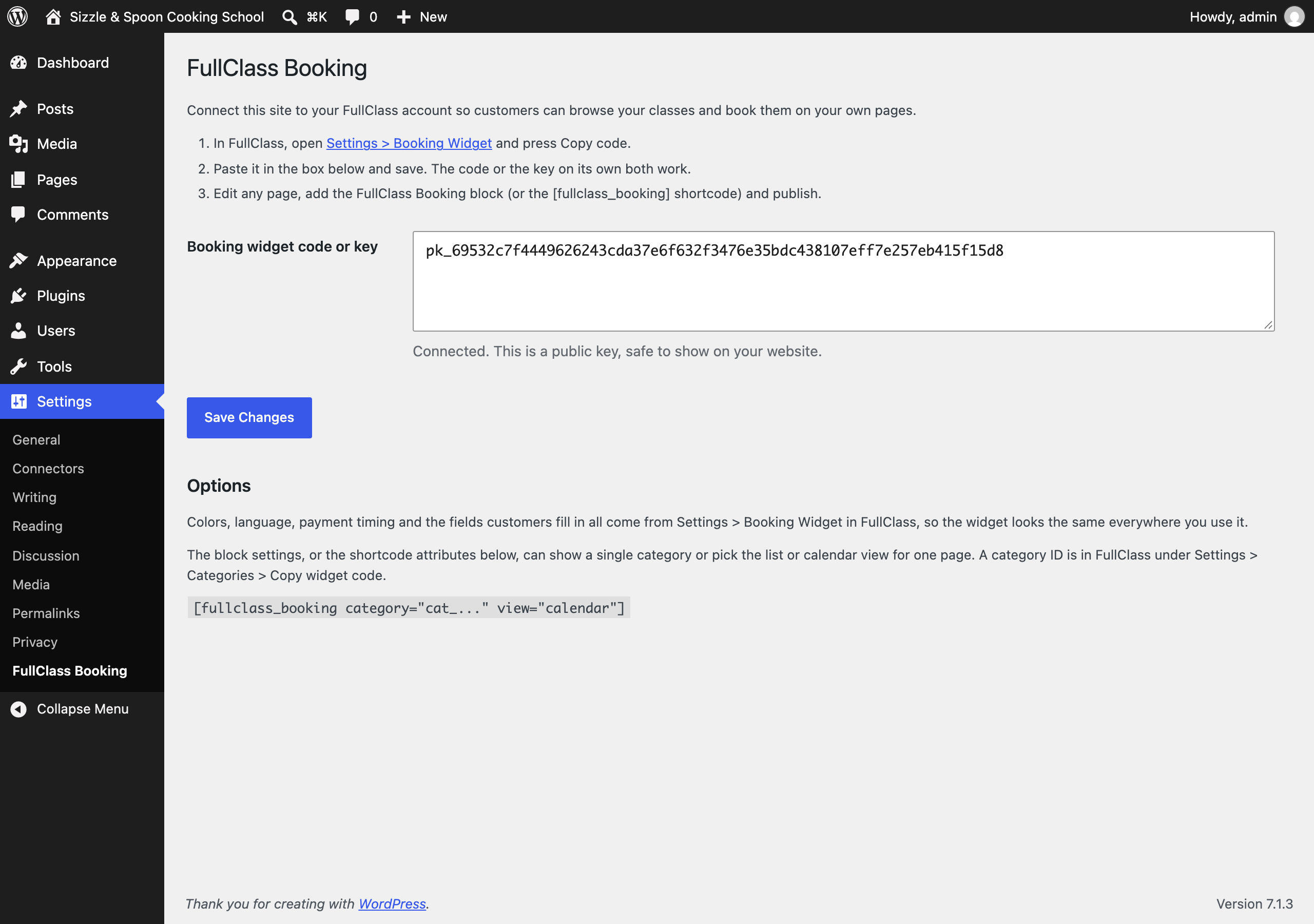
[fullclass_booking]shortcode for classic pages, page builders and widgets. - A settings page where you paste your booking widget code once.
What you need
A FullClass account. The plugin does nothing on its own; it shows the classes you have set up in FullClass. You can start a free trial at fullclass.io.
Options
The widget’s colors, language, payment timing and checkout fields all come from Settings > Booking Widget in FullClass, so it looks the same on every page. On one page you can also
- show a single category with
category="cat_..."(copy the ID from Settings > Categories > Copy widget code in FullClass) - choose the list or calendar view with
view="list"orview="calendar"
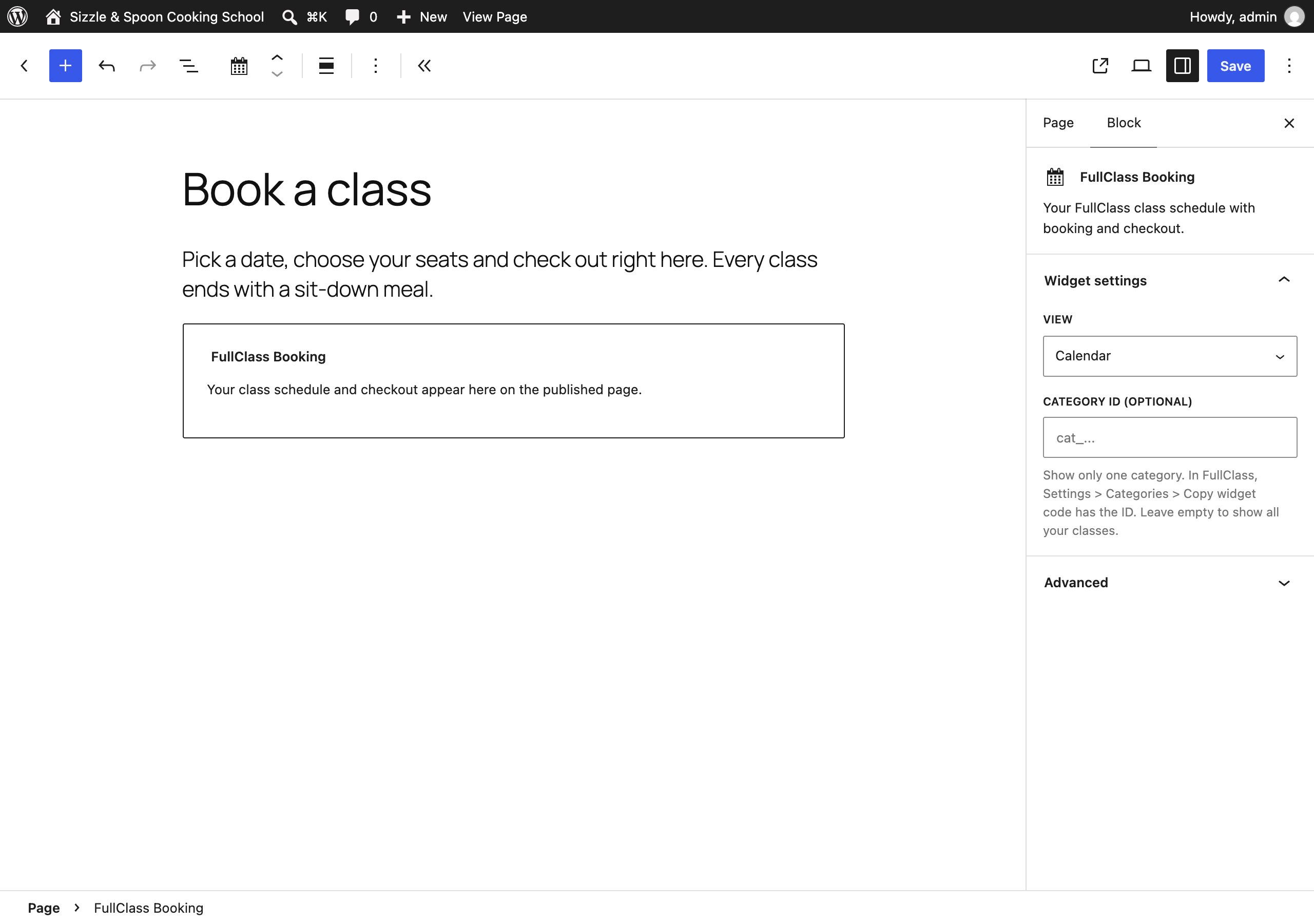
For example [fullclass_booking view="calendar"]. The block has the same two settings in its sidebar.
External services
This plugin connects your site to FullClass (https://fullclass.io), the booking service that runs the widget. Without it the plugin cannot show any classes.
- What is loaded. On pages that contain the block or shortcode, your visitors’ browsers load the booking widget script from
https://app.fullclass.io/sdk/v1/and its translations from the same place. - What is sent, and when. When the page loads, the widget sends your public booking widget key to
https://api.fullclass.io/v1to fetch your classes and settings. When a visitor books, the name, email address, phone number (if you require it), answers to your booking questions and payment details they enter are sent to FullClass and to the payment provider you connected in FullClass (Stripe or Square) so the booking can be made and paid for. Nothing is sent from pages without the widget. - Stored in the visitor’s browser. The widget can keep a booking in progress across a page reload, and if the visitor arrived from a Google Ads click it keeps that ad click ID (
gclid,wbraidorgbraid) in local storage so the booking can be credited to the ad. The widget does not load any analytics or advertising scripts on your site. If your site already runs Google Analytics, Google Tag Manager or a Meta pixel, the widget reports booking steps to the tags you already have, under your own consent setup. - Nothing about your WordPress site (its users, posts or settings) is sent to FullClass. The plugin stores one setting, your public booking widget key, in your WordPress database.
FullClass Terms of Service and Privacy Policy.
螢幕擷圖
適用於區塊編輯器
這個外掛提供 1 個可供區塊編輯器使用的區塊。
- FullClass Booking Your FullClass class schedule with booking and checkout.
安裝方式
- In WordPress, go to Plugins > Add New, search for “FullClass Booking”, then install and activate it.
- In FullClass, open Settings > Booking Widget and press Copy code.
- In WordPress, go to Settings > FullClass Booking, paste the code and save.
- Edit the page where customers should book, add the FullClass Booking block (or type
[fullclass_booking]) and publish.
常見問題集
-
Do I need a FullClass account?
-
Yes. The plugin shows the classes from your FullClass account and takes bookings into it.
-
Is the key I paste a secret?
-
No. The booking widget key starts with
pk_and is meant to be on your public website; it can only list your classes and make bookings the way your widget does. The plugin refuses a secret key (one starting withsk_) so it can never end up on a public page. -
Does this work with WooCommerce?
-
The widget runs its own checkout through your FullClass account, so it works alongside WooCommerce without needing it. Classes are not added to your WooCommerce products.
-
Can I limit which websites can use my key?
-
Yes. In FullClass, Settings > Booking Widget lets you restrict the key to your own website’s address.
-
The block says classes appear on the published page. Why not in the editor?
-
The editor shows a placeholder so it stays fast and so a test booking cannot be made by accident while you edit. Preview or publish the page to see the live widget.
使用者評論
這個外掛目前沒有任何使用者評論。
參與者及開發者

變更記錄
1.0.1
- The Category field accepts the whole snippet from Copy widget code in FullClass, not only the bare ID. Before, a pasted snippet was dropped and every class showed.
1.0.0
- First release. Block, shortcode and settings page.