
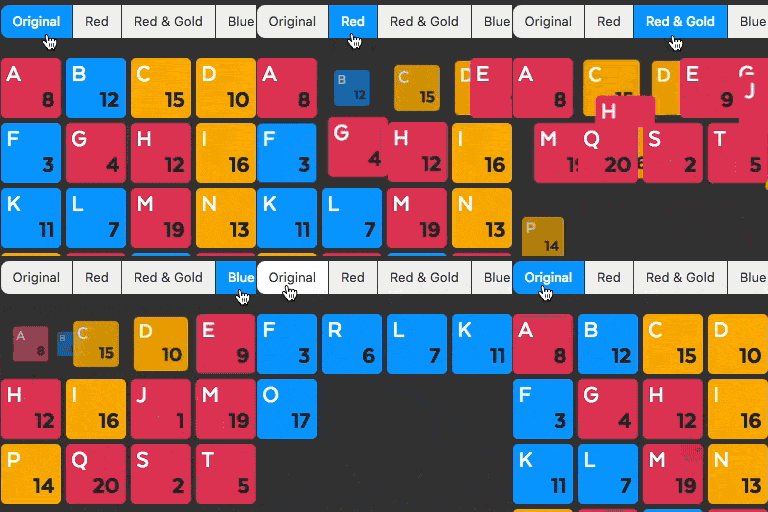
外掛說明
Display your portfolio, blog posts, or WooCommerce products in an elegant, filterable grid layout.
Fancy Filter is a powerful category-based filtering showcase plugin that lets you create dynamic, responsive grid galleries using Isotope and Masonry technologies.
With unlimited shortcode support, you can generate multiple filterable galleries for portfolios, blog posts, or products—each with fully customizable designs and layouts.
Key Features
- Portfolio Filter Showcase —
[fancyfilter_portfolio] - Blog Posts Filter Showcase —
[fancyfilter_blog] - WooCommerce Product Filter Showcase —
[fancyfilter_product] - Unlimited Shortcodes — Build and reuse as many filter grids as you need
- Popup Image Gallery — Click to enlarge items with lightbox view
- Custom Permalinks — Configure portfolio item URLs (e.g., Read More)
- Responsive Layouts — Choose from 2, 3, or 4-column grid designs
- Pagination Support
- Read More Buttons
- Cross-Browser & Theme Compatible
- Over 40+ Settings — Easily customize layout, content, colors, typography, and behavior
Extra Features for Premium
- 10+ Extra Layout designs
- 12+ Extra Button designs
- Content elements Supported for the item Popup
- video elements Supported for the item Popup
- Shortcode elements Supported for the item Popup
- Raw Html content Supported for the item Popup
- Can add Two Custom Link (Preview / Download) for the Portfolio item
Preview Of Fancy Filter
Credits
This plugin includes a modified version of the Magnific Popup by Dmitry Semenov, Isotope PACKAGED by Metafizzy, which is licensed under the MIT license.
螢幕擷圖

Filter Demo. 
Plugin Setting Page. 
Add New Shortcode. 
Add New Portfolio.
安裝方式
Go to the Plugins Menu in WordPress and select Plugins > Add new
Search for “Fancy Fiter
Click “Install” and “activate”.
常見問題集
-
what is category wise filter wordpress?
-
A category-based filter in WordPress is a way to display post items, product items, portfolio items from specific categories.
-
benefits of showcase in website
-
A showcase on a website provides several benefits, including:
*Increasing brand visibility,
*Attracting potential customers with eye-catching content,
*Highlighting important products or services,
*Boosting SEO -
How Showcase Helps Boost SEO
-
Showcase content with relevant keywords can improve your website’s search engine rankings, and drive organic traffic.
-
Can I create multiple filters per page?
-
Yes, you can use multiple filters showcase on a page.
-
How to change default permalink for fancy filters
-
Will it work all themes
-
yes, it will works on All types of themes.
使用者評論
這個外掛目前沒有任何使用者評論。
參與者及開發者

變更記錄
2.0.4
- Update: Compatibility Update
2.0.3
- Update: Compatibility Update
2.0.2
- Update: Compatibility Update
2.0.1
- New: Porduct Filter Showcase Added
- Update: Compatibility Update
- Fix: Fixing js issues
1.0.6
- Update: Compatibility Update
1.0.5
- Fix: Fixing Clickable issues.
1.0.3
- New: Added dynamic shortcode list.
1.0.2
- Fix: Fixing multi select options.
- New: Added dynamic shortcode creation feature.
- New: Added blog post filter.
- New: Permalink Change option for fancy filter.
1.0.1
- Initial release