

外掛說明
你是否因網站速度緩慢而感到沮喪?圖片過大是否讓你忍不住說「ewww」… 使用 EWWW Image Optimizer 進行圖片最佳化,有助於加快網站速度、改善跳出率並提升 SEO。但最重要的是,讓訪客更滿意,持續回訪。
為什麼要使用 EWWW Image Optimizer?
免費取得以下所有功能:
- 不限次數的圖片最佳化,任何大小的圖片都能壓縮
- 相容於 大多數網頁主機的本機圖片最佳化模式
- JPG、PNG、GIF 與 SVG 圖片的無損最佳化(平均節省 8%)
- 與所有網頁主機相容的 WebP 轉換(平均節省 60%)
- 最佳化任何外掛中的圖片
- Image Detective 協助你找出尺寸調整不正確的圖片,並更妥善地最佳化 LCP 圖片
- 在上傳時或透過批次處理調整圖片大小
- 具備自動調整大小功能的延遲載入,適用於回應式圖片–使用適當大小的預留位置來防止版面位移(CLS)
- 銳化縮圖以提升品質
- 調整 JPG 和 WebP 品質(可在 Premium 方案中設定 AVIF 品質)
- 控制個別 WordPress 縮圖的建立與最佳化
- 將圖片轉換為最佳格式(GIF 轉 PNG、PNG 轉 JPG,反之亦然)
- 本機圖片備份
- 保留縮圖中的 GIF 動畫
- 免費電子郵件支援
EWWW Image Optimizer 是唯一能讓你使用自己網頁伺服器上的工具(jpegtran、optipng、pngout、pngquant、gifsicle、cwebp)來最佳化圖片的外掛。這需要 PHP exec() 函式,以及相容的 Linux、Windows、MacOS 或 FreeBSD 網頁伺服器。如果你的網頁伺服器不相容,我們可透過 Compress API 免費提供不限量的無損 JPG 圖片最佳化與 WebP 轉換。
升級至 Premium 即可享有:
- 5 倍 Premium 圖片最佳化
- PDF 最佳化
- 所有圖片(包括外部 CSS 中的圖片)自動調整大小
- 一鍵轉換並提供 WebP & AVIF
- 強化回應式圖片,讓所有裝置都使用正確尺寸
- WebP 圖片最佳化
- 將高 DPI 圖片提供給配備 2x 與 3x 螢幕的裝置(retina)
- 為圖片加上浮水印
- 透過 CDN 傳送圖片、CSS、JS 和字型,並提供自訂網域名稱選項
- 30 天雲端備份
- Premium 支援
Premium 方案 包含 SWIS Performance 外掛,提供:
- 頁面快取
- 啟用瀏覽器快取並延長快取期限
- 延後載入 JS/CSS,以消除阻擋轉譯的請求
- 壓縮 JS/CSS
- 產生 Critical CSS 以防止版面位移(CLS)
- 最佳化字型顯示/自行託管 Google 字型
- 預先載入字型與 LCP 圖片等資產
- 減少未使用的 JS/CSS
- 管理推測式載入
全面自動化
只需按一下,即可最佳化整個網站的圖片。透過 Easy IO CDN,圖片會自動壓縮、縮放至符合頁面與裝置尺寸、延遲載入,並轉換為新一代 WebP 和 AVIF 格式。
支援
我們為所有人提供免費的一對一電子郵件支援。
你是否有讓 EWWW Image Optimizer 變得更好的想法?分享想法並為未來功能投票!
發現錯誤嗎?請在GitHub 回報問題,我們會修正!
你可以透過 Patchstack Vulnerability Disclosure Program 回報安全性問題。Patchstack 團隊會協助驗證、分流並處理任何安全性漏洞。回報安全性漏洞。
批次最佳化
從單一頁面最佳化所有圖片。這包括媒體庫、你的佈景主題,以及幾個預先設定的資料夾(請參閱下方的「最佳化其他項目」)。GRAND FlaGallery、NextCellent 和 NextGEN 都有自己的「批次最佳化」頁面。
最佳化其他項目
你可以設定 WordPress 安裝中的任何資料夾,以最佳化其中的圖片。批次最佳化工具會壓縮佈景主題圖片、BuddyPress 頭像、BuddyPress Activity Plus 圖片、Meta Slider 投影片、WP Symposium Pro 頭像、GD bbPress 附件、Grand Media Galleries,以及使用者指定的任何資料夾中的圖片。你也可以使用排程最佳化,或透過 WP-CLI 執行最佳化工具,如果你偏好這種方式。
外掛相容性
EWWW Image Optimizer 已經與數千個 外掛與佈景主題 完成相容性測試,以下僅列出幾個最常見的項目:BuddyPress(也包括 Activity Plus 附加元件)、Cloudinary、Easy Watermark、FileBird、FooGallery、GD bbPress Attachments、GRAND FlAGallery、Gmedia Photo Gallery、MediaPress、Meta Slider、Microsoft Azure Storage、MyArcadePlugin、NextGEN Gallery、Regenerate Thumbnails、Weglot、WP Offload Media、WPML、WP Retina 2x、WP RSS Aggregator、WP Symposium、以及更多項目…
WebP 圖片
如果你想用簡單的方法,只要透過 Easy IO 自動轉換 WebP,就完成了!否則,你可以使用批次最佳化工具,為不限數量的圖片產生 WebP 版本。使用 Apache 樣式的改寫規則、JS WebP Rewriting 或 Picture WebP Rewriting,將這些版本提供給受支援的瀏覽器。EWWW Image Optimizer 甚至也能搭配 KeyCDN 的 Cache Enabler 外掛中的 WebP 選項運作。
AVIF 圖片
AVIF 轉換功能已內建於 Easy IO CDN。網站完成 Easy IO 設定後,編輯網站設定以啟用 AVIF,就完成了!
WP-CLI
可讓你從命令列執行所有批次圖片處理作業,而不必使用網頁介面。最佳化圖片的速度更快,也可以在 ‘screen’ 中執行,或透過一般 cron 執行(而不是 wp-cron,因為低流量網站上的 wp-cron 行為可能不如預期)。請從 wp-cli.org 安裝 WP-CLI,並執行 ‘wp-cli.phar help ewwwio optimize’ 以取得更多資訊,或參閱 文件。
CDN 支援
WP Offload Media 是官方支援(並推薦)的外掛,可將上傳內容傳送至 Amazon S3、Digital Ocean Spaces 和 Google Cloud Storage。如需其他外掛的詳細資訊,請查看我們的相容性清單。Cloudflare、KeyCDN、Bunny CDN 和 Sucuri 等所有 pull 模式 CDN 都會自動運作,但透過批次最佳化完成圖片最佳化後,你需要清除 CDN 快取。
用戶端媒體處理
EWWW IO 完全相容於以瀏覽器為基礎的縮圖產生功能,但如果遇到任何問題,你可以在 Ludicrous Mode 中停用瀏覽器內的圖片處理功能。
翻譯
非常感謝所有翻譯人員,請參閱完整名單!
如果你想協助翻譯這個外掛,歡迎加入團隊。
註冊即可在有新的字串可供翻譯時收到更新通知。
致謝
由 Shane Bishop 撰寫,特別感謝我的 主與救主。本外掛以 CW Image Optimizer 為基礎,該工具由 Jacob Allred 撰寫,任職於 Corban Works, LLC。CW Image Optimizer 以 WP Smush.it 為基礎。Jpegtran 是 Independent JPEG Group 的成果。PEL 是 Martin Geisler、Lars Olesen 和 Erik Oskam 的成果。Easy IO 與 HTML 解析類別以 Jetpack 的 Photon 模組為基礎。
螢幕擷圖
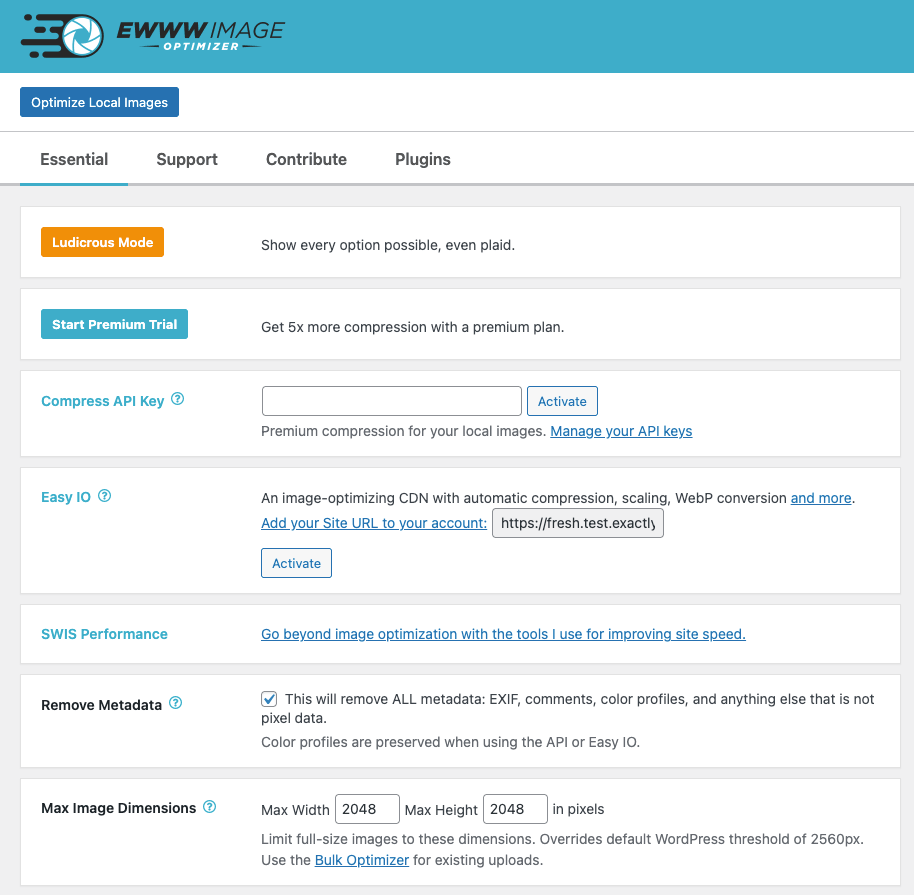
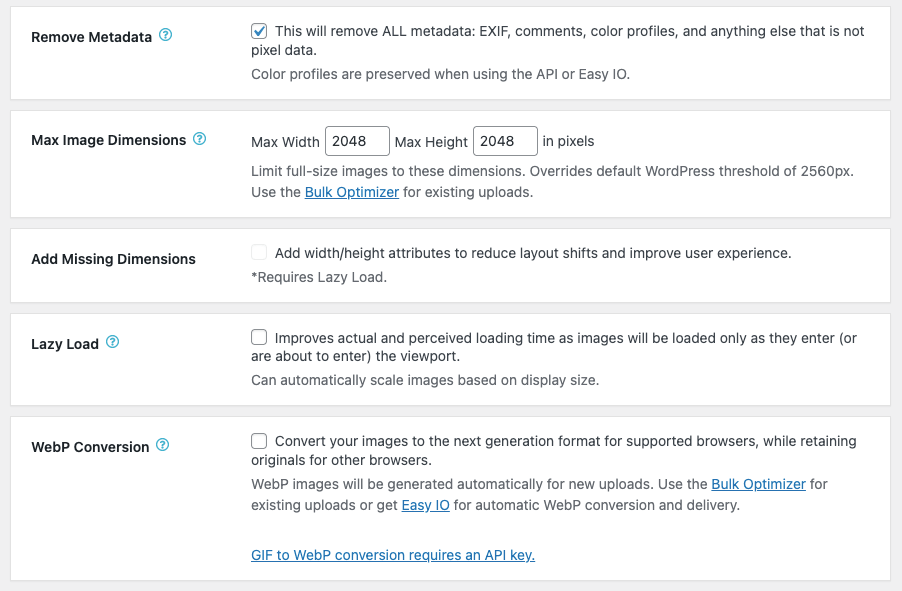
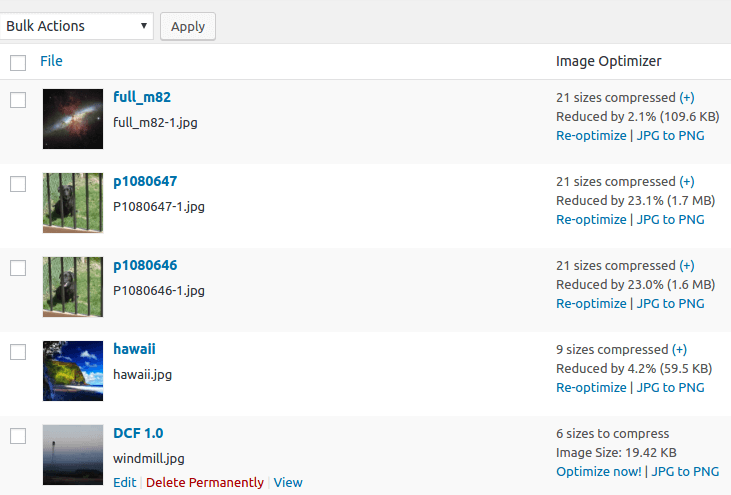
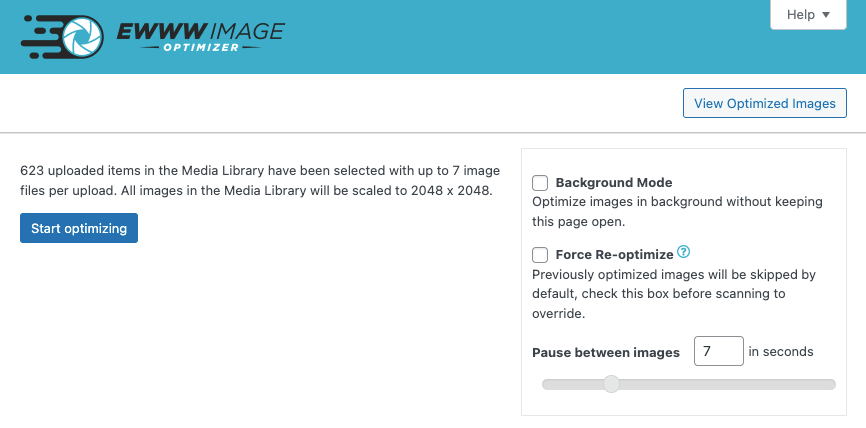
安裝方式
- 外掛會嘗試自動為你安裝 jpegtran、optipng 和 gifsicle。這需要執行網頁伺服器的使用者能夠寫入 wp-content 資料夾。
- 如果這些二進位檔無法在本機執行,你可以註冊使用雲端最佳化:https://ewww.io/plans/
- 前往設定頁面,為你的網站自訂外掛設定。
- 建議 啟用Easy IO CDN,及/或執行批次最佳化作業來壓縮現有圖片。
- 完成!
如果這些步驟無法解決問題,請參閱其他說明文件。如果你需要使用此外掛的進一步協助,請造訪我們的支援頁面。
網站主機
若要確認你的網頁主機是否支援 EWWW Image Optimizer,可以查看 官方清單。
常見問題集
-
此外掛會移除 EXIF 及/或 IPTC 中繼資料嗎?
-
EWWW Image Optimizer 預設會移除中繼資料,但如果你因著作權因素需要保留 EXIF/IPTC 資料,可以停用「移除中繼資料」選項。
EXIF 資料不會影響 SEO,而 Google(以及幾乎所有其他人)都建議移除 EXIF 資料。 -
Google PageSpeed 顯示我的圖片需要壓縮或調整大小,但我已經最佳化所有圖片了。我該怎麼辦?
-
你可以先試試這個:https://docs.ewww.io/article/5-pagespeed-says-my-images-need-more-work
-
外掛提示缺少某些項目,我該怎麼辦?
-
本文將逐步說明如何安裝必要工具(以及安裝失敗時的替代方案):https://docs.ewww.io/article/6-the-plugin-says-i-m-missing-something
-
此外掛會取代現有圖片嗎?
-
是,但只有在最佳化後的版本較小時才會取代。外掛絕對不應建立更大的圖片。
-
我可以降低 JPG 的壓縮設定,以節省更多空間嗎?
-
我們的 Premium 壓縮功能可以判斷理想的品質設定並提供最佳結果,但你也可以調整轉換與調整大小時使用的預設品質。閱讀更多…
-
批次最佳化工具似乎沒有正常運作,我可以怎麼辦?
-
如需完整的疑難排解說明,請參閱https://docs.ewww.io/article/39-bulk-optimizer-failure。
-
支援哪些作業系統?
-
使用本機伺服器壓縮的免費模式支援 Windows、Linux、MacOS 與 FreeBSD。Compress API 和 Easy IO CDN 可在任何作業系統上運作。
-
我想進一步了解圖片最佳化,以及應該選擇哪些選項。
-
這不是一個疑問,但既然是我自己提出的,就由我來回答。請參閱以下資源:
https://ewww.io/2026/01/12/ewww-whose-images-are-those/
使用者評論


參與者及開發者

變更記錄
- Feature requests can be viewed and submitted on our feedback portal
- If you would like to help translate this plugin in your language, join the team
8.9.0
Release Date – October 13, 2026
- added: option to disable resizing via maximum dimensions on media uploader and in post editor
- fixed: regression in Easy IO handling of style attributes causes HTML entities to be double-encoded
- fixed: PNG metadata not removed when using local optipng
- fixed: images with fetchpriority=”high” do not get skipped by Lazy Load when Picture WebP delivery is enabled
- fixed: duplicate WebP delivery checks run on settings page
- fixed: race condition with some LiteSpeed servers causes incorrect WebP test image to display
- fixed: images too small for thumbnails failed to optimize automatically on upload
- security: yet more hardening against stored XSS attacks, thanks to WPScan for reporting
8.8.0
Release Date – September 24, 2026
- added: quality setting for Premium compression, Premium Plus removed/migrated to quality 77
- fixed: fatal error when fetching remote images via WP Offload Media due to strict type casting
- fixed: multisite file modification outside upload directory
- security: PHP object injection, reported by Karthik Ramakrishnan
- security: further hardening of stored XSS fix, reported by Charles Vosburgh and Intrudify
- security: prevent reflected XSS
8.7.7
Release Date – September 1, 2026
- fixed: LQIP/DCIP inputs not available immediately after Easy IO activation
- security: ensure all CDN image URLs are properly escaped to prevent XSS
8.7.6
Release Date – August 20, 2026
- added: option to disable client-side media processing in WP 7.1, mostly for animated GIF images and indexed (palette) PNG images
- fixed: compatibility with client-side media processing in WP 7.1
- fixed: Easy IO modifies URLs in REST API endpoints used by media uploader in WP 7.1
- fixed: WebP conversion via Imagick throws fatal error when source file goes missing
- fixed: PNG to JPG conversion via API sometimes results in black background for 8-bit images
- fixed: Auto-scaling sometimes makes images too large (or too small) when CSS width is set to
auto
8.7.5
Release Date – August 5, 2026
- improved: use WP file access functions wherever possible
- fixed: PHP notices in BuddyPress/BuddyBoss compatibility functions
- removed: PNG to JPG auto-convert for large PNG images
8.7.4
Release Date – July 16, 2026
- security: prevent authenticated XSS
8.7.3
Release Date – July 9, 2026
- added: ewww_image_optimizer_cloud_based_media filter for cloud-based storage plugins to integrate with optimization processes
8.7.2
Release Date – June 10, 2026
- changed: re-test mechanism for background optimization only runs on settings, and improved error reporting for re-testing
- fixed: cross-site image collisions in remote_push/remote_fetch on multisite with S3 Offload plugin, props @earthlingdavey
- fixed: bulk JS enqueued twice
8.7.1
Release Date – June 4, 2026
- fixed: JS/CSS URLs created by WP Rocket are not delivered via Easy IO CDN
- fixed: docs/help links for Image Detective and Max Image Dimensions
- fixed: search during bulk optimization does not pause table updates
8.7.0
Release Date – May 21, 2026
- changed: Linux binaries are now 64-bit for better compatibility with modern servers
- fixed: Image Detective uses incorrect dimensions for auto-sized srcset images
- fixed: size detection for images using native lazy load
- fixed: PHP error adding global Lazy Load exclusion with Image Detective
- updated: jpegtran to version 10
- updated: optipng to version 7.9.1
- updated: gifsicle to version 1.96
- updated: pngquant to version 3.0.4
- updated: cwebp to version 1.6.0
8.6.0
Release Date – May 14, 2026
- added: LCP image detection helper, along with improved UI for Resize Detection which has been renamed to Image Detective
- added: ability to exclude LCP image from Lazy Load
- added: filters for plugins that offload media to cloud storage to integrate with S3 detection for JS/Picture WebP and Lazy Load, props @alessandrocarrera
- changed: Lazy Load and Easy IO scaling thresholds reduced for improved auto-scaling
- fixed: performance regression when Lazy Load checks parent elements for skip-lazy exceptions
- fixed: new uploads checked twice for optimization when Image Regenerate & Select Crop plugin is active
- fixed: incorrect WebP URLs shown in Media Library when naming mode is empty, usually when media is offloaded
- fixed: some front-end options not autoloaded
- fixed: AVIF images rewritten in Force WebP mode
8.5.0
Release Date – April 1, 2026
- changed: foreground/background bulk optimizers merged into common interface on both Settings and Bulk Optimizer pages
- added: option to choose Background or Foreground mode during bulk optimization
- added: Choose whether to include Additional Folders like the theme or other configured folders during bulk optimization
- fixed: some strings in bulk interface not able to be translated properly for RTL locales
- fixed: NextGEN bulk optimizer missing from menu with NextGEN 4.x
- fixed: when media is offloaded, background optimization leaves local copies behind in some rare cases
- fixed: existing images with missing thumbs/sizes do not get properly offloaded by WP Offload Media after bulk optimization
- fixed: list of pending images for bulk optimization sorted incorrectly
- deprecated: direct support for GRAND FlaGallery will be removed soon, use Folders to Optimize setting instead
- deprecated: direct support for NextCellent Gallery will be removed soon, use Folders to Optimize setting instead
8.4.1
Release Date – February 19, 2026
- fixed: PHP warnings with offloaded media in the Media Library
- fixed: WebP naming mode unable to be changed on Cloudflare sites
- fixed: incorrect WebP paths generated for images in root of S3 buckets (S3 Image Optimizer compat)
- fixed: JS/Picture WebP uses incorrect URLs after naming mode is changed and existing .webp files have not been renamed
8.4.0
Release Date – February 11, 2026
- added: ability to choose append or replace for naming of WebP images, props @adamewww
- added: detection for GoDaddy managed WP hosting
- improved: WebP renaming tool for converting from replacement naming to append and vice versa
- fixed: WebP deletion tool does not update database records, props @adamewww
- fixed: Lazy Load setting does not detect presence of Easy IO plugin
- fixed: Easy IO domain not reset after site URL is updated
- fixed: PHP warnings and notices
8.3.1
Release Date – December 4, 2025
- changed: prevent use of deprecated seems_utf8() function on WP 6.9+
- fixed: Lazy Load auto-sizing makes images too small when screen size changes
- fixed: failure to decode CSS background images contained in encoded quotes (‘)
8.3.0
Release Date – November 19, 2025
- added: Lazy Load support for background images in external CSS files
- added: View CDN bandwidth usage on settings page
- changed: Lazy Load checks parent element for skip-lazy class
- changed: Lazy Load auto-sizing honors High DPI setting
- changed: Easy IO fills in 450px wide image when responsive (srcset) images have a gap
- changed: Easy IO premium setting moved to zone configuration at https://ewww.io/manage-sites/
- improved: Lazy Load performance when searching for img elements
- improved: Lazy Load placeholder generation is faster and works better with Safari
- fixed: Lazy Load for iframes breaks WP Remote Users Sync plugin
- fixed: PHP warning when attempting conversion of custom thumbnails from certain themes
8.2.1
Release Date – August 27, 2025
- added: filters for cloud storage plugin integration
- fixed: Easy IO misses some preload links
- fixed: PHP error when API quota is exhausted during single image optimization
8.2.0
Release Date – July 15, 2025
- added: JS WebP support for HTML elements/tags added via eio_allowed_background_image_elements filter
- added: Easy IO support for dynamic cropping (crop=1) on WordPress.com sites
- changed: use native ImageMagick methods to detect, and correct, paletted PNG thumbnails
- changed: use authoritative classmap via composer to speed up autoloader, props @nlemoine
- changed: streamlined admin notices
- fixed: indexed PNG thumbnails with 8-bit alpha are distorted by quantization
- fixed: PHP warnings related to HTML parsing
- fixed: missing ImageMagick information on Site Health screen
- fixed: PHP warnings when link URLs contain special regex characters
Earlier versions
Please refer to the separate changelog.txt file.