

外掛說明
Empex CAPTCHA for Cloudflare Turnstile adds invisible, privacy-friendly bot protection to every form on your WordPress site using Cloudflare Turnstile. No puzzles. No friction. No CAPTCHAs.
Supported Forms
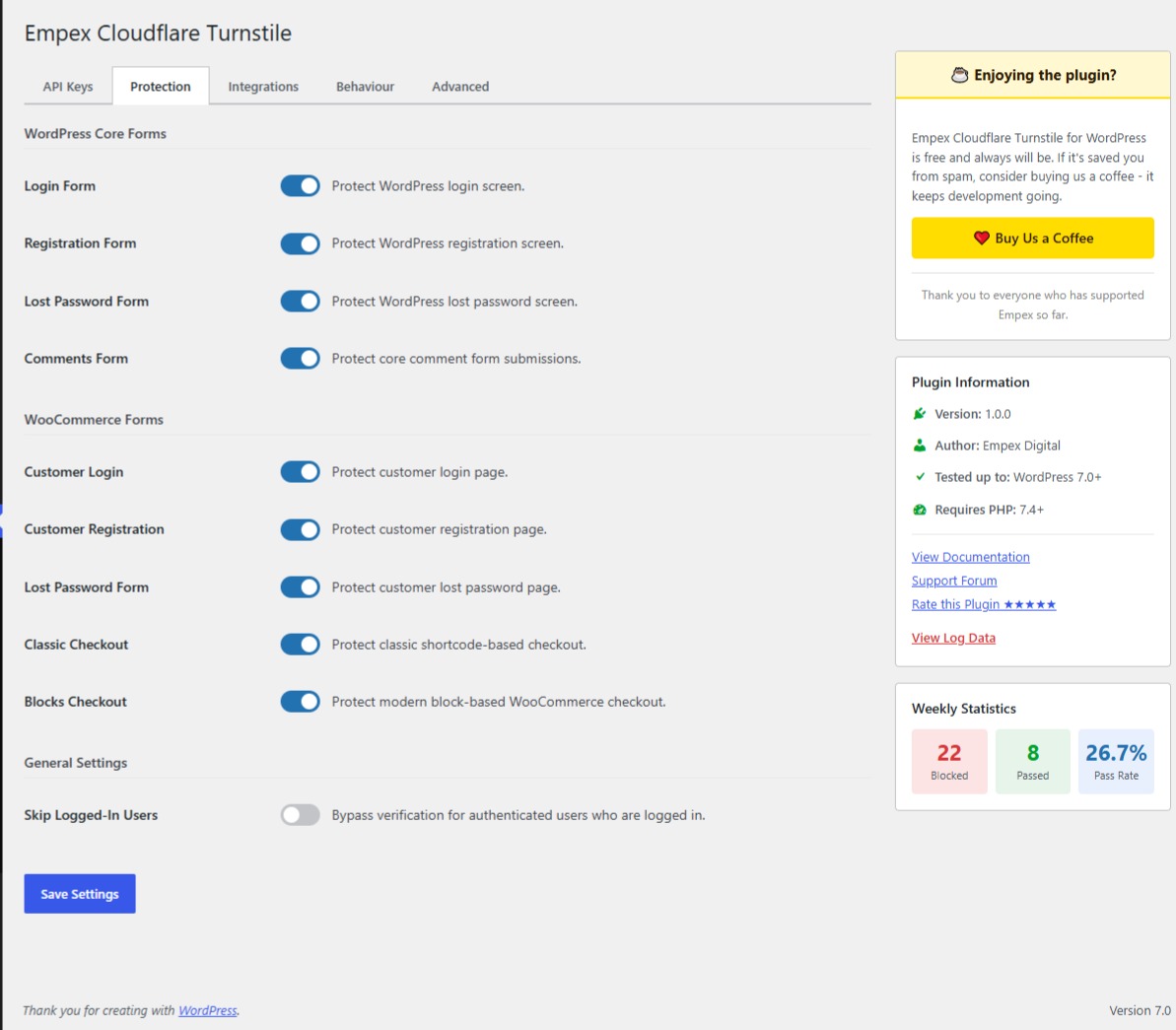
- WordPress Core — Login, Registration, Password Reset, Comments
- WooCommerce — Classic Checkout, Blocks Checkout, My Account (Login, Register, Lost Password)
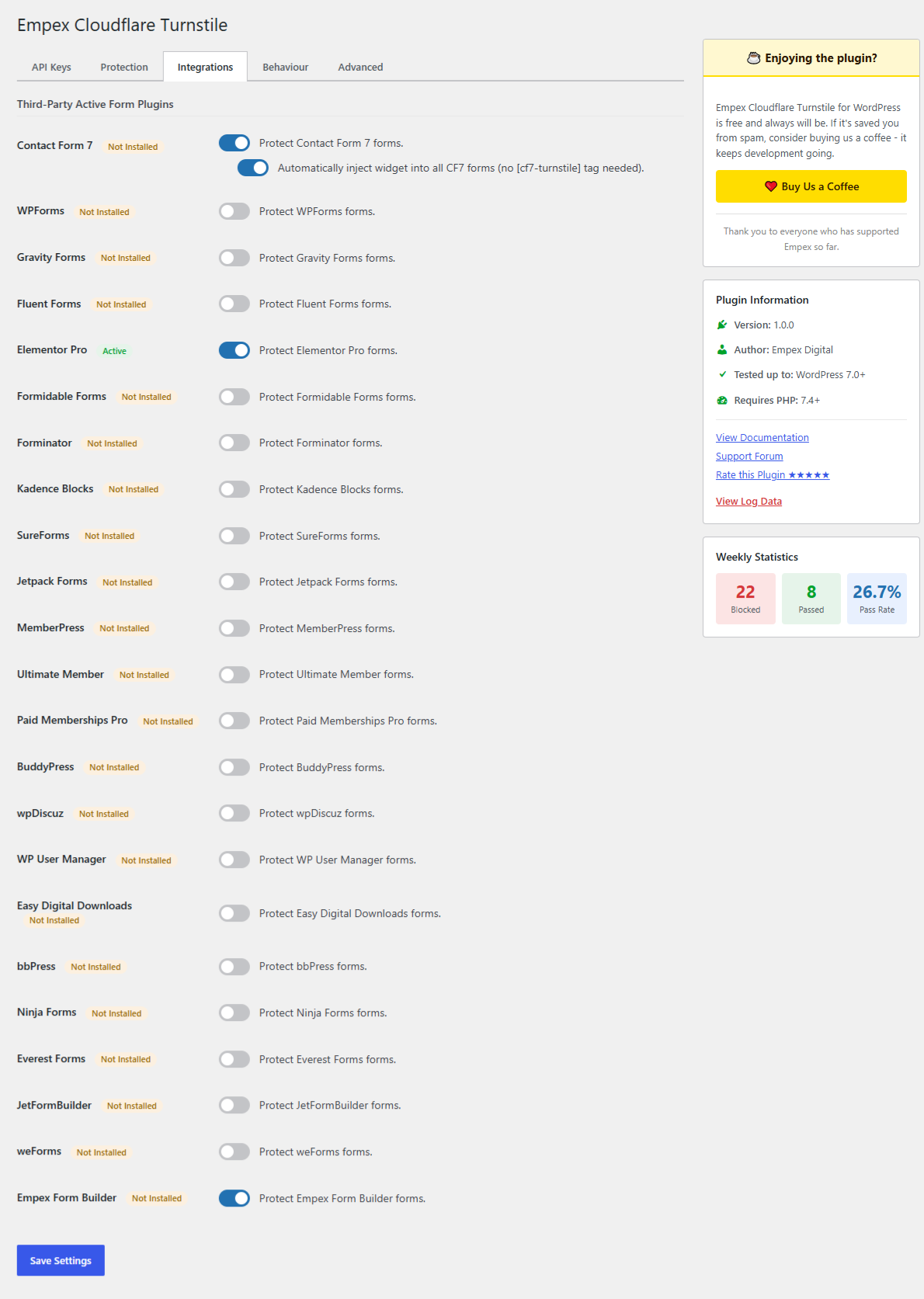
- Contact Form 7 — Automatic or manual widget injection
- WPForms (Lite & Pro)
- Gravity Forms
- Fluent Forms
- Elementor Pro — Inline forms and popups
- Formidable Forms
- Forminator
- Kadence Forms
- SureForms
- Jetpack Forms
- MemberPress — Registration, Login
- Ultimate Member — Register, Login, Profile
- Paid Memberships Pro — Checkout, Login
- BuddyPress — Registration
- wpDiscuz — Comments
- WP User Manager — Register, Login, Password Reset
- Easy Digital Downloads — Checkout
Key Features
- 🔒 Invisible protection — legitimate users never see a challenge
- ⚡ One-click setup — enter your Cloudflare keys, enable forms, done
- 🛡️ Token replay prevention — server-side one-time-use enforcement
- 🔄 AJAX-safe — tokens refresh automatically after failed submissions
- 📊 Logging dashboard — see blocked attempts, pass rates, form-level stats
- 🌐 Multisite compatible — network or per-site activation
- 🧩 Developer-friendly — filters, shortcode, extensible integration base
- ♿ Accessible — WCAG 2.1 AA on admin screens, ARIA labels on widgets
How It Works
- Install and activate the plugin
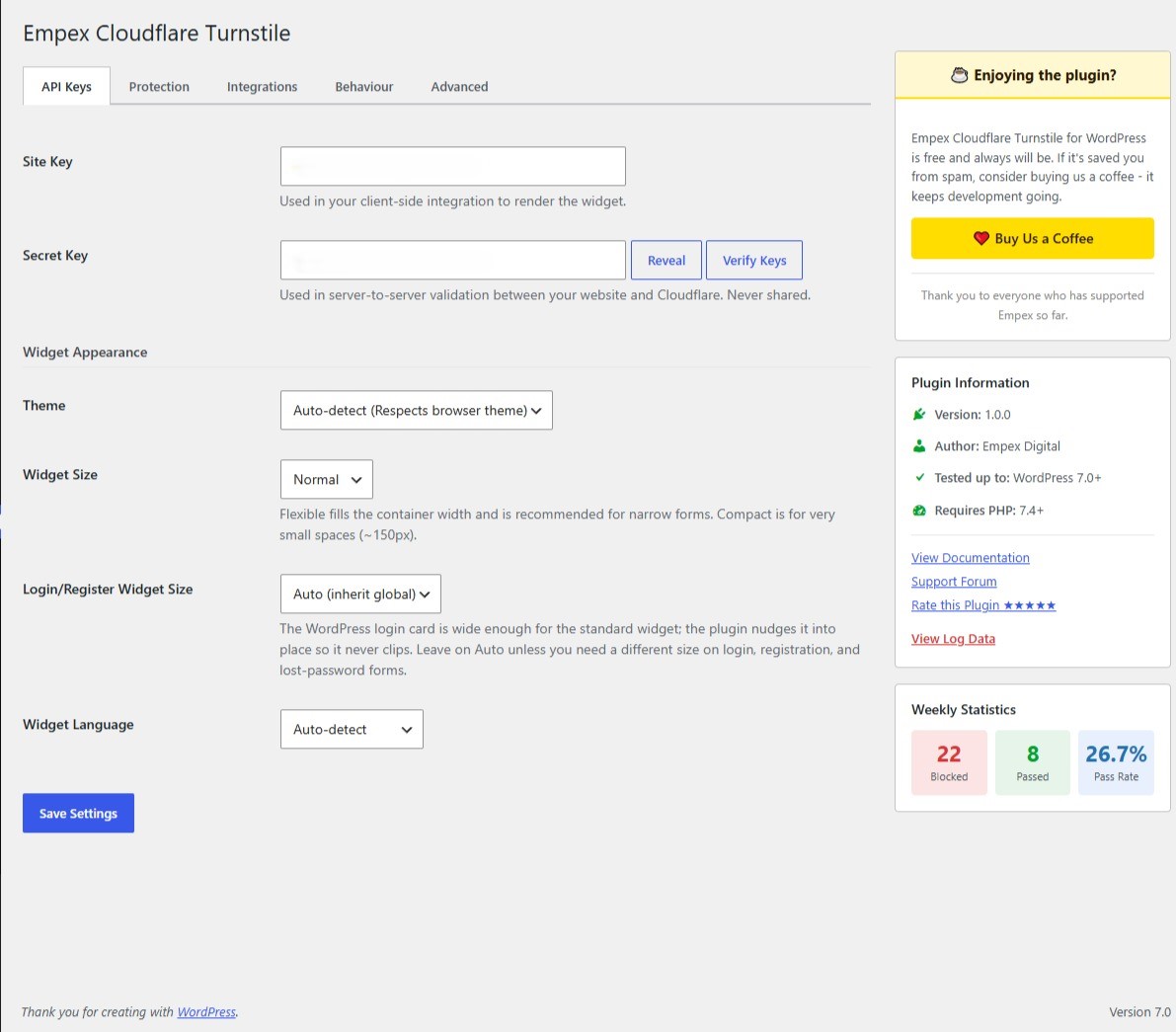
- Enter your Cloudflare Turnstile Site Key and Secret Key
- Toggle which forms to protect
- That’s it — bots are blocked, real users pass through invisibly
External Service
This plugin connects to the Cloudflare Turnstile service to verify form submissions:
- Cloudflare Turnstile API:
https://challenges.cloudflare.com/turnstile/v0/siteverify - Cloudflare Turnstile JavaScript:
https://challenges.cloudflare.com/turnstile/v0/api.js
When a user submits a form, their browser interaction data, IP address, and browser fingerprint are sent to Cloudflare for verification. This is required for the plugin to function.
The plugin itself does not store personal data by default. IP address logging is opt-in and must be explicitly enabled in Settings.
螢幕擷圖
安裝方式
- Upload the
empex-cloudflare-turnstilefolder to/wp-content/plugins/, or install directly from the WordPress plugin directory. - Activate the plugin through the Plugins menu in WordPress.
- Go to Settings Empex Cloudflare Turnstile.
- Enter your Cloudflare Turnstile Site Key and Secret Key (get them from the Cloudflare Dashboard).
- Click Verify & Save to confirm your keys work.
- Enable protection on the forms you want to protect.
Recommended: Define Keys in wp-config.php
For production sites, define your keys as constants in wp-config.php to prevent exposure via the database:
define( 'EMPEX_CT_SITE_KEY', 'your-site-key-here' );
define( 'EMPEX_CT_SECRET_KEY', 'your-secret-key-here' );
常見問題集
-
Do I need a Cloudflare account?
-
Yes. You need a free Cloudflare account to obtain Turnstile API keys. Turnstile itself is free for unlimited use.
-
Will this slow down my site?
-
No. The Cloudflare Turnstile script is loaded asynchronously and only on pages with protected forms. The plugin adds less than 5ms to server-side processing.
-
What happens if Cloudflare is down?
-
You can configure “Soft-Fail” mode in Settings Behaviour. In soft-fail mode, form submissions are allowed through (and logged) when Cloudflare is unreachable. In block mode (default), submissions are rejected.
-
Does this work with page caching?
-
Yes. The Turnstile widget renders fresh on each page visit regardless of HTML caching. We recommend excluding
/wp-admin/admin-ajax.php?action=empex_*from your cache rules. -
What if JavaScript is disabled?
-
The widget won’t render and no token will be generated. The server treats this as a missing token and applies your configured fail mode (block or soft-fail).
-
Is this GDPR compliant?
-
The plugin itself collects no personal data by default. Cloudflare Turnstile is documented as GDPR-compliant by Cloudflare. IP address logging in the plugin is opt-in. See our privacy policy suggestion in Settings Privacy.
-
Can I use this with custom forms?
-
Yes. Use the
[empex_ct_turnstile]shortcode to add a widget to any form. Developers can verify tokens server-side using theempex_ct_verify_shortcodefilter. -
Does it support multisite?
-
Yes. The plugin supports both network-wide and per-site activation. Settings are stored per-site.
使用者評論
這個外掛目前沒有任何使用者評論。
參與者及開發者

變更記錄
1.0.0
- Initial release
- Core WordPress form protection: Login, Registration, Password Reset, Comments
- WooCommerce integration: Classic Checkout, Blocks Checkout, Account forms
- Contact Form 7, WPForms, Gravity Forms, Fluent Forms, Elementor Pro support
- MemberPress, Ultimate Member, Paid Memberships Pro, BuddyPress, wpDiscuz support
- Easy Digital Downloads, Formidable, Forminator, Kadence, SureForms, Jetpack Forms
- Ninja Forms, Everest Forms, JetFormBuilder, weForms, Empex Form Builder support
- Admin settings with first-run onboarding wizard
- Clean widget fit on narrow login/register/lost-password forms (standard widget seated inside the login card)
- Token replay prevention with SHA-256 transients
- Rate limiting (configurable per IP) including failed attempts
- AES-256-GCM secret key encryption
- Event logging with retention and row cap
- Block and soft-fail modes
- Competing Turnstile plugin conflict detection
- Shortcode: [empex_ct_turnstile]
- WCAG 2.1 AA accessible admin UI
- Full multisite support
- Privacy policy integration
- PHPUnit test suite