
外掛說明
Custom API Creator is a powerful WordPress plugin that allows developers and site owners to create custom REST API endpoints with ease. This plugin bridges the gap between your WordPress content and custom applications, enabling you to expose your data in a flexible, secure, and organized manner.
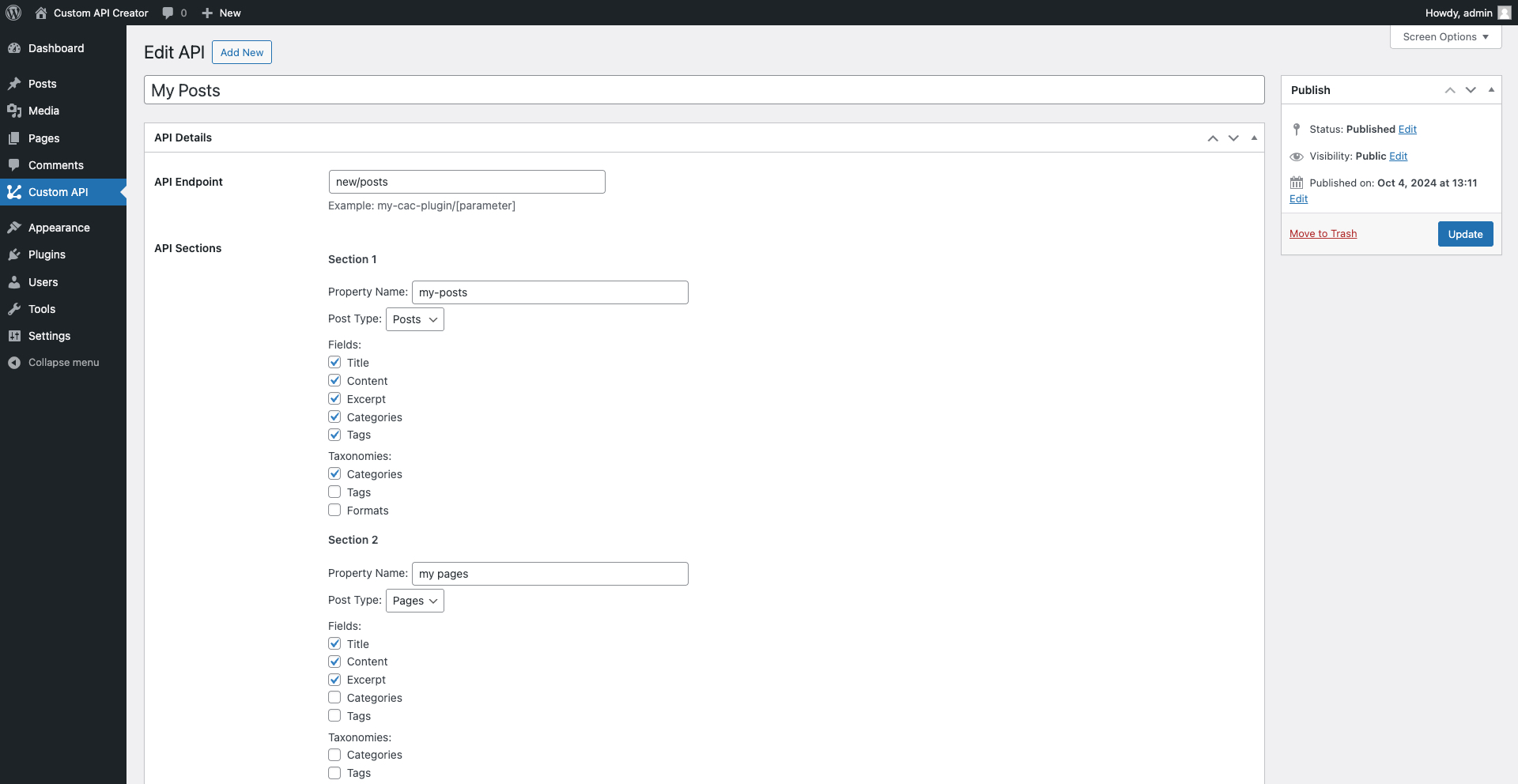
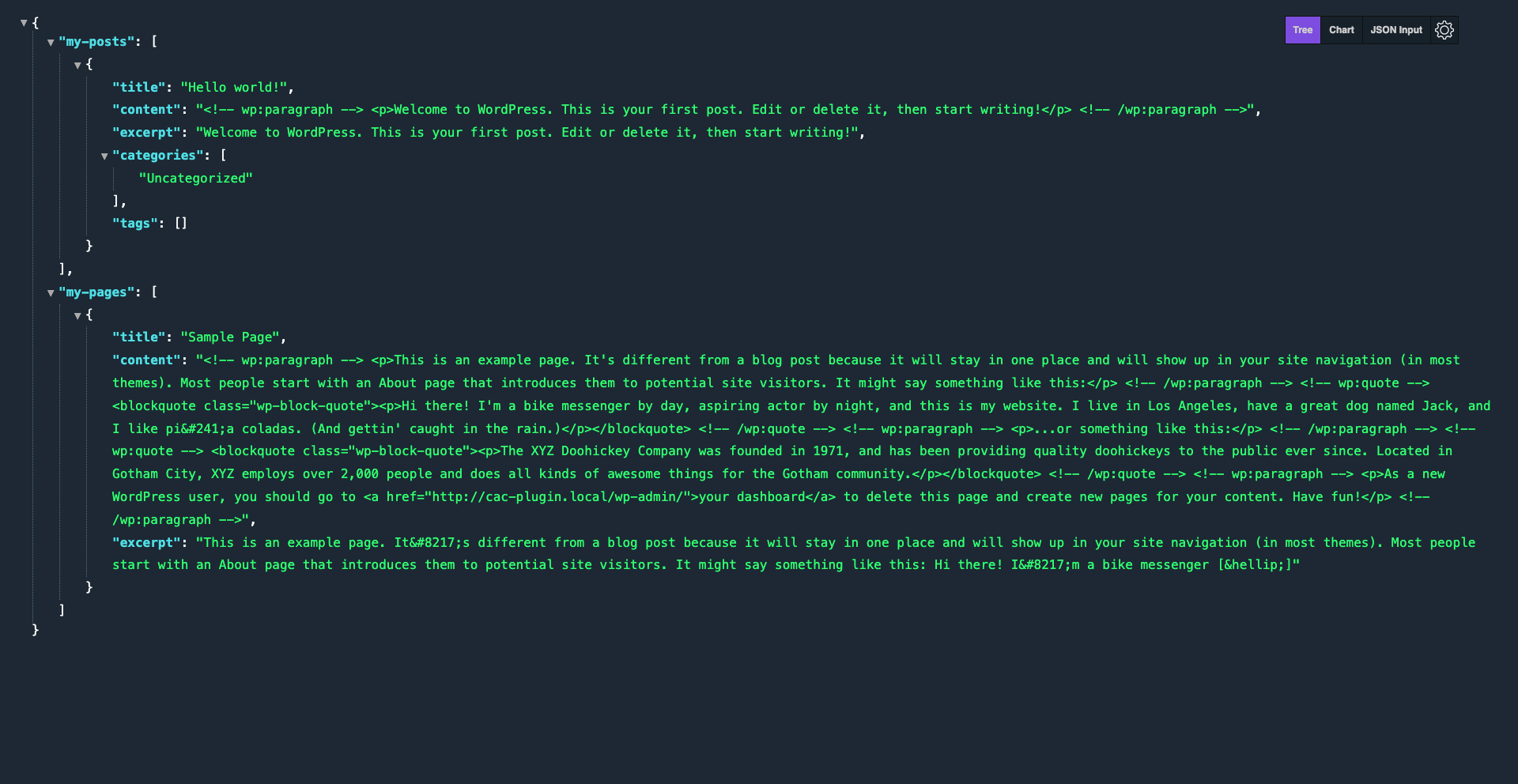
With Custom API Creator, you can define multiple API endpoints, each with its own set of data sections. Choose which post types and fields to include, control access with user role restrictions, and customize the structure of your API responses. Whether you’re building a mobile app, integrating with a third-party service, or creating a headless WordPress setup, Custom API Creator provides the tools you need to shape your data output.
Translation :
To contribute in translating this plugin please visit: WordPress Translation Repository
螢幕擷圖
安裝方式
- Upload the plugin files to the
/wp-content/plugins/custom-api-creatordirectory, or install the plugin through the WordPress plugins screen directly. - Activate the plugin through the ‘Plugins’ screen in WordPress.
常見問題集
-
How do I create a new custom API endpoint?
-
-
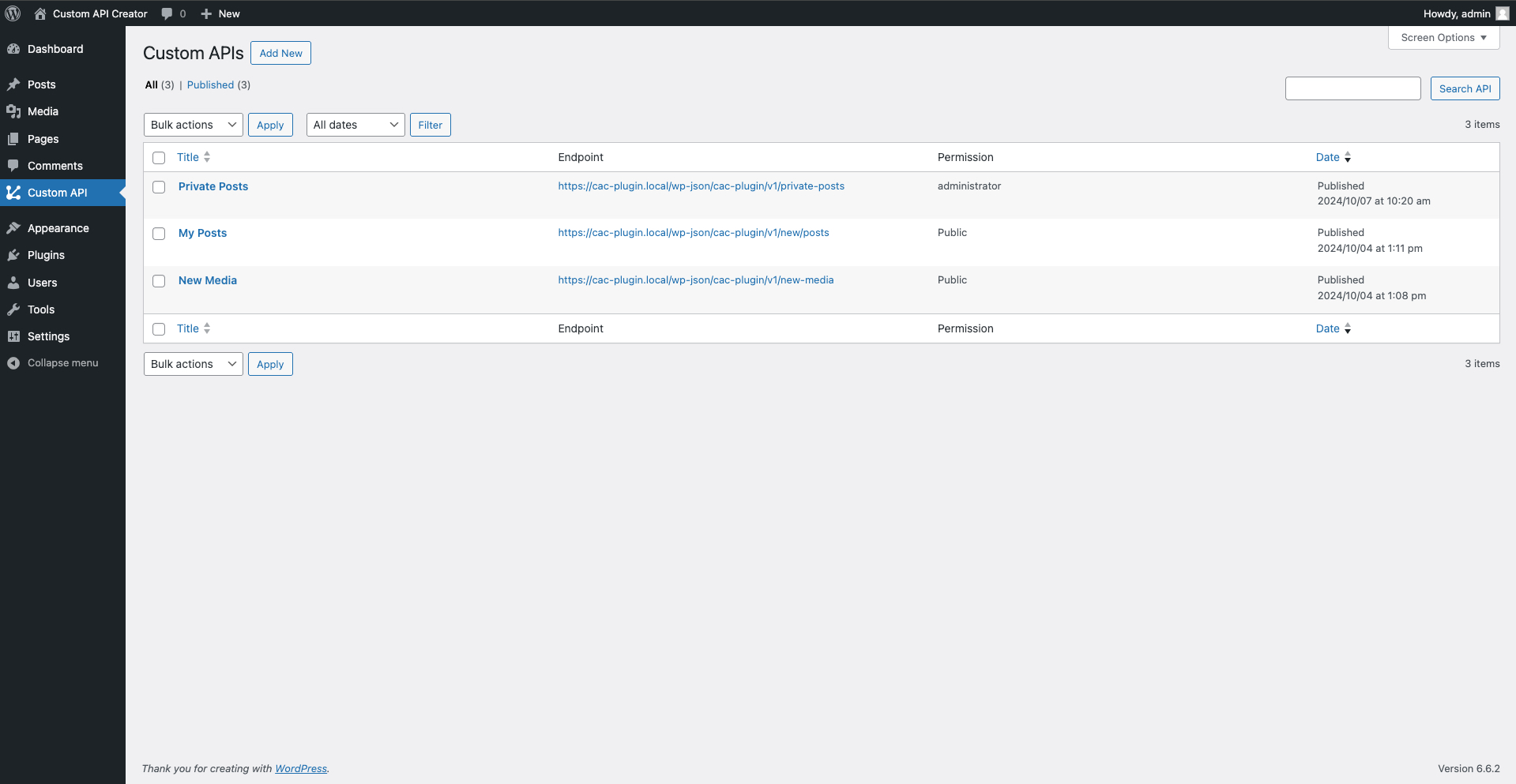
- In your WordPress admin panel, go to “Custom API Creator” in the main menu.
-
- Click “Add New” to create a new API endpoint.
-
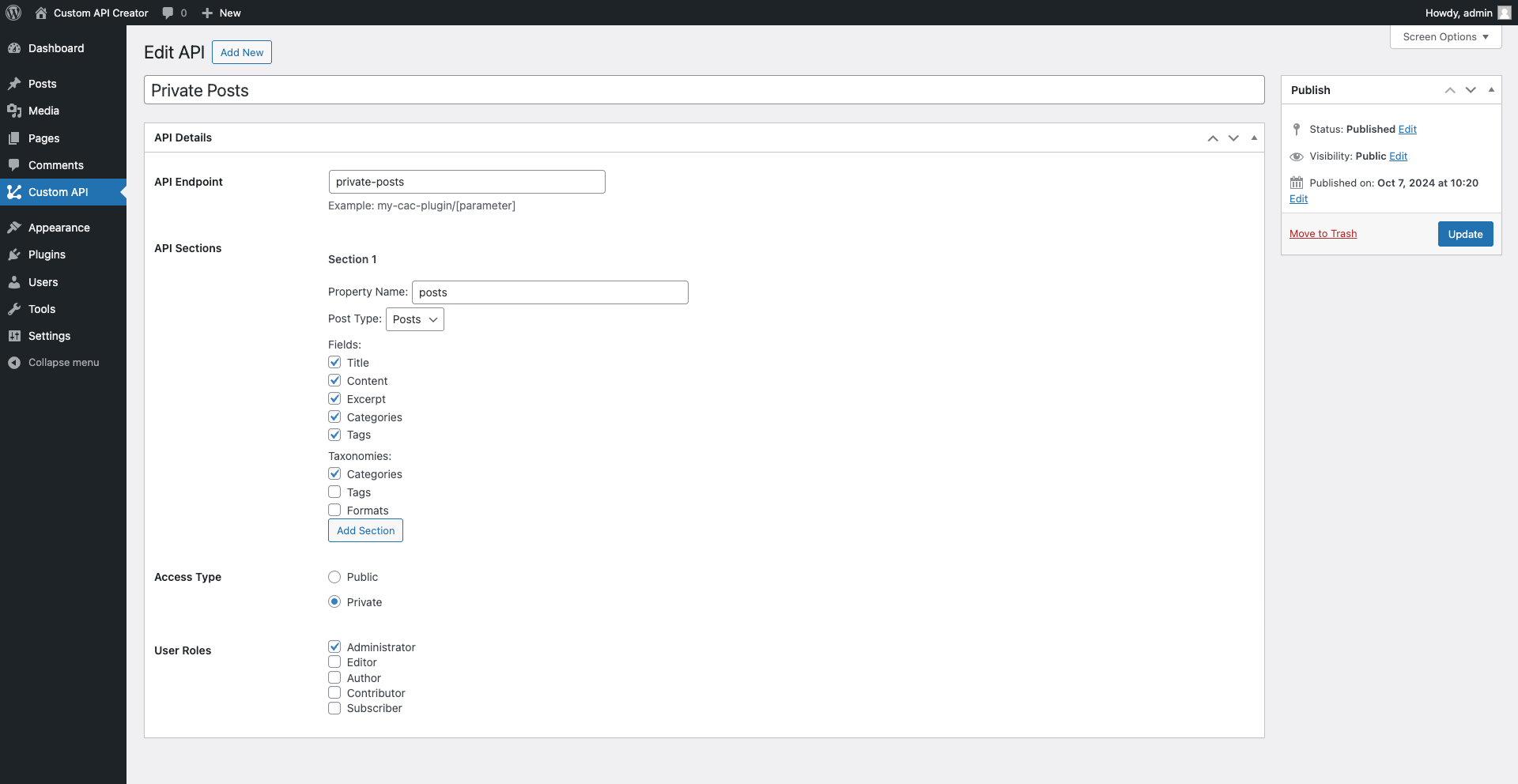
- Set your desired endpoint URL, add data sections, choose post types and fields, and set access permissions.
-
- Publish your API, and it’s ready to use!
-
-
Can I include custom post types in my API?
-
- Yes! Custom API Creator works with any public post type, including custom post types created by other plugins or themes.
-
How do I restrict access to my API?
-
- When creating or editing an API, you can choose between public access or restricted access. If you select restricted access, you can then specify which user roles are allowed to access the API.
-
Can I include custom fields in my API response?
-
- The current version focuses on core WordPress fields (title, content, excerpt) and taxonomies. Support for custom fields is planned for a future update
-
How do I use parameters in my API endpoint?
-
- You can include parameters in your endpoint URL using square brackets, like this:
my-api/[parameter]. These parameters can then be used to filter your API results.
- You can include parameters in your endpoint URL using square brackets, like this:
-
Is this plugin compatible with caching plugins?
-
- Yes, Custom API Creator is compatible with most caching plugins. However, for dynamic APIs that change frequently, you may need to configure your caching plugin to exclude your API endpoints.
-
Can I modify the JSON structure of the API response?
-
- The plugin provides a standardized JSON structure based on your configured sections and fields. For advanced customization of the JSON structure, you may need to use WordPress filters to modify the response.
-
Is Custom API Creator compatible with WordPress multisite?
-
- Yes, Custom API Creator is fully compatible with WordPress multisite installations.
-
How can I debug if my API is not working as expected?
-
- Check your endpoint URL, ensure your access settings are correct, and verify that your selected post types have published content. You can also check your server’s error logs for any PHP errors.
-
Does this plugin support authentication for private APIs?
-
- Custom API Creator uses WordPress’s built-in authentication system. For restricted APIs, users must be logged in and have the appropriate role to access the API.
-
Can I use this plugin to create APIs for e-commerce data?
-
- While the plugin doesn’t have built-in e-commerce fields, you can use it with e-commerce post types. For deeper integration with specific e-commerce plugins, custom development may be required.
-
How often is the plugin updated?
-
- We strive to keep Custom API Creator up-to-date with the latest WordPress versions and security best practices. Updates are released as needed for bug fixes, security patches, and new features.
使用者評論
這個外掛目前沒有任何使用者評論。
