

外掛說明
CodePros Email Template Editor gives you full control over the transactional emails sent by WordPress and WooCommerce. Replace the default plain-text or basic HTML emails with pixel-perfect branded templates built in a visual drag-and-drop editor — no coding required.
Key features:
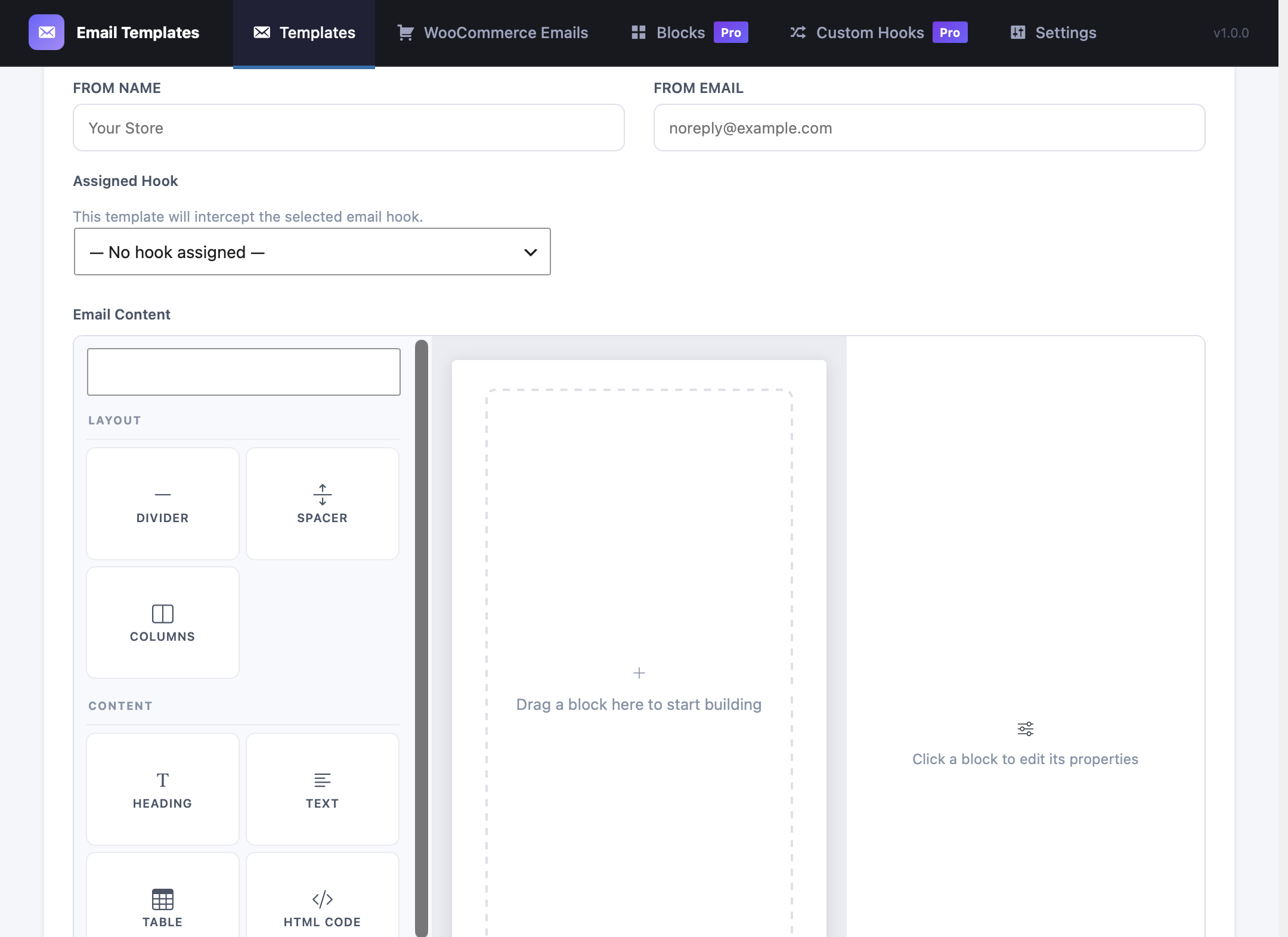
- Visual drag-and-drop email builder with blocks: heading, text, button, image, divider, spacer, columns, container, footer, and order items table.
- Assign templates to 8 WordPress core email types: new user registration (to user and admin), password changed notification, password reset, comment notification, comment moderation, email address change confirmation, and admin email change confirmation.
- Full WooCommerce transactional email support — all 16 WooCommerce email types covered.
- Per-template control over subject line, preheader text, From Name, and From Email address.
- Live preview with real variable data before sending.
- Send test emails directly from the admin.
- Dynamic variable system:
{{order_id}},{{customer_name}},{{order_items_table}}, and more — resolved at send time. - CSS inlining for maximum email client compatibility.
- WooCommerce email active/inactive toggle — instantly switch between the custom template and WooCommerce default per email type.
- Custom hook support (Pro) — intercept any email sent by third-party plugins.
- Reusable blocks (Pro) — save any block as a reusable snippet and insert it across multiple templates.
- Per-side padding controls on heading, text, image, and columns blocks for precise spacing.
- Container block for styled section wrappers with background color, border, and border radius.
- Footer block for branded email footers with copyright text and background styling.
Built with WordPress-native technology:
- React admin SPA using
@wordpress/scripts. - REST API backend (
eta/v1namespace). - Custom database table (not post meta) for reliable template storage.
- No external dependencies for core features — your email data stays on your server. (Pro license validation contacts the CodePros AI licensing server — see “External Services” below.)
External Services
This plugin’s core email-building functionality runs entirely on your own server. No data is transmitted to any third party during template creation, preview, or email sending.
The Pro license verification feature contacts an external API operated by CodePros AI (the plugin developer). This is the only external service this plugin uses.
Service: CodePros AI Licensing API
Endpoint: https://api.wp-plugins.codepros.ai
Operated by: CodePros AI
Terms of Service: https://codepros.ai/terms
Privacy Policy: https://codepros.ai/privacy
When data is transmitted and what is sent:
-
License Activation — triggered manually when you enter a license key and click “Activate” in the plugin’s License settings screen.
- Your license key (entered by you)
- Your site name (from WordPress Settings General Site Title)
- Your site URL (from WordPress Settings General WordPress Address)
-
License Deactivation — triggered manually when you click “Deactivate” in the License settings screen.
- Your license key
- The activation instance ID (a token assigned by the licensing server at activation time, stored in your database)
-
License Validation — triggered automatically in the background, at most once every 12 hours, but only when a license key is already stored and was previously active. No data is transmitted if no license key has ever been entered.
- Your license key
- The activation instance ID
No data is ever sent if you do not enter a license key. Free-tier users are completely unaffected.
The plugin stores the following license-related data in your WordPress database (wp_options table):
螢幕擷圖
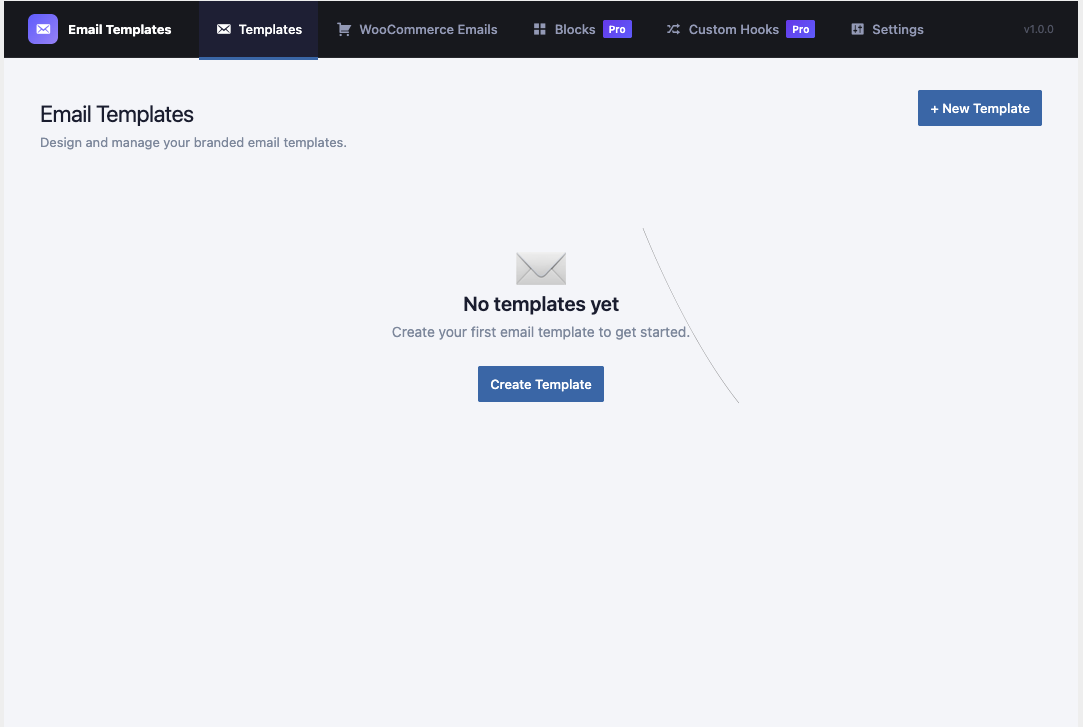
Visual drag-and-drop email builder with block types. 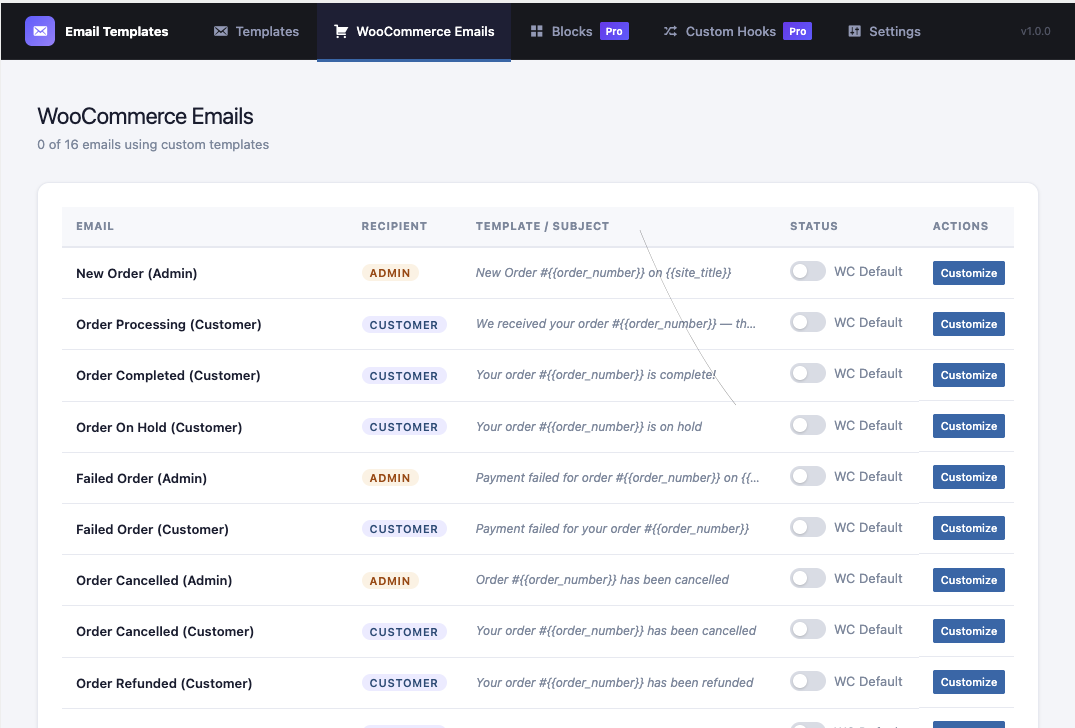
WooCommerce Emails management table with active/inactive toggle. 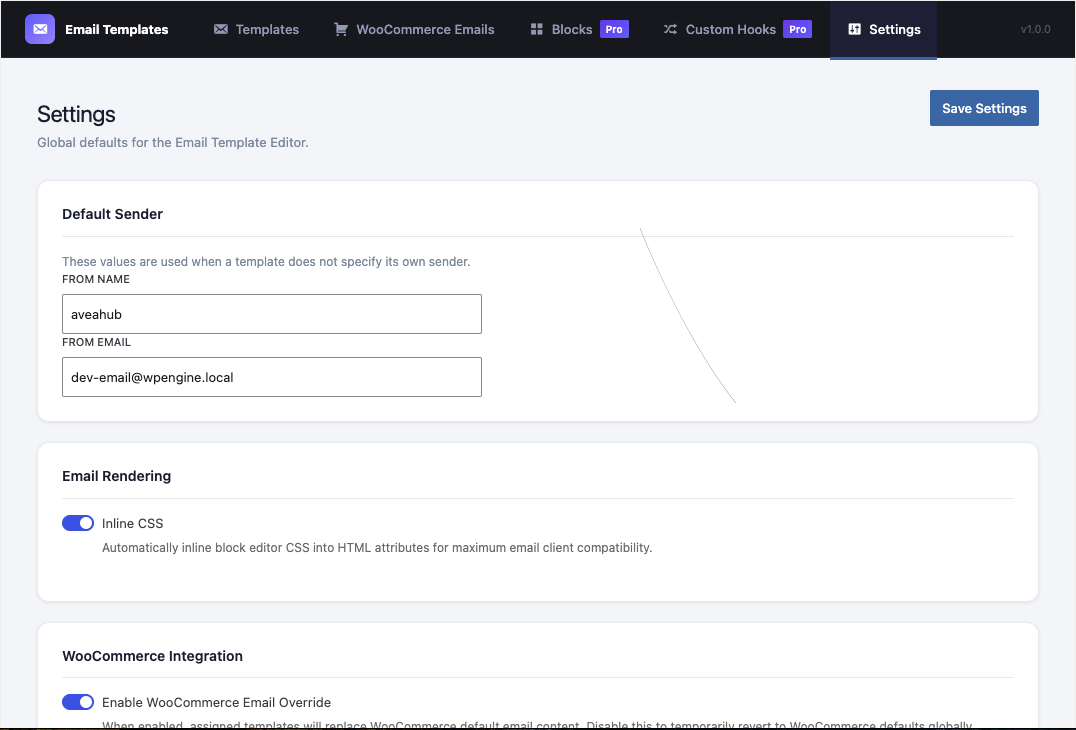
Template list with status, subject, and quick actions. 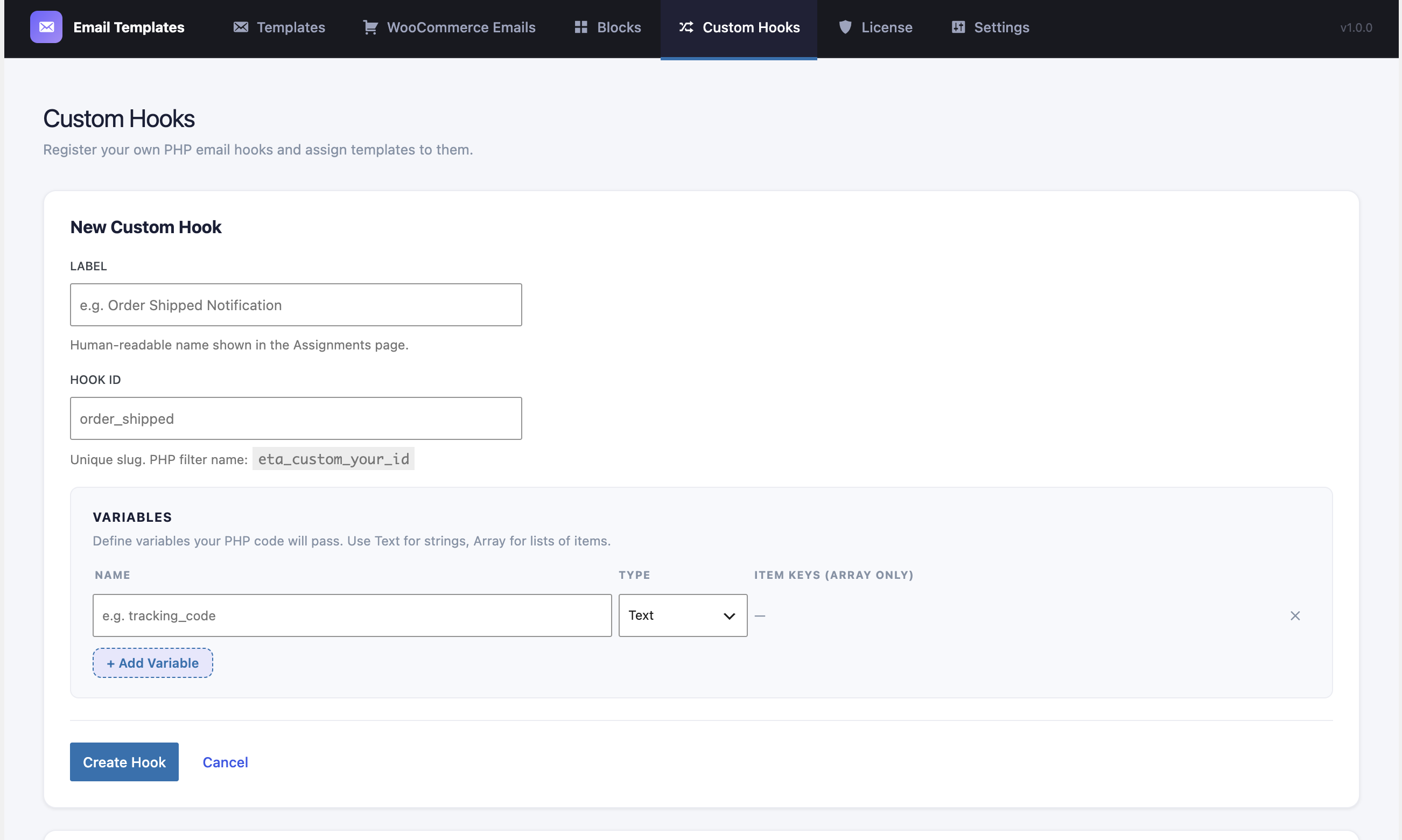
Hook assignment screen for connecting templates to email events. 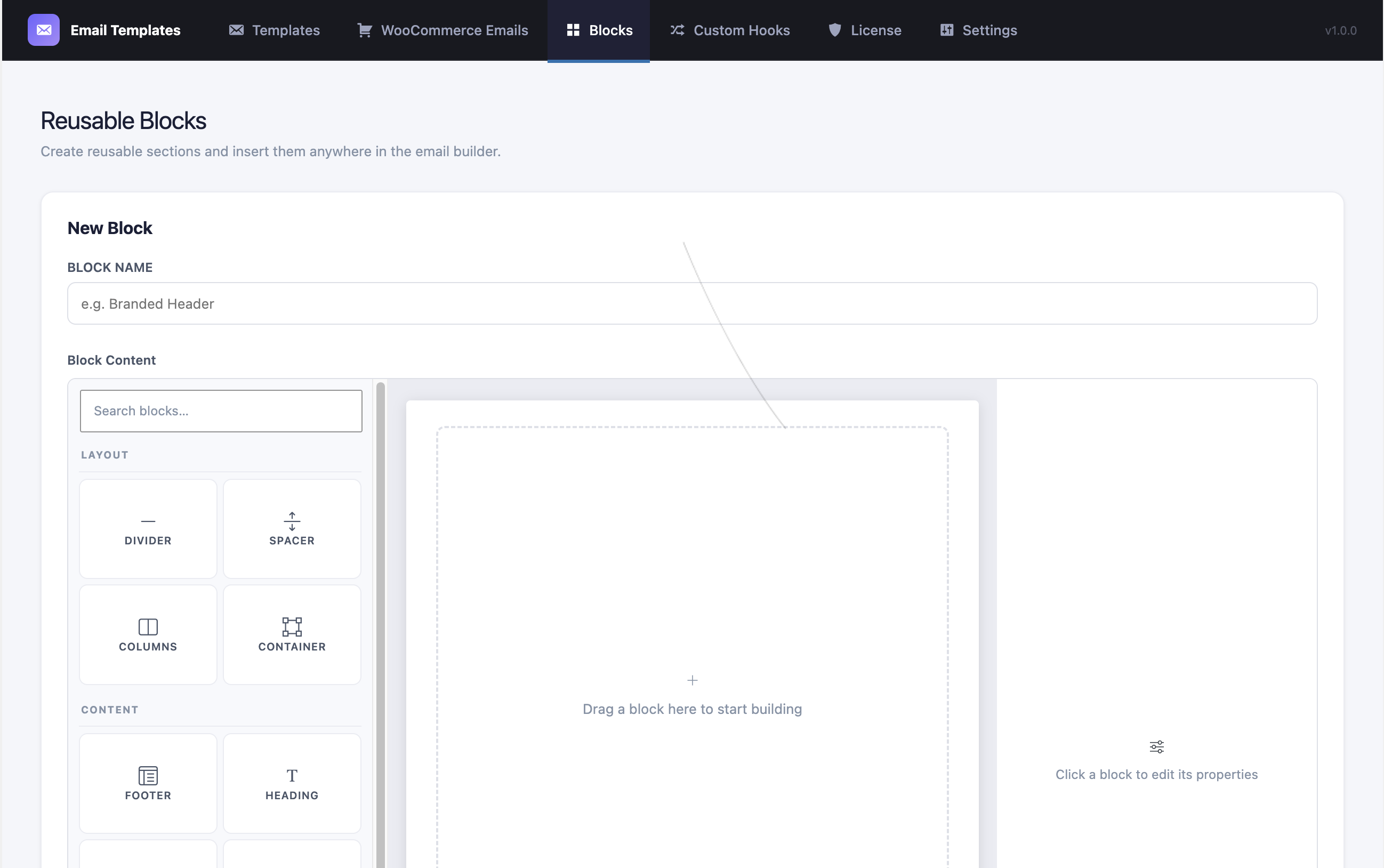
安裝方式
- Upload the
codepros-email-template-builderfolder to the/wp-content/plugins/directory, or install directly through the WordPress plugin screen. - Activate the plugin through the Plugins screen in WordPress.
- Navigate to Email Templates in the WordPress admin menu.
- Click New Template to create your first template using the visual builder.
- Go to the WooCommerce Emails or Hook Assignments tab to connect your template to an email hook.
常見問題集
-
Does this plugin work without WooCommerce?
-
Yes. The plugin works standalone for WordPress core emails (new user registration, password reset, email change confirmation). WooCommerce support is optional and activates automatically when WooCommerce is installed.
-
Will my existing WooCommerce emails still send if I deactivate a template?
-
Yes. Toggling a template to “inactive” immediately reverts that email type to the WooCommerce default without removing the assignment. You can re-activate at any time.
-
What Placeholders are available inside templates?
-
Available Placeholders depend on the email hook. Common Placeholders include
{{site_name}},{{site_url}},{{customer_name}},{{customer_email}},{{order_id}},{{order_total}},{{order_items_table}}, and more. The variable list is shown inside the builder for each assigned hook. -
Does the plugin send data to external servers?
-
All core email-building features operate entirely within your own WordPress installation — no data leaves your server during normal use.
The Pro license system is the only exception. When you enter and activate a Pro license key, the plugin communicates with the CodePros AI licensing server (
https://api.wp-plugins.codepros.ai) to verify your subscription. See the “External Services” section below for full details of exactly what is sent, when, and why. -
What PHP version is required?
-
PHP 7.4 or higher is required.
使用者評論
這個外掛目前沒有任何使用者評論。
參與者及開發者

變更記錄
1.0.0
- Initial release.
- Visual drag-and-drop email builder (heading, text, button, image, divider, spacer, columns, table blocks).
- WordPress core email hook support (new user, password reset, email change, comment awaiting moderation, email address change confirmation, and admin email change confirmation).
- Full WooCommerce transactional email support (16 email types).
- Per-template subject, preheader, From Name, From Email overrides.
- Live preview and send-test functionality.
- Granular capability system with 7
cpetb_*capabilities. - WooCommerce active/inactive toggle per email type.
- New block: Container — styled section wrapper with background color, padding, border, and border radius.
- New block: Footer — pre-styled email footer with text, background color, and alignment controls.
- Reusable blocks (Pro) — save any block as a reusable snippet and reuse it across templates.
- Per-side padding controls (top/right/bottom/left) for heading, text, image, and columns blocks.
- Background color control added to heading, text, and image blocks.
- Border radius control added to text block.
- License management UI — activate/deactivate Pro license from the admin License tab.
- License submenu added to the WordPress admin sidebar for quick access.
- CodePros AI license gating for WooCommerce Emails, Custom Hooks, and Reusable Blocks features.
- Pro blocks (Products, Posts) now show a PRO badge in the block palette when unlicensed; clicking redirects to the License page.
- Custom Hooks and Reusable Blocks LicenseGate screens now display both Activate and Purchase License buttons.
- Updated empty state icons for Reusable Blocks and Custom Hooks sections.