
外掛說明
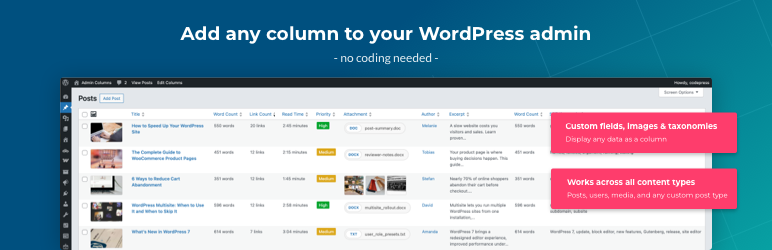
Admin Columns 可讓您自訂及整理 WordPress 管理後台清單表格中顯示的文章、頁面、使用者、留言及媒體欄位。
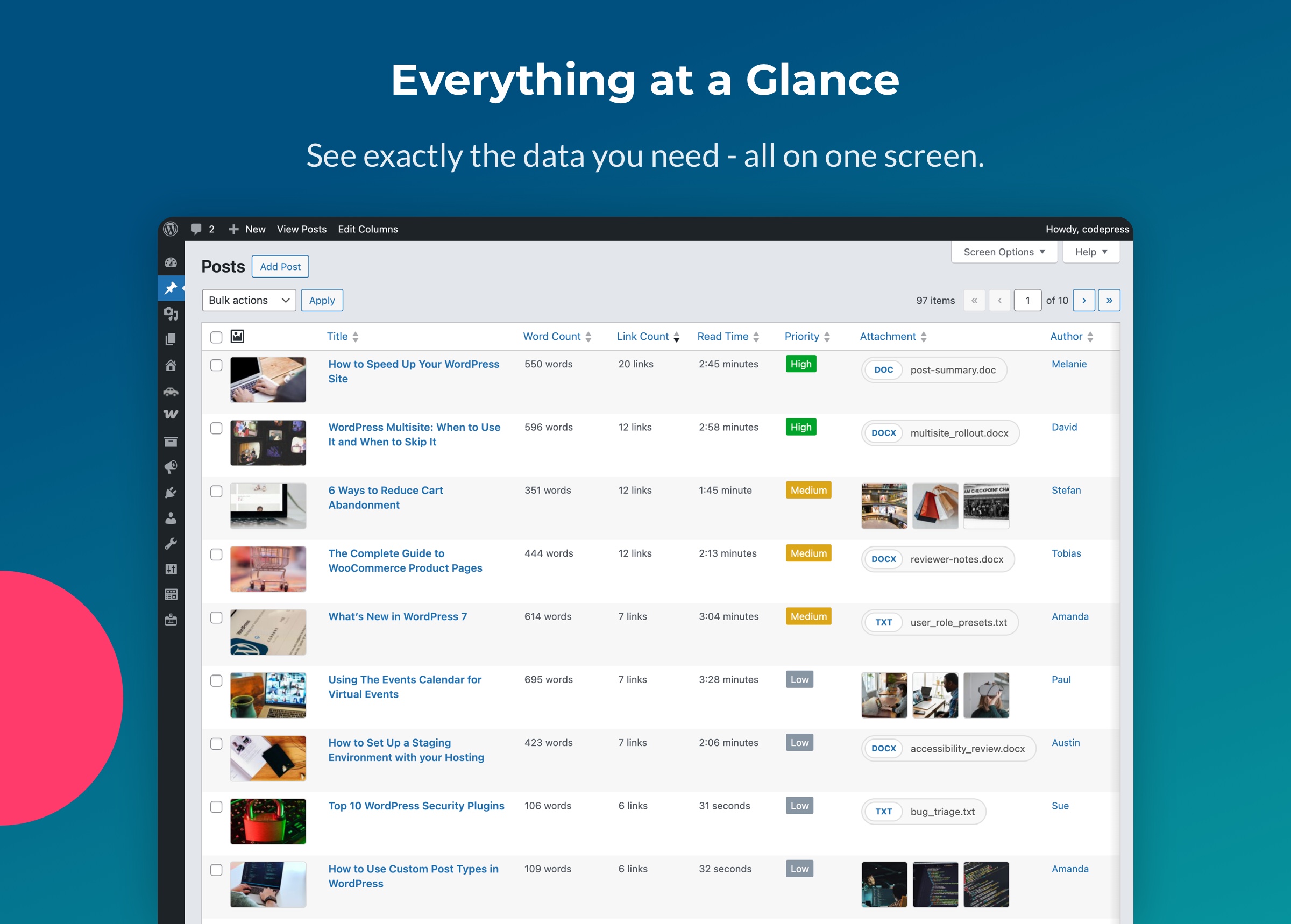
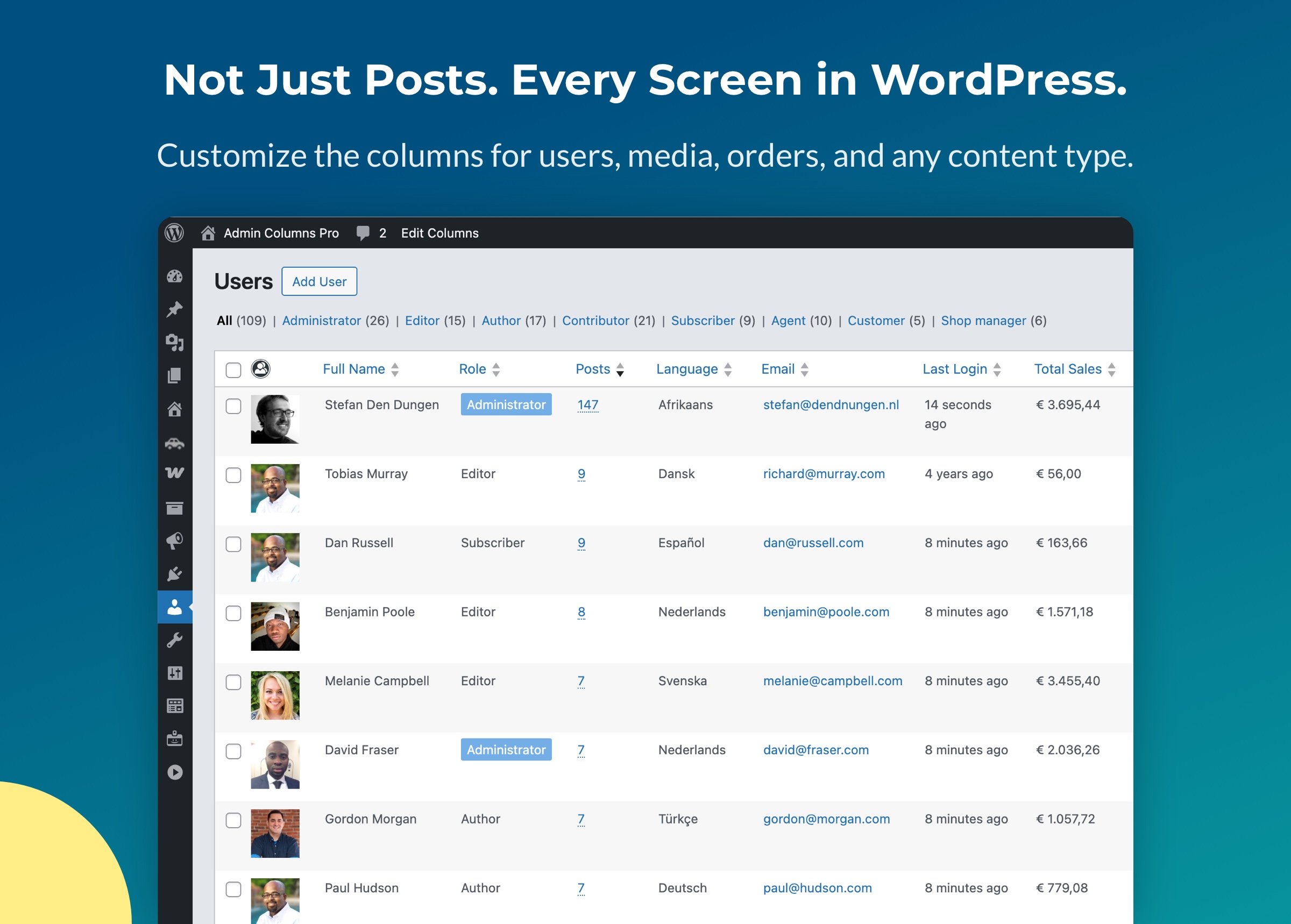
您可以顯示真正需要的資訊,例如自訂欄位、精選圖片、分類法、檔案資料等,而不必受限於預設清單表格。
Admin Columns 受到全球超過 100,000 個 WordPress 網站信賴。
透過簡單的拖放介面,您可以:
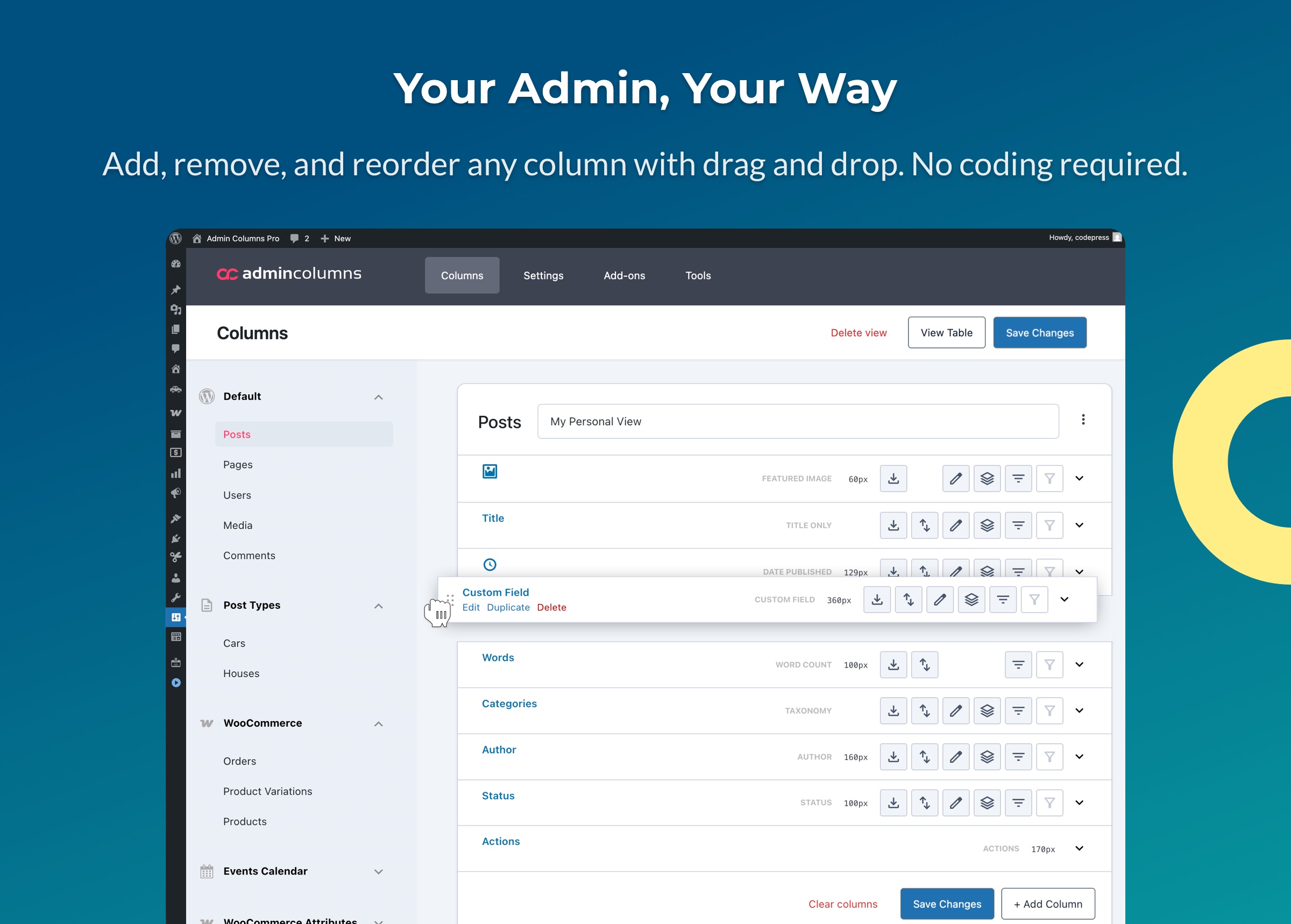
- 新增任何欄位至文章、頁面、使用者、媒體及留言
- 重新排序及調整欄位大小,配合您的工作流程
- 選擇 200 多種欄位類型,包括自訂欄位、分類法及檔案資料
- 顯示豐富的中繼資料,例如圖片、日期、顏色及關聯欄位
- 建立清晰的總覽,即使是最複雜的網站也能適用
從簡單的部落格到大型 WooCommerce 商店都能使用。
為什麼選擇 Admin Columns?
WordPress 預設清單表格功能有限,通常只顯示標題、作者及日期。
Admin Columns 將這些清單表格轉變為實用的管理畫面,讓您掌握真正重要的資訊。
範例:
- 直接在文章清單表格中查看 精選圖片、自訂欄位及分類法
- 顯示媒體檔案大小、尺寸或 EXIF 資料
- 在使用者畫面中查看使用者中繼資料與角色
- 掌握大型內容庫
常見用途
開發者、代理商及網站擁有者都使用 Admin Columns 更有效率地管理內容。
常見的設定:
- 使用價格、SKU 或庫存欄位管理WooCommerce 商品
- 在文章清單表格中顯示 ACF 自訂欄位
- 整理大型媒體庫
- 檢視 Yoast 的 SEO 中繼資料
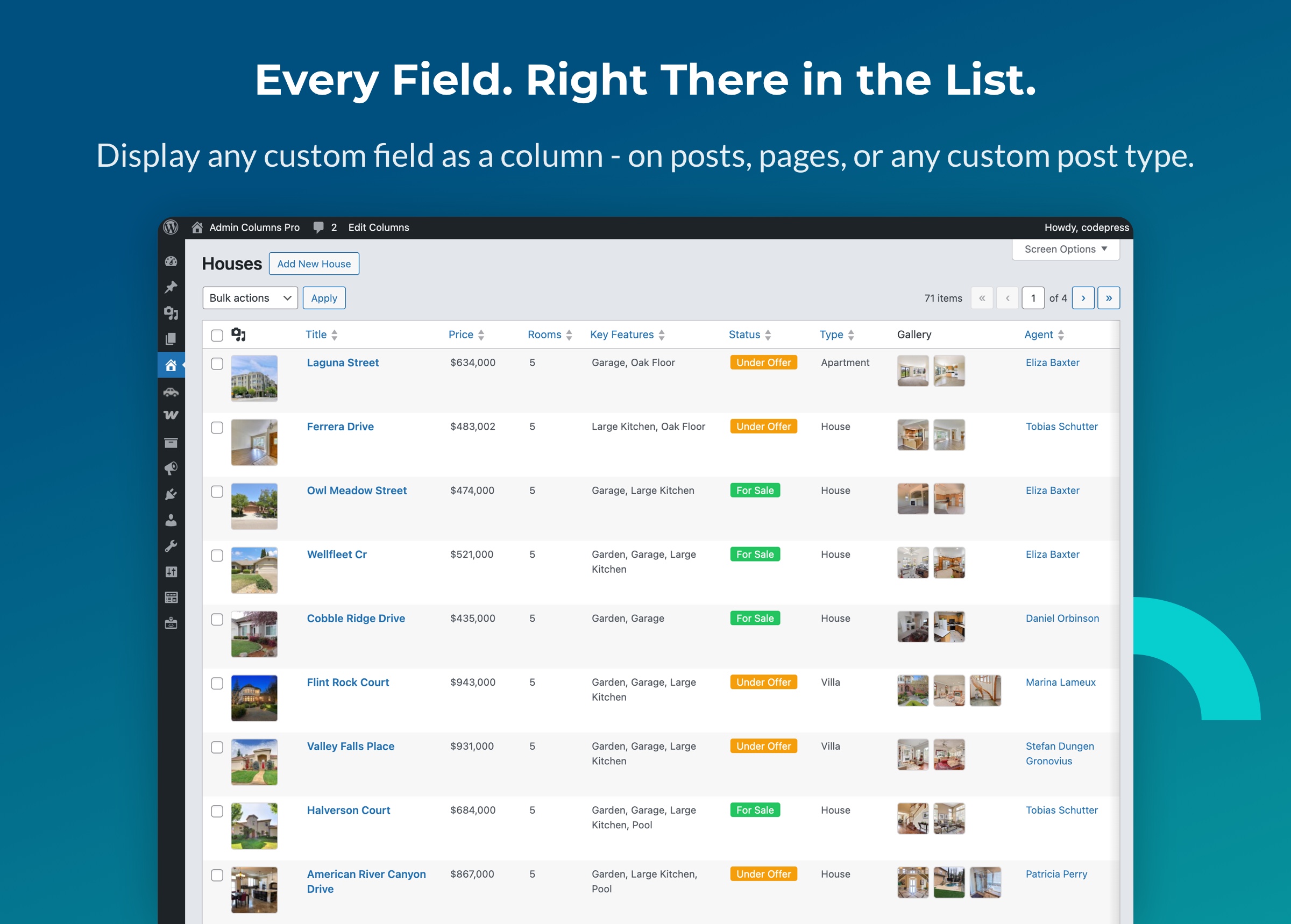
- 使用適當欄位整理自訂文章類型
專為開發者打造
Admin Columns 是開放原始碼專案,且設計為可擴充。使用 actions 和 filters 註冊自訂欄位類型、修改輸出內容,或與自己的外掛整合。
- 完整的 hooks 與 filters 參考資料,用於自訂整合
- 在 PHP 中註冊欄位組態,適用於受版本控制的設定
- 專為搭配頁面編輯器、自訂文章類型外掛及第三方擴充功能運作而設計
探索 開發者文件。
Admin Columns Pro
升級至 Admin Columns Pro,即可使用排序、篩選、行內編輯等功能。Pro 可讓您:
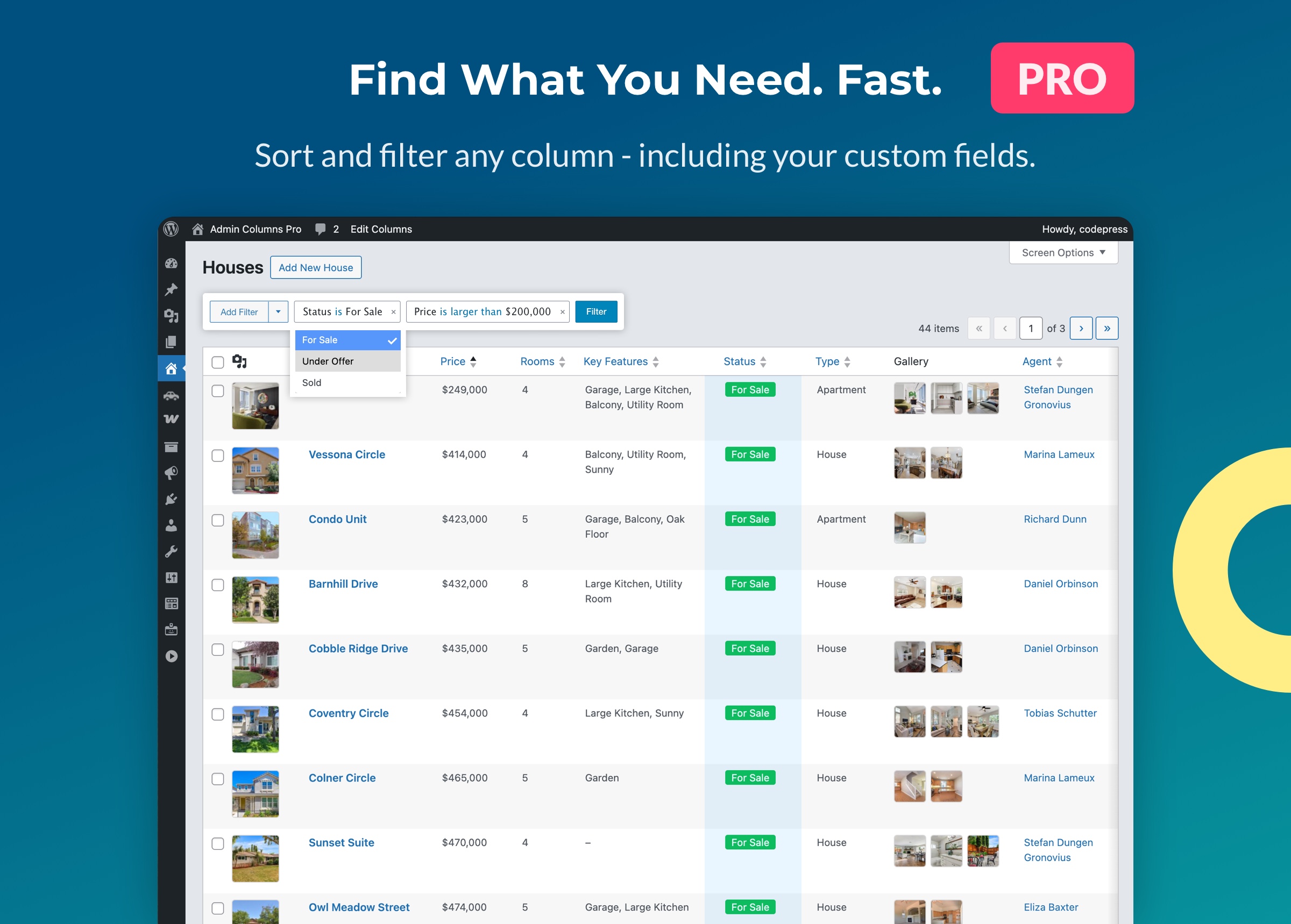
- 排序任何欄位
- 篩選內容,使用可堆疊的智慧篩選條件
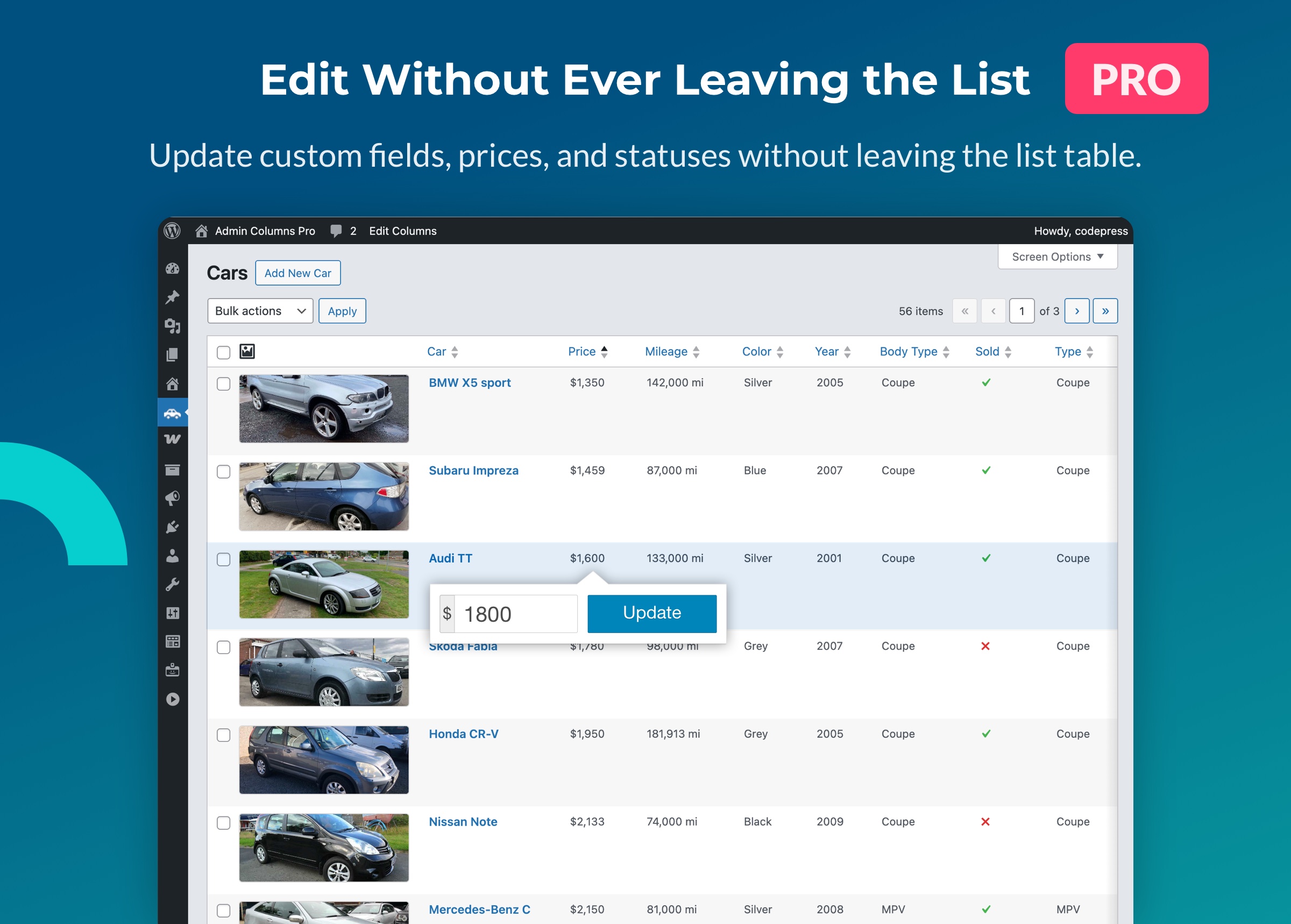
- 行內編輯 – 直接在清單表格中編輯標題、自訂欄位、分類法等內容
- 批次編輯 – 一次更新多個項目
- 條件式格式設定 – 根據規則為資料列與儲存格套用色彩標示
- 匯出為 CSV
- 匯入/匯出欄位集,在網站或團隊成員之間共用
- 儲存至 PHP,用於受版本控制的欄位組態
Admin Columns Pro 也提供與熱門外掛的深度整合:
- Advanced Custom Fields – 顯示及編輯所有欄位類型
- WooCommerce – 商品與訂單欄位
- Yoast SEO – SEO 分數與中繼資料欄位
- Toolset Types – 自訂欄位與關聯
- Pods – Pods 欄位與內容類型
如需瞭解 Admin Columns Pro 的其他功能,請造訪我們的網站:
支援的內容類型
Admin Columns 適用於以下 WordPress 管理後台畫面:
- 文章、頁面及自訂文章類型
- 使用者
- 媒體庫
- 留言
- 分類法(Pro)
自訂欄位欄
Admin Columns 可讓您直接在管理後台清單表格中顯示自訂欄位(文章中繼資料與使用者中繼資料)。
支援的欄位格式包括:
- 顏色
- 日期
- 圖片
- 數字
- 文字
- 網址
- True/False
- 關聯式:文章、使用者及媒體
文件 & 支援
第一次使用 Admin Columns 嗎?請參閱我們的文件與指南:
需要協助嗎?請前往 Admin Columns 的 支援論壇。
參與貢獻
Admin Columns 是開放原始碼且由社群共同維護。您可以透過以下幾種方式參與貢獻:
- 翻譯:協助在 WordPress.org 上翻譯 Admin Columns,或在 Transifex 上翻譯 Pro
- 回報問題:發現錯誤嗎?請在 GitHub 上回報
- 建議功能:在我們的 公開路線圖中提交想法
螢幕擷圖
安裝方式
自動安裝
- 前往 WordPress 管理後台的「外掛 > 安裝外掛」
- 搜尋「Admin Columns」
- 在 WordPress 外掛頁面中安裝並啟用 Admin Columns
- 前往「設定 > Admin Columns」建立第一組欄位集
手動安裝
- 下載此外掛(從 WordPress.org 取得)
- 上傳
codepress-admin-columns資料夾至/wp-content/plugins/ - 透過外掛畫面啟用此外掛
- 前往「設定 > Admin Columns」開始使用
啟用後
前往「設定 > Admin Columns」開始自訂欄位。請參閱 開始使用指南,瞭解操作方式。
常見問題集
-
Admin Columns 免費嗎?
-
可以。核心外掛免費提供文章、頁面、使用者、留言及媒體的欄位管理功能。
Admin Columns Pro 會加入排序、篩選、行內編輯、批次編輯、條件式格式設定及 CSV 匯出等進階功能。進一步瞭解。
-
可以顯示自訂欄位嗎?
-
可以。Admin Columns 可讓您直接在清單表格中顯示文章與使用者的自訂欄位。支援的類型包括圖片、數字、網址、日期等。
Admin Columns Pro 也與 Advanced Custom Fields 等外掛提供深度整合,支援 ACF 的所有欄位類型。
-
它能與 WooCommerce、ACF 及其他外掛搭配使用嗎?
-
可以。Admin Columns 能直接與大多數 WordPress 外掛搭配使用;Admin Columns Pro 則為 WooCommerce、Advanced Custom Fields、Yoast SEO、Toolset Types、Pods 等外掛提供專用整合功能。
-
可以排序或篩選欄位嗎?
-
Admin Columns Pro 提供排序與篩選功能,讓您快速找到所需內容。
-
可以直接從清單表格編輯內容嗎?
-
可以。Admin Columns Pro 支援行內編輯與批次編輯,讓您不必離開清單表格,即可更新標題、分類法、自訂欄位等內容。
-
如何重設欄位設定?
-
您可以在欄位設定頁的側欄中按一下「還原欄位」來重設欄位設定。這會還原該畫面的 WordPress 預設欄位。詳情請參閱我們的 開始使用指南。
-
可以使用哪些 filters 與 hooks?
-
開發者可以使用許多 actions 與 filters 擴充 Admin Columns。完整參考資料請見:Hooks & Filters
使用者評論


參與者及開發者
以下人員參與了開源軟體〈Admin Columns〉的開發相關工作。
參與者


變更記錄
7.1.7
Release Date: October 6th, 2026
- [Fixed] The value modal now sanitizes its content, like the table does.
- [Fixed] PHP 8.4 and newer showed deprecation notices.
7.1.6
Release Date: September 22nd, 2026
- [Fixed] All table features stopped working when a column name contained a percent encoded character, which happens with Hebrew and other non-Latin scripts.
- [Fixed] A table row held the Quick Edit data twice, which could make a plugin double a field value.