
外掛說明
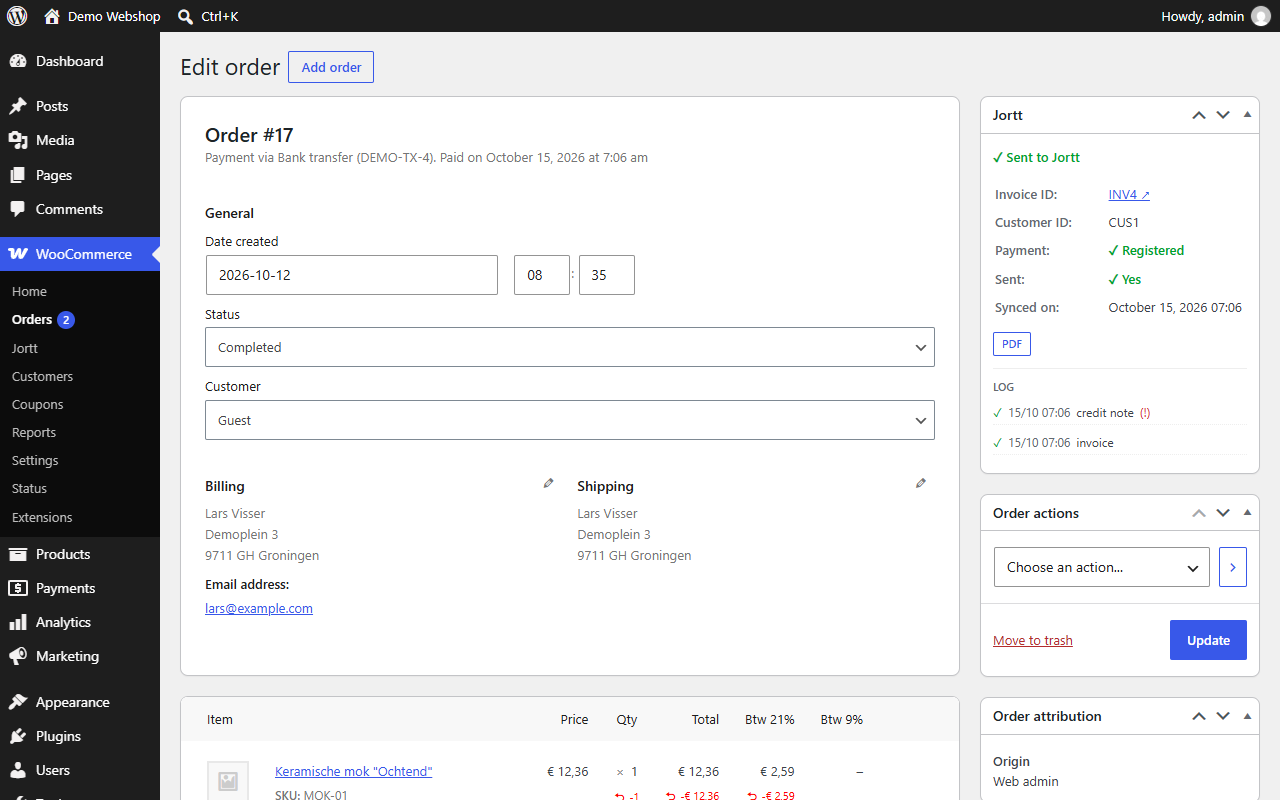
CheckShop for Jortt connects your WooCommerce shop to Jortt, the Dutch bookkeeping service. Every order becomes a sales invoice in Jortt, without copying anything by hand. The plugin talks to the official Jortt API directly from your own site; there is no server in between.
Features
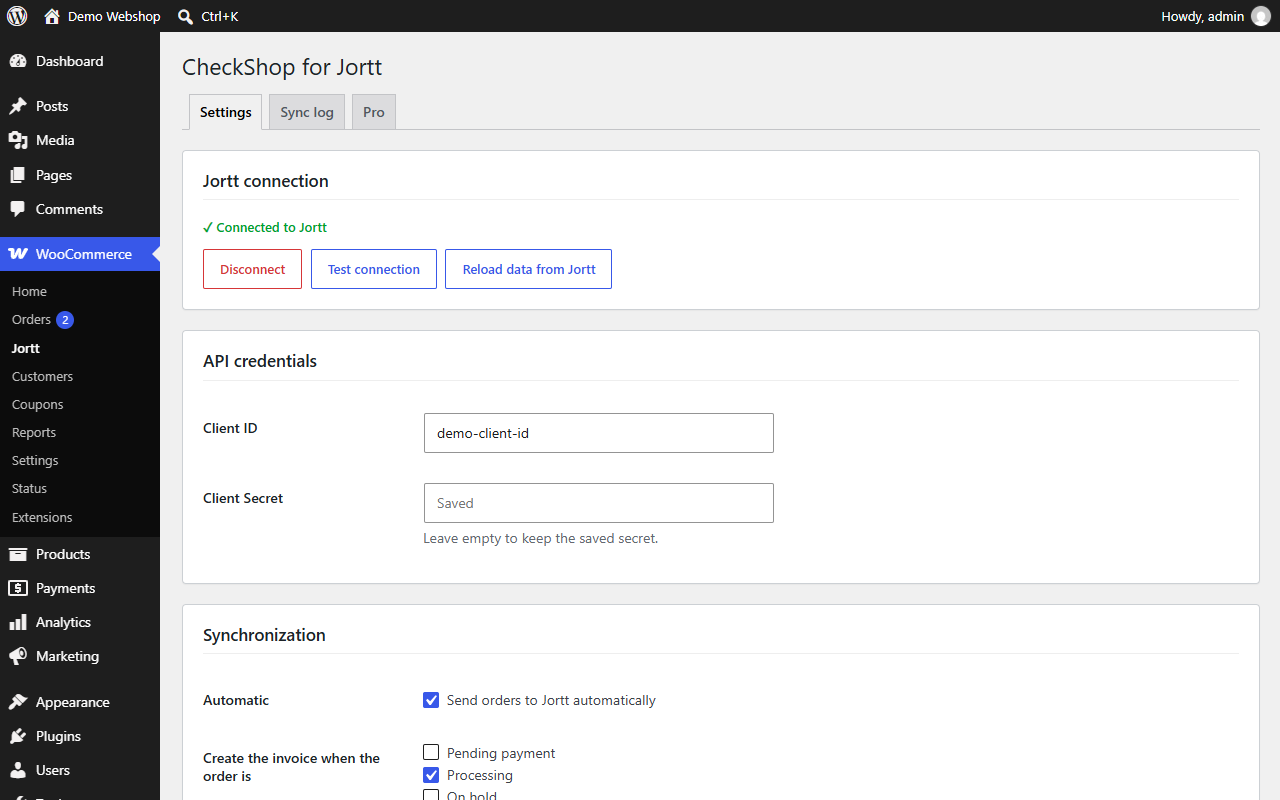
- Automatic invoices – an order that reaches the status you choose (for example “Processing” or “Completed”) becomes a sales invoice in Jortt.
- Customer sync – the customer is looked up by email address in Jortt and created or updated.
- Payments – paid orders are invoiced as “already paid”. When an order is paid later, a draft invoice is switched to paid, and for a sent invoice the payment is registered in Jortt from the payment account you choose.
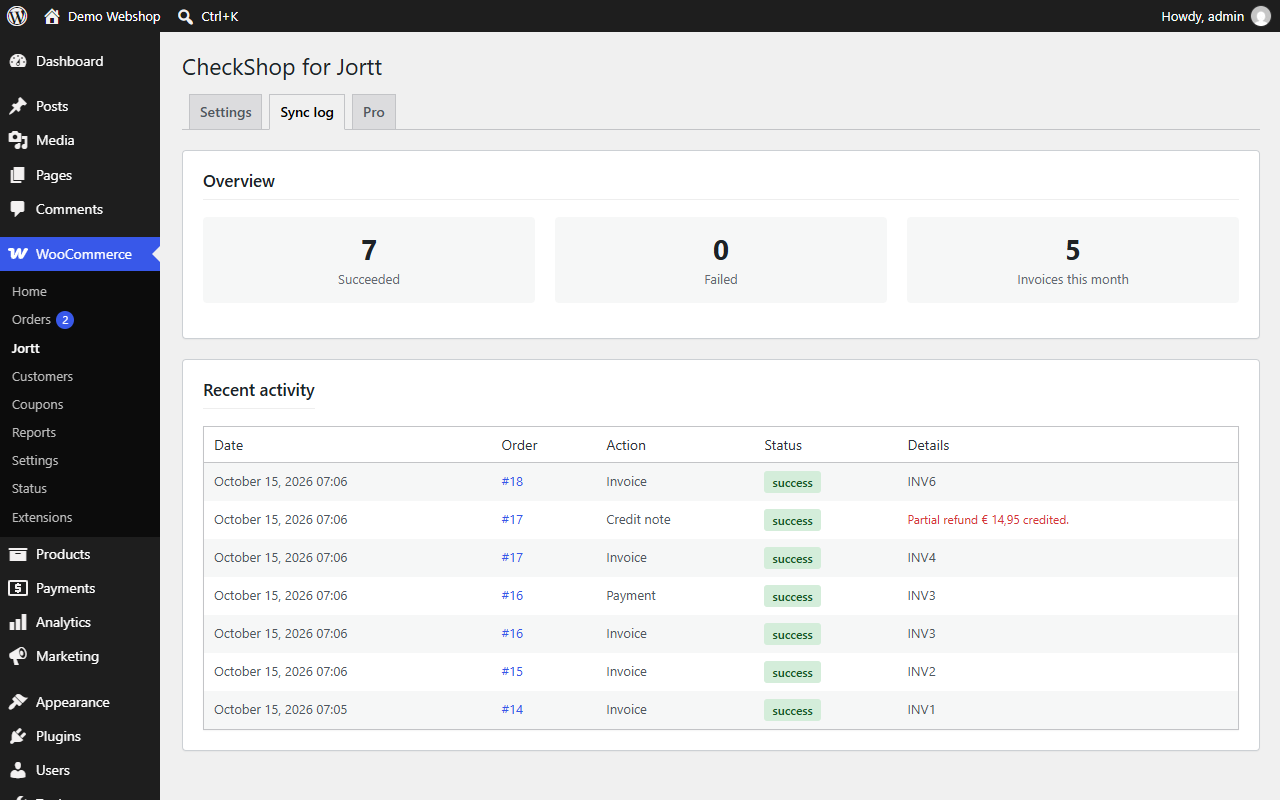
- Credit notes – a fully refunded order gets a credit invoice in Jortt; every partial refund gets its own credit invoice with negative lines that refers to the original order and invoice.
- Cancelled orders – the unpaid invoice of a cancelled or failed order is credited.
- VAT rates – each line gets the VAT percentage of the WooCommerce tax rate that was applied, with an optional override per tax rate.
- Send invoices via Jortt – optionally let Jortt email the invoice to the customer right away.
- Jortt-specific options – trade name, payment term, revenue ledger account, payment account and amounts including or excluding VAT.
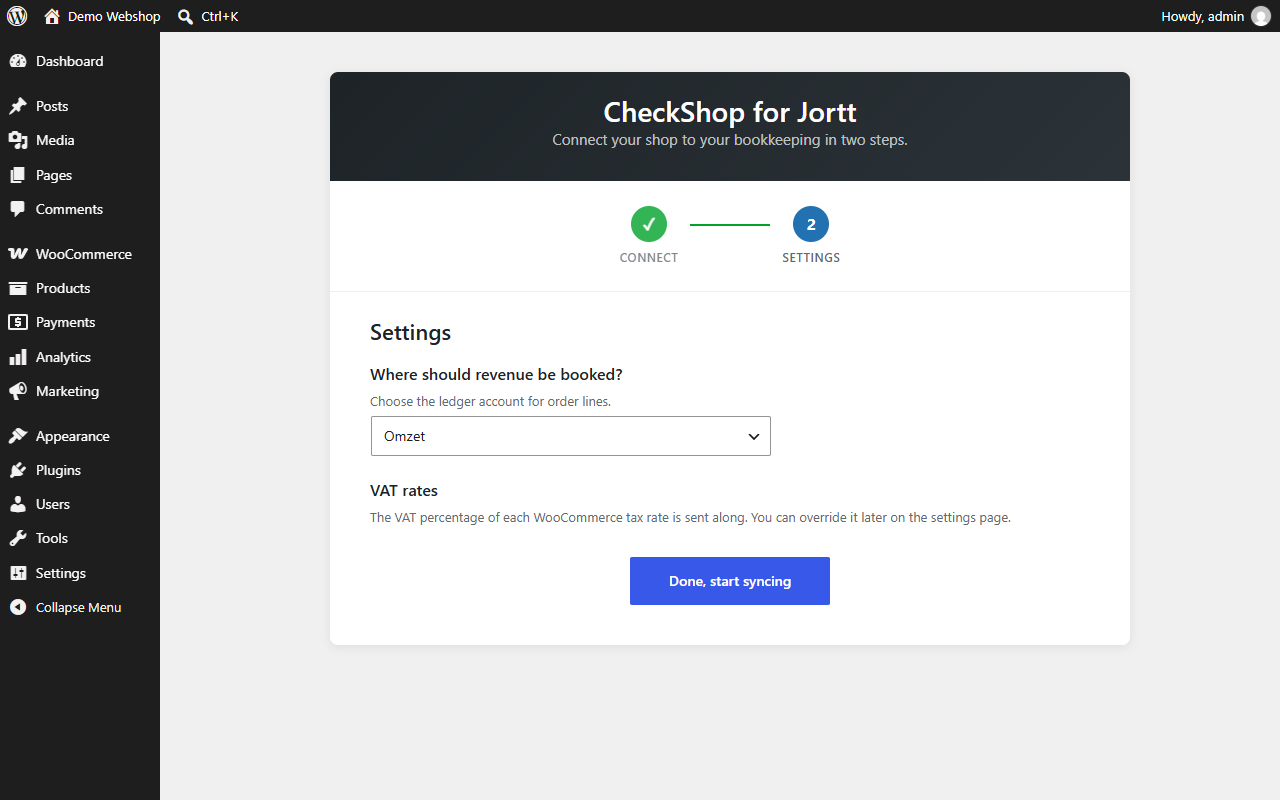
- Setup wizard – connect in two steps.
- Sync log – an overview of everything that was sent, with errors per order.
- Reliable background processing – all work runs through WooCommerce’s Action Scheduler with up to five retries and increasing waiting times (1, 3, 9 and 27 minutes); missed orders from the last seven days are picked up every hour.
- No double invoices – a lock makes sure an order or refund is sent to Jortt only once, even when several status changes happen at the same moment.
- Site Health checks – Tools > Site Health shows whether the Jortt connection works, whether anything failed in the last seven days and whether Jortt announced an end date for an API it uses. A “Test connection” button on the settings page shows the same in one click.
- Manual sync – a button per order, and a “Send to Jortt” bulk action in the order list.
- Debug logging – log each API call when troubleshooting.
- HPOS compatible – works with WooCommerce High-Performance Order Storage.
All features above are free and have no limits on the number of orders.
CheckShop for Jortt Pro
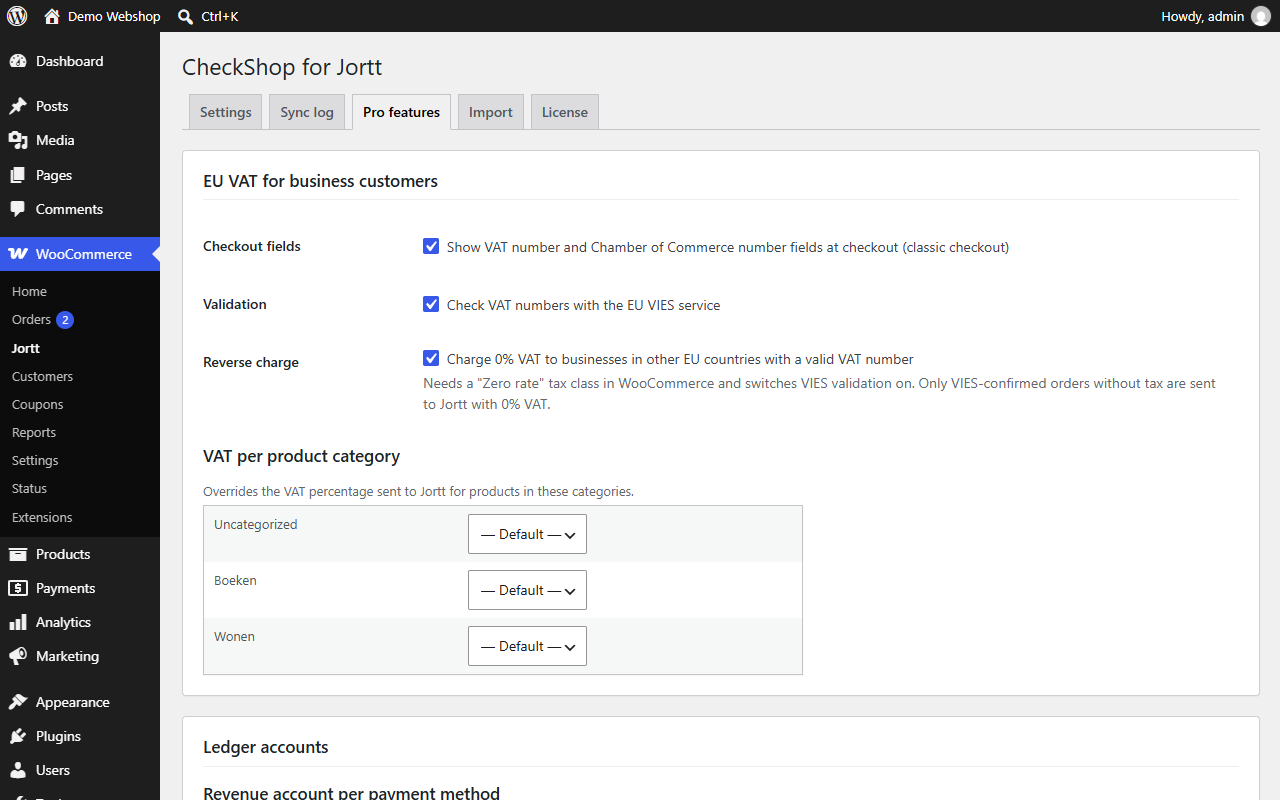
An optional, separately sold add-on is available at checkshop.eu. It adds Peppol e-invoicing for business customers, paid status from Jortt back to WooCommerce, an import of existing orders over a date range, EU VAT fields with VIES validation and reverse charge, VAT per product category, a revenue and payment account per payment method and a shipping account, invoice PDFs in My Account and in WooCommerce emails, a CSV export of the log, failure alert emails, customer note sync and automatic updates. The Agency license adds a REST API, WP-CLI commands and multisite support. This plugin works fully without the add-on.
External services
This plugin connects to the Jortt API, operated by Jortt B.V., to create and update data in your own Jortt administration. It only does so after you enter your API credentials.
- What is sent: your Jortt Client ID and Client Secret (to obtain an access token from app.jortt.nl), and for each synchronized order: the customer’s name, company, email address, phone number and billing address, the order number and date, the order lines with quantities, prices and VAT rates, and payment (amount, date, payment method name), refund and cancellation status.
- When: when an order reaches one of the selected statuses, is paid, refunded or cancelled; when you click a sync or send button; during the hourly retry of missed orders; and when you open the settings page (to load ledger accounts and account status).
- Endpoints:
https://app.jortt.nl/oauth-provider/oauth/tokenandhttps://api.jortt.nl/(v3/v2 for invoices and payments; v1 for customers, credit invoices, PDF downloads, trade names, ledger accounts and account details). - Terms of use: https://www.jortt.nl/voorwaarden/
- Privacy policy: https://www.jortt.nl/privacy/
No data is sent to the plugin author.
螢幕擷圖
安裝方式
- Install and activate WooCommerce.
- Install the plugin through Plugins > Add New, or upload the
checkshop-for-jorttfolder to/wp-content/plugins/, and activate it. - In Jortt, go to Settings > Integrations > Own API connection and create an application with permission to view and create invoices and customers and to view the organization details.
- In WordPress, go to WooCommerce > Jortt, start the setup wizard and paste the Client ID and Client Secret.
- Choose your revenue account. New orders are now sent to Jortt.
常見問題集
-
Do I need a Jortt account?
-
Yes. You need a Jortt subscription that includes API access. See jortt.nl.
-
Are existing orders sent to Jortt?
-
Only orders that change to one of the selected statuses after the plugin is set up, plus missed orders from the last seven days. Older orders can be sent with the “Send to Jortt” bulk action or the button on the order screen.
-
What happens on a refund?
-
When an order is refunded in one go for the full amount, the original invoice is credited in Jortt. Any other refund gets its own credit invoice with negative lines for the refunded products, shipping and fees; the reference and remarks point to the original order and Jortt invoice. A refund of just an amount (without items) is credited as one line when the order has a single VAT rate; with several VAT rates the plugin logs it and you create the credit note in Jortt yourself.
-
Why are my invoices drafts?
-
Invoices stay drafts unless “Let Jortt send the invoice” is enabled. Jortt can only send invoices when your account is complete (company details, bank account and a confirmed email address). The settings page tells you when something is missing.
-
Are amounts sent including or excluding VAT?
-
By default the plugin follows WooCommerce: if your prices are entered including tax, line amounts are sent including VAT, otherwise excluding VAT. Jortt then calculates the VAT over the invoice total. You can force either option under Settings > Line amounts.
-
Which Jortt API versions does the plugin use?
-
Invoices are created, read and sent with the current v3 API, drafts are edited with v2 and payments are registered with v3. Jortt has no newer version yet for customers, credit invoices, PDF downloads, trade names, the income ledger list and the account details, so those still use the v1 API. The plugin will move to newer endpoints as Jortt publishes them. With debug logging on, the sync log shows a notice when Jortt announces an end date for an endpoint.
-
Can the plugin register payments for invoices that were already sent?
-
Yes, if the Jortt API connection has permission to register payments (reconciliation) and a payment account is set, or Jortt offers only one account for the invoice. Otherwise the payment is left for Jortt’s bank reconciliation and the sync log says so.
-
What is removed when I delete the plugin?
-
Settings, the stored Jortt tokens, the sync log table, cached data and scheduled tasks. The Jortt invoice ID stored on each order is kept, so reinstalling the plugin will not create duplicate invoices.
-
I used version 1.0.0 (folder twilper-jortt-woocommerce). How do I upgrade?
-
Deactivate the old plugin, then install and activate this one. Settings, tokens and the link between orders and Jortt invoices are reused. Do not click “Delete” on the old plugin: its uninstaller removes those shared settings and order links. Leave it deactivated, or remove its folder with FTP or your host’s file manager. While the old plugin is active, this plugin stays inactive and shows a notice on the Plugins screen.
-
Does it work with HPOS and the block checkout?
-
Yes.
使用者評論
這個外掛目前沒有任何使用者評論。
參與者及開發者

變更記錄
1.2.1
- Admin notices are only shown on the Plugins screen to users who can manage plugins.
- Translation files removed from the package; translations come from translate.wordpress.org.
1.2.0
- Added: partial refunds are credited in Jortt with a credit invoice with negative lines (one per refund, never twice).
- Added: lock against double invoices when status changes happen at the same time.
- Added: up to five retries with exponential backoff (1, 3, 9, 27 minutes) through Action Scheduler.
- Added: Site Health tests (connection, failed synchronizations, Jortt end-of-life notices), a Site Health info section and a “Test connection” button with a clear result.
- Added: the Jortt end date of an API (Sunset header) is remembered even without debug logging.
- Developer: new filter
twilper_jt_partial_credit_payload;twilper_jt_invoice_send_datareceives a third argument$context(createorsend).
1.1.0
- Removed: the monthly order limit and all license code. Every feature in this plugin is free and unlimited.
- Changed: EU VAT fields, VAT per category, payment method and shipping mapping, PDFs for customers, CSV export, failure emails, note sync, REST API and WP-CLI moved to the separate Pro add-on.
- Changed: invoices are only sent by Jortt when “Let Jortt send the invoice” is enabled. Existing settings are migrated so behaviour stays the same.
- Changed: settings page with tabs; all texts in English and translatable.
- Fixed: payments, cancellations and admin PDF downloads called functions that did not exist.
- Fixed: coupon discounts were applied twice.
- Fixed: credit notes are only created for full refunds of sent invoices (Jortt’s credit endpoint cannot credit part of an invoice).
- Changed: moved to Jortt API v3 for creating, reading and sending invoices, v2 for editing drafts and v3 for registering payments, because Jortt deprecated v1 and unversioned endpoints on 28 August 2026. Customers, credit invoices, PDFs, trade names, ledger accounts and account details use the explicit v1 path until Jortt offers a successor.
- Added: payment account setting; payments for orders paid after the invoice was sent are registered in Jortt.
- Changed: “Amounts incl. VAT” checkbox replaced by “Line amounts” (follow WooCommerce, excluding or including VAT). Existing settings are kept.
- Added: with debug logging on, the sync log notes when Jortt announces a retirement date (Sunset header) for an endpoint.
- Fixed: the VAT percentage now comes from the tax rate applied to each line.
- Security: stored Jortt tokens are encrypted with a random IV and an integrity check; all forms and AJAX actions check nonces and capabilities; all input is sanitized and output escaped; admin notices only appear on the Plugins screen.
- Added: hooks for add-ons (
twilper_jt_loaded,twilper_jt_invoice_payload,twilper_jt_line_item,twilper_jt_settings_tabs, and more).
1.0.0
- Initial release.