

外掛說明
Acwpblocks – popup block is a Gutenberg block that allows you to create popups that can be triggered by any button or link with the same class as the popup ID.
Features:
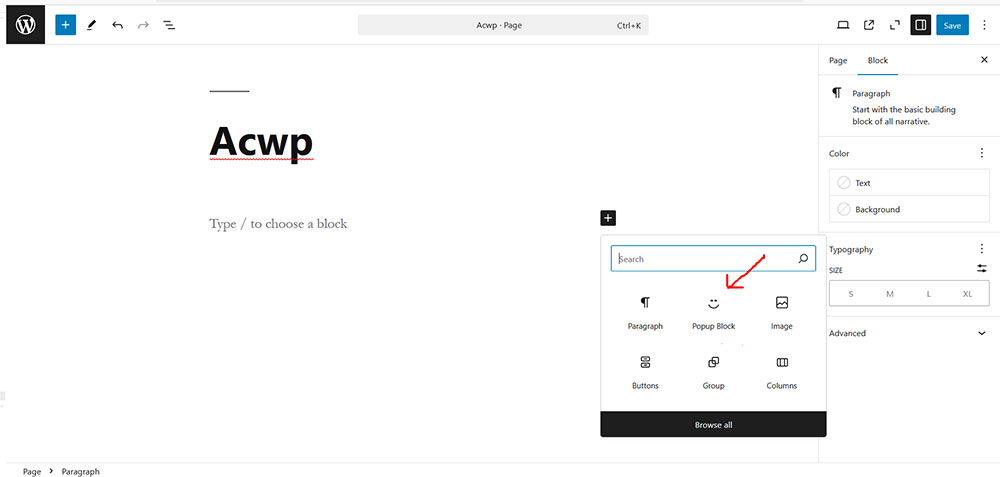
– Add a popup block in the editor.
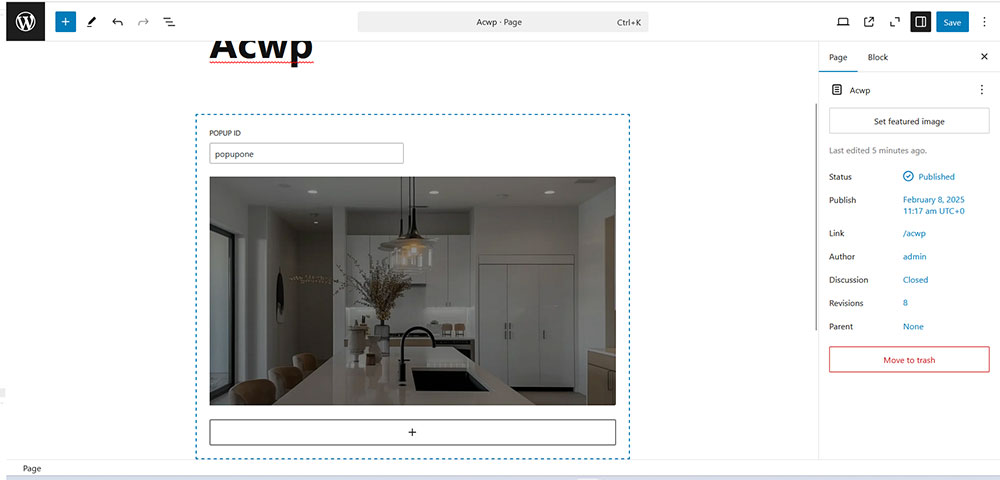
– Set a unique popup ID.
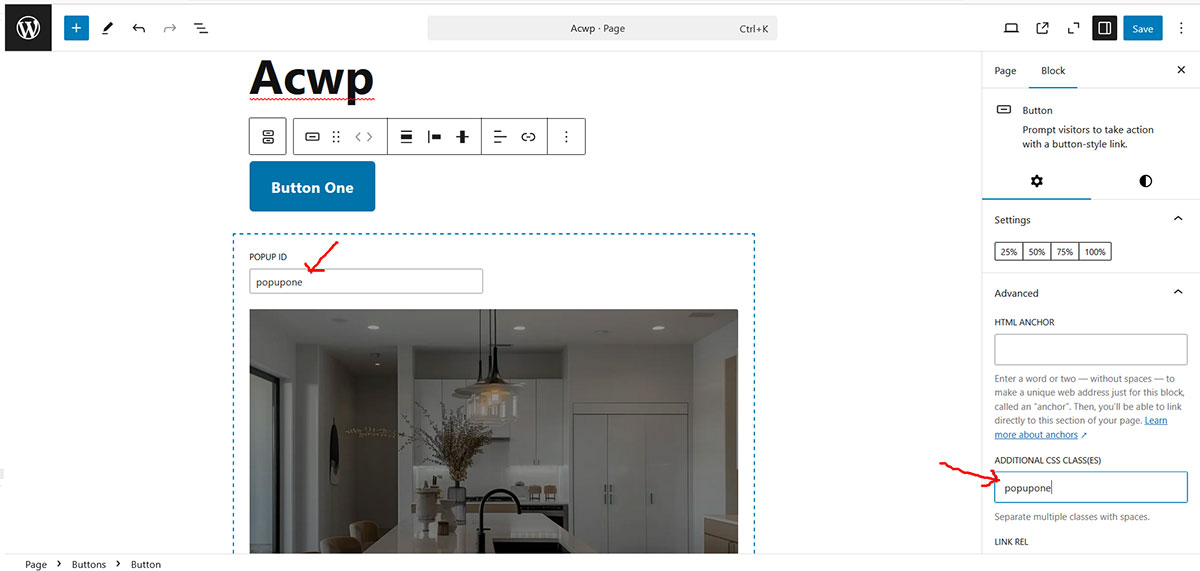
– Use any Gutenberg button or element with the same class to trigger the popup.
– Includes animations and smooth transitions.
– Custom close button and background click-to-close functionality.
Usage
- Insert the Popup Block into your post or page.
- Add any type of inner element inside the Popup Block.
- Enter a unique Popup ID in the block settings.
- Use any button or link and assign the same Popup ID as a class.
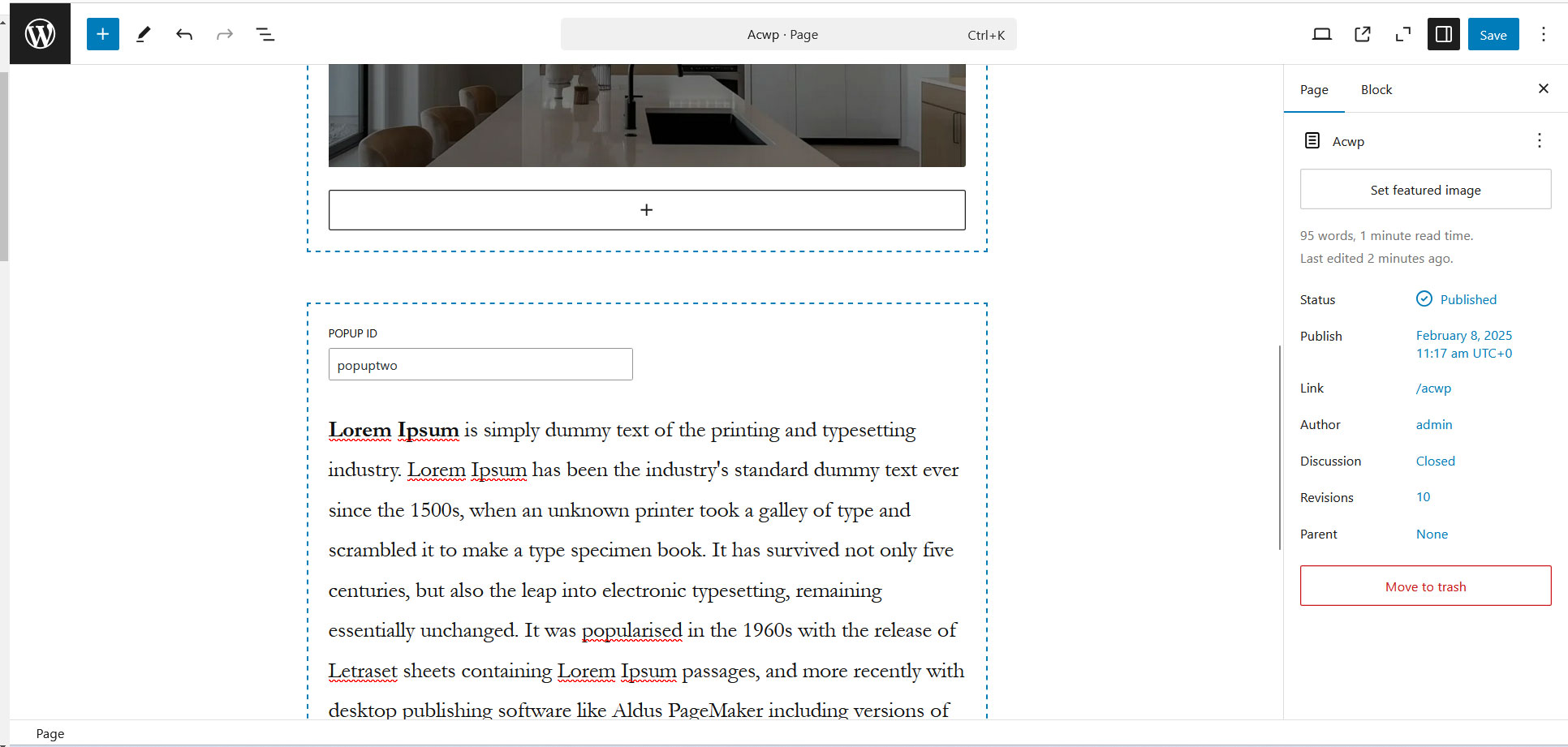
- You can use multiple popups on a single page or post.
- Check the front-end for the first popup containing an image.
- Also, check the front-end for the second popup, which contains a paragraph.
Source Code
The source code for this plugin can be found at:
Source Code: GitHub Repository
License
This plugin is licensed under the GPL-2.0-or-later.
螢幕擷圖
適用於區塊編輯器
這個外掛提供 1 個可供區塊編輯器使用的區塊。
- Acwp Popup A simple popup block
安裝方式
- Upload the plugin files to the
/wp-content/plugins/acwpblocks-popupdirectory, or install the plugin through the WordPress plugins screen directly. - Activate the plugin through the “Plugins” screen in WordPress.
- Add the “Popup Block” from the block editor and configure it.
常見問題集
-
How do I trigger the popup?
-
Use any Gutenberg button or link and assign the same popup ID as a class.
-
Can I use animations?
-
Yes, the popup has smooth animations that slide in from the bottom.
-
Can I customize the popup styles?
-
Yes, you can modify the CSS to change the popup’s appearance.
使用者評論
這個外掛目前沒有任何使用者評論。
參與者及開發者

變更記錄
0.1.0
- Initial release.