

外掛說明
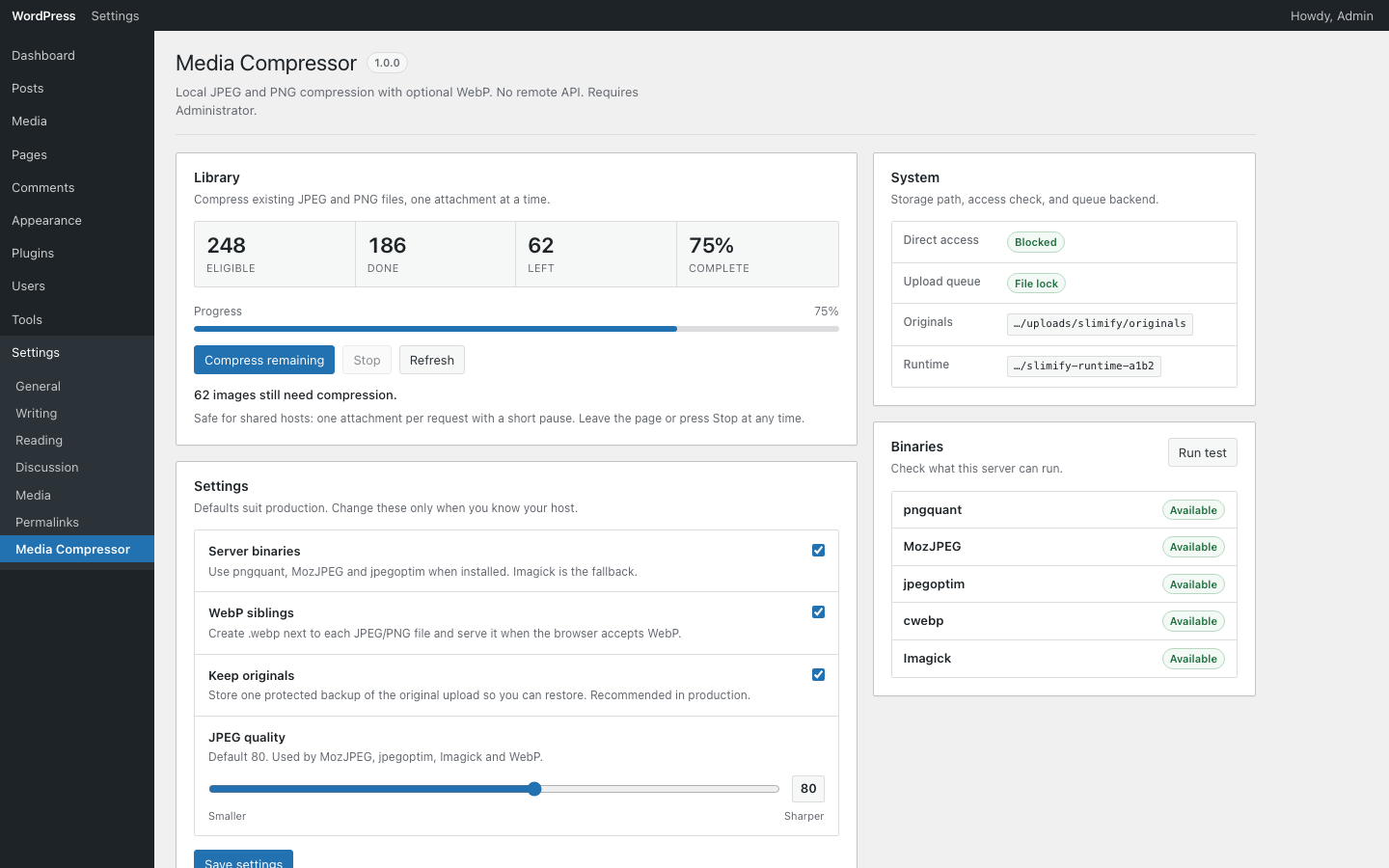
Slimify compresses JPEG and PNG uploads on your server using pngquant, MozJPEG, jpegoptim, and Imagick. Optional WebP siblings are created when smaller than the final image.
- Local tooling only — no third-party API, accounts, or telemetry
- Compress on upload, restore from originals, and bulk-process the library
- Private originals storage under uploads with nginx/Apache deny patterns
- Works with common offload plugins via filters
螢幕擷圖
安裝方式
- Upload the
slimifyfolder to/wp-content/plugins/ - Activate the plugin through the Plugins screen
- Open Settings Media Compressor to configure quality and WebP
常見問題集
-
Does Slimify send images to a third party?
-
No. Compression runs on your server with local binaries or Imagick.
-
Which formats are supported?
-
JPEG and PNG inputs. Optional WebP siblings can be generated when beneficial.
使用者評論
這個外掛目前沒有任何使用者評論。
參與者及開發者

變更記錄
1.0.0
- Initial release