

外掛說明
Image Squeeze is your all-in-one WordPress plugin to compress images, convert to WebP, and accelerate website performance.
Automatically compress JPEG and PNG files, generate WebP versions, and serve them conditionally for supported browsers. Improve Core Web Vitals, SEO, and page speed in just a few clicks.
Highlights
✅ Automatic WebP image delivery
✅ Compress JPEG and PNG images
✅ One-click bulk optimization
✅ Retry failed compressions
✅ Clean up orphaned .webp files
✅ Works with WooCommerce & Elementor
Features
- Smart Compression on Upload: Automatically optimize images as you upload.
- WebP Conversion Engine: Converts supported formats for better performance.
- Size Targeting: Set a target output size (KB) to stay within budget.
- Compression Quality Control: Choose how aggressive you want to go.
- Retry System: Automatically reprocess failed jobs.
- Optimization Logs: View your image history and space saved.
- WebP Cleanup Tool: Delete unused .webp files left behind.
- Fully Dashboard-Integrated: Everything in one easy UI.
Performance Boost
- Reduced page weight faster mobile load
- Higher Google PageSpeed scores
- Better Core Web Vitals (LCP, FID)
- Direct SEO and UX impact
螢幕擷圖
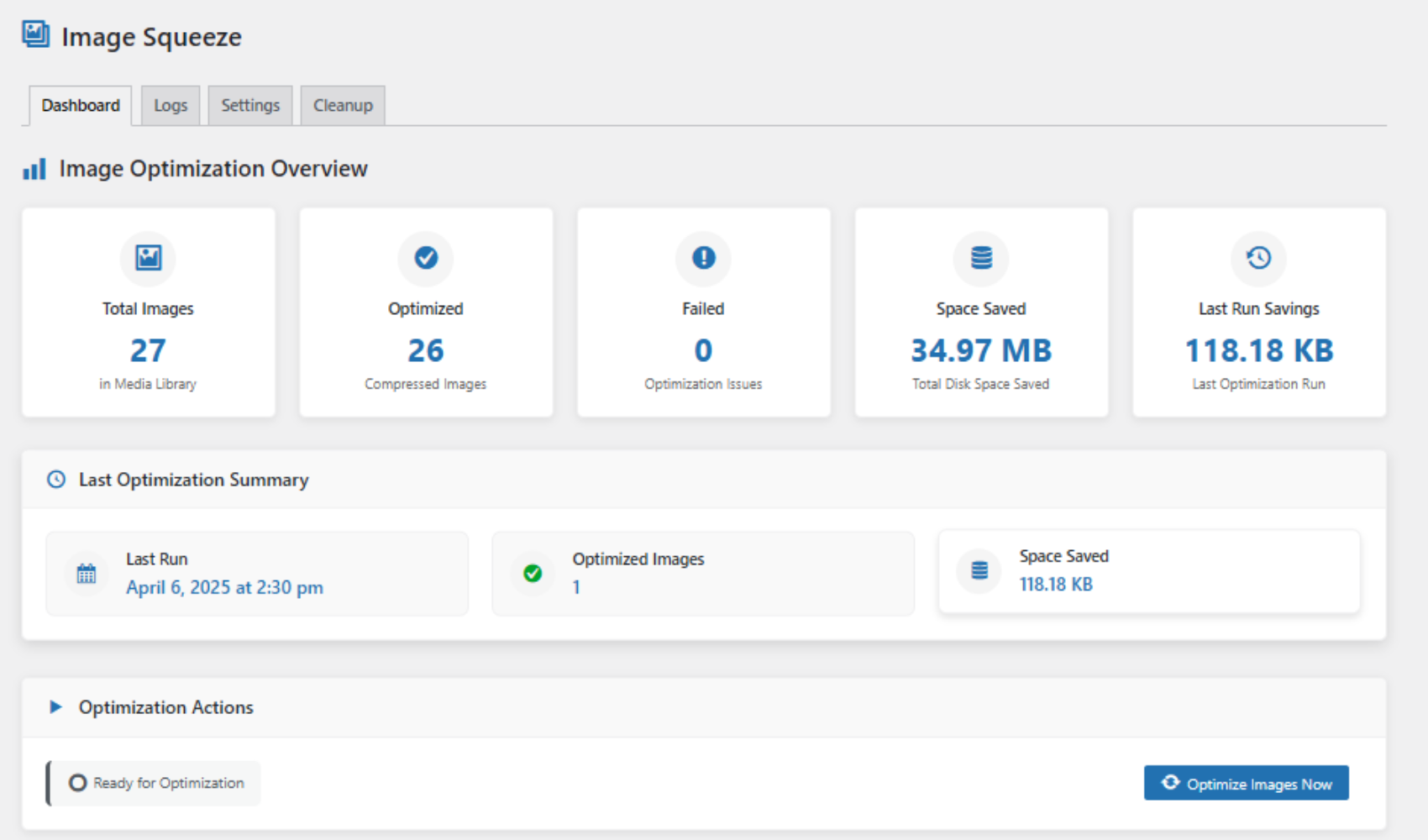
Dashboard Overview – See total image count, savings, and optimization stats at a glance.
(screenshot-1.png)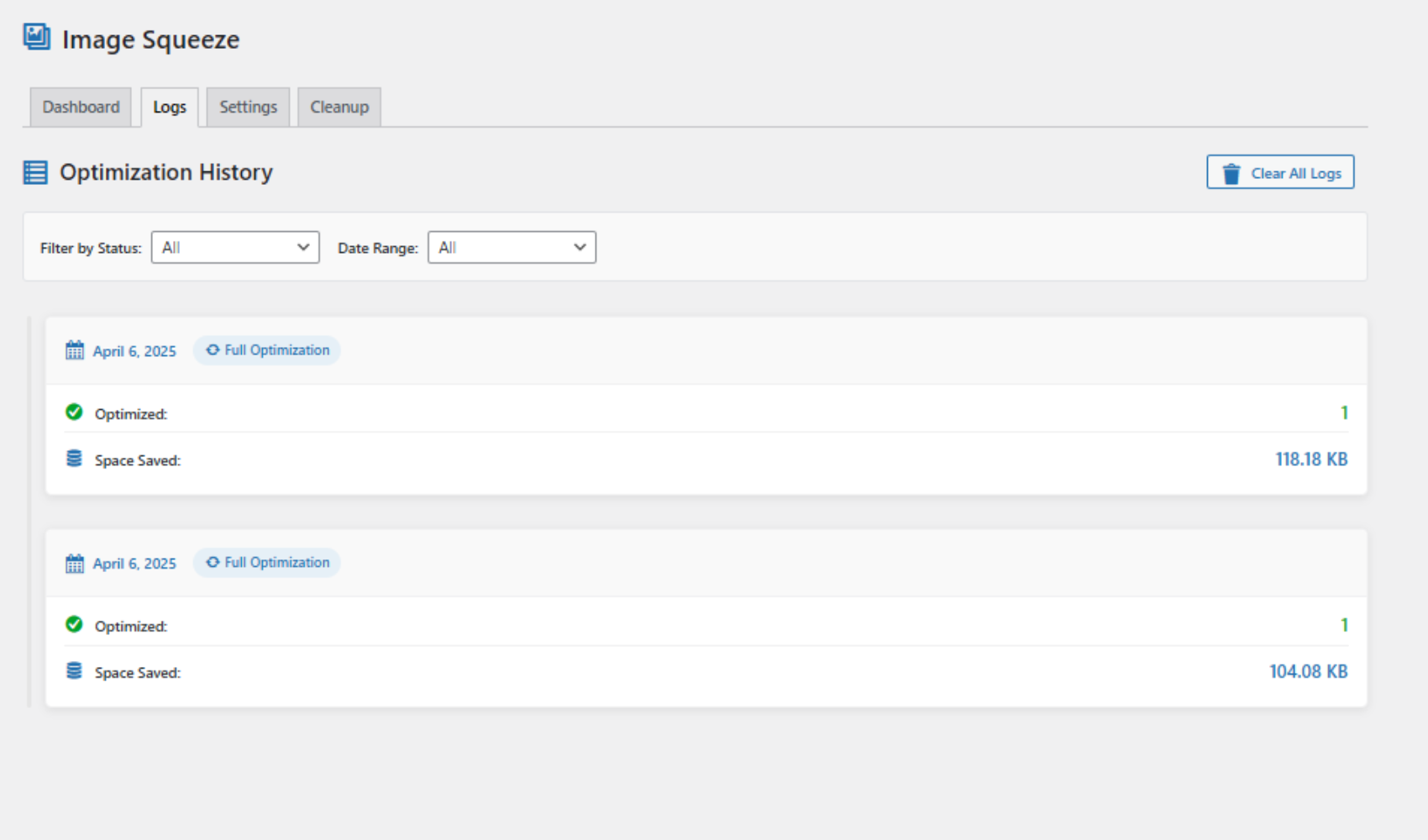
Optimization Logs – View history of image compression jobs and results with date, status, and size savings.
(screenshot-2.png)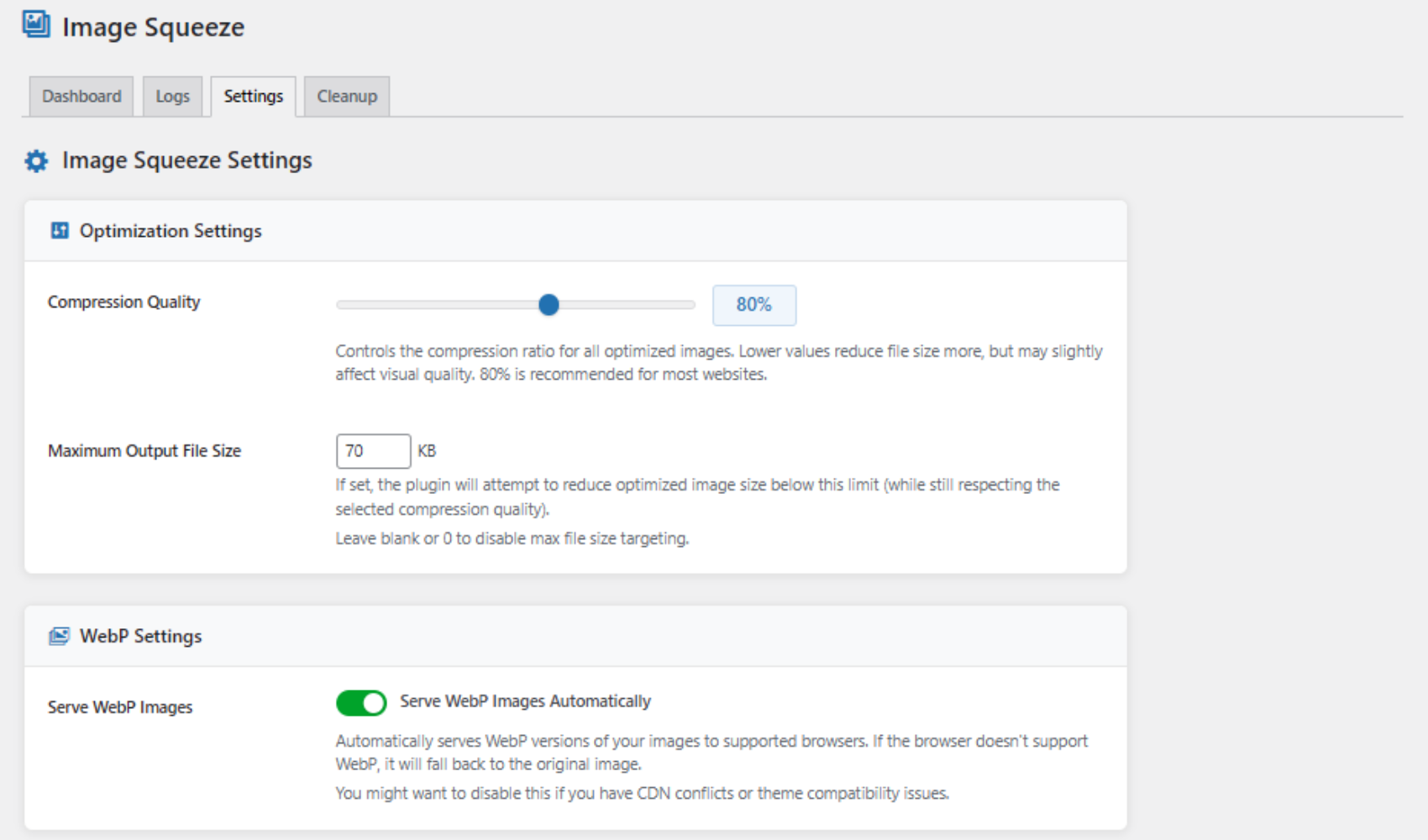
Settings Panel – Customize compression quality and output size, and toggle WebP delivery.
(screenshot-3.png)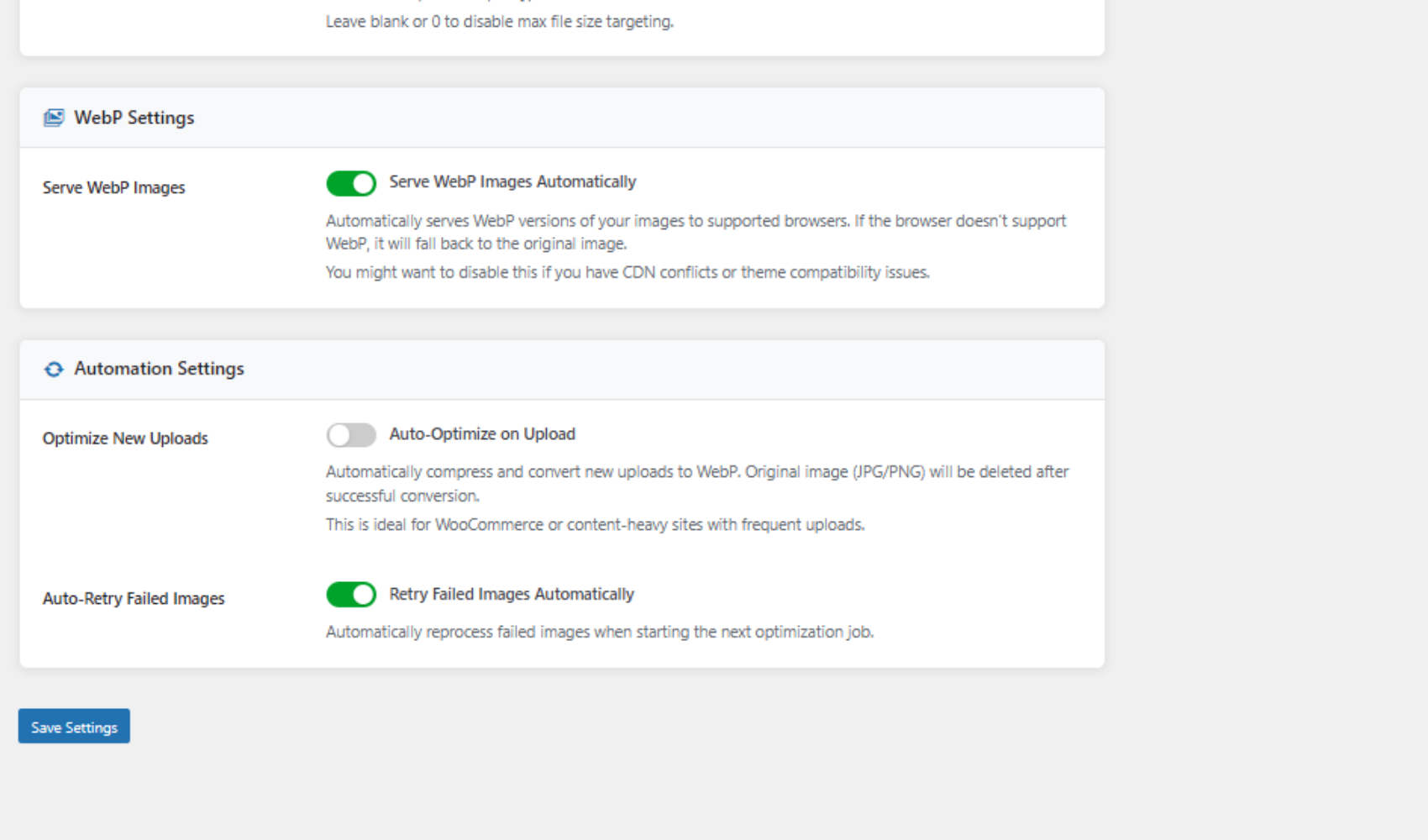
Advanced Settings – Enable auto-optimize on upload and automatic retry of failed images.
(screenshot-4.png)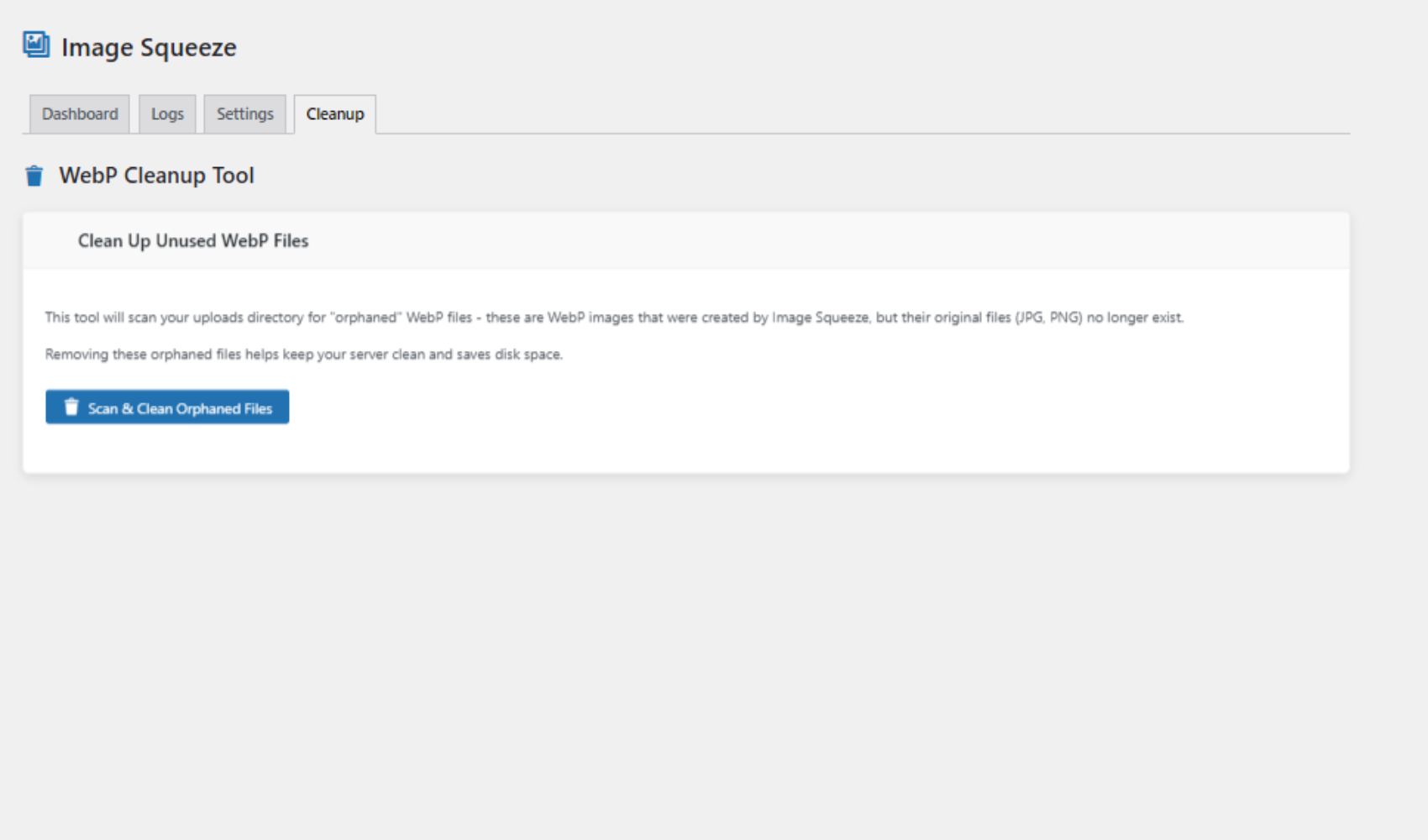
WebP Cleanup Tool – Scan and clean orphaned WebP files created by optimization jobs.
(screenshot-5.png)
安裝方式
- Upload the
imagesqueezefolder to/wp-content/plugins/ - Activate via the Plugins menu in WordPress
- Go to Image Squeeze in your dashboard
- Click Optimize Images Now
常見問題集
-
Will it delete my original images?
-
No. WebP versions are generated separately. You can optionally remove originals.
-
Will it break my theme or CDN?
-
No. You can disable WebP delivery or tweak settings to prevent conflicts.
-
Is it WooCommerce compatible?
-
Yes. It works with WooCommerce, Elementor, and most major themes.
使用者評論

參與者及開發者
以下人員參與了開源軟體〈Image Squeeze – Optimize WebP, Compress Images, Boost Performance〉的開發相關工作。
參與者
變更記錄
1.0.0
- Initial release
- WebP compression
- Dashboard UI
- Retry + Cleanup tools