
外掛說明
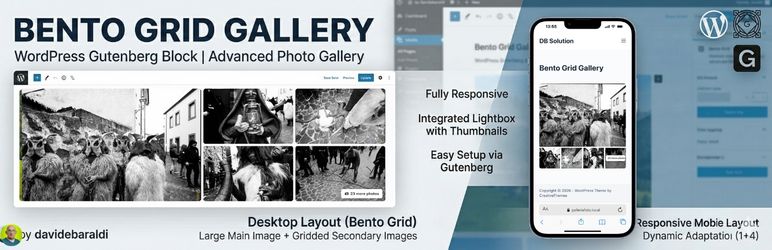
Bento Grid Gallery is a lightweight and powerful plugin that adds a new block to the WordPress Gutenberg editor. It allows you to create modern, eye-catching photo galleries without complex configurations, perfect for tourism portals and news articles to avoid classic boring layouts.
Key Features:
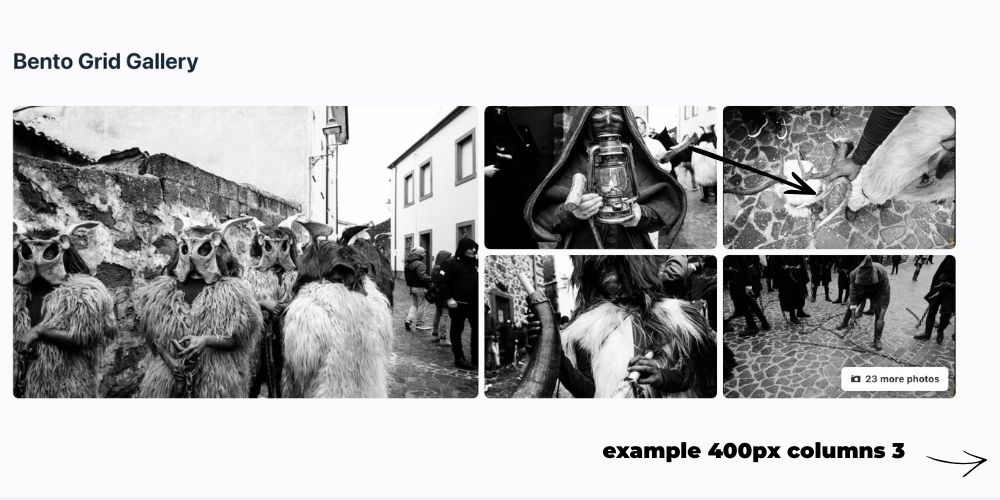
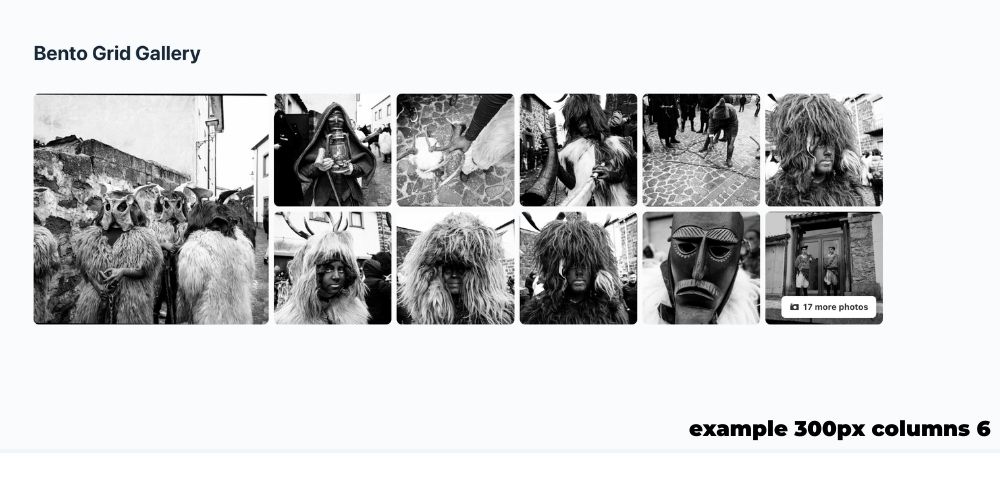
- Desktop Layout “Bento Grid”: Displays a dynamic composition with a large main image on the left and a grid of secondary images on the right.
- Mobile Layout: Fully responsive, adapts to your custom column settings.
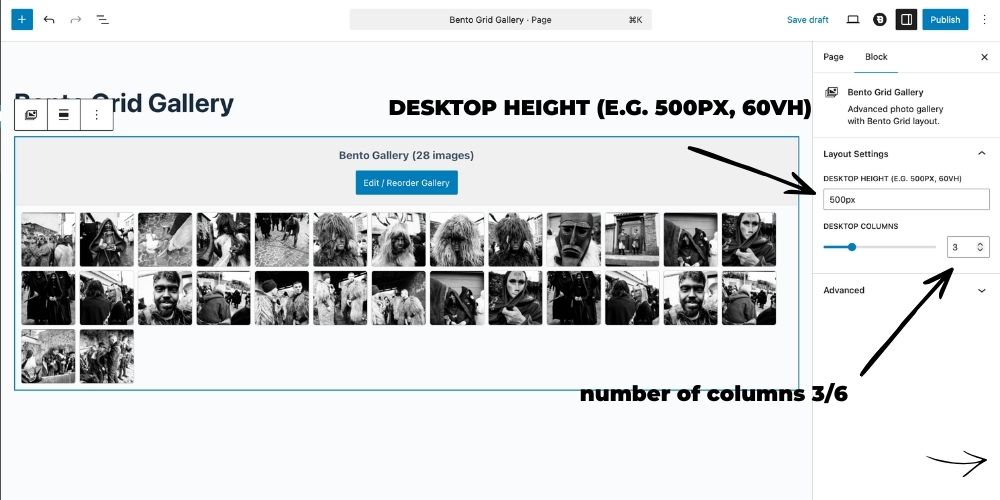
- Customizable Columns & Height: Manage desktop height, desktop columns, and mobile columns directly from the Gutenberg Inspector Controls.
- Advanced Lightbox: Full-screen image viewing with navigation arrows and a bottom thumbnail strip for quick navigation (visible on both Desktop and Mobile).
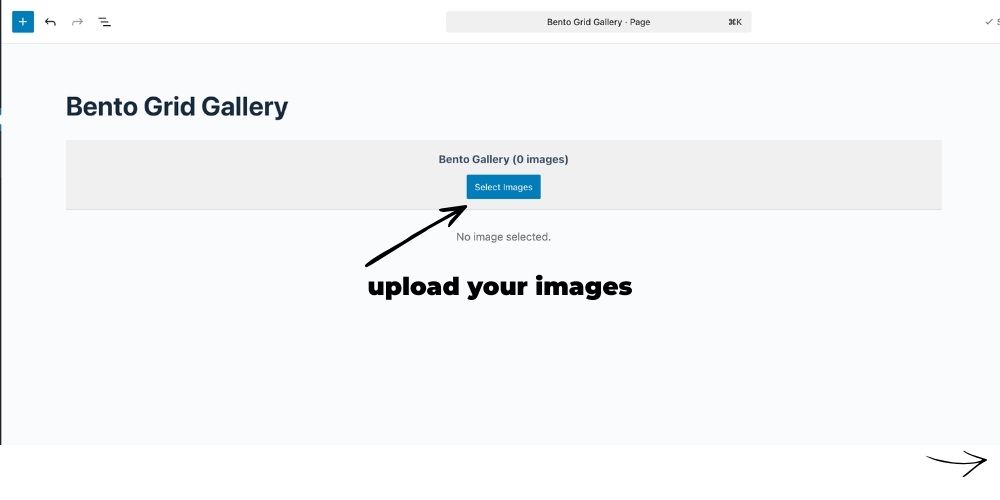
- Native Management: Uses the standard WordPress “Edit Gallery” interface for adding, removing, and reordering photos with native Drag & Drop.
- Performance Optimization: Automatically loads appropriate image sizes (
largefor main,medium_largefor secondary) to ensure fast loading speeds. - “+X Photos” Counter: If you upload more images than the visible grid allows, the last thumbnail automatically shows an overlay.
螢幕擷圖
適用於區塊編輯器
這個外掛提供 1 個可供 Gutenberg/區塊編輯器使用的區塊。
- Bento Grid Gallery Advanced photo gallery with Bento Grid layout.
安裝方式
- Upload the
bento-grid-galleryfolder to the/wp-content/plugins/directory of your site. - Activate the plugin through the ‘Plugins’ menu in WordPress.
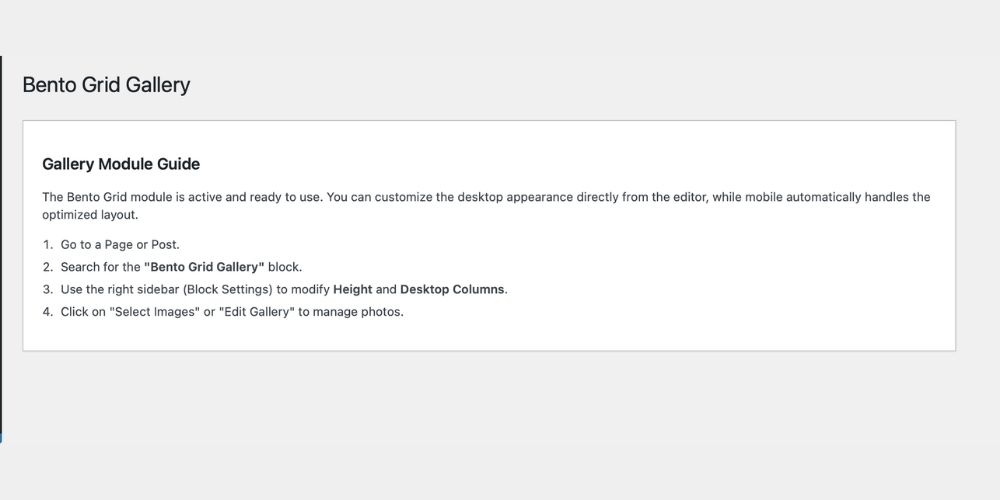
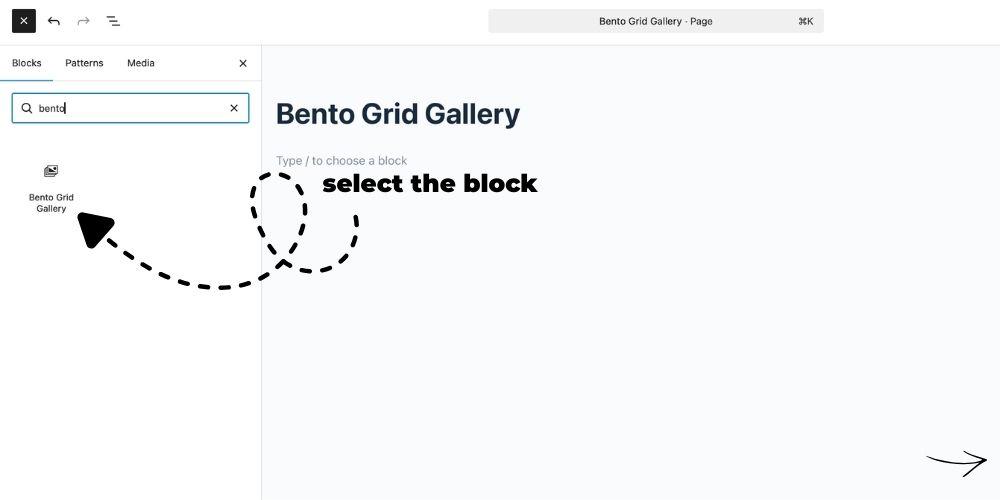
- Open a page or post and search for the block “Bento Grid Gallery”.
常見問題集
-
How do I customize the layout?
-
Select the gallery block in the editor, and open the right-side Settings Panel (Inspector Controls). You will find options to change the Desktop Height, Desktop Columns, and Mobile Columns.
-
How do I reorder photos?
-
Click the “Edit Gallery” button in the editor. The native WordPress window will open where you can drag and drop photos to reorder them.
使用者評論
這個外掛目前沒有任何使用者評論。
參與者及開發者

變更記錄
1.0.1
- Fixed inline CSS in admin page (moved to enqueued external stylesheet).
1.0.0
- Initial release of Bento Grid Gallery.
- Added Inspector Controls for dynamic layout adjustments (Height, Desktop/Mobile Columns).