

外掛說明
Easily add a testimonials slider to your WordPress post or page via the new Gutenberg Editor.
- Add testimonial text, author name, author image and author profile link
- Uses Bootstrap and Font Awesome
Donations
If you like the plugin, consider a donation to support further development. Click here
螢幕擷圖
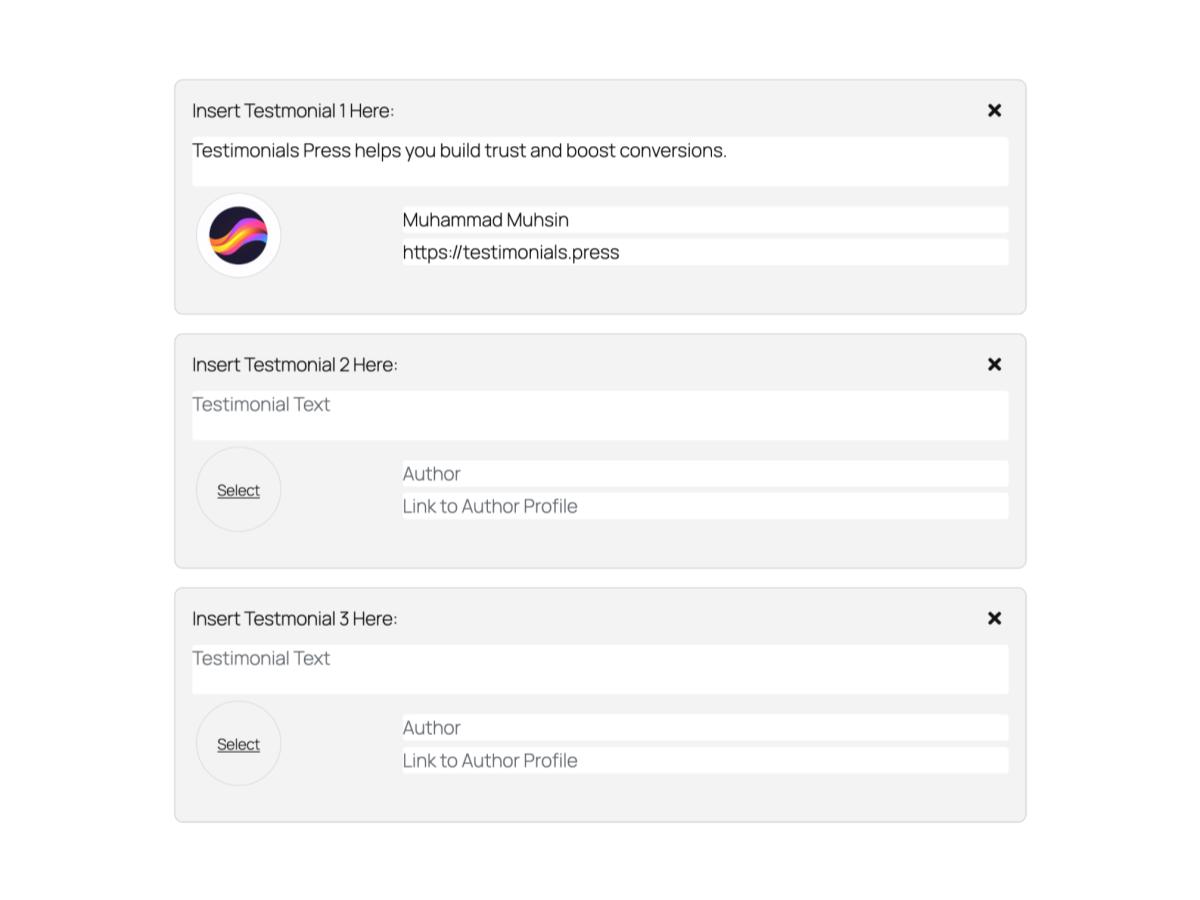
適用於區塊編輯器
這個外掛提供 1 個可供區塊編輯器使用的區塊。
- Testimonials Slider
安裝方式
From your WordPress dashboard
- Visit Plugins > Add New
- Search for “Testimonials Press”
- Install the “Testimonials Press” plugin
- Activate “Testimonials Press” from your Plugins page
- Insert Block on your Gutenberg Editor and select “Testimonials Slider”
使用者評論

2020 年 1 月 15 日
Thank you

2019 年 7 月 11 日
Very intuitive, simple and works great. Probably saved me a lot of time and trouble to make my own.

2019 年 4 月 19 日
I needed to testimonial in Gutenburg, and this one is better than the one that came with my theme and better than one that came with my Visual editor. Having the image with the text is a great idea.

2018 年 9 月 2 日
easy to use, works with gutenberg
參與者及開發者

變更記錄
1.2.5 (05/09/2024)
- Rename to Testimonials Press and update assets.
1.2.4 (05/09/2024)
- Works upto WordPress 6.6.1
1.2.3 (15/07/2022)
- Works upto WordPress 6.0.1
- Moved Edit and Save to their own files.
1.2.1 (02/04/2020)
- Works upto WordPress 5.4.1
- Fix issue with newly added blocks
- Change End of Line Sequence to LF, add package-lock.json
1.1.0 (14/11/2018)
- Works upto WordPress 5.0 now
1.0.1 (12/11/2018)
- Added a11y support for author images
1.0.0 (21/08/2018)
- First release