跳至主要內容
WordPress.org

Taiwan 正體中文

  • 佈景主題目錄
  • 外掛目錄
  • 最新消息
  • 技術支援
  • 關於我們
  • 團隊
  • 取得 WordPress
取得 WordPress
WordPress.org

Plugin Directory

WP ShareX

  • 提交外掛
  • 我的最愛
  • 登入
  • 提交外掛
  • 我的最愛
  • 登入

這個外掛並未在最新的 3 個 WordPress 主要版本上進行測試。開發者可能不再對這個外掛進行維護或提供技術支援,並可能會與更新版本的 WordPress 產生使用上的相容性問題。

WP ShareX

由 joomdev 開發
下載
  • 詳細資料
  • 使用者評論
  • 安裝方式
  • 開發資訊
技術支援

外掛說明

WP ShareX is an advanced WordPress Social Share plugin enables you to add social share buttons on Posts and pages. You can assign buttons on Top of the Content, Bottom of the Content, Sidebar and on media.

Features of WP Social Share by JoomDev
1. 24 Social Network
2. You have the option to select either Icons or Icons with Text
3. 3 Button Shapes
4. 4 Button Animations
5. URL Shortening Option with Bitly and Goo.gl
6. Embed Twitter Handle and desired tags with Tweet
7. 4 Button display Location e.i. Top of the Content, Bottom of the content, Media, and Sidebar
8. Hide On Mobile Ability
9. Default Share Count Option. (You can play with your user’s mind)
10. Encourage your Audience to share your content with Share Incentive Feature

螢幕擷圖
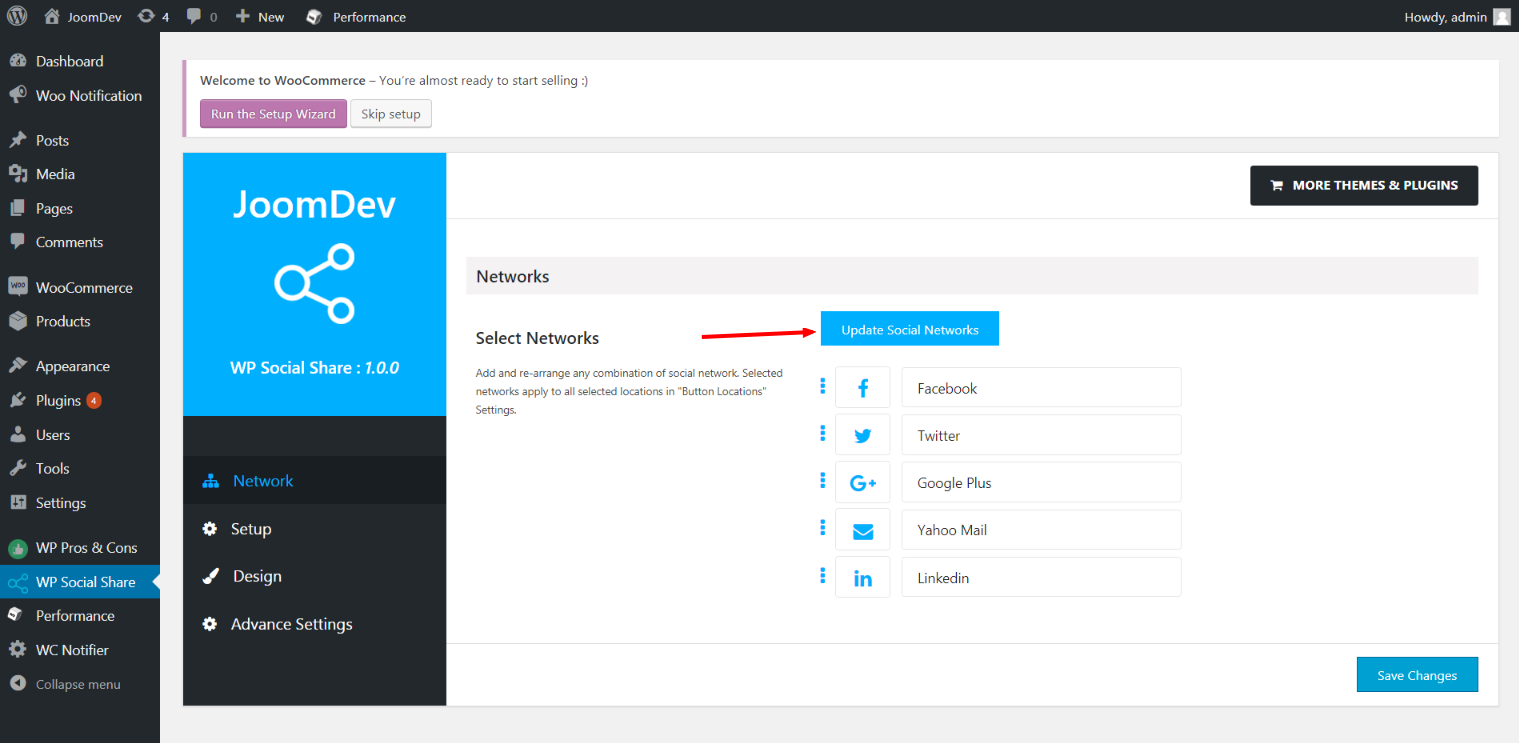
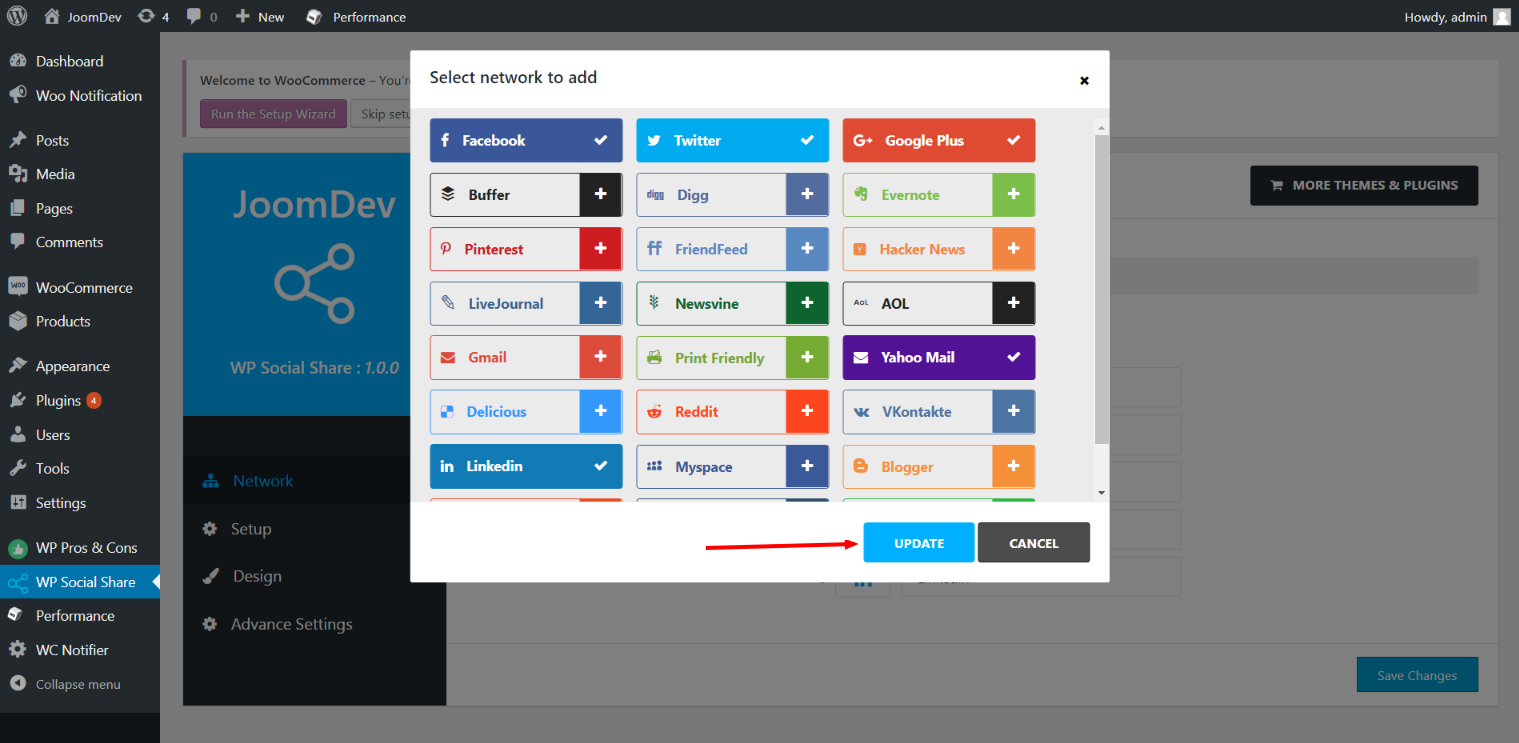
  • Click here to select networks
  • Update networks after selecting them.
  • Setup plugin and api settings.
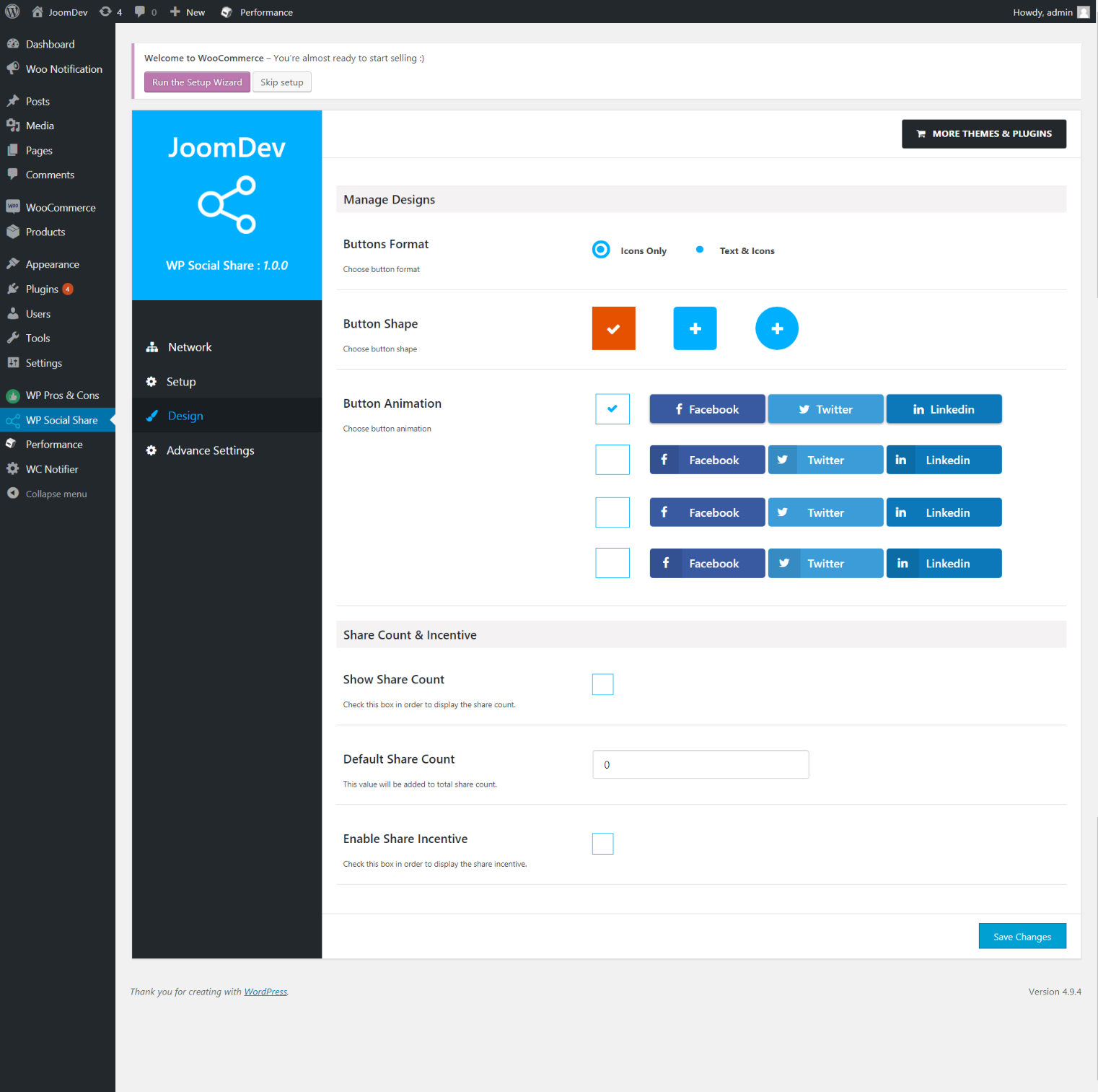
  • Select any design to display the buttons.
  • For mobile

安裝方式

Way 1:
1. Upload joomdev-wp-social-share.zip to the /wp-content/plugins/ directory
2. Extract the zip file.
3. Activate the plugin from wordpress plugins page. And you have done.

Way 2:
1. Go to plugins page in admin.
2. Click on Add New button.
3. Search for “WP ShareX”.
4. Click install on WP Social Share.
5. Activate the plugin.

常見問題集

Installation Instructions

Way 1:
1. Upload joomdev-wp-social-share.zip to the /wp-content/plugins/ directory
2. Extract the zip file.
3. Activate the plugin from wordpress plugins page. And you have done.

Way 2:
1. Go to plugins page in admin.
2. Click on Add New button.
3. Search for “WP ShareX”.
4. Click install on WP Social Share.
5. Activate the plugin.

How do I use this plugin?

See description.

使用者評論

Excellent!

Arnab Mohapatra 2018 年 3 月 16 日 1 則留言
Incredible plugin. It allows to add any sharing button on the page simply and fast!
閱讀全部 1 則使用者評論

參與者及開發者

以下人員參與了開源軟體〈WP ShareX〉的開發相關工作。

參與者
  • joomdev

將〈WP ShareX〉外掛本地化為台灣繁體中文版

對開發相關資訊感興趣?

任何人均可瀏覽程式碼、查看 SVN 存放庫,或透過 RSS 訂閱開發記錄。

變更記錄

1.0.0

  • New Plugin initialized.

中繼資料

  • 版本 1.0.0
  • 最後更新 8 年前
  • 啟用安裝數 10+
  • WordPress 版本需求 3.0 或更新版本
  • 已測試相容的 WordPress 版本 4.9.29
  • 語言
    English (US)
  • 標籤:
    sharesocialsocial share
  • 進階檢視

評分

5 星,滿分為 5 星
  • 1 個 5 星使用者評論 5 星 1
  • 0 個 4 星使用者評論 4 星 0
  • 0 個 3 星使用者評論 3 星 0
  • 0 個 2 星使用者評論 2 星 0
  • 0 個 1 星使用者評論 1 星 0

Your review

查看全部使用者評論

參與者

  • joomdev

技術支援

使用者可在技術支援論壇提出意見反應或使用問題。

檢視技術支援論壇

贊助

想要支援這個外掛的發展嗎?

贊助這個外掛

  • 關於我們
  • 最新消息
  • 主機代管
  • 隱私權
  • 展示網站
  • 佈景主題目錄
  • 外掛目錄
  • 區塊版面配置目錄
  • Learn
  • 技術支援
  • 開發者資源
  • WordPress.tv ↗
  • 共同參與
  • 活動
  • 贊助基金會 ↗
  • Five for the Future
  • WordPress.com ↗
  • Matt ↗
  • bbPress ↗
  • BuddyPress ↗
WordPress.org
WordPress.org

Taiwan 正體中文

  • 查看我們的 X (之前的 Twitter) 帳號
  • 造訪我們的 Bluesky 帳號
  • 造訪我們的 Mastodon 帳號
  • 造訪我們的 Threads 帳號
  • 造訪我們的 Facebook 粉絲專頁
  • Visit our Instagram account
  • Visit our LinkedIn account
  • 造訪我們的 TikTok 帳號
  • Visit our YouTube channel
  • 造訪我們的 Tumblr 帳號
程式碼,如詩
The WordPress® trademark is the intellectual property of the WordPress Foundation.