
外掛說明
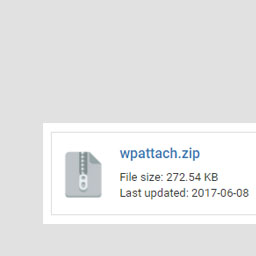
WP Attach allows you to attach files to posts or pages as an information box by using the shortcode [wpattach link=”LINK_TO_YOUR_FILE”]. Filetypes supported includes: .jpg .png .mp3 .mp4 .pdf .ae .ai .avi .css .doc .docx .docs .dw .eps .fl .fla .fw .html .id .ps .psd .ppt .pptx .xls .xlsx .slides .sheets
螢幕擷圖

安裝方式
- Upload
wpattach.zipto the/wp-content/plugins/directory - Activate the plugin through the ‘Plugins’ menu in WordPress
- All done! 🙂
常見問題集
- Installation Instructions
-
- Upload
wpattach.zipto the/wp-content/plugins/directory - Activate the plugin through the ‘Plugins’ menu in WordPress
- All done! 🙂
- Upload
- How to use the plugin?
-
Just add the following code to your post or page: [wpattach link=”LINK_TO_YOUR_FILE”]
- I need additional help!
-
No problem, just contact me (Gabriel Chi Hong Lee) and I’ll see what I can do for you. You can find me here:
WordPress
GitHub
StackOverflow
Email: chihonglee777@gmail.com
使用者評論
這個外掛目前沒有任何使用者評論。
參與者及開發者

變更記錄
1.0
Published! 🙂