
外掛說明
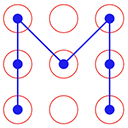
Pattern Lock allows to set pattern lock for wp admin screens. You can set pattern lock for your screen according to your choice.
How to use
- First Activate Plugin.
- Save Pattern Settings from Pattern Lock Settings Menu.
- Set Pattern Lock of your choice.
- Click on Lock Screen red button on top bar.
- Then Pattern Lock screen will appear.= Minimum requirements for Pattern Lock =
* WordPress 3.3+
* PHP 5.x
* MySQL 5.x
If any problem occurs, please contact us at http://www.webdesi9.com/support/.
螢幕擷圖

Pattern Lock Settings Page 
Set pattern according to your choice 
Pattern Lock Screen will show after click on Lock Screen red Button on Top Bar 
Forgot Password ?
安裝方式
- Upload the
pattern-lockfolder to the directory/wp-content/plugins/. - Activate the plugin using the ‘Plugins’ menu in WordPress.
使用者評論
這個外掛目前沒有任何使用者評論。
參與者及開發者

變更記錄
1.0 (5th Sept,2016)
- Release First version