
外掛說明
Data443 is a Data Security and Privacy Compliance company that is publicly traded ATDS. We have been providing leading GDPR compliance products such as WordPress GDPR Framework and ClassiDocs, Blockchain privacy, and enterprise cloud eDiscovery tools.
One of this few things that isn’t under your control when you manage a WordPress site is the Post’s footer, the stuff you usually insert after the content of your posts.
There are tons of plugin that insert automatically their widgets after the content, the problem you NEED to verify how they fit with your theme… and you start to modify the theme code or leave a mess because essentially you can’t control it.
I bet I can find lots of stuff at the end of your posts and I bet you never had a tool to order the items or space them correctly.
Usually in your blog you have:
- Share buttons
- Subscription box
- 相關文章
- Author bio box
- Banners
- Opt-in boxes
Of course your visitors can’t decide what to do once read the post, they get confused!
That’s why we created Post’s Footer Manager
When a visitor read an article or a page on your site and reach the end of the post, you should display the best things in order to keep it on the site or convert into a subscriber.
So, what you need is not an hard coding of your theme, but something that manages and gives you the control of this important part of your site.
With Post’s Footer Manager you put your widgets, insert shortcodes, scripts and so on, with an easy drag and drop interface that let you decide what display before, based on a specific category or a key page.
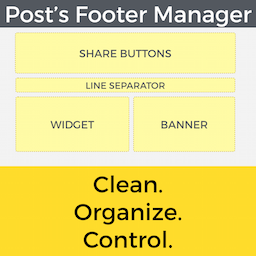
Intact, Post’s Footer Manager comes with a well-organized groups and elements that let you decide HOW display your post’s footer, cleaning the mess, giving priority at what really matters and reaching a best performance in terms of page views, conversions and time on site.
Upgrade to PRO and get:
1. Unlimited groups and elements
2. Custom Post Type support
3. Animation effects to catch reader attention
Check the PREMIUM version at https://intellywp.com/posts-footer-manager/
螢幕擷圖


安裝方式
- 下載
- Upload to your /wp-contents/plugins/ directory.
- Activate the plugin through the ‘Plugins’ menu in WordPress.
- Enjoy
You can also click on this link https://intellywp.com/posts-footer-manager/ to see a full explanation. This is our official webpage, you will see the plugin in action, with the possibility to buy PREMIUM version and have full support.
常見問題集
-
Do you have a video demo?
-
Sure! Check it out here https://intellywp.com/posts-footer-manager/
-
Will this plugin slow my website?
-
Absolutely not! Since this plugin is built with lightweight code, you won’t notice any difference in speed.
-
Of course! You can insert whatever you want, banners, shortcodes, simple text, widgets, subscription boxes, share buttons and so on.
-
I only need to order the elements
-
Yeah, just use the drag and drop table or order elements as you want.
-
I’d like to show something only on certain posts, may I?
-
Of course, just create a group and target it only on posts you prefer, or simply use it on a specific category.
-
May I catch the user attention with animations?
-
Yes, with the PRO version you can set a specific animation to catch the reader’s attention.
Check the PRO version here: https://intellywp.com/posts-footer-manager/

參與者及開發者


變更記錄
2.3.0
Release Date – 2026-5-20
- Test with WordPress 7.0
2.2.0
Release Date – 2025-1-15
- RDU-1585 Do additional work to remove a potential vulnerability
2.1.0
Release Date – 2024-12-10
- RDU-1567 Remove a potential vulnerability
2.0.5
Release Date – 2021-08-30
- IWP-327 Update plugin author and contact information
- IWP-335 Fix shortcode bug
2.0.4
Release Date – 2021-07-02
- IWP-258 Remove a potential vulnerability
2.0.3
Release Date – 2021-06-17
- IWP-227 Fix PHP 8 Fatal Error
2.0.2
Release Date – 2021-05-24
- IWP-157 add right hand “How to contact us?” column to Settings tab
- IWP-187 make “FAQ & Docs” tab open in new browser tab
2.0.1
Release Date – 2021-03-10
- Links Updated
- Added : Faq & Docs tab.
- Tested with WP 5.7 Plugin updated and supported.
2.0.0
Release Date – 2021-01-19
- Tested with WP 5.6 Plugin updated and supported.
1.0.7
Release Date – 2020-10-17
- Bug fix in save button
- Tested with WP 5.5 Plugin updated and supported.
1.0.6
Release Date – 2018-05-01
- Finally compatible with WP 4.9.5. Plugin updated and supported.
1.0.5
Release Date – 21/08/2016
- Compatible with PHP < 5.3
1.0.4
Release Date – 29/02/2016
- Various bugfixes
1.0.1
Release Date – 09/01/2015
- First release