
外掛說明
Joker Admin Colors lets you design your own WordPress admin colour schemes without writing any code.
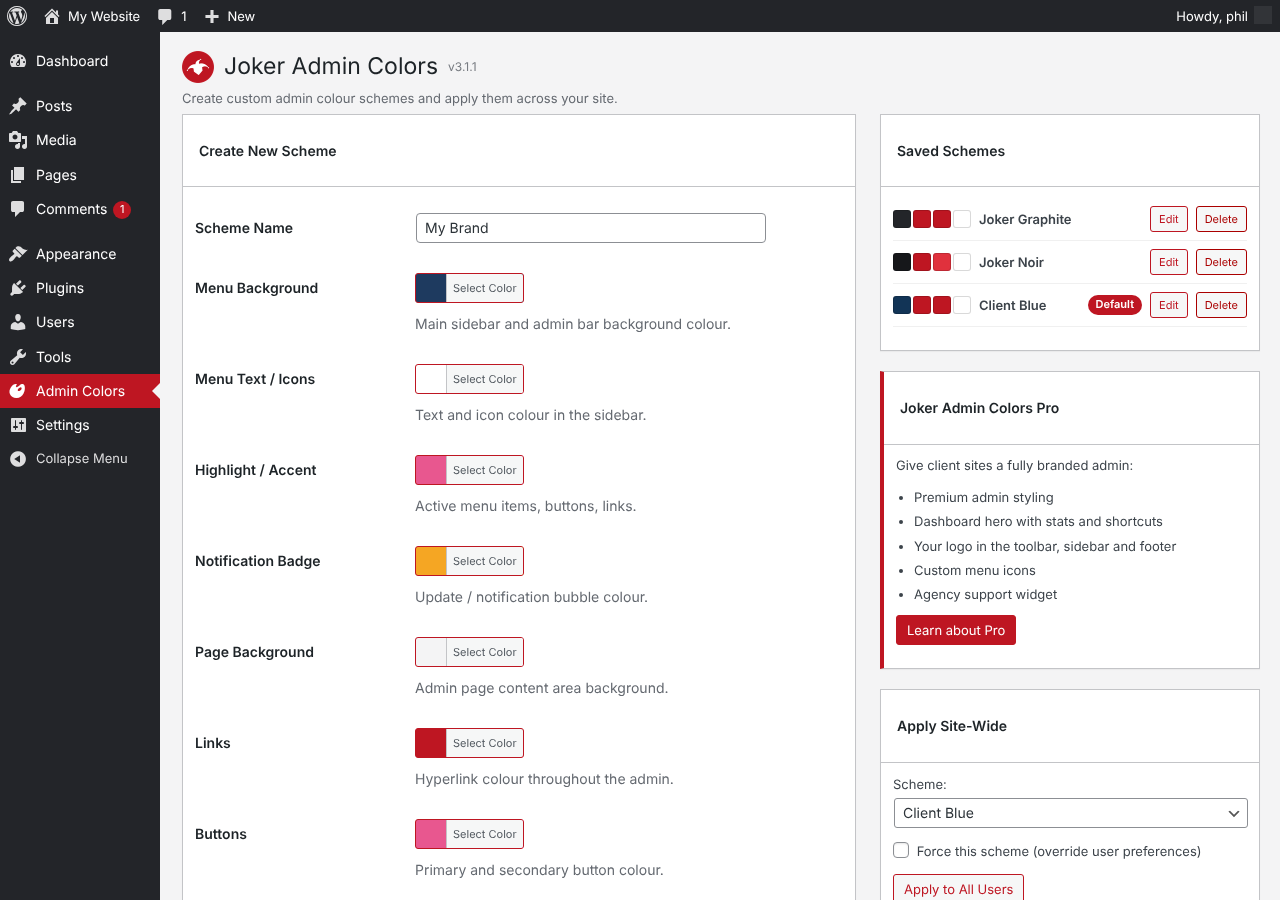
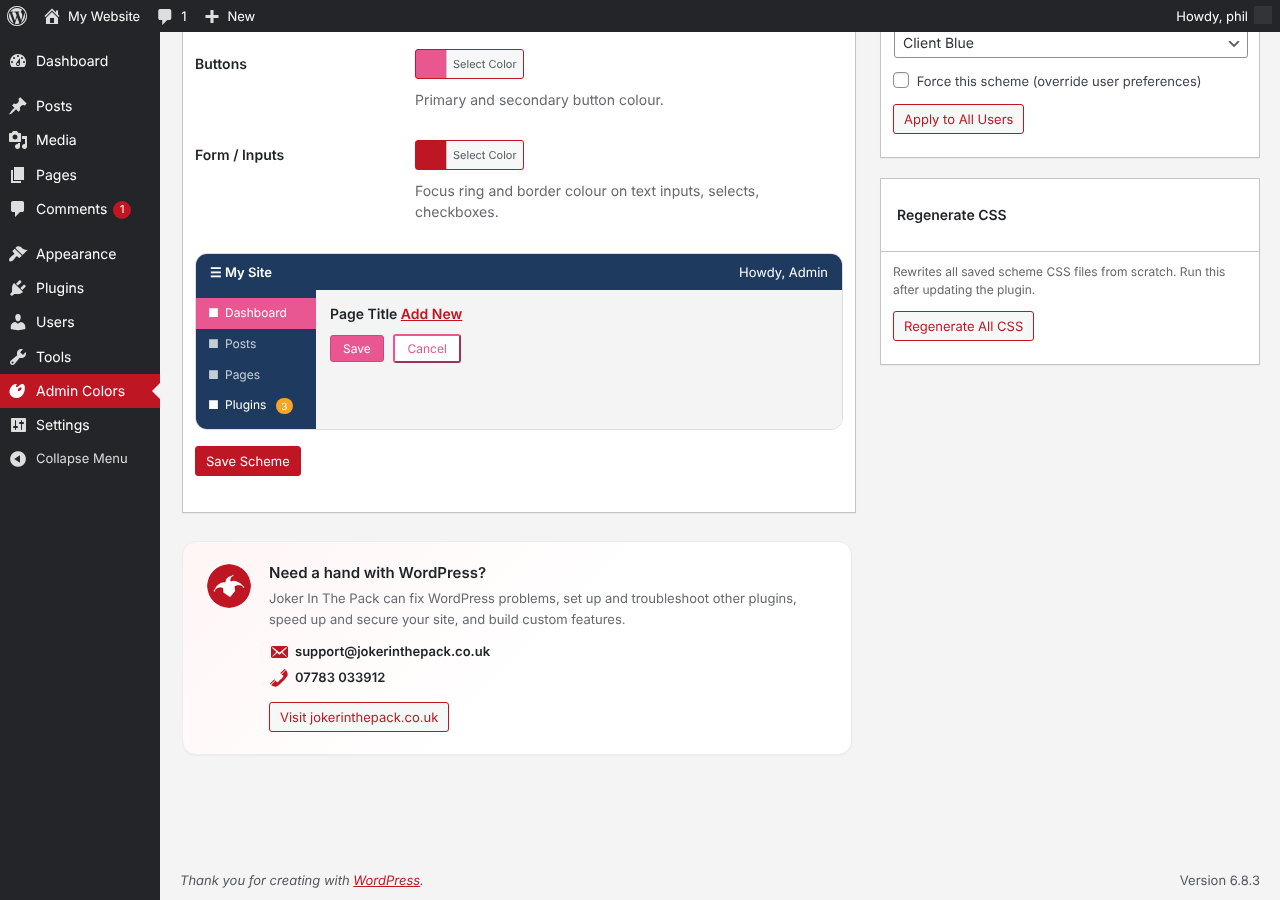
- Build schemes from eight colours: menu background, menu text, highlight, notification badges, page background, links, buttons and form focus
- Live preview while you pick colours
- Two ready-made schemes included: Joker Graphite and Joker Noir
- Checkboxes, radios and focus rings follow your scheme, not WordPress blue
- Apply a scheme to every user in one click
- Optionally force a scheme so users cannot change it
- Every scheme also appears on each user’s profile screen
Joker Admin Colors Pro
The Pro edition adds premium admin styling, a branded dashboard with stats and shortcuts, your logo in the toolbar and sidebar, custom menu icons and an agency support widget. Find out more at jokerinthepack.co.uk.
螢幕擷圖
安裝方式
- Install the plugin from Plugins > Add New Plugin, or upload the zip file.
- Activate the plugin.
- Open Admin Colors in the sidebar.
- Create a scheme, or use Apply Site-Wide to move every user onto Joker Graphite.
常見問題集
-
Some users still see the default WordPress colours
-
WordPress stores a colour choice for each user. Use Apply Site-Wide > Apply to All Users, and tick Force this scheme to lock it.
-
Where are the scheme files stored?
-
Each scheme is saved as a small stylesheet in wp-content/uploads/jacf-schemes/. Use Regenerate All CSS after moving your site.
-
What happens when I delete the plugin?
-
All schemes and settings are removed and every user goes back to the default WordPress colour scheme.
使用者評論
這個外掛目前沒有任何使用者評論。
參與者及開發者

變更記錄
3.1.1
- Added a WordPress support panel to the settings page.
3.1.0
- First release on WordPress.org.
- Custom colour scheme builder with live preview.
- Joker Graphite and Joker Noir schemes.
- Apply site-wide and force scheme options.