
外掛說明
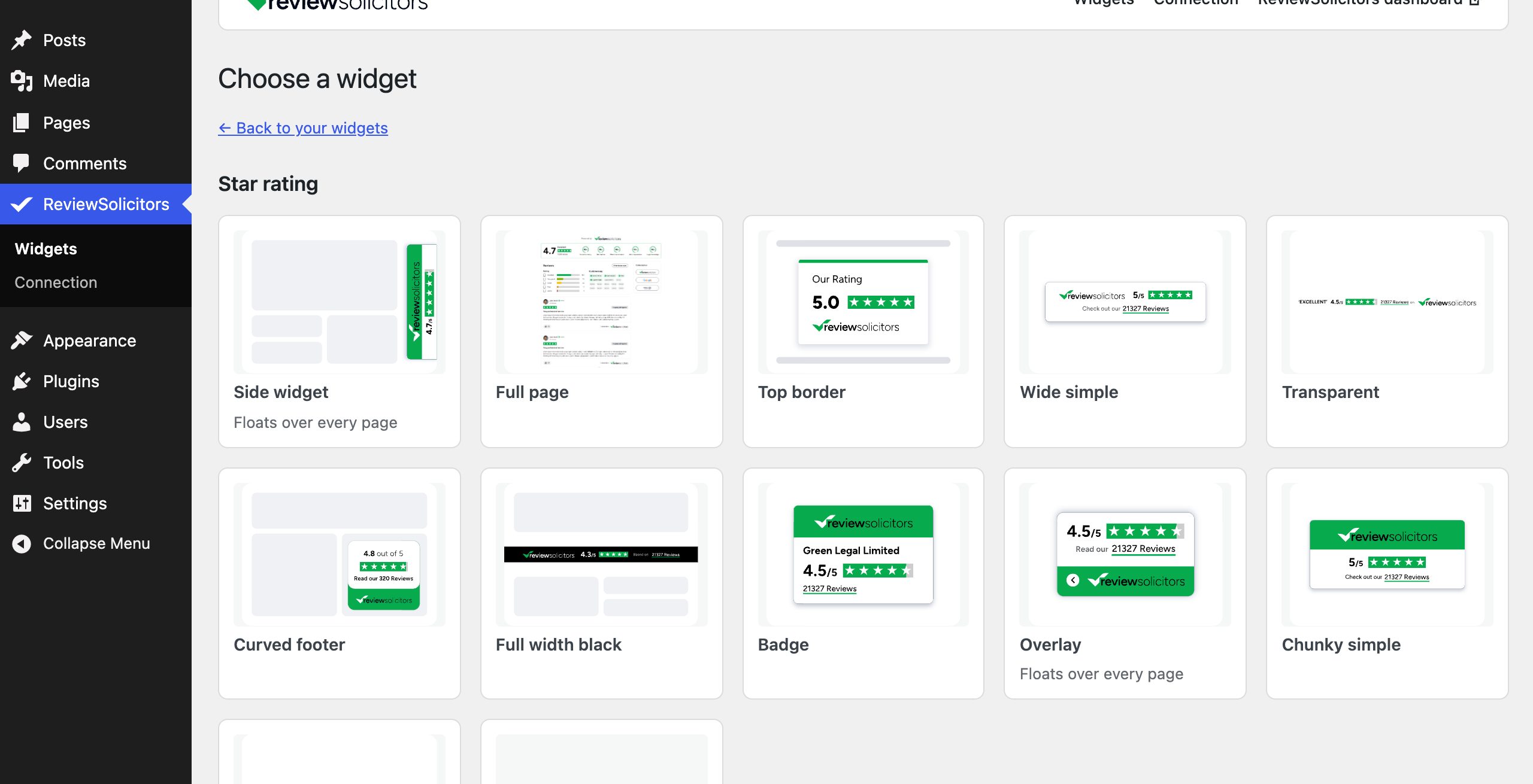
- Pick any ReviewSolicitors widget from a gallery and style it with a live preview.
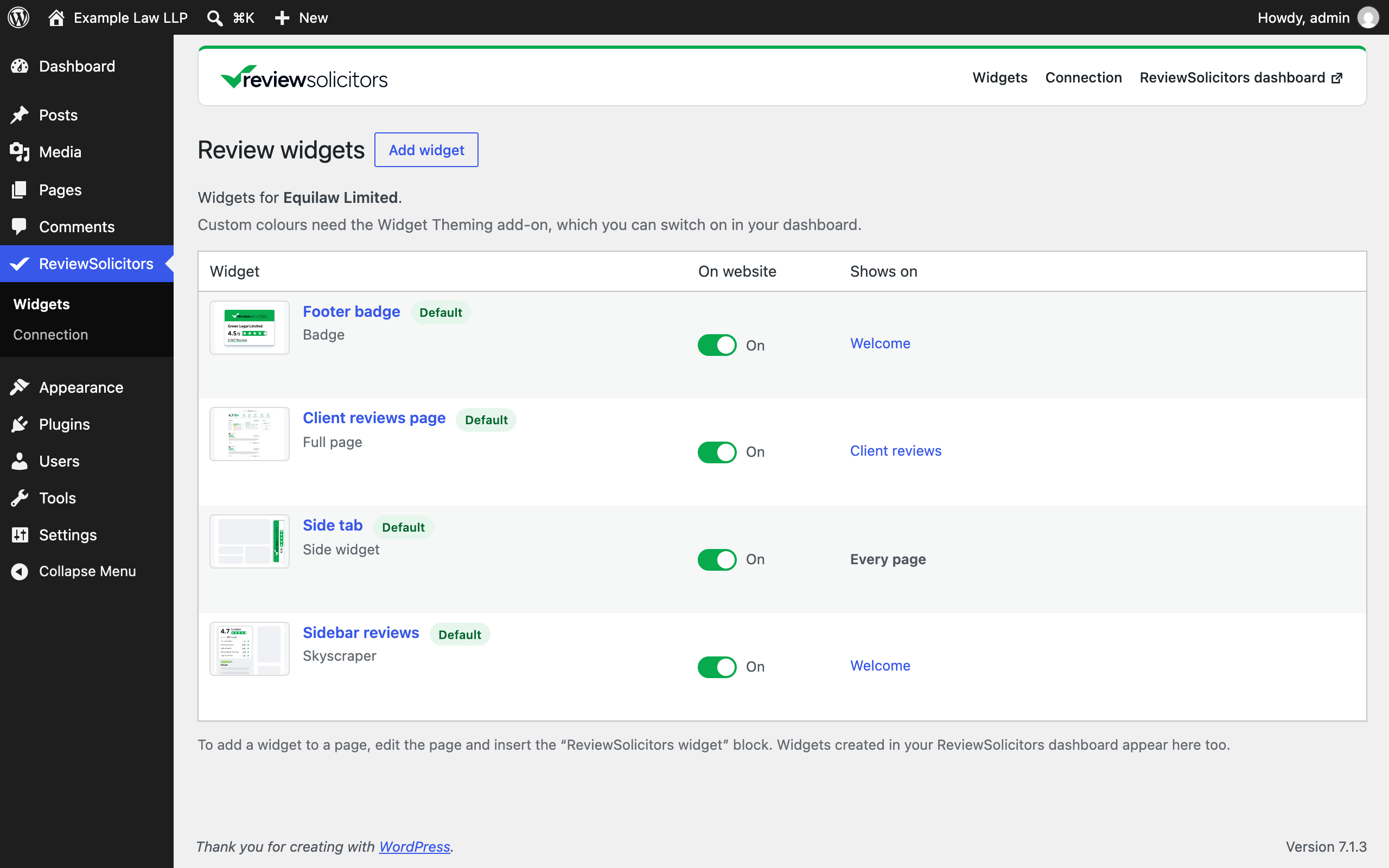
- Create as many versions of a widget as you need, for example one per office or area of law.
- Switch each widget on or off with one click.
- Show a widget on every page, on the home page, on chosen pages, or only where you place it.
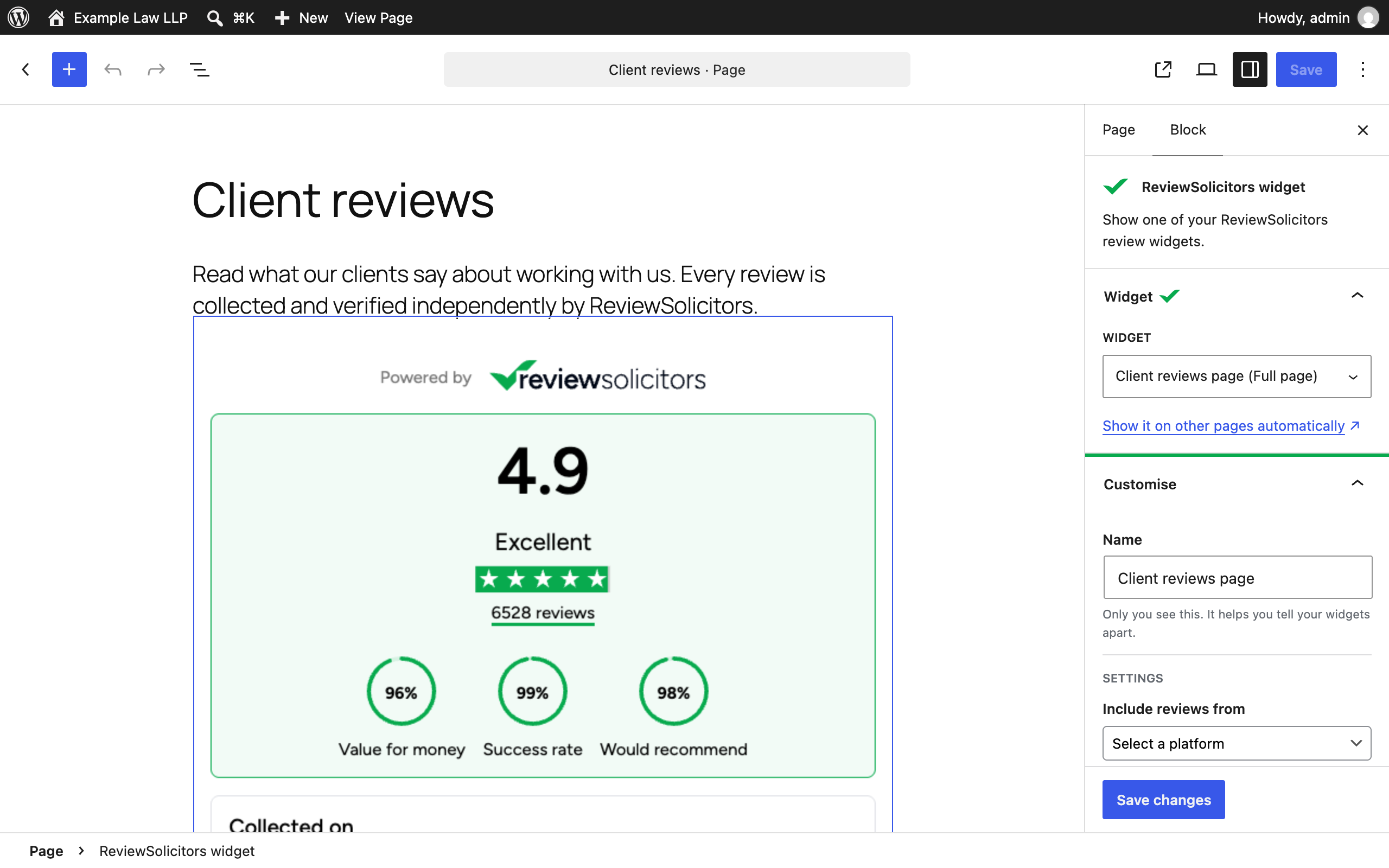
- Place widgets with the “ReviewSolicitors widget” block, a shortcode, or Appearance › Widgets.
- Widgets created in your ReviewSolicitors dashboard appear in WordPress too, and changes go both ways.
Your website keeps showing your widgets even if ReviewSolicitors cannot be reached while you edit.
The plugin needs a ReviewSolicitors API token, which firms with an active Premium membership can create in their dashboard under API Settings. Custom colours need the Widget Theming add-on.
External services
This plugin relies on ReviewSolicitors (https://www.reviewsolicitors.co.uk), the review platform your firm’s widgets and reviews come from. It cannot work without it.
- ReviewSolicitors API, from your WordPress site. When you connect, open the widget list, create, edit, preview, switch or delete a widget, and twice a day in the background, the plugin sends your API token and the widget settings you choose to https://www.reviewsolicitors.co.uk/api/v2/widgets. It receives your firm’s widgets and the widget previews. No visitor data is sent.
- ReviewSolicitors embed script, from your visitors’ browsers. On pages that show a widget, visitors’ browsers load the embed script (https://www.reviewsolicitors.co.uk/widget/rs.js) and the widget content from ReviewSolicitors, exactly as with the copy-and-paste widget code. ReviewSolicitors receives the visitor’s IP address, browser details and the address of the page, and records that the widget was shown.
ReviewSolicitors terms and conditions: https://www.reviewsolicitors.co.uk/terms
ReviewSolicitors privacy policy: https://www.reviewsolicitors.co.uk/privacy-policy
螢幕擷圖




適用於區塊編輯器
這個外掛提供 1 個可供區塊編輯器使用的區塊。
- ReviewSolicitors widget Show one of your ReviewSolicitors review widgets.
安裝方式
- Upload the plugin from Plugins › Add New › Upload Plugin and activate it.
- Sign in to your ReviewSolicitors dashboard, open API Settings and generate a token. Under “What is this token for?” choose WordPress plugin, so the token can only manage your widgets.
- In WordPress, open ReviewSolicitors › Connection, paste the token and select Connect.
- Open ReviewSolicitors › Widgets and select Add widget.
常見問題集
-
How do I place a widget inside a page?
-
Add the “ReviewSolicitors widget” block and pick the widget, or paste its shortcode, for example
[reviewsolicitors_widget code="AbC123"]. You can copy the shortcode from the widget list. -
Can I show the same widget on several pages?
-
Yes. Either choose “Chosen pages” under “Where it shows”, or place the block or shortcode on each page.
-
Can I show two widgets of the same type on one page?
-
Not yet. The ReviewSolicitors embed script shows one widget of each type per page, so place different types together (for example a Badge and a Carousel) rather than two Badges.
-
What happens when I disconnect?
-
Widgets stop showing on your website until you connect again. Your widgets and their settings stay in your ReviewSolicitors account.
-
Which data does the plugin send?
-
Only the widget settings you choose, sent to ReviewSolicitors with your API token. Visitors’ browsers load the widget from ReviewSolicitors, as they do with the copy-and-paste code.
使用者評論
這個外掛目前沒有任何使用者評論。
參與者及開發者

變更記錄
1.0.0
- First release.