
外掛說明
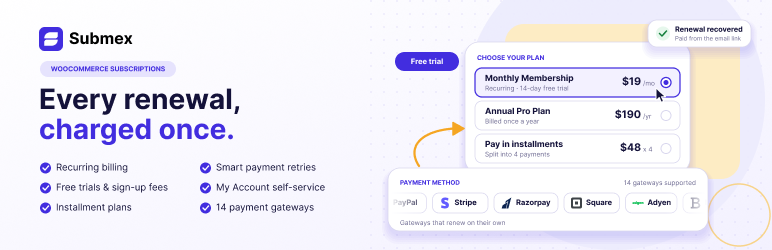
Submex turns WooCommerce products into subscriptions and runs the renewal billing for you — scheduling each charge, taking it, retrying it and recording every attempt — with a place in My Account where customers can see and cancel what they pay for.
Selling subscriptions
- A Subscription product type in the Product data panel, billed every day, week, month or year, or any multiple of them.
- Free trials in days, weeks, months or years, and sign-up fees.
- The price says how often it recurs wherever WooCommerce shows it, and the terms — the trial, the first payment, what follows, cancel anytime — are spelled out on the product page, in the cart and at checkout.
- Works with both the classic checkout and the block checkout.
- A guest can buy a subscription and have an account made at checkout, or you can require a login first.
- A checkout that costs nothing today — a free trial, or a coupon worth the whole first payment — still asks for a payment method whenever a later renewal will charge something, so the first renewal has a card to charge. Plans that renew for nothing are not asked.
Taking payment
- PayPal runs the schedule itself, and Submex keeps in step through PayPal’s webhooks.
- With no gateway at all, renewals become invoices the customer pays by hand.
- Payments that are confirmed days later — Direct Debit and bank payments — wait as pending: the customer keeps access, the renewal order waits on hold so it cannot be paid twice, and Submex never retries or re-charges it. The gateway settles it once the money is confirmed or refused.
- A failed or waiting renewal can be paid from its payment link. Paying it restarts the subscription exactly once, keeps the card it was paid with for later renewals, and is never charged again.
- A safeguard in the database means a renewal can never be charged twice, even when two processes try at the same moment.
- A charge whose result never arrived is checked with the gateway, not simply tried again.
- The next renewal is queued as soon as one is charged. Renewals missed while the site’s scheduler was not running are picked up by an hourly check, which by default charges once for the gap rather than once per missed period.
- In stores that enter prices including tax, renewals charge exactly what the checkout charged. VAT-exempt customers stay exempt on every renewal.
- A copy of the site on staging refuses to bill anyone.
For your customers
- My Account lists their subscriptions, what they pay and when the next payment is.
- They can cancel at the end of the period they paid for, or straight away. You cannot switch cancelling off. A subscription cancelled at the end of the period ends when that period runs out: access stops and nothing more is charged.
- If you turn on Ask before cancelling, they are asked for their main reason first. The reason is optional, and Continue canceling is always one click.
- They can turn off automatic renewal and keep what they paid for until the period ends.
- They can pay a renewal that failed, or one waiting on them, from its payment link.
- If you allow it, they can pay the next period early without moving their renewal date.
Running your store
- Overview walks you through setting up — connect a payment method, create a product, run a test renewal that charges nobody — then shows recurring revenue (net of tax), what needs your attention and your latest subscriptions.
- All subscriptions lets you search, filter, sort and change subscriptions in bulk, and open any one to see its history, charge it now or move its dates.
- Health checks, under Settings: whether the renewal queue is running, charges whose outcome is still unknown, renewals waiting more than 10 days for their payment provider to confirm them, whether the double-charge safeguard is in place, and subscriptions whose renewals add tax twice — listed with a Repair action, since subscriptions sold before 0.19.4 in tax-inclusive stores are never changed silently.
- Ten emails for the moments that matter — seven to the customer (including a reminder before each renewal) and three to you — each with a preview under Email Notifications on WooCommerce 9.6 and later.
- Customer roles and downloadable files that follow the subscription.
- FluentCRM: choose tags and lists on each subscription product. The contact has them while the subscription is active or in a free trial and loses them when it stops, and only tags and lists Submex added are ever removed.
- Integrations and Help screens, with a system report that never contains your keys.
- A REST API for subscriptions, open to logged-in store managers.
Submex Pro
A separate plugin adds:
- Plans and pricing: variable subscriptions, several plans per product, instalment and split payment plans, introductory renewal prices, fixed expiry dates, minimum terms, payment caps, purchase limits, shipping on renewals and delivery schedules.
- Keeping customers: pause and resume, plan switching, upgrade suggestions and “switch instead of cancelling”, a retention offer on cancellation, a win-back email campaign, anniversary thank-yous with an optional gift, and members-only content.
- Getting paid: configurable payment retries and a grace period, with a recovery report, card updates from My Account with expiring-card and “update your payment details” emails, recurring coupons and sign-up fee coupons, subscription webhooks, and WhatsApp notifications.
- More gateways: Stripe, Square, Braintree, Authorize.net, Mollie, Xendit, Razorpay (UPI Autopay), GoCardless Direct Debit, Adyen, WooPayments, Paddle, and bKash and SSLCommerz by payment link.
- Checkout and emails: one-click checkout, your own Subscribe button text, trial ending and expiring soon reminders, and editing each email’s subject, heading and content inside Submex.
- Integrations: LearnDash, Tutor LMS, LearnPress, MailPoet, WP Fusion, AutomatorWP, AutomateWoo, AffiliateWP recurring referrals, BuddyBoss and BuddyPress groups, License Manager for WooCommerce and WP Software License.
- Reports, subscription health with a digest email, a live QR status page, and WooCommerce API keys on the subscription API.
External services
Submex talks to a payment provider only when you have switched that provider on and entered
its credentials. Nothing is sent anywhere by default, and Submex sends nothing to its own
author or to any analytics service.
PayPal
Used to create and run the billing plan, when PayPal is enabled under
Submex Settings PayPal.
Requests go to https://api-m.paypal.com, or to https://api-m.sandbox.paypal.com when the
environment is set to Sandbox. They are made when a subscription product is bought, and
whenever PayPal notifies the site of a payment so Submex can verify that the notification is
genuine. What is sent: the product name, the price, currency and billing cycle of the plan
including any free trial or sign-up fee, the order number, the customer’s first name, last
name and billing email, this site’s name and the addresses PayPal returns the customer to,
and — for verification — the notification PayPal sent back together with the signature
headers that came with it.
PayPal’s terms: https://www.paypal.com/legalhub/useragreement-full — PayPal’s privacy
statement: https://www.paypal.com/legalhub/privacy-full
WordPress.org
The Integrations screen can install a companion plugin for you. Doing so asks
https://api.wordpress.org for that plugin’s download, exactly as Plugins Add New
does. It happens only when you click Install, and sends only the plugin’s slug.
Source code
The JavaScript for Submex’s admin screens is bundled, and its unbundled source ships in this
plugin’s src/ directory alongside the build configuration. To rebuild it:
npm install
npm run build
The build uses @wordpress/scripts with the webpack, Tailwind and PostCSS configuration files
included in the plugin.
安裝方式
- Install and activate WooCommerce 8.0 or newer.
- Upload the
submexfolder to/wp-content/plugins/, or upload the ZIP from Plugins Add New Upload Plugin. - Activate Submex.
- Open Submex Overview and follow the setup checklist: connect a payment method, create a subscription product, and run a test renewal.
To turn a product into a subscription yourself, edit it and choose Subscription in the Product data dropdown.
常見問題集
-
Is this ready for a live store?
-
Not yet. The renewal engine is built and tested against a running WordPress, and PayPal is included. What has not happened yet is a payment through a real PayPal account, and a renewal watched firing on its own over days. Until both have, use it on a staging site.
-
Which payment methods can renew automatically?
-
PayPal, included. Submex Pro adds Stripe, which saves the card at checkout and charges each renewal itself, and Square, Braintree, Authorize.net, Mollie, Xendit and WooPayments renewals against the payment method those plugins saved at checkout, and its own checkouts for Razorpay (UPI Autopay), GoCardless Direct Debit and Adyen; Paddle bills its own schedule, as PayPal does. bKash and SSLCommerz cannot charge a customer again automatically, so Pro emails each renewal as a payment link. Without any of them, each renewal is an invoice the customer pays.
-
What happens to a Direct Debit renewal while it clears?
-
The renewal is pending: the customer keeps access, the renewal order waits on hold, and nothing is charged again or retried. When the payment provider confirms the payment the renewal is marked paid and the next one is scheduled; if the payment fails, it follows the normal failed-payment path, once.
-
Can a customer be charged twice for the same renewal?
-
No. Each billing period can hold exactly one charge, enforced by a unique index in the database, so a second attempt is refused before it reaches the payment gateway — even if two processes try at the same moment.
-
Can customers cancel on their own?
-
Yes, from My Account, and that cannot be turned off. A customer who cannot cancel is a chargeback waiting to happen.
-
Does it work with High-Performance Order Storage?
-
Yes. Subscriptions are a native WooCommerce order type, stored in the HPOS tables. WooCommerce’s older post-based order storage is supported in the code as well, but has not been tested end to end.
使用者評論
這個外掛目前沒有任何使用者評論。
參與者及開發者


變更記錄
1.1.3
- Fixed: opening a saved subscription product hid its General tab, so the price, the billing fields and WooCommerce’s Virtual box were missing and the product could not be made shipping-free. They now show on every subscription product.
- Submex’s settings live only under Submex Settings. The duplicate Subscriptions tab under WooCommerce Settings is gone, and old links to it open Submex Settings.
- Manage on PayPal under WooCommerce Payments opens Submex’s PayPal settings, with the credentials, instead of a title-only form.
1.1.2
- Fixed: PayPal turned on under Submex’s settings was not offered at checkout until it was also turned on under WooCommerce Settings Payments. Turning either one on now turns on the other; turning PayPal off under Payments alone still keeps existing subscribers renewing.
1.1.1
- The cancel form in My Account names the right end date when an extension, such as Submex Pro’s pause, moves it.
1.1.0
- Ask before cancelling: an optional reasons screen before a customer cancels, off by default. Continue canceling is always one click.
- Edit, reorder, switch off and delete the cancellation reasons, and set the reasons screen’s text, with a live preview.
- Confirmation messages: your own message after a customer cancels, or the plain notice.
- The Home menu item is now Overview.
- Fixed: on sites without pretty permalinks, subscription links in My Account landed on the account dashboard.
- Fixed: resubmitting the cancel form sent the cancellation emails again.
- Fixed: the Submex logo in the admin header was cut off.
1.0.1
- Renamed to Submex Subscription Billing for WooCommerce (slug
submex). Options, tables, hooks, order statuses and the text domain use thesubmexprefix, so a store that ran an earlier build under the old name starts fresh. - Integrations: installing an integration plugin no longer reloads core admin files WordPress has already loaded, and uninstalling no longer loads
wp-admin/includes/plugin.phpitself.
1.0.0
- First stable release. Submex is no longer a development release: everything from 0.32.0, with the readme and user guide updated to match.
0.32.0
- Submex’s setup notices (PayPal not configured, guest checkout unreachable, tax added twice) appear only on Submex’s screens and WooCommerce Settings (the tax notice also on the orders screens), and Dismiss keeps them away until the problem changes.
- Downloadable files bought on a subscription follow that subscription; the same product bought once keeps its files.
- Deleting Submex with “delete data” on no longer removes Submex Pro’s or add-ons’ settings.
- Checkout refuses a cart holding more than one subscription, with a message saying so.
- PayPal: one product sold on different terms gets a PayPal plan for each.
- For developers: a cart line can be a subscription on terms of its own (new
submex_line_termsfilter). See CHANGELOG.md.
0.31.0
- EasySubscription is now Submex. New name, slug (
submex) and prefixes throughout. Settings and data from EasySubscription are not carried over. - Admin notices from WordPress and other plugins are no longer moved into the notification bell; only Submex’s own are.
- Markup is escaped where it is printed, and the product-type script is enqueued rather than printed.
0.30.3
- WordPress.org Plugin Check: the FluentCRM tile no longer loads its icon from another site, and the readme changelog is shorter; the full history is in CHANGELOG.md.
0.30.2
- Fix: with the real FluentCRM plugin, no contact was created or tagged when a subscription started.
0.30.1
- Fix: FluentCRM tags and lists did not appear on subscription products, and were not applied, with the real FluentCRM plugin active.
0.30.0
- FluentCRM integration. Choose FluentCRM tags and lists on each subscription product: they are added when the subscription starts and removed when it ends, after any grace period. Tags a customer already had are never removed.
0.29.0
- Email Notifications (renamed from Notifications): turn each email on or off, and preview it as your customers will see it.
- Cart & Checkout keeps guest checkout and mixed checkout.
- Payments: PayPal. Stripe, one-click checkout, custom button labels, the trial ending and expiring soon reminders, in-app email editing and API access are part of Submex Pro.
- The product’s Shipping settings appear only when an add-on uses them; WooCommerce’s own Virtual option decides whether a subscription ships.
- Tested with WordPress 7.1.
0.28.1
- The notification bell sits beside Help and Settings with its count as a small pill next to it, instead of a badge that covered the bell.
0.28.0
- SubKit is now Submex in every name: folder, files, code, settings, database tables, hooks, the API (
submex/v1) and the repository. It is a new plugin: nothing is carried over from SubKit. - Quieter admin notices. Only what needs you now — renewals or money at risk, or the result of something you just did — shows under the header, as compact cards (three at most). Everything else, including other plugins’ notices, waits in a bell with a count in the top bar.
0.27.0
- Your logo. The Submex logo leads every screen, and its icon marks the admin menu.
- Notifications. Every Submex email is listed with one switch — the same switch WooCommerce uses, so both screens always agree — and edited inside Submex: subject, heading, additional content and format, with a preview. The renewal reminder is now set in hours before the renewal (existing stores are converted automatically).
- New emails: a trial ending reminder (3 days before a free trial turns into a paid subscription), an expiring soon reminder for subscriptions with an end date, and a subscription reactivated email.
- Cart & Checkout: choose whether subscriptions and one-time products can be bought together, send customers straight to checkout when they subscribe, and set the Subscribe button text.
- API Settings: let WooCommerce API keys use the subscription API (off by default; a read-only key can only read), with the list of endpoints and a link to create keys. Payment webhooks are unaffected.
0.26.1
- Settings show a number’s unit in its title, such as “Grace period after due date (Days)”, instead of beside the box.
0.26.0
- Settings without reloads. Switching sections is instant, settings that depend on a switch appear and disappear as you toggle it, and Save stores your changes in place with a confirmation. Unsaved changes are kept while you move between sections, and you are asked before leaving with changes unsaved.
0.25.0
- The admin is one app. Home, All subscriptions, Settings, Integrations and Help open inside one screen: moving between them, from the sidebar or from links, no longer reloads the page, and the browser’s back and forward buttons work. Links and bookmarks keep working as before. Integrations and Help are rebuilt for it.
- The dashboard’s “needs attention” links now open the subscription list already filtered.
The full history is in CHANGELOG.md, inside the plugin.