

外掛說明
Contact Form 7 is an incredible tool, but by default it does not store form submissions in the WordPress database. If an email delivery issue occurs, valuable leads and form submissions may be lost.
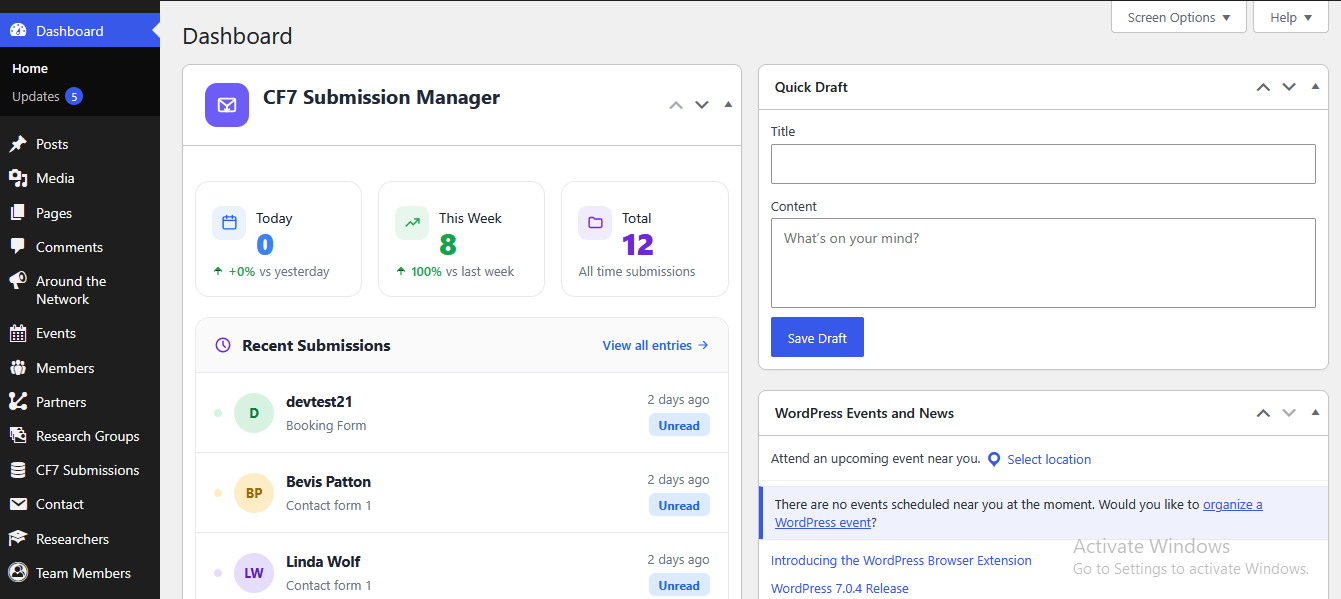
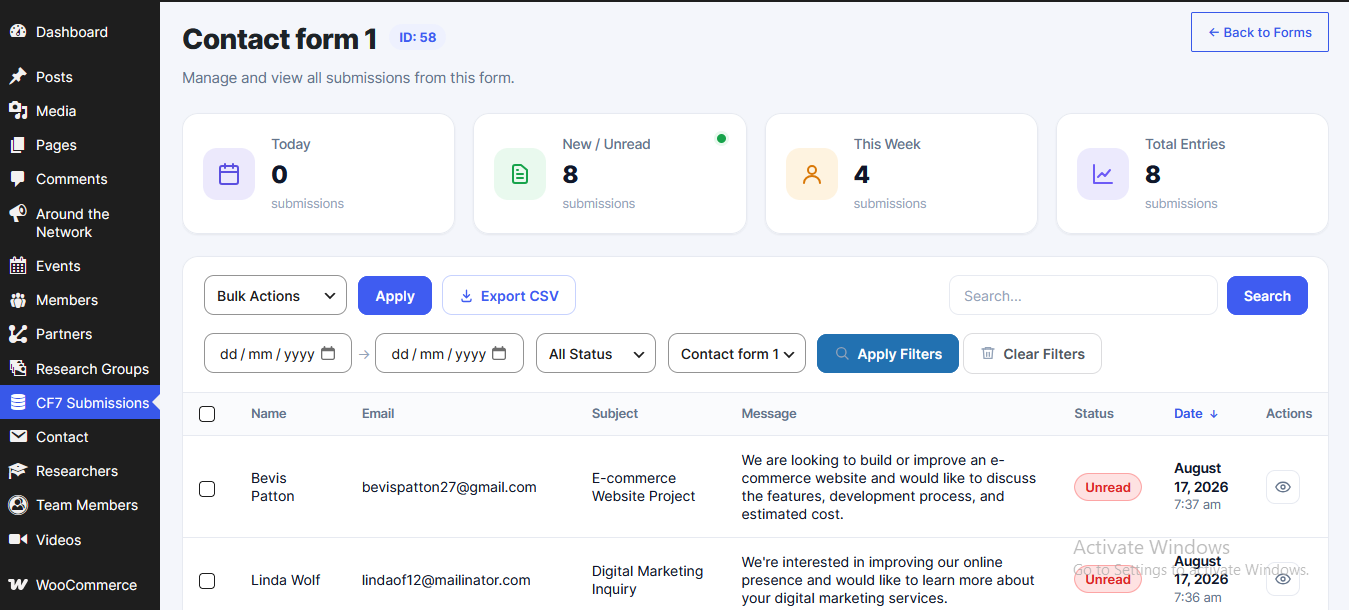
TimAddons – Submission Log & Automation for Contact Form 7 addresses this by automatically logging form submissions into a dedicated, secure custom MySQL database table. It also provides a modern WordPress admin dashboard using jQuery DataTables to search, sort, filter, and manage submitted data efficiently.
This plugin is an independent extension for Contact Form 7 and is not affiliated with or endorsed by the Contact Form 7 project.
Free Features
- Automatic Database Logging: Captures Contact Form 7 submissions and stores them in a dedicated database table.
- Modern Admin Dashboard: View, search, filter, sort, and paginate submissions using an integrated jQuery DataTables interface.
- Lightweight Footprint: Uses a dedicated custom MySQL table instead of storing submission data in
wp_postmeta. - Developer Friendly: Built using native WordPress functions and hooks.
Premium Features (Upgrade Available)
- Asynchronous API Syncing: Offload external API synchronization to background queues using Action Scheduler so external API requests do not block form submissions.
- Google Sheets API Integration: Automatically synchronize form submission data with Google Sheets.
- OAuth Account Connection: Securely authenticate and authorize Google accounts from your WordPress dashboard.
- Automated Failure Recovery: Background workers can automatically retry failed API synchronization attempts when external services are temporarily unavailable.
螢幕擷圖
安裝方式
Modern WordPress Installation
- Go to your WordPress Dashboard and navigate to Plugins > Add New.
- Click Upload Plugin at the top of the page.
- Choose the plugin ZIP file from your computer and click Install Now.
- Click Activate Plugin.
Manual FTP Installation
- Extract the plugin ZIP archive.
- Upload the plugin directory to your server’s
/wp-content/plugins/directory. - Navigate to the Plugins page in your WordPress admin menu.
- Locate TimAddons – Submission Log & Automation for Contact Form 7 and click Activate.
常見問題集
-
Does this plugin require Contact Form 7?
-
Yes. TimAddons – Submission Log & Automation for Contact Form 7 requires the Contact Form 7 plugin to be installed and activated. This plugin extends Contact Form 7 by providing submission logging, management, and automation features.
-
Does this plugin slow down form submissions?
-
The free version stores submissions locally in a custom MySQL table without making external API requests. Premium integrations use background processing so external API synchronization can happen separately from the visitor’s form submission request.
-
Where can I find the saved form entries?
-
Once activated, a CF7 Submissions menu item will appear in your WordPress admin sidebar. From there, you can view and manage stored Contact Form 7 submissions.
-
Is this plugin compliant with GDPR/data privacy laws?
-
The free version stores submission data on your own WordPress website and does not transmit submission data to third-party services.
When premium integrations are enabled, submission data may be transmitted to connected third-party services such as Google Sheets or CRM platforms. Site owners are responsible for configuring these integrations appropriately and ensuring their use complies with applicable privacy and data protection requirements.
使用者評論
這個外掛目前沒有任何使用者評論。
參與者及開發者

變更記錄
1.0.0
- Initial production release.
- Added secure custom MySQL database logging for Contact Form 7 submissions.
- Added jQuery DataTables interface for managing stored submissions.
- Added background worker hooks for premium integrations.