

外掛說明
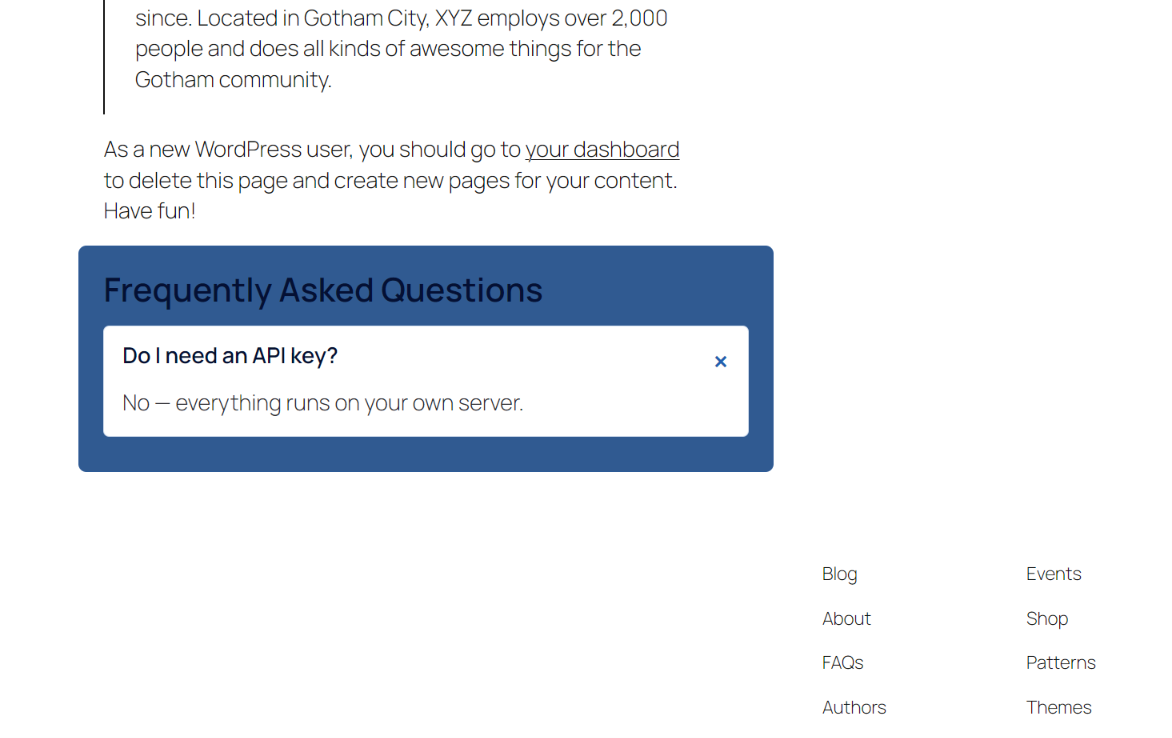
Detects the Q&As already written in your post — no AI, no API key — and renders them with native details/summary elements, so the accordion works without JavaScript.
AIFORYA FAQ Generator lets you add structured FAQs to your posts and pages, with no configuration needed.
Everything stays on your site. This plugin makes no network requests and requires no account or API key.
Write your questions and answers by hand, or detect them automatically from the content of your posts (no AI): the plugin reads the structure of your text — headings that end with a question mark become questions, and the content that follows becomes the answer. The FAQ is displayed as an accordion (or in other layouts), and the schema.org FAQPage markup makes it eligible for Google rich results.
Features
- Manual FAQ editor — create and edit your questions and answers per post or page, using repeatable fields.
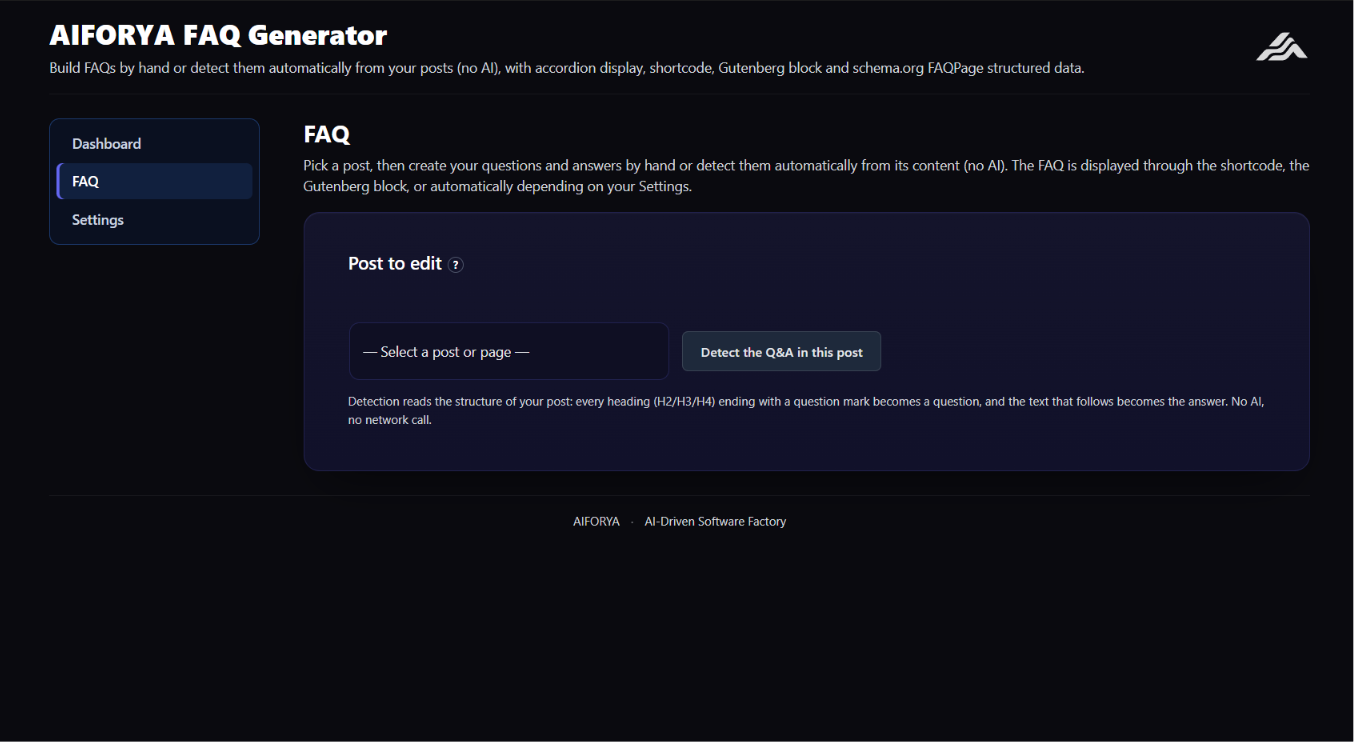
- Automatic detection without AI — a “Detect the Q&As in this post” button analyses the structure of the content (H2/H3/H4 headings phrased as questions, followed by a paragraph) to pre-fill the FAQ. No AI, no network calls.
- Accordion display — answers expand using the native HTML
<details>/<summary>elements, plus 4 other layouts (cards, list, numbered, minimal). - Shortcode —
[aiforya_faq]works anywhere: Gutenberg, Elementor, Divi, WPBakery, Oxygen, Avada and the classic editor. - Native Gutenberg block — the “AIFORYA FAQ” block (Widgets category), with an option to display the FAQ of another post.
- Native Elementor widget — available automatically when Elementor is active.
- schema.org FAQPage structured data — validated JSON-LD markup, injected into the
<head>for Google rich snippets. - Dashboard — number of FAQs, posts covered and questions published.
- Multilingual interface — English, French, German, Spanish, Italian and Dutch.
Privacy
Your questions and answers are stored in your own WordPress database. Nothing is sent anywhere, and no API key is required.
Advanced version
An advanced version automatically generates a complete, optimised FAQ from the content of your posts, with multilingual translation and bulk generation, using your own personal API key with the AI provider of your choice. See aiforya.fr.
螢幕擷圖
適用於區塊編輯器
這個外掛提供 1 個可供區塊編輯器使用的區塊。
- AIFORYA FAQ
安裝方式
- Upload the
aiforya-faq-generatorfolder to/wp-content/plugins/, or install the plugin from the WordPress Plugins screen. - Activate the plugin from the “Plugins” menu.
- Go to the “AIFORYA FAQ Generator” menu, “FAQ” tab: choose a post, then write your questions by hand or click “Detect the Q&As in this post”.
- Display the FAQ with the
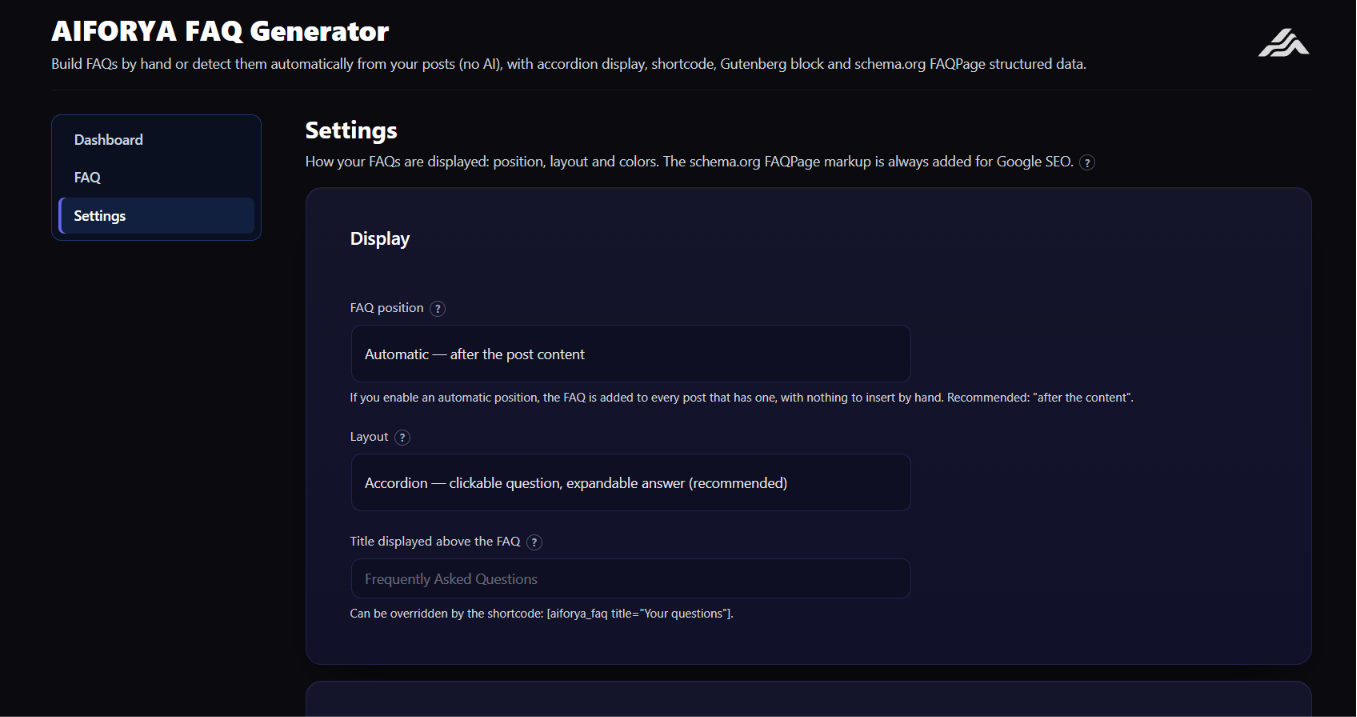
[aiforya_faq]shortcode, the “AIFORYA FAQ” Gutenberg block, or by enabling automatic display in the Settings tab.
常見問題集
-
Do I need an API key or an account?
-
No. The free version runs entirely on your site, with no API key and no external service.
-
How does automatic detection work without AI?
-
The plugin reads the structure of your post: each heading (H2/H3/H4) that ends with “?” becomes a question, and the text that follows (a paragraph or a list) becomes the answer. You get a pre-filled FAQ that you are free to adjust.
-
Are the FAQs compatible with Google rich snippets?
-
Yes. Each FAQ is marked up as schema.org FAQPage (JSON-LD), which makes it eligible for Google rich results.
-
How do I display a FAQ?
-
Three ways: the
[aiforya_faq]shortcode, the “AIFORYA FAQ” Gutenberg block, or automatic display before or after the content (enable it in the Settings). -
Does the shortcode work with Elementor and Divi?
-
Yes. A native “AIFORYA FAQ” widget is available in Elementor. For Divi and other builders, insert
[aiforya_faq]into a Code or Text module. -
Where do I get support?
-
Through the support forum of this plugin on WordPress.org.
使用者評論
這個外掛目前沒有任何使用者評論。
參與者及開發者

變更記錄
1.0.5
- Security fix. The FAQ structured data is written inside a
<script type="application/ld+json">block. A question or answer containing the exact text</script>closed that block early, so the rest was interpreted as HTML instead of data. Anyone able to edit a post could therefore inject markup into every page showing that FAQ. The JSON is now encoded withJSON_HEX_TAG,JSON_HEX_AMPandJSON_HEX_QUOT, which makes that impossible. Nothing changes for search engines: the escaped form is standard JSON and is read identically. - No other behaviour changed in this release.
1.0.4
- Block editor: the FAQ block panel was still in French — its title, its description and every label in the inspector. The 1.0.1 release translated the PHP strings only, so the block, which is JavaScript, was missed. All of them are now in English.
- Shared admin UI: the close button of the notice bar had a French
aria-label, which screen readers announced in French on an English site.
1.0.1
- Source strings switched from French to English (196 strings). On WordPress.org en_US is the ORIGINAL language, so French source strings meant no English speaker could read the plugin and no community translation was possible.
- Front-end styles moved from an inline block to wp_enqueue_style() + wp_add_inline_style(): the whole stylesheet was re-emitted once per FAQ shown on the page.
- Admin fix: values passed to wp_localize_script were JSON-encoded twice, the nonce included — every AJAX call failed with a network error.
- Plugin description and built-in FAQ translated to English (they appear in the admin header and in the plugin directory listing).
1.0.0
- Initial release: manual FAQ editor, automatic Q&A detection without AI, accordion display (and 4 other layouts), shortcode, Gutenberg block, Elementor widget, schema.org FAQPage structured data, dashboard, multilingual interface (6 languages).