

外掛說明
This plugin will help you manage and display post series more easily. You’ll be able to create/assign series and display other posts in the series.
It consists of a custom taxonomy (post-series) and two shortcodes [post_series_block] and [post_series_nav].
It will automatically display a list of posts in the series at the top of a post and a link to the next post in the series when applicable.
螢幕擷圖
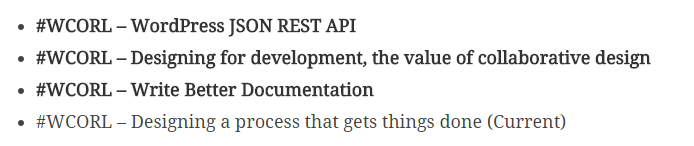
An example of a list of posts in a series, automatically placed at the top of a post. 
An example of a call to action at the end of a post, only shows up if there is a next post in the series. 
Adding a post to a series is as simple as adding a tag to it.
安裝方式
- Upload the
post-series-managerfolder to the/wp-content/plugins/directory - Activate the plugin through the ‘Plugins’ menu in WordPress
- Start adding series tags to your posts like you would a regular tag
常見問題集
- Installation Instructions
-
- Upload the
post-series-managerfolder to the/wp-content/plugins/directory - Activate the plugin through the ‘Plugins’ menu in WordPress
- Start adding series tags to your posts like you would a regular tag
- Upload the
- I don’t want it to show up before/after/somewhere else, what do I do?
-
The plugin is set up in such a way that the content filters that are put in place can be removed fairly simply. Add one, or both, of the following to your functions.php:
// Remove the shortcode that's automatically added before the content remove_filter( 'the_content', array( $post_series_manager, 'post_series_before' ) ); // Remove the shortcode that's automatically added after the content remove_filter( 'the_content', array( $post_series_manager, 'post_series_after' ) ); - How do I use the shortcodes?
-
The shortcodes are simple and have no additional parameters to use. The shortcodes that are available are:
- [post_series_block] – this is normally added before the content
- [post_series_nav] – this is normally added after the content
- Can I filter stuff?
-
A number of filters have been included, and more are to follow.
The filters that are included (subject to change):
// Filters "This post of part of the series: " text
post-series-manager-series-text

// Filters the " (Current)" text
post-series-manager-current-text

// Filters the "Continue reading this series:" text
post-series-manager-next-text

// Filters the "Other posts in this series:" text
post-series-list-intro-text

// Filters the start "<ol>" tag
post-series-list-opening-tags

// Filters the ending "</ol>" tag
post-series-list-ending-tags
Be very aware that if you change the opening ol to ul, you will also want to change the ending ol to match.
使用者評論


參與者及開發者


變更記錄
1.2.1
- Fixed unexpected output during activation error.
- Enabled
show_in_restfor REST API and Gutenberg support.
1.2.0
- Added “start” attribute to ol to follow the count of all posts in the series
- Cleaned up and updated Dutch translations
- Fixed existing filters to actually do something
- Added three more filters, so you can change the list type from ol to ul or change the intro text
1.1.0
- Cleaned up some code to match WP standards
- Post List now supports more than 5 posts
- Displays up to 2 posts before and after the current post
1.0.2
- Fixed a small, but nasty, bug with a div not getting closed properly.
- Added some filters.
1.0.1
- Changed unordered list to an ordered one, because semantics
1.0
- First release.