

外掛說明
ECORP Internal Links builds your internal linking silo for you. You define
a list of keyword to URL rules once, and every matching keyword is turned into a
link as your content is rendered. Your posts are never modified in the database:
the plugin works on output only, so removing it removes every generated link.
What it does
- Links each keyword on its first occurrence only, so a page never repeats the same link.
- Enforces a global limit of automatically inserted links per post.
- Never lets a post link to itself: a rule pointing at the page being displayed
is skipped, and does not consume the per-post limit. - Optionally opens links in a new tab (
target="_blank"plusrel="noopener"). - Optionally marks inserted links as
rel="nofollow". - Runs only on the post types you enable.
Where it will never insert a link
Correctness here matters more than coverage, so the matcher skips every context
where an automatic link would be invalid or unwanted:
- inside an existing
<a>element, so links are never nested; - inside
<h1>to<h6>headings; - inside
<script>,<style>,<code>,<pre>,<kbd>and<samp>; - inside form controls such as
<textarea>,<button>,<select>,<option>and<label>; - inside
<iframe>,<svg>,<noscript>and<template>; - inside HTML comments;
- inside any HTML attribute, including
alt,title,srcandhref.
Built for real content
- Matching is accent aware and case insensitive, and the original casing of the
matched text is preserved in the anchor. - Word boundaries are Unicode aware: a rule for
SEOnever matches inside
SEOquencer, and a rule forréférencementnever matchesréférencements. - Longer expressions win over shorter ones, so
internal linking strategyis
preferred overinternal linkingwhen both are defined. - Multi word keywords still match across a line break or a non breaking space.
Performance
Rendered output is stored in the WordPress object cache, keyed by a version
number that is bumped whenever you save your settings. On a site with a
persistent object cache the transformation runs once per post revision; without
one, repeated the_content calls within the same request are still served from
memory.
Developer filters
ecorp_il_should_process: decide per post whether automatic linking runs.ecorp_il_filter_priority: change thethe_contenthook priority (default 20).ecorp_il_protected_tags: adjust the list of protected elements.ecorp_il_link_attributes: change the attributes of every inserted link.ecorp_il_link_rel: change therelvalues of every inserted link.ecorp_il_cache_ttl: change the cache lifetime.ecorp_il_selectable_post_types: change the post types offered in the settings screen.
This plugin is built and maintained by ECORP.
螢幕擷圖
安裝方式
- Upload the plugin folder to
/wp-content/plugins/, or install it from the Plugins screen. - Activate the plugin.
- Go to Settings > Internal Links.
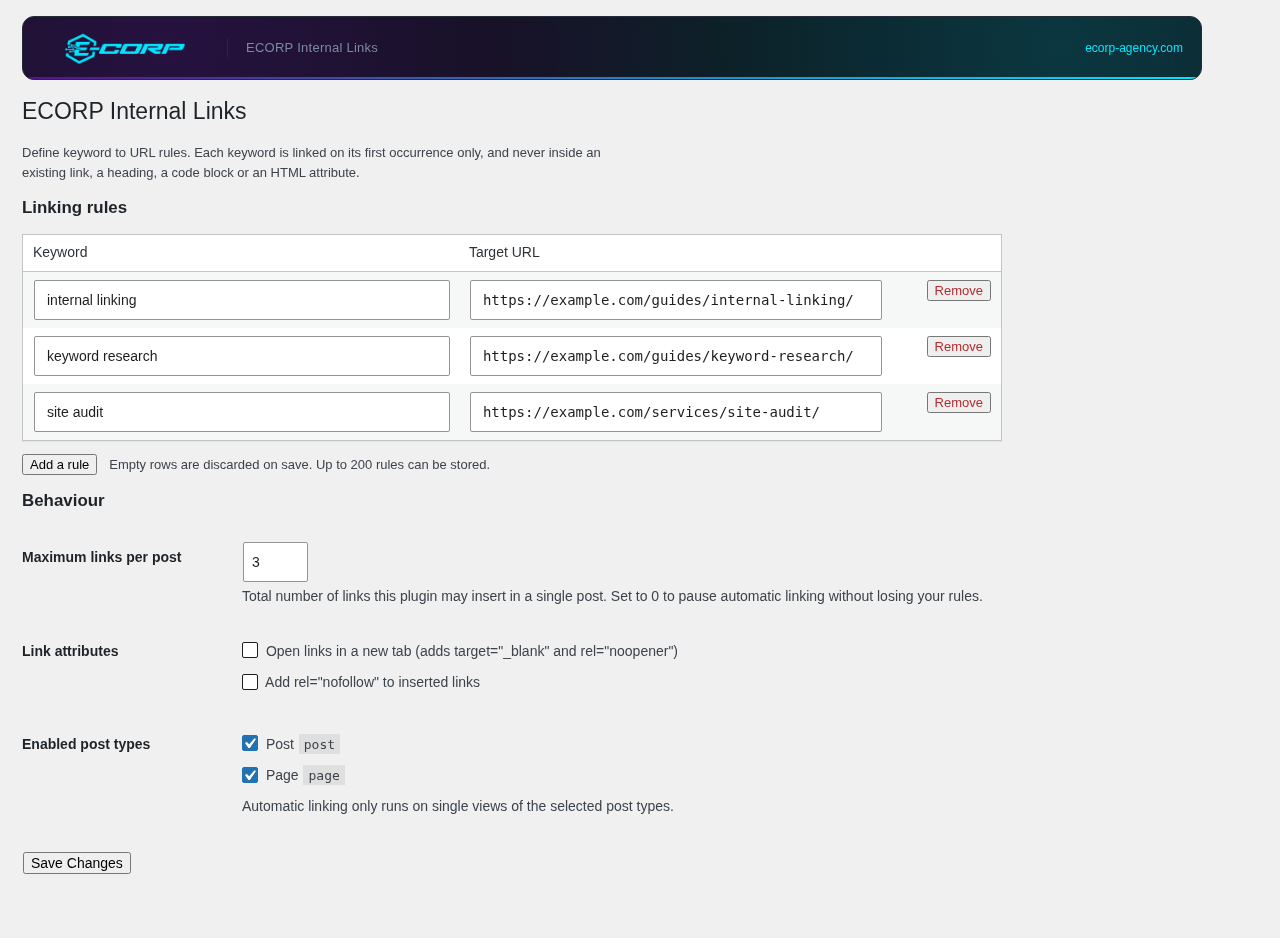
- Add your keyword to URL rules, pick a maximum number of links per post, and select the post types to enable.
常見問題集
-
Does this modify my posts?
-
No. The plugin filters
the_contentat render time. Your post content in the
database is untouched, and deactivating the plugin removes every generated link. -
Why is my keyword not being linked?
-
Check the following, in order:
- The post type of the page is enabled in the settings.
- The maximum number of links per post has not already been reached by earlier rules.
- The keyword does not appear only inside a heading, an existing link, a code block or an HTML attribute.
- The keyword appears as a whole word.
SEOwill not match insideSEOquencer. - The rule does not point at the page you are looking at. A post is never linked to itself.
-
Will a post link to itself?
-
No. When a rule targets the page currently being displayed, it is skipped. The
comparison ignores the protocol, a leadingwww.and a trailing slash, so the
rule is recognised whichever form you pasted. A link to an anchor on the same
page, such as/my-post/#section, is still allowed. -
In which order are the rules applied?
-
Rules are applied in the order the keywords appear in the content, not in the
order they are listed in the settings. When two rules could match the same text,
the longer keyword wins. -
Can I disable linking on a specific post?
-
Yes, with a small snippet using the
ecorp_il_should_processfilter:add_filter( 'ecorp_il_should_process', function ( $enabled, $post_id ) { return get_post_meta( $post_id, 'disable_autolinks', true ) ? false : $enabled; }, 10, 2 ); -
Does it work with the block editor?
-
Yes. The filter runs after blocks and shortcodes have been rendered, so it
operates on the final HTML.
使用者評論
這個外掛目前沒有任何使用者評論。
參與者及開發者

變更記錄
1.2.0
- First release on the WordPress.org plugin directory.
- Renamed to ECORP Internal Links. Option keys, filters and CSS classes now use
theecorp_ilprefix.
1.1.0
- A post is never linked to itself. A rule targeting the page being displayed is
skipped, and does not consume the per-post link limit. - Settings screen restyled to the ECORP brand guidelines.
1.0.0
- Initial release.