

外掛說明
Updatepilot Update Log keeps log of every pending WordPress core, plugin, and theme update in a Google Sheet.
- Click “Sync to Sheet” any time — nothing runs automatically or on a schedule.
- Reads live “update available” data (same source as update-core.php).
- Rows are written to a tab named for the current month (e.g. Jun26, Aug26); a new tab is created automatically the first time you sync in a new month.
- If an item already has a row this month and a newer version later becomes available, that row is updated in place instead of duplicated.
- Items whose available version hasn’t changed are left untouched, so any “Updated” checkbox you’ve already ticked stays as you left it.
- The default blank “Sheet1” tab Google creates for new spreadsheets is automatically removed once a real month tab exists.
- Connects to your Sheet via a small Apps Script you deploy yourself — no Google Cloud project, API keys, or OAuth setup required.
螢幕擷圖
安裝方式
- Upload the plugin files to
/wp-content/plugins/updatepilot-update-log/, or install via the Plugins screen. - Activate the plugin.
- Go to Updatepilot Update Log in the admin menu.
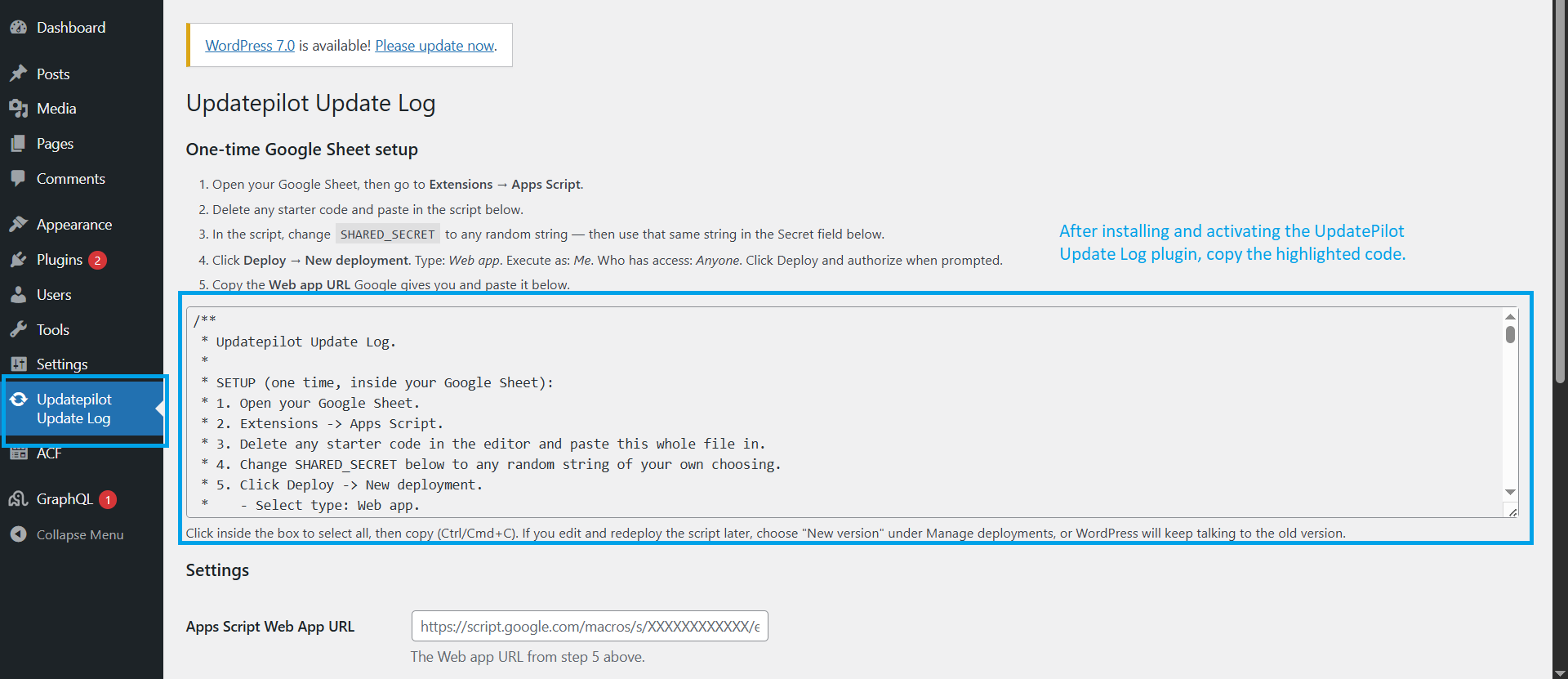
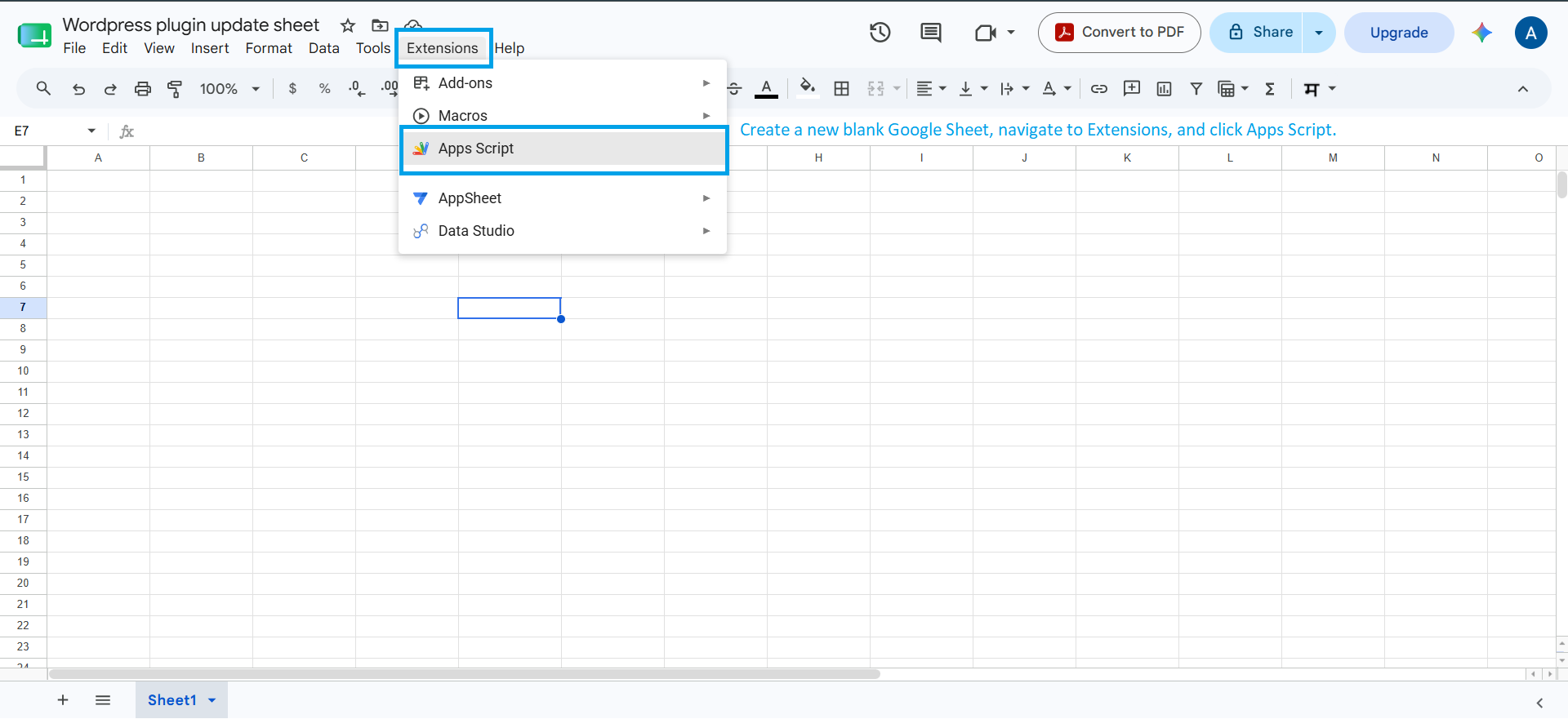
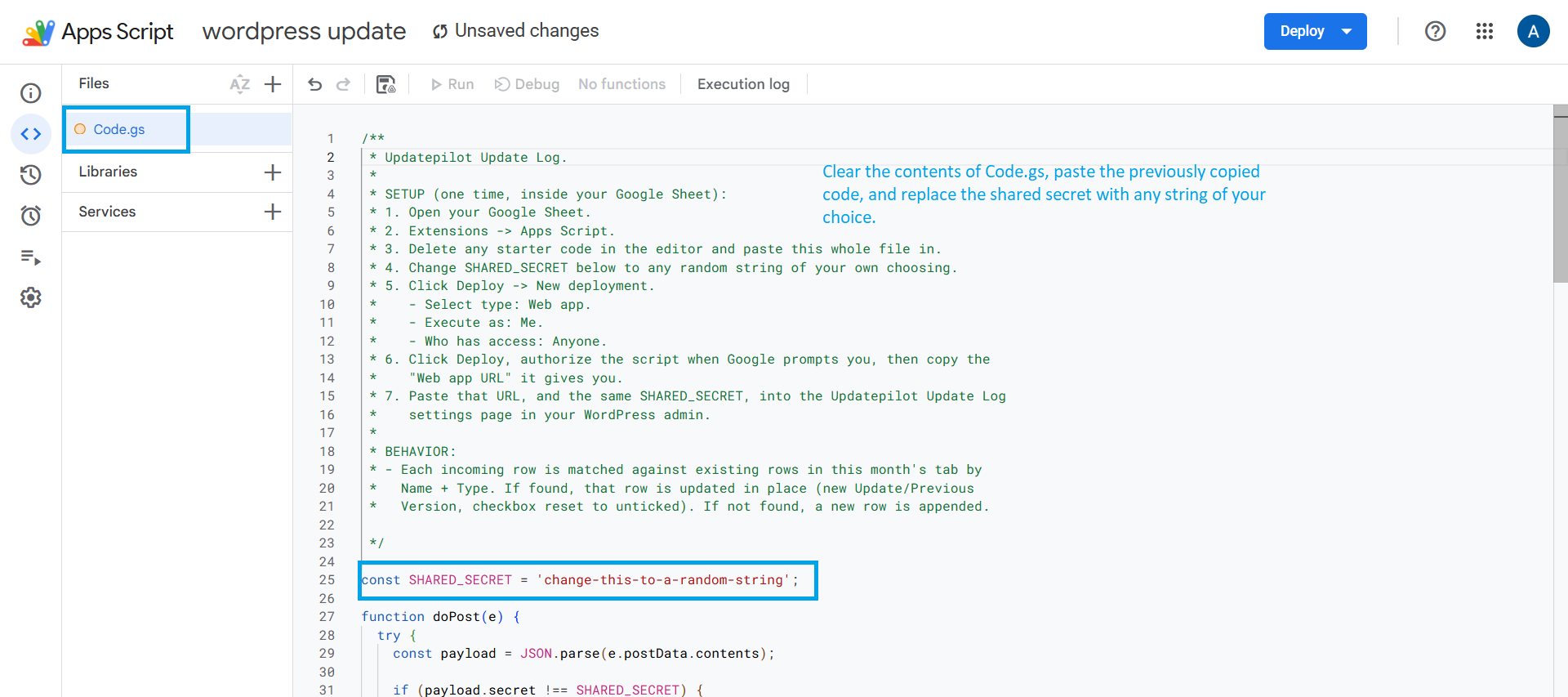
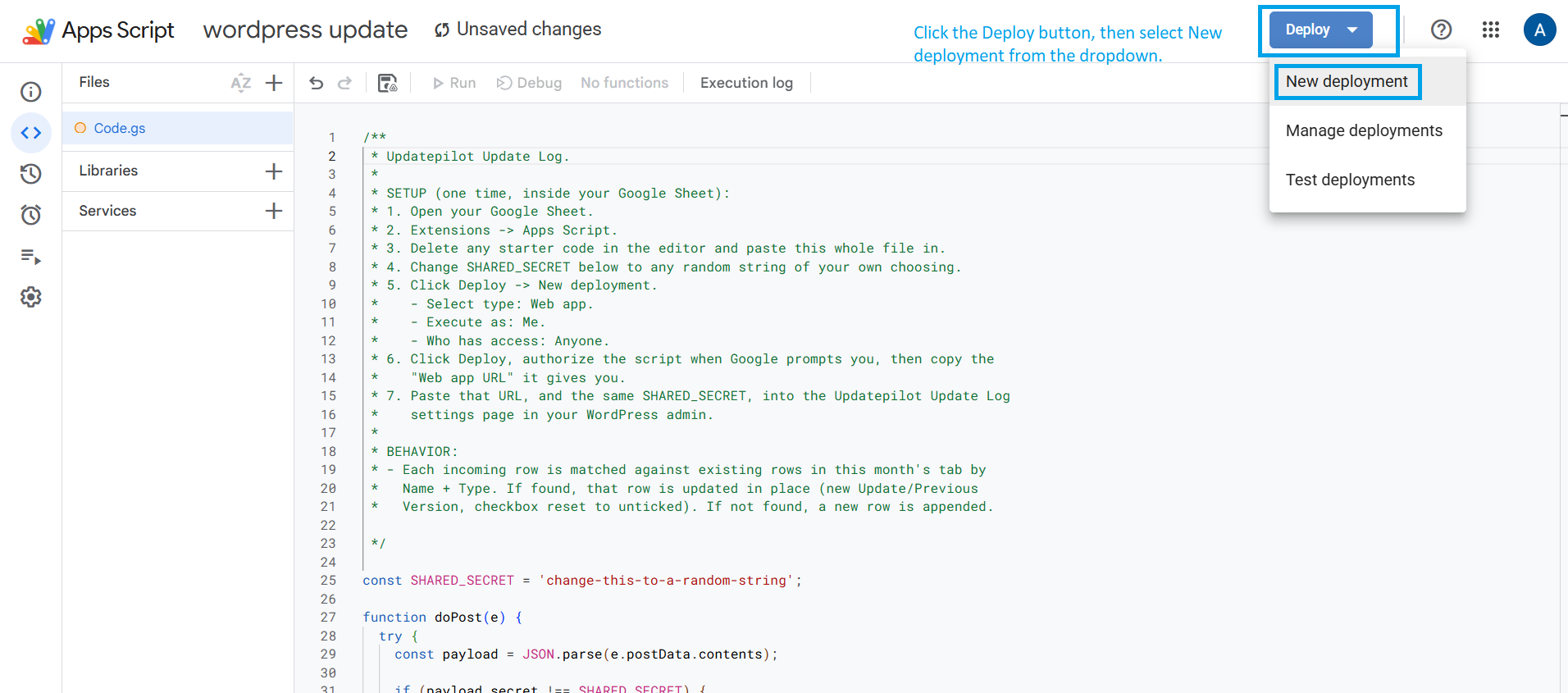
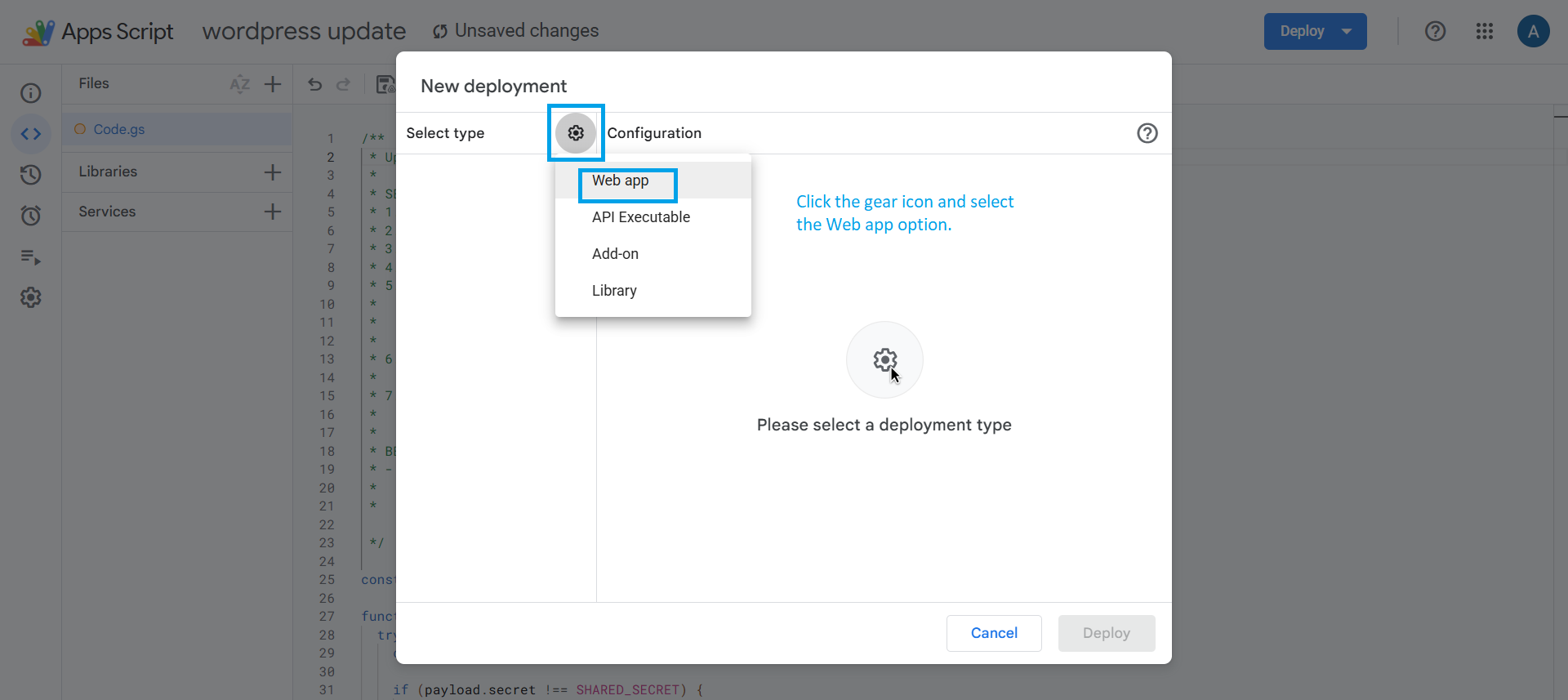
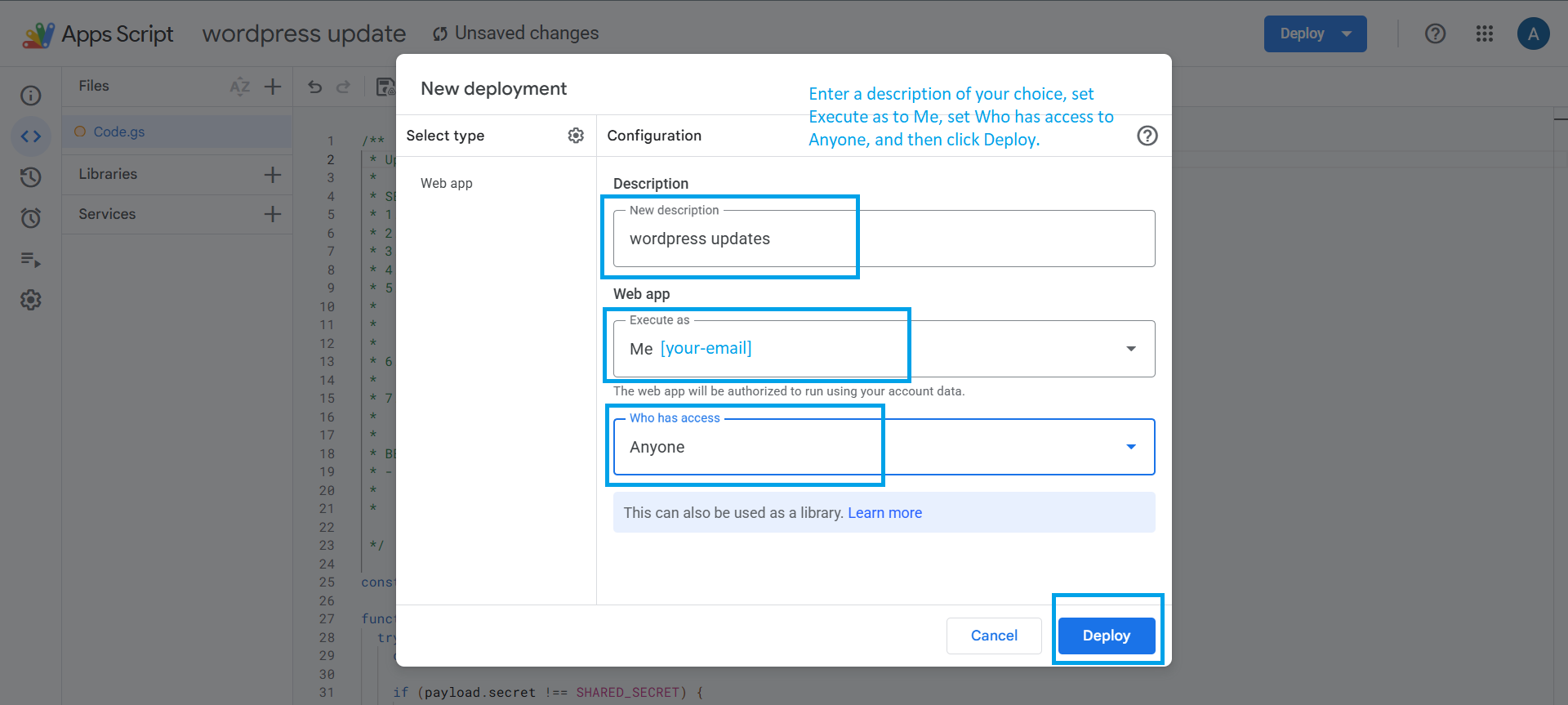
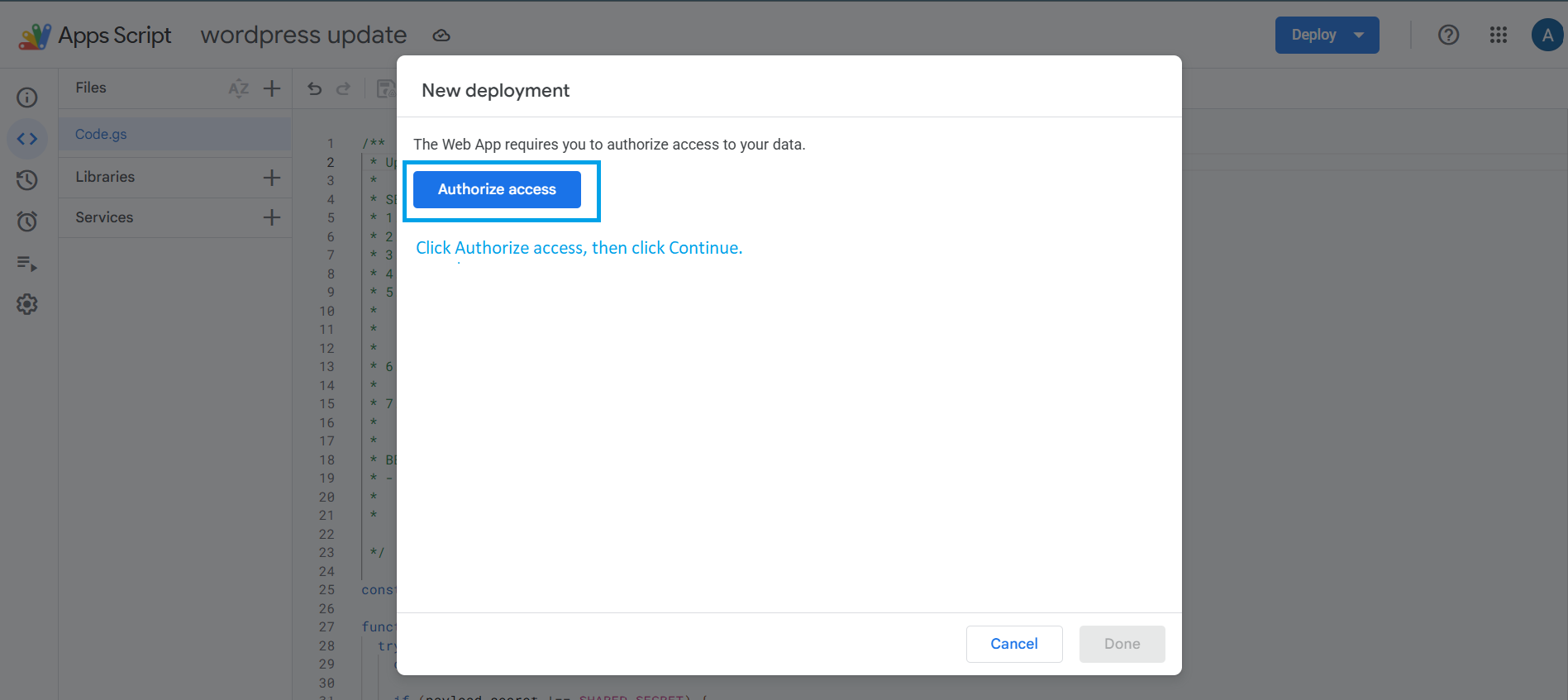
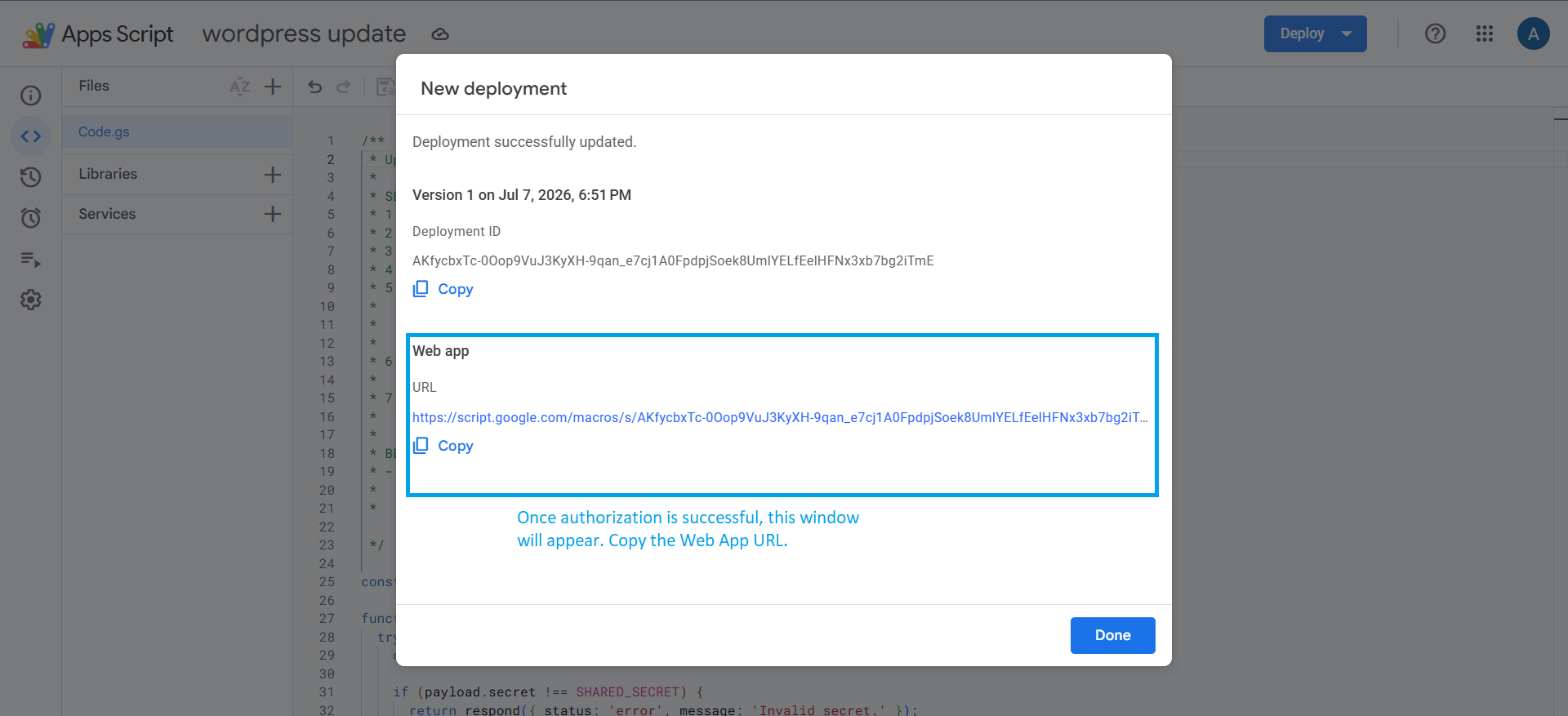
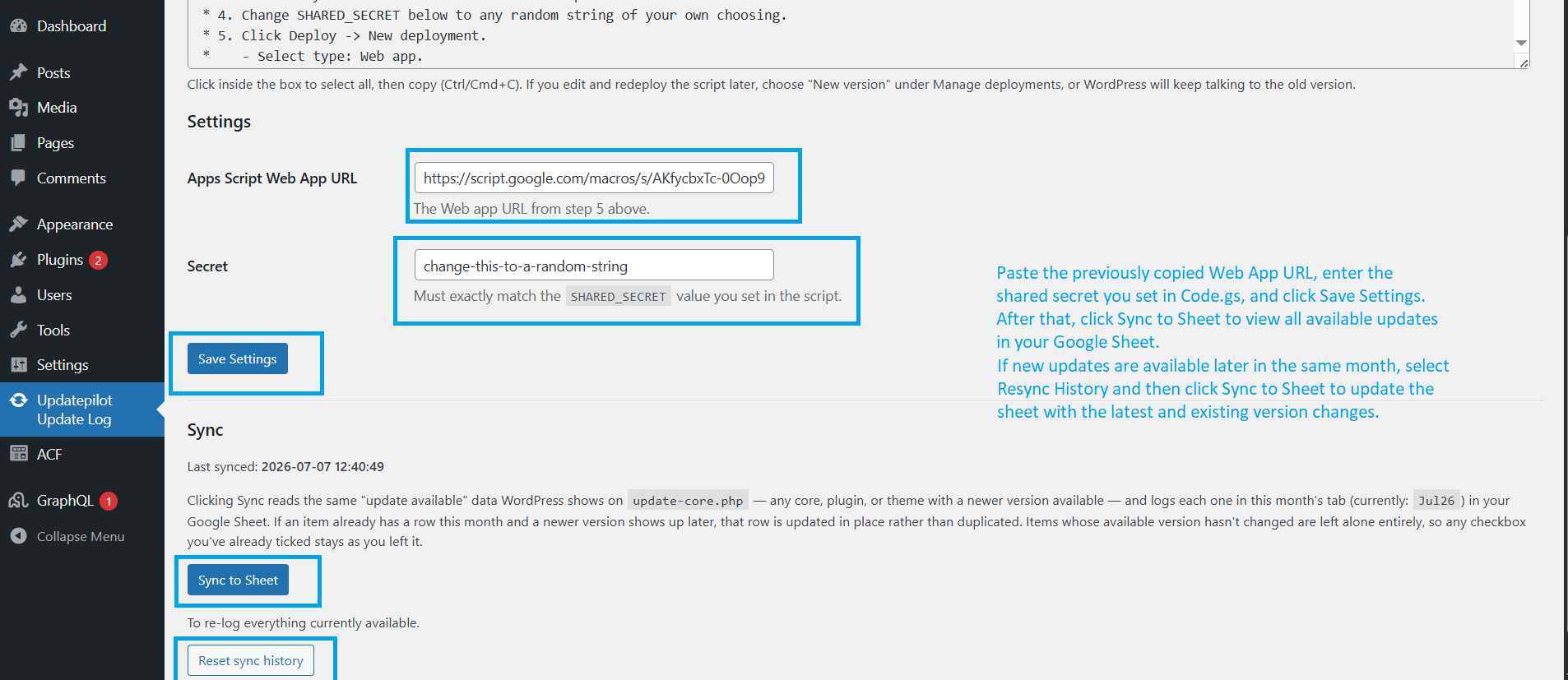
- Follow the “One-time Google Sheet setup” steps on that page: open your Sheet, paste the provided script into Extensions > Apps Script, deploy it as a Web App, and copy the resulting URL.
- Paste the Web App URL and your chosen secret into Settings, Save.
- Click Sync to Sheet.
常見問題集
-
Can I use the Google Sheet link directly?
-
Writing to a sheet always needs some form of authorization — Google doesn’t allow it from a bare link. Rather than requiring a Google Cloud project or OAuth setup, this plugin has you deploy a small Apps Script bound to your own sheet instead. It’s a one-time, few-minutes setup entirely inside Google Sheets, with no external accounts or API keys.
-
Will syncing overwrite my manually-ticked checkboxes?
-
No. A row is only touched if its available update version has actually changed since the last sync. If nothing changed, that row (and its checkbox) is left exactly as you left it.
-
Does this run automatically?
-
No. Sync only happens when you click “Sync to Sheet” in the admin page.
使用者評論
這個外掛目前沒有任何使用者評論。
參與者及開發者

變更記錄
1.0.0
- Initial release.