外掛說明
QBlocks Menu Sync for Polylang adds a “Duplicate Menu” panel to the WordPress Appearance > Menus screen. Clone any navigation menu — including all items, hierarchy, and settings — in seconds, with full Polylang multilingual support.
This plugin is not affiliated with Polylang or its developers. “Polylang” is a trademark of its respective owner; this plugin simply integrates with the Polylang plugin’s public API.
Features
- One-click menu duplication — duplicate any menu with all items preserved
- Polylang integration — clone menus to one or more target languages in a single action
- Smart translation — automatically links to translated pages, posts, and taxonomy terms when available
- Fallback handling — keeps original linked objects when no translation exists
- Custom links — duplicated as-is with no changes
- Theme location assignment — optionally assign the cloned menu to any registered theme location
- Polylang-aware locations — assigns per-language location slots without affecting other languages
- Unique naming — auto-generates unique menu names to prevent conflicts
- Source language badge — clearly shows which language you are cloning from
- Secure — nonce verification, capability checks, input sanitization, and output escaping throughout
How It Works
- Go to Appearance > Menus
- Select the menu you want to duplicate
- Open the Duplicate Menu panel (above the menu structure)
- Choose target languages (if Polylang is active)
- Optionally set a custom name and assign theme locations
- Click Duplicate Menu
Polylang Support
When Polylang is active, the plugin detects the source menu’s language and offers all other active languages as targets. For each target language:
- Pages and posts are automatically linked to their translation
- Categories and custom taxonomy terms are linked to their translation
- If no translation exists, the original object is kept as a fallback
- Custom links are duplicated unchanged
- The new menu is assigned the correct Polylang language
Without Polylang
The plugin works as a simple menu duplicator — no language features, just a clean copy of the menu and all its items.
螢幕擷圖
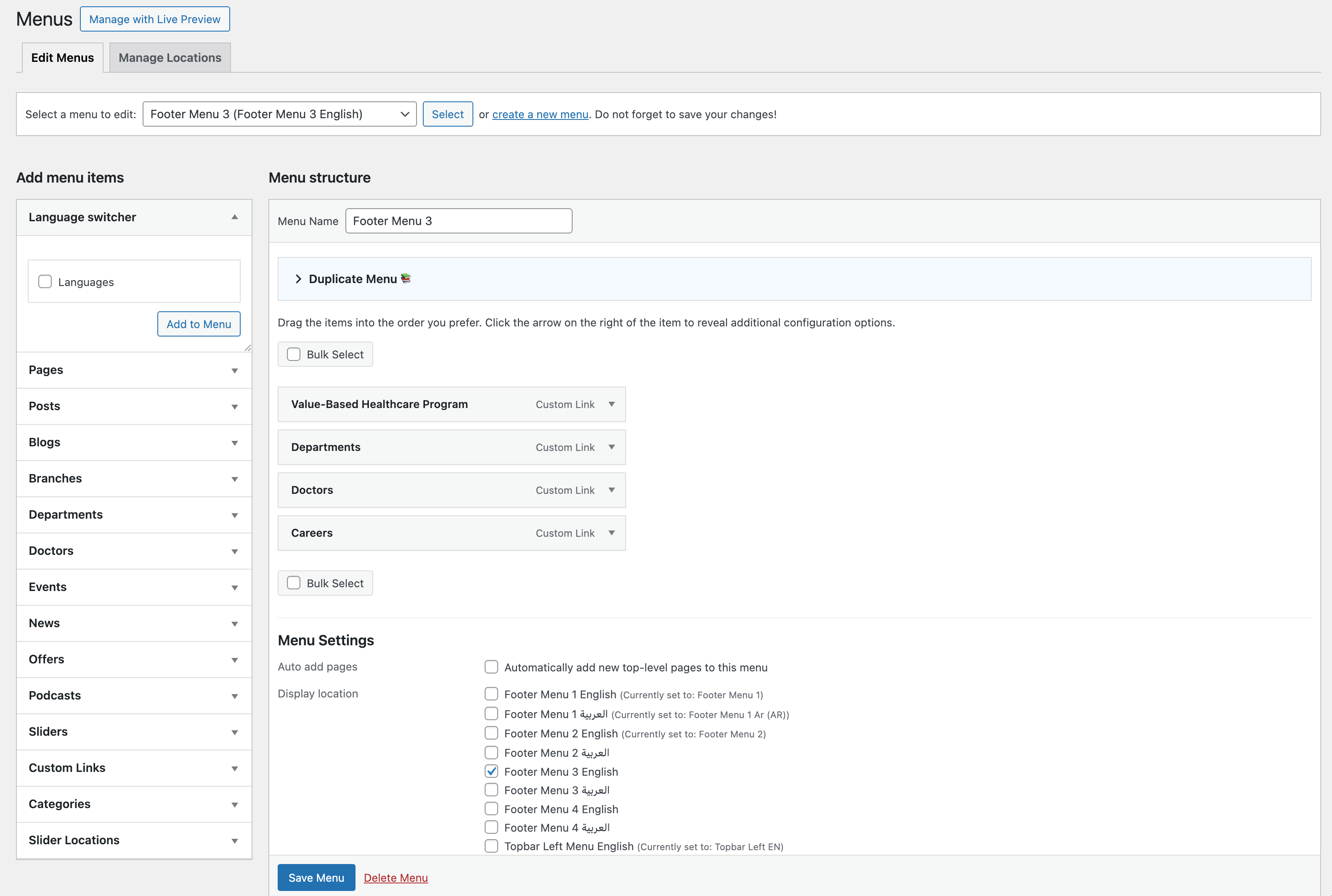
Duplicate Menu panel on the Menus screen (collapsed) 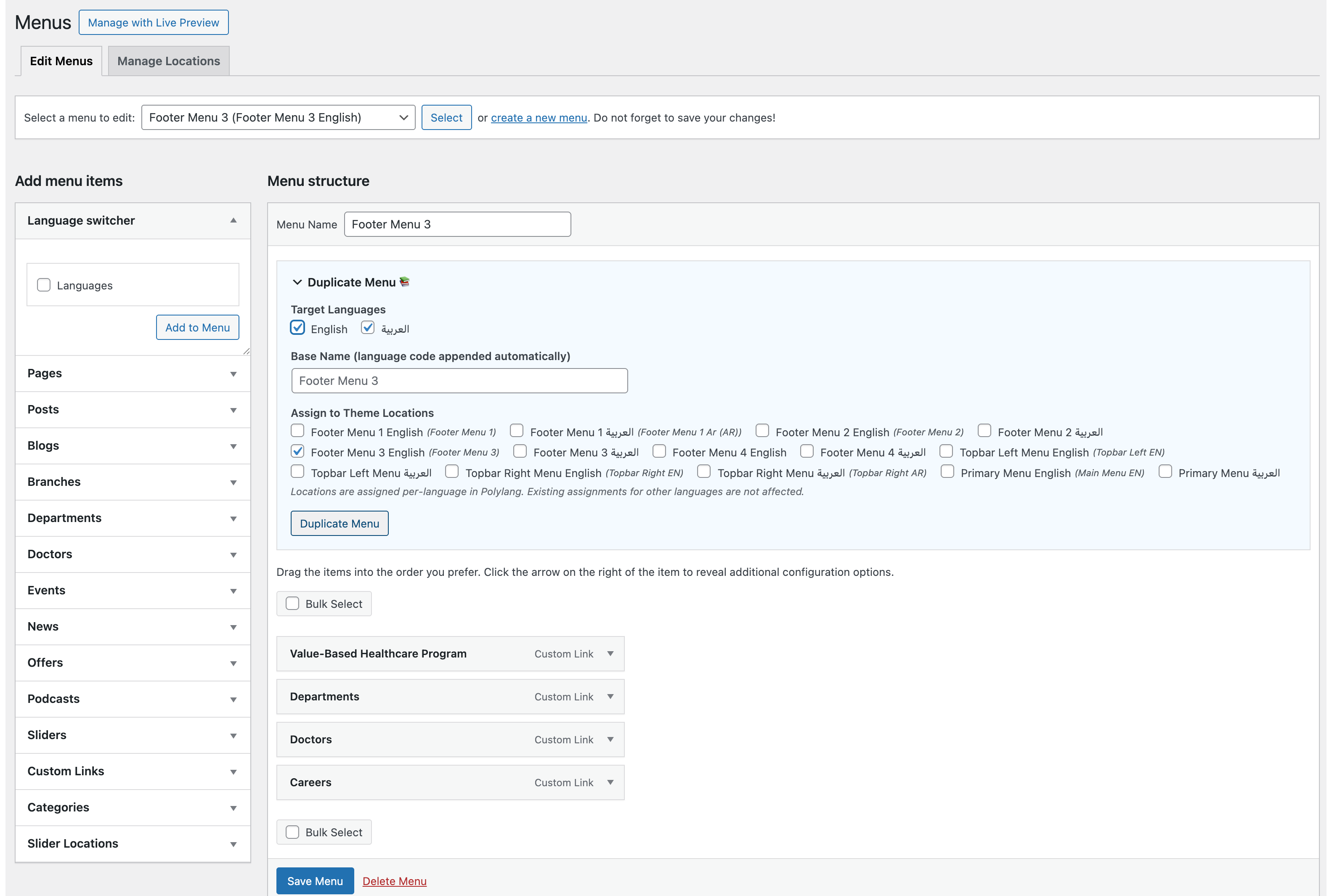
Duplicate Menu panel expanded with Polylang languages and location options
安裝方式
- Upload the
qblocks-menu-sync-for-polylangfolder to/wp-content/plugins/. - Activate the plugin through the Plugins menu in WordPress.
- Go to Appearance > Menus — the Duplicate Menu panel appears above the menu structure.
常見問題集
-
Does this plugin require Polylang?
-
No. Without Polylang, it works as a straightforward menu duplicator. Polylang integration is optional and activates automatically when Polylang is detected.
-
Is this plugin affiliated with Polylang?
-
No. This plugin is independently developed and is not affiliated with, sponsored by, or endorsed by Polylang or its developers. It simply uses the public Polylang API.
-
Yes. When Polylang is active, you can check multiple target languages and the plugin creates one menu per language in a single action.
-
What happens if a page does not have a translation?
-
The menu item keeps the original (source language) page as a fallback. You can update it manually later when the translation is created.
-
No. The plugin always creates new menus with unique names. It never modifies or deletes existing menus.
-
Yes. The Duplicate Menu panel shows all registered theme locations as checkboxes. In Polylang mode, only the target language’s location slot is affected — other languages remain untouched.
使用者評論
這個外掛目前沒有任何使用者評論。
參與者及開發者

變更記錄
1.0.0
- Initial release
- Menu duplication with full item hierarchy preservation
- Polylang integration with automatic object translation
- Multi-language cloning in a single action
- Theme location assignment with Polylang-aware per-language slots
- Source language badge display
- Confirmation dialog and double-submit protection