

外掛說明
Easily create all different kinds of Dropcaps for your WordPress site. Insert Dropcaps anywhere in your site – page/post editor, sidebars, template files. No coding is required. It is all done in a nice and easy interface.
Upgrade to the Pro version of this plugin – the fastes way to build your WordPress based site including regular updates and premium support:
Content Manager | Demo site
Dropcaps Options
- Label
- Font
- Label Color
- Background Color
- Size
- Border
- Border Color
- Shadow
- Square
- Content
- Custom CSS Class
Insert Dropcaps Anywhere in your site
Basically Dropcaps can be inserted anywhere in your site:
- Page/post WYSIWYG editor by using the buttion in the editor
- In sidebars by using the OTW Shortcode Widget
- In template files by using the Dropcaps’ shortcode and WP do_shortcode function
Custom styling
If you need to further style an Dropcaps here are your options
- Each Dropcaps shortcode has it’s unique CSS class that can be used to style all Dropcaps.
- Create a new class for each instance of an Dropcaps shortcode in its interface so you can style it individually.
Localization/Internationalization
This plugin comes Localization/Internationalization ready. It is following WordPress I18n standards.
Full version of the plugin
Upgrade to the full version of Content Manager |
Demo site
- Custom Responsive Layouts – Build in Seconds
- Front-end Editor – Edit your layouts and content in the front-end of your site
- 40+ Shortcodes with add/edit Interface, Custom and Imported Shortcodes
- Insert Shortcodes Anywhere – Layouts, Page Editor, Sidebars, Template files
- Insert Sidebars Anywhere – Layouts, Page Editor, Template files
- WordPress Widgets Anywhere – Layouts, Page Editor, Template files
- Content Sidebars
- Support and Updates
- Zero Coding Required
螢幕擷圖

WYSIWYG page/post editor button 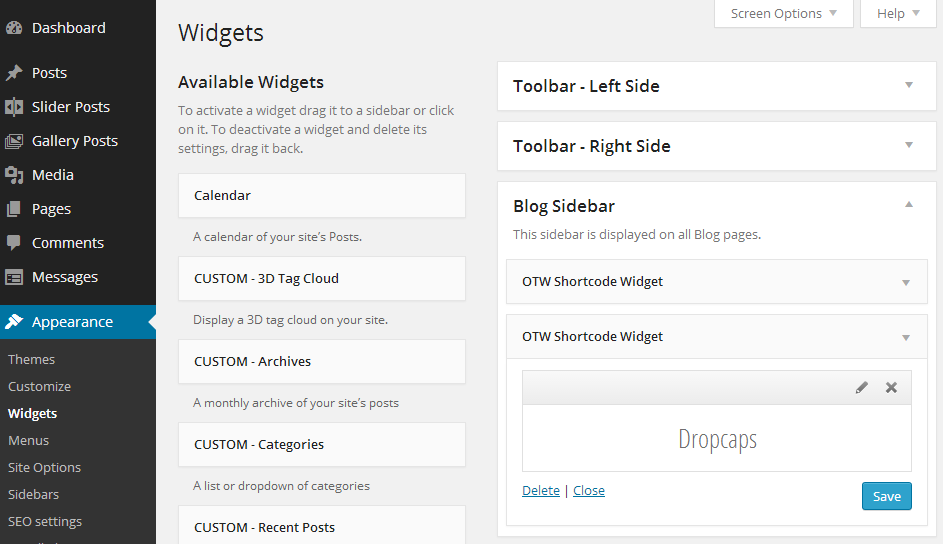
OTW Shortcode Widget 
Dropcaps Options 
Front-end
適用於區塊編輯器
這個外掛提供 2 個可供 Gutenberg/區塊編輯器使用的區塊。
- OTW Shortcode
- Dropcaps Shortcode and Widget
安裝方式
Please refer to online documentation page for more details.
常見問題集
Please refer to online documentation page for more details.
使用者評論


參與者及開發者

變更記錄
1.8
- Fixed: Check for registered block editors
- Updated: Core components
1.7
- Updated: php8 support
- Updated: Escape html attributes
- Updated: Sanitize requests
- Updated: Use strict mode for javascript
- Updated: OTW shortcode in block editors
1.6
- Updated: OTW core functions
1.5
- Updated: call to google fonts via https
1.4
- Updated: OTW core updates
1.3
- Updated: javascript shortcodes settings optimization
1.2
- Fixed: wp link wrap zindex added
1.1
- Fixed: Adjustments on the options popup window
1.0
- Initial release